GPT Image 2.6 Flare API
GPT Image 2.6 Flare — smaller, faster tier for interactive generation and quick, precise edits, with a planning (complexity) control, animated GIF and SVG output.
GPT Image 2.6 Flare API playground
Params
Billed at this model’s published rate.
Result
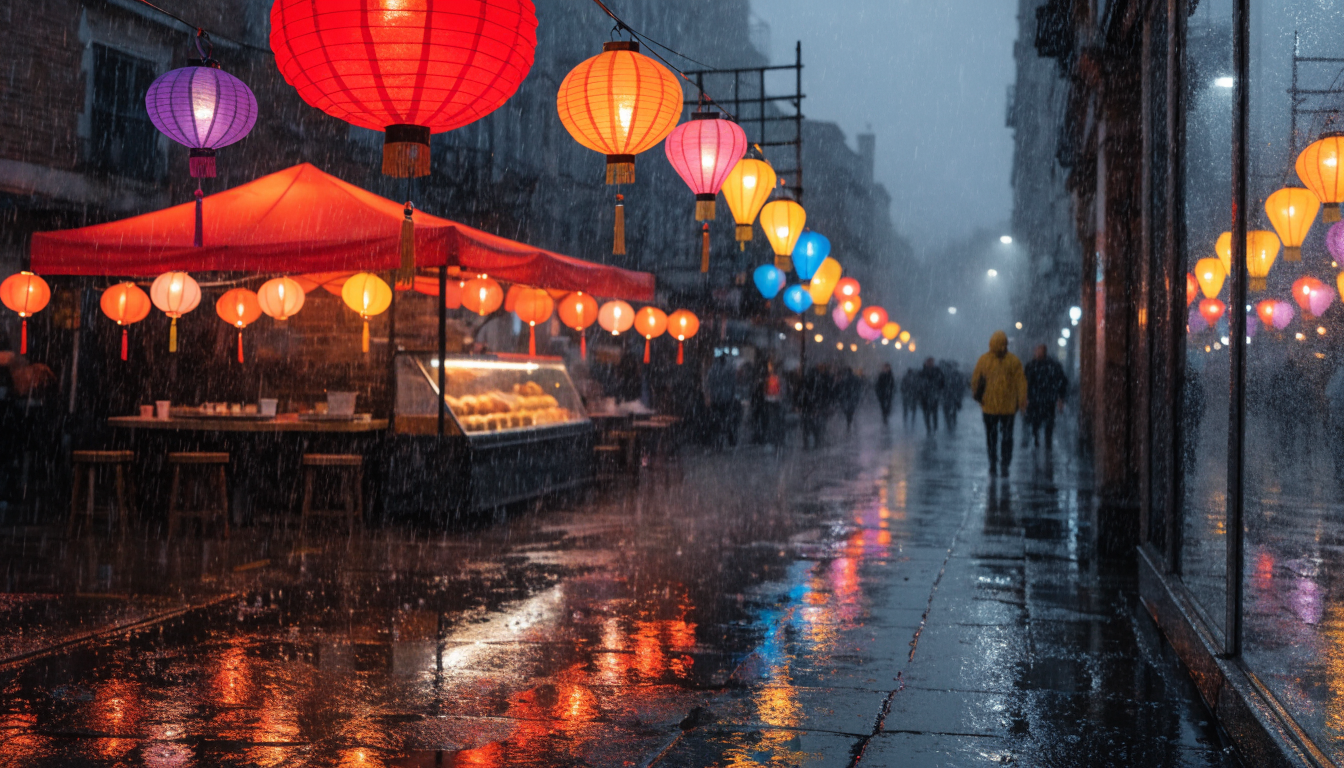
Your generations will appear here
Other models from OpenAI
Same vendor, same API call — the differences are below.
| Model | Use case | Price | Resolution | Duration | Added |
|---|---|---|---|---|---|
| GPT-6.1 Sol | Image → Text | from $10.00 / 1M output text tok | — | — | Oct 2026 |
| GPT-6.1 Terra | Image → Text | from $5.00 / 1M output text tok | — | — | Oct 2026 |
| GPT Image 2.6 Sunburst | Text → Image | from $30.00 / 1M output img tok | 1K · 2K · 4K | — | Oct 2026 |
| GPT-6 Luna | Image → Text | from $0.55 / 1M output text tok | — | — | Sep 2026 |
| GPT-6 Sol | Image → Text | from $11.00 / 1M output text tok | — | — | Sep 2026 |
| GPT-4.1 Mini | Image → Text | from $1.60 / 1M output text tok | — | — | Sep 2026 |
| GPT-4.1 Nano | Image → Text | from $0.40 / 1M output text tok | — | — | Sep 2026 |
| GPT-4o | Image → Text | from $10.00 / 1M output text tok | — | — | Sep 2026 |
GPT Image 2.6 Flare API in TypeScript, Python and REST
Install the SDK
TypeScript targets Node 20+ and ships with types; Python needs 3.10+ and is async. Over REST there is nothing to install: call https://api.picsart.com from any HTTP client.
npm install @picsart/ai-sdkpip install picsart-ai-sdkAuthenticate
Send your Picsart API key as a bearer token. The SDK does it for you once the client is created.
import { createClient } from '@picsart/ai-sdk';

const ai = createClient({
  apiKey: process.env.PICSART_API_KEY, // sent as: Authorization: Bearer <key>
  apiUrl: 'https://api.picsart.com',
});import os
from picsart_ai_sdk import create_client
ai = create_client(
api_key=os.environ["PICSART_API_KEY"], # sent as: Authorization: Bearer <key>
api_url="https://api.picsart.com",
)Authorization: Bearer <PICSART_API_KEY>Make a request
Call the model by its id. Over REST, one endpoint serves every model: POST /workflows/v1/models/execute with the model id and its input in the body. The outer params is the envelope every workflow takes; the inner one is this model's input, with the same names generate() takes.
import { createClient } from '@picsart/ai-sdk';

const ai = createClient({
  apiKey: process.env.PICSART_API_KEY,
  apiUrl: 'https://api.picsart.com',
});

const result = await ai.generate('gpt-image-2.6-flare', {
  prompt: "A serene mountain lake at golden hour, ultra detailed",
  aspectRatio: "1:1",
  resolution: "1K"
});

console.log(result.url); // image URLimport asyncio
import os
from picsart_ai_sdk import create_client
async def main() -> None:
async with create_client(
api_key=os.environ["PICSART_API_KEY"],
api_url="https://api.picsart.com",
) as ai:
result = await ai.generate("gpt-image-2.6-flare", {
"prompt": "A serene mountain lake at golden hour, ultra detailed",
"aspectRatio": "1:1",
"resolution": "1K",
})
print(result.url) # image URL
asyncio.run(main())curl -X POST 'https://api.picsart.com/workflows/v1/models/execute' \
-H 'Authorization: Bearer $PICSART_API_KEY' \
-H 'Content-Type: application/json' \
-d '{
"params": {
"model": "gpt-image-2.6-flare",
"params": {
"prompt": "A serene mountain lake at golden hour, ultra detailed",
"aspectRatio": "1:1",
"resolution": "1K"
}
}
}'Parameters
16 parameters, the same for the SDK and for the inner params over REST. Required ones must be supplied; the rest fall back to their defaults.
| Parameter | Type | Required | Default | Details |
|---|---|---|---|---|
promptWhat to make, in plain language: the subject, style and composition. With an input image or video, what to change. | text | yes | — | max 32000 chars |
aspectRatioShape of the output as width:height. An auto or adaptive option follows the input image. | enum | no | 1:1 | 1:1, 3:2, 2:3, 16:9, 9:16, 4:3, 3:4, auto (follows the input) |
resolutionOutput size. Higher costs more and takes longer. | enum | no | 1K | 1K, 2K, 4K |
sizeCustom Size | text | no | — | e.g. "WIDTHxHEIGHT, e.g. 2048x1152" |
qualityQuality tier. Higher is slower and costs more. | enum | no | high | max, xhigh, high, medium, low |
complexityComplexity | enum | no | high | high, medium, low |
backgroundBackground of the image: opaque or transparent. | enum | no | opaque | opaque, transparent, auto |
outputFormatFile format of the result. | enum | no | png | png, jpeg, webp, gif, svg |
frameCountGIF Frames | range | no | 9 | 2–16 (step 1) |
frameDurationMsGIF Frame Delay (ms) | range | no | 200 | 20–2000 (step 10) |
svgAuthorModelSVG Author | enum | no | gpt-6.1-sol | gpt-6.1-sol, gpt-6.1-terra, gpt-6-astra, gpt-6-sol, gpt-6-luna |
svgReasoningEffortSVG Author Reasoning | enum | no | auto | auto, none, minimal, low, medium, high, xhigh, max |
countHow many results to make in one call. Each one is charged. | enum | no | 1 | 1, 2, 4, 6, 8, 10 |
imageUrlsInput images, as URLs: the image to edit, or references for subject, style or composition. | file (image[]) | no | — | — |
markupUrlMarkup Overlay | file (image) | no | — | — |
maskUrlMask | file (image) | no | — | — |
Response
generate() resolves once the job completes. One or more image URLs. Over REST the output is at response.result, inside the gateway's status envelope with the task id, its status and the amount charged.
{
  "items": [
    {
      "url": "https://cdn.picsart.com/…/result"
    }
  ],
  "model": "gpt-image-2.6-flare"
}{
"status": "success",
"response": {
"id": "task_abc123",
"status": "COMPLETED",
"result": {
"url": "https://cdn.picsart.com/…/result",
"items": [
{
"url": "https://cdn.picsart.com/…/result"
}
],
"model": "gpt-image-2.6-flare"
}
}
}GPT Image 2.6 Flare API advanced usage
Overview
Alongside the unified model APIs, we expose compatibility APIs that take each vendor's original parameters exactly as the vendor defines them — nothing renamed, nothing reshaped on the way through.
That makes them the shortest path onto Picsart if you already work with the vendor directly: the request bodies you've already written keep working as they are. You keep their parameter names and defaults, and you get the vendor's full parameter set rather than the subset that is shared across every model.
The cost is that a request is written for one vendor — switching models later means rewriting it, and results come back in the vendor's own shape. When you'd rather write once and change models freely, use the unified API.
Make a request
Call the workflow with ai.apis.run() in TypeScript or Python, or hit /workflows/{workflow}/execute directly — params is passed through untouched either way.
These endpoints are addressed by workflow name rather than model id: the one in this model's header, since one model runs as one workflow. Authentication is unchanged — your Picsart API key as a bearer token (see Authentication).
import { createClient, ApiRunMode } from '@picsart/ai-sdk';

const ai = createClient({
  apiKey: process.env.PICSART_API_KEY,
  apiUrl: 'https://api.picsart.com',
});

// Calls the 'openai-images-generate' workflow directly — params are sent as-is.
const { result, usage } = await ai.apis.run('openai-images-generate', {
  model: "gpt-image-1",
  prompt: "A serene mountain lake at golden hour, ultra detailed"
}, {
  mode: ApiRunMode.SYNC,
});

console.log(result); // workflow-specific output
console.log(usage?.credits); // amount charged, in $import asyncio
import os
from picsart_ai_sdk import ApiRunMode, create_client
async def main() -> None:
async with create_client(
api_key=os.environ["PICSART_API_KEY"],
api_url="https://api.picsart.com",
) as ai:
# Calls the 'openai-images-generate' workflow directly — params are sent as-is.
response = await ai.apis.run("openai-images-generate", {
"model": "gpt-image-1",
"prompt": "A serene mountain lake at golden hour, ultra detailed",
}, mode=ApiRunMode.SYNC)
print(response["result"]) # workflow-specific output
print((response.get("usage") or {}).get("credits")) # amount charged, in $
asyncio.run(main())curl -X POST 'https://api.picsart.com/workflows/openai-images-generate/execute' \
-H 'Authorization: Bearer $PICSART_API_KEY' \
-H 'Content-Type: application/json' \
-d '{
"params": {
"model": "gpt-image-1",
"prompt": "A serene mountain lake at golden hour, ultra detailed"
}
}'Parameters
16 parameters, sent inside params. These are the vendor's own names, so they line up one-for-one with the vendor's documentation. Required ones must be supplied; the rest fall back to their defaults.
| Parameter | Type | Required | Default | Details |
|---|---|---|---|---|
modelModel to be used for image generation. Required: the route no longer defaults to dall-e-3, which OpenAI has retired. | string | yes | — | gpt-image-1gpt-image-1.5gpt-image-2gpt-image-2.5-flaregpt-image-2.5-sunburstgpt-image-2.6-sunburstgpt-image-2.6-flare |
promptText prompt for generating the image | string | yes | — | — |
nNumber of images to generate, 1 to 10. | number | no | 1 | — |
sizeSize of the generated image. The size of the generated images. Must be one of 1024x1024, 1536x1024 (landscape), 1024x1536 (portrait), or auto (default value) for gpt-image-1.5. gpt-image-2.5-flare / gpt-image-2.5-sunburst and the ImageGen 2.6 models additionally accept custom WIDTHxHEIGHT sizes: both sides divisible by 16, aspect ratio between 1:3 and 3:1, up to 3840x2160. For an animated GIF this is one frame's size; the frames tile into one sheet of at most 8294400 pixels and 3840 on its longest edge, so an explicit size must fit (9 frames of 1024x1024 do not; 960x960 does) and a derived one is shrunk to fit. | string | no | 1024x1024 | — |
aspect_ratioAspect ratio to render at when no explicit size is given; resolved to a size per model. An explicit `size` overrides it. | string | no | — | 1:13:22:316:99:164:33:4auto |
resolutionResolution tier the aspect ratio is realized at. Only the gpt-image-2.5 / 2.6 models offer 2K/4K; others use 1K. Ignored when an explicit `size` is given. | string | no | — | 1K2K4K |
qualityQuality of the generated image: the rendering detail, and what the image is priced on. xhigh and max are only supported by the gpt-image-2.5 and ImageGen 2.6 models. The default high is sent explicitly to every model (OpenAI would otherwise render ImageGen 2.6 at xhigh and bill it). | string | no | high | lowmediumhighxhighmax |
output_formatOutput format of the generated image. `gif` renders an animated GIF of `frame_count` frames shown `frame_duration_ms` apart; only the ImageGen 2.6 models (gpt-image-2.6-sunburst / gpt-image-2.6-flare) render it, and it takes no partial images or output_compression. A GIF is priced as one image of the sheet its frames tile into (3x3 frames of 960x960 → 2880x2880; 2 to 8 frames always tile a 4x2 sheet, empty cells included), which is how OpenAI bills it. `svg` renders static vector XML (ImageGen 2.6 only, n must be 1, no partial images or output_compression): a reference still at `size` / `quality`, priced as such, which the `svg` author model then redraws — its tokens are charged after the fact at its own rates. | string | no | png | pngwebpjpeggifsvg |
svgAuthor options for SVG output (output_format svg only): the model that writes the vector XML (default gpt-6.1-sol) and its reasoning effort. | object | no | — | — |
└ modelModel that authors the SVG from the reference image. Default gpt-6.1-sol. Its input and output tokens are charged after the fact at its chat-completions rates. | string | no | gpt-6.1-sol | gpt-6.1-solgpt-6.1-terragpt-6-astragpt-6-solgpt-6-luna |
└ reasoning | object | no | — | — |
└ effortReasoning effort of the SVG author model; its own default when omitted. Supported efforts depend on the author model. | string | no | — | noneminimallowmediumhighxhighmax |
frame_countFrames in the animated GIF (output_format gif only): 2 to 16, default 9. | number | no | 9 | 2–16 |
frame_duration_msDelay per GIF frame in milliseconds (output_format gif only): 20 to 2000, encoded to the nearest 10 ms, default 200. | number | no | 200 | 20–2000 |
output_compressionOutput compression of the generated image. | number | no | 100 | 0–100 |
backgroundBackground of the generated image. | string | no | opaque | — |
partial_imagesThe number of partial images to generate. This parameter is used for streaming responses that return partial images. Value must be between 0 and 3. When set to 0, the response will be a single image sent in one streaming event. | number | no | — | — |
complexityHow much the ImageGen 2.6 models (gpt-image-2.6-sunburst / gpt-image-2.6-flare) plan before rendering, passed to OpenAI as is: low for quick, focused images, high (OpenAI's default) for dense text and complex layouts. No separate fee; the price is set by quality. Ignored by the other models. | string | no | — | lowmediumhigh |
options | object | no | — | — |
└ safety_checksSafety check settings | object | no | — | — |
└ enabledWhether to run content moderation. Defaults to true. | boolean | no | — | — |
└ driveSave result to Picsart Drive | object | no | — | — |
└ nameFile name in Picsart Drive | string | yes | — | — |
└ attributesCustom attributes to attach to the file | object | no | — | — |
└ folderTarget folder in Picsart Drive | object | no | — | — |
└ inputs_transformationInput transformation settings | object | no | — | — |
└ downscale_oversized_imagesWhether to downscale oversized input images. Defaults to false. | boolean | no | — | — |
Response
Over HTTP the output arrives inside a status envelope, at response.result. ai.apis.run() unwraps that envelope for you and resolves to { result, usage } instead. Either way the result itself is the vendor's own shape.
{
  "result": {
    "created": "…",
    "data": [
      {
        "url": "https://cdn.picsart.com/…/result.jpg",
        "mimeType": "image/jpeg",
        "driveFile": {
          "id": "wf_abc123"
        }
      }
    ]
  }
}{
"status": "success",
"response": {
"result": {
"created": "…",
"data": [
{
"url": "https://cdn.picsart.com/…/result.jpg",
"mimeType": "image/jpeg",
"driveFile": {}
}
]
}
}
}GPT Image 2.6 Flare API pricing
Rates
What this model costs, in USD. Every row is an exact rate — the columns are the settings that change it.
Charged after the request finishes, on what it actually used.
| Token type | Rate |
|---|---|
| Output text | $0.00 / 1M tokens |
| Input text | $5.00 / 1M tokens |
| Input image | $8.00 / 1M tokens |
| Output image | $30.00 / 1M tokens |