Storyboard to animation
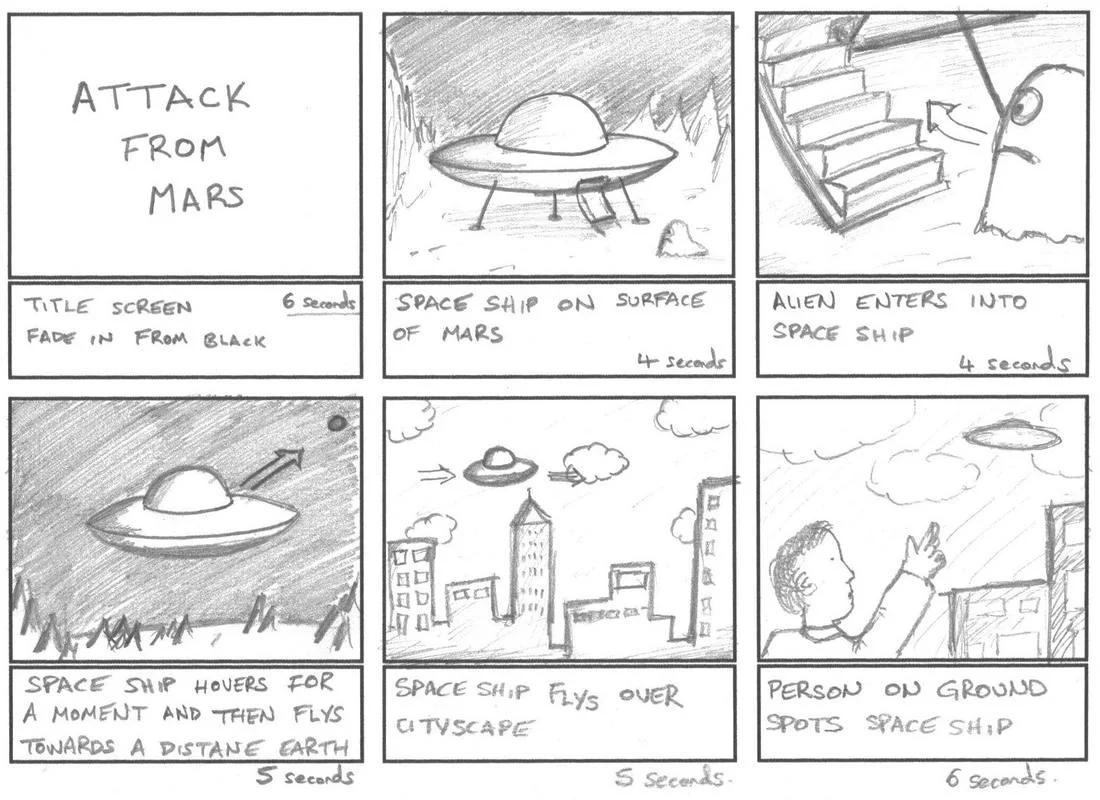
Turn a single story idea into a six-scene storyboard and a short animatic you can actually watch. This template takes your text prompt, breaks it into clear scene beats, generates a storyboard sheet in a classic panel layout guided by an included storyboard reference image, then renders keyframes and animates them into a stitched sequence. How it works: 1) Enter your story idea. 2) Pick the visual style you want for the images (for example, comic style with vibrant colors). 3) Optionally add a motion vibe (slow and dramatic, punchy and energetic, etc.). 4) The workflow creates a storyboard sheet, generates one 16:9 image keyframe per scene, animates each into a 4-second 720p clip, and concatenates all clips into one 24-second MP4 with no audio. Use it to build a quick animatic, pitch a short film concept, or previsualize a sequence before production. What you provide: a text story idea, a desired visual style, and optional motion direction. What you get: a storyboard sheet, six scene images, six short video clips, and a final combined video. Tip: For smoother continuity, keep character descriptions, locations, and key props consistent across the six scenes.