logo

Picsart Flow

Whats in My Bag Editorial Photo to Video

Whats in My Bag Editorial Photo to Video

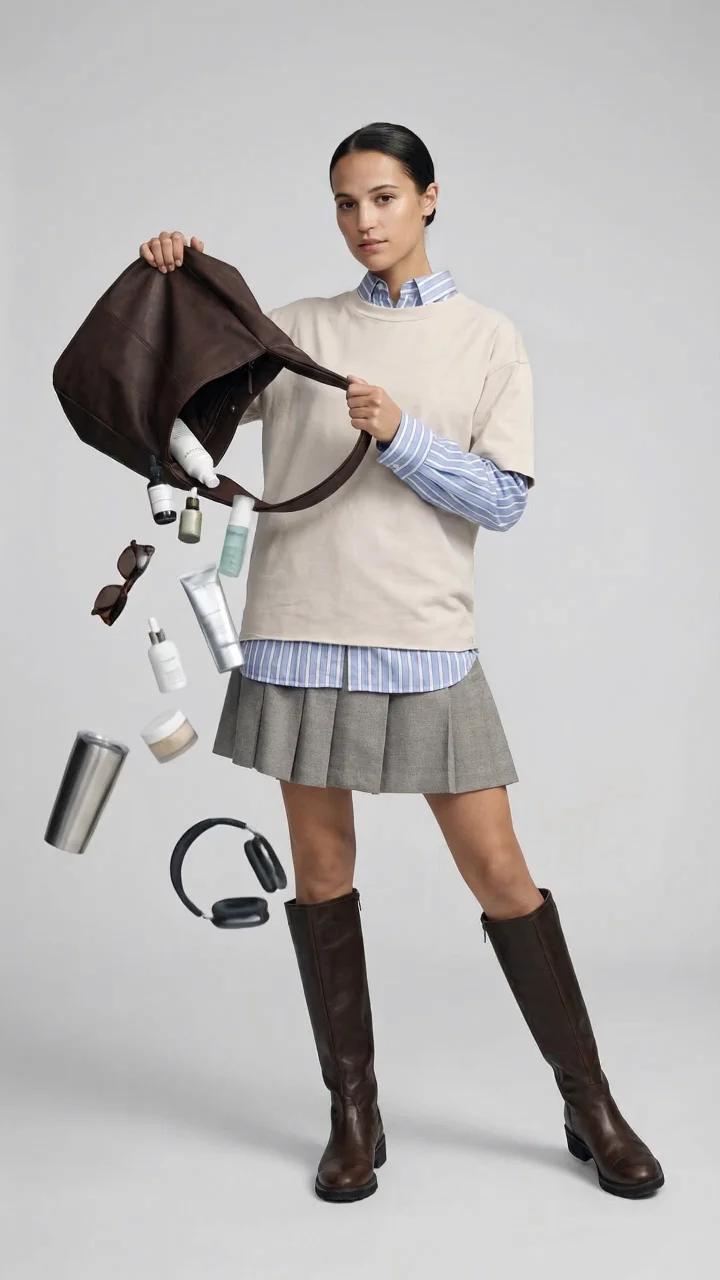
Turn the whats in my bag trend into a clean, high-fashion editorial moment. This template takes a full-body photo and reimagines it as a minimal studio shoot: your model stays poised and still, holding an upside-down tote while everyday essentials cascade through the frame. How it works: 1) Upload a clear, uncropped head-to-toe outfit photo (or run the sample). The workflow keeps the person recognizable while upgrading the scene with soft, diffused studio lighting and a neutral backdrop. 2) It generates a crisp vertical editorial still featuring a matching tote and curated items like skincare, sunglasses, headphones, a drink tumbler, and small accessories. If your source photo does not include a bag, one is created to fit the look. 3) The still is then animated into a 4-second 9:16 MP4 (720p, no audio). The subject remains motionless while the items fall smoothly in a loop-friendly sequence with no camera movement. Use it for TikTok and Reels fashion content, outfit edits, bag and accessory promos, and minimalist product storytelling.

KS

Created by Kristina Sargsyan

Tags

#outfit#bag#style#fashion#pose#video#fashion#editorial#bag_spill#outfit#9x16#reels#tiktok#veo#gemini#whatsinmybag#fashion#editorial#photo_to_video#vertical_video#bagspill#veo#gemini

Other templates