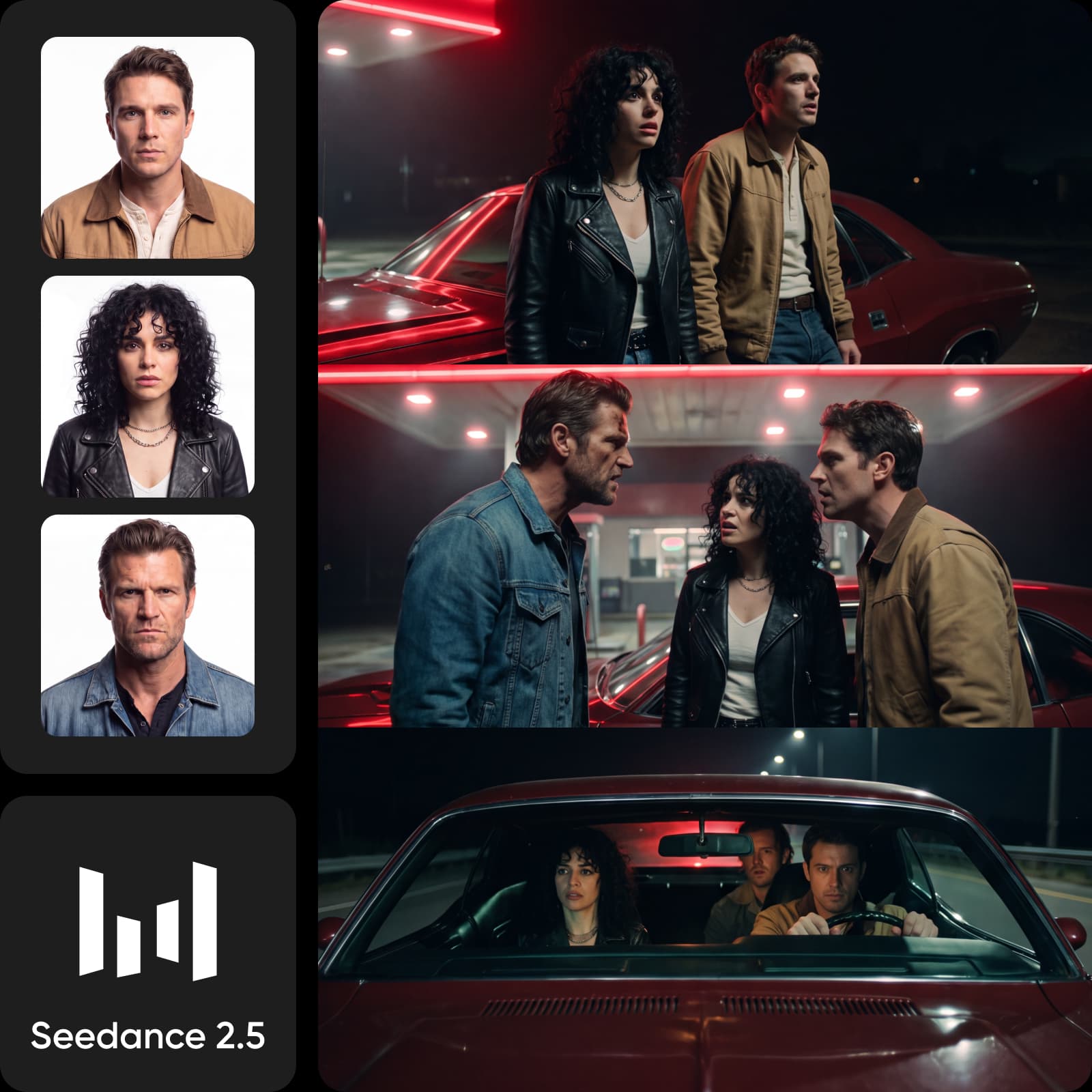



Seedance 2.5 உடன் உங்கள் அடுத்த வீடியோவை உருவாக்கவும்

ஒரு முன்மொழிவு அல்லது குறிப்பு படம், வீடியோ அல்லது ஆடியோவுடன் தொடங்கவும். நடத்தை மற்றும் படத்தை இயக்கவும், பின்னர் Picsart இல் முடிவதை வடிவமைத்தல் தொடரவும்.
  • ஏதேனும் உள்ளீட்டுடன் தொடங்கவும்
  • நடத்தை மற்றும் நிலைப்பாட்டை இயக்கவும்
  • அதை Picsart இல் மேம்படுத்தவும்
Start
End
Ref
Video
Audio
உங்கள் காட்சி விவரிக்கவும் — Seedance 2.5 உடன் உருவாக்கவும்

Seedance 2.5 உடன் மேலும் இயக்கவும்

  • 30 வினாடிகள்வரை காட்சிகளை கட்டவும்

  • 1080p வரை வீடியோ அவுட்புட் செய்யுங்கள்

  • 50 மாதிரி வரை பயன்படுத்துகிறது

  • 20 மொழிகளில் உதடுகளுடன் ஒத்திசைக்கிறது

  • ஒரு காட்சியில் நடத்தை இணைத்து வைத்திருங்கள்

  • விரிவான ஷாட் இயக்கத்திற்கு பதிலளிக்கிறது

ஏன் Picsart

ஒரு சேதனையான யோசனையிலிருந்து மேலும் செய்யுங்கள்

பிக்சார்ட்முன்மொழிவு யோசனையிலிருந்து ஒரு முடிவுற்ற வெட்டுக்குள் படிக்கட்டமாக நகர்த்துங்கள்.
32 வழங்குநர்களிலிருந்து 175+ AI மாதிரிகள்
ஷாட்டிற்கு சரியான மாதிரியுடன் வீடியோ உருவாக்கவும்
முன்மொழிவுகளுடன் மற்றும் குறிப்புகளுடன் காட்சிகளை இயக்கவும்
Picsart Flow உடன் மீண்டும் மீண்டும் வீடியோ வேலைப்பாட்டுத்தொடர்களை கட்டவும்
வீடியோ வார்ப்புருக்களைத் தொடங்குங்கள், பின்னர் அவற்றை உங்களுக்குத் தனிப்பயனாக்குங்கள்
அதே திட்டத்தில் தலைப்புகள் மற்றும் ஒலியினை முடிக்கவும்
உரையாடுதலுக்கு முன்பு வீடியோ இயக்கங்களை ஒப்பிடவும்
ஒவ்வொரு கருவிகளும் பிரிக்கப்பட்டுவேறுபடுத்தப்பட்ட கருவிகளில் வீடியோ வேலைப்பாட்டை முற்றிலும் பிரிக்கவும்.
கணக்குகளை மாற்றி மாதிரிகளை மாற்றுங்கள்
யோகங்கள் இயக்ககத்தைச் சோதிக்கவும்
முன்மொழிவுகள் மற்றும் குறிப்பிடுதல்களை மீண்டும் விளக்கவும்
ஒவ்வொரு பதிப்புக்கும் வேலைப்பாட்டை மீண்டும் கட்டமைக்கவும்
காணொளி டெம்ப்ளேட்களை தனிப்பட்ட கருவியில் கண்டுபிடிக்கவும்
திட்டங்களை வேறு ஒரு எடிட்டருக்கு நகர்த்தவும்
பகிரப்பட்ட பொறுப்பின்றி முடிவுகளை ஒப்பீடு செய்யவும்

பிக்சார்ட்டில் AI கொண்ட மேலும் உருவாக்குங்கள்

How to

உங்கள் எண்ணத்துடன் தொடங்குங்கள்

நீங்கள் உருவாக்க விரும்புகிறதை காட்ட புரொம்ப்ட் எழுதவும் அல்லது குறிப்புக் குறிப்பிடவும்.

படத்தை உருவாக்கும் முதல் படி: பிக்சார்ட் AI பிளேகிரவுண்டில் ஒரு சிந்தனையை தொடங்கி
  • 175+AI பிளேகிரவுண்டில் AI மாதிரிகள்
  • 32மாதிரி வழங்குநர்கள்
  • 3படைப்பிற்கான வடிவங்கள்
  • 1உருவாக்கப்பட்ட பிக்சார்ட் வேலையிடம்

ஒரு சுருக்கத்திலிருந்து மேலும் காணொளி திசைகளை மாற்றுங்கள்

முதலாவது வெட்டுக்குச் சீடன்ஸ் 2.5 ஐப் பயன்படுத்தவும், அதைத் தொடர்ந்து காணொளி, படம், ஒலி ஆகியவற்றில் அதே சிந்தனையைச் சோதிக்கவும், அதன் பிறகு ஒரு திசையை முடிவுசெய்யவும்.

ஒரு தயாரிப்பு படத்தை ஒரு கேமரா இயக்கத்தில் மாற்றவும்ஒரு தயாரிப்பு குறிப்பை இயக்கத்துடன், கட்டமைப்புடன் மற்றும் ஒரு தெளிவான கவனம் கொண்ட படமாக மாற்றவும்.
ஒரு செங்குத்து சமூகச் செருகலையை அமைக்கவும்உங்கள் இடத்திற்கான அளவியல், அமைப்பு மற்றும் வேகத்துடன் ஒரு குறுகிய காட்சி உருவாக்கவும்.
பொருளுக்கு அடையாளங்கூடமானதாக வைத்துக்கொள்கஒரு வேறு திசையை முயற்சிக்கும்போது நீங்கள் அதே பொருளை ஒட்டி கொண்டிருக்க குறிப்புகளை பயன்படுத்தவும்.

Choose the model for the shot

Compare Seedance, Sora, Veo, Kling, Nano Banana, Flux, ElevenLabs, and other current models by the video, image, or audio result you need.
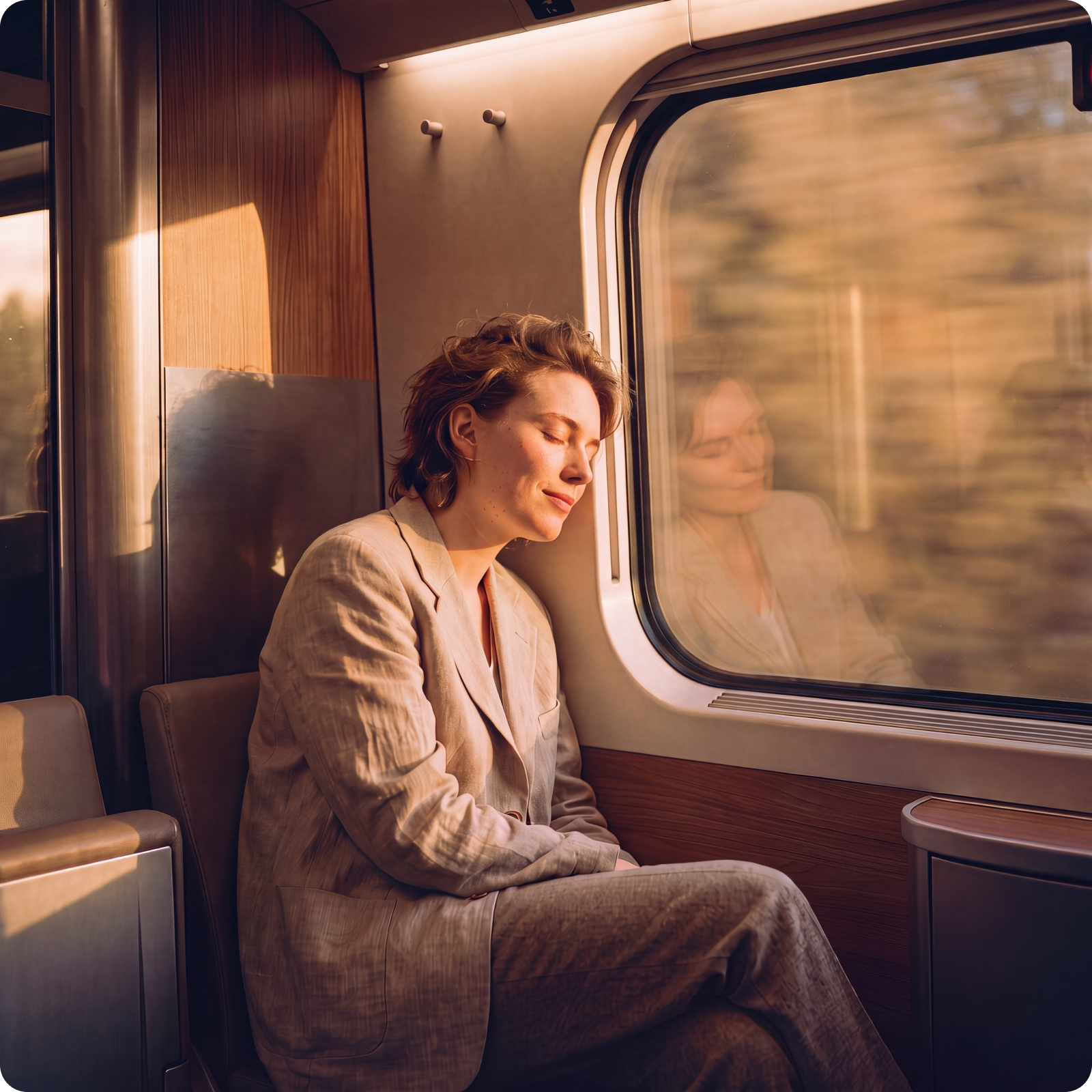
Keep shaping the result in Picsart

Create with Seedance 2.5, compare another model when the brief needs a different treatment, then edit and organize the work in the same Picsart workspace.
  • Compare models before you commit
  • Edit the strongest version in Picsart
  • Keep the next cut moving in 1 workspace
Picsart AI Playground workspace with video, image, and audio tools
4.9/5(6,946 reviews)
G2 reviewsG2 Spring 2026 Leader badgeG2 Spring 2026 Momentum Leader badgeG2 Spring 2026 Fastest Implementation badge

See how reviewers use video and AI tools

These G2 reviews mention video templates, video editing, and AI tools.

Edit videos and thumbnails

“I like that there is video editing option from which we can also edit videos and make posters thumbnails easily.”

Rukish R., Executive team · G2

Start with video templates

“I often use the video templates to quickly put together an idea.”

Simon T., Operations manager · G2

Use AI tools

“...with its strong AI tools.”

Jatin Kumar S., Conferencer · G2

Choose the plan that fits the work

Review the plan cards below for current credits, creative tools, limits, and billing details before you generate.

SAVE UP TO 50%

Pro

Most popular

AI tools for everyday creative work.

$15 $10.5/mo
Billed yearly
You save $54 with yearly
Trending models
Full access
  • Seedance 2.04K 15s
  • Nano Banana Pro4K
  • MiniMax H32K 15s
  • Kling 3.04K 15s
  • Access to all photo & video editing features
  • Advanced background & object removal
  • Parallel video generations with the world's most powerful AI video models
  • Unlimited image generations with Flex.2 Klein
  • 1-tap image enhancer
  • Millions of stock photos & Getty video clips
  • Selection of trendy fonts, text styles & stickers
  • Thousands of premium templates
  • Support for 3+ brand kits
  • Bulk edit up to 50 images at once
  • 100 GB of cloud storage
New features:
  • 15+ creative AI agents that plan, execute, and deliver — across video, brand, localization, and more
  • Auto-generate content from your terminal or agent with the Picsart CLI
  • Use Picsart inside Claude Code, Cursor, and ChatGPT via MCP

Ultra

Most powerful

Heavy AI usage for creators & teams.

$45 $24.5/mo
Billed yearly
You save $246 with yearly
Trending models
Full access
  • Seedance 2.51080p 30s
  • Nano Banana Pro4K
  • MiniMax H32K 15s
  • Kling 3.04K 15s
  • 200+ leading AI video, image, and audio models (Kling 3.0, Nano Banana, MiniMax H3, Seedance 2.5 & more)
  • Parallel video generations with the world's most powerful AI video models
  • Early access to advanced AI features
  • Unlimited image generations with Flex.2 Klein
  • Option to buy add-on credits that never expire
  • Up to 6.5 million Getty stock videos
  • Bulk edit up to 100 images at once
  • Support for 10+ brand kits
  • Create ad variations & localize
  • Track ads performance
  • Add team seats
  • 300 GB of cloud storage per seat
New features:
  • 15+ creative AI agents that plan, execute, and deliver — across video, brand, localization, and more
  • Auto-generate content from your terminal or agent with the Picsart CLI
  • Use Picsart inside Claude Code, Cursor, and ChatGPT via MCP

Check the details before you create

Find the answers that matter before your first Seedance 2.5 generation.

  • Seedance 2.5 is ByteDance's AI video model for creating scenes from text, images, video, and audio references. In Picsart AI Playground, you can use those inputs to direct motion, framing, characters, and story, then judge the finished output against your brief.