PicsartEnhance API
AI image enhancement with upscale and face enhancement.
Params
Billed at this model’s published rate.
Result
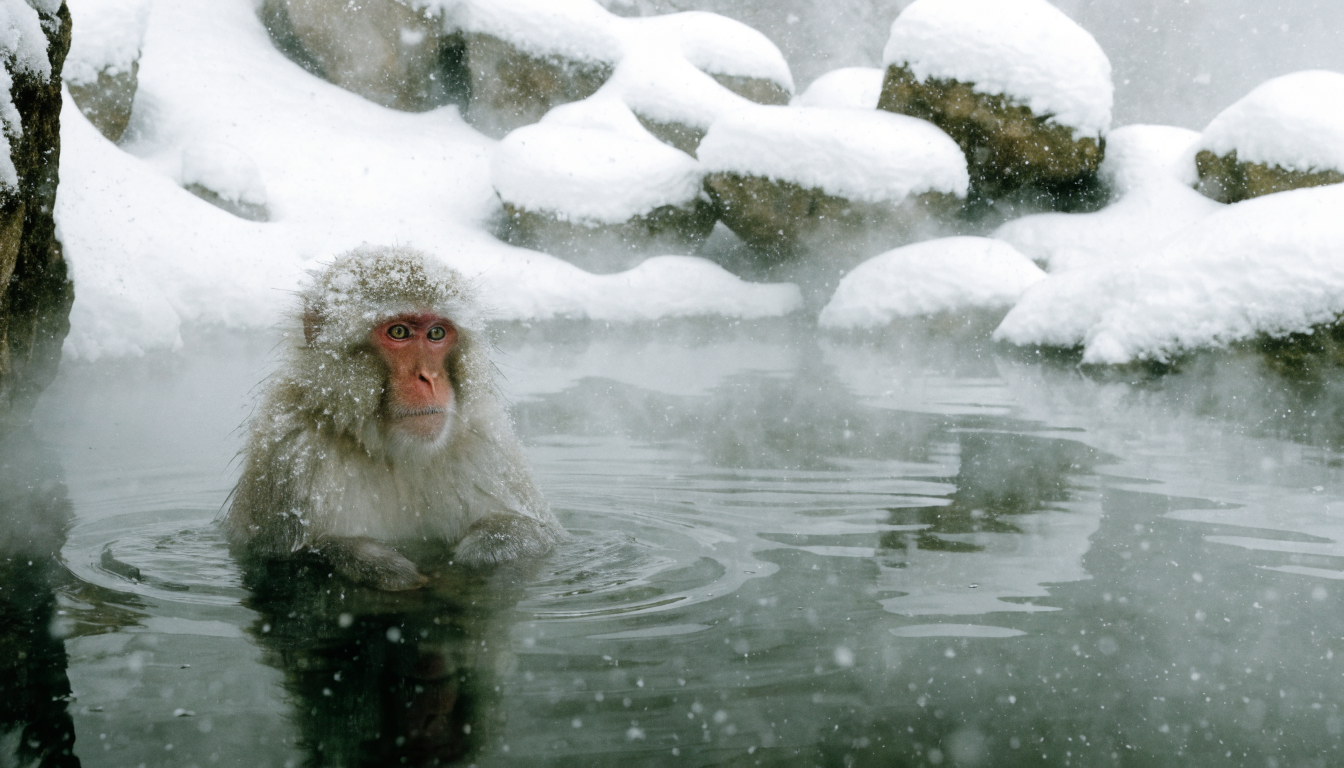
Your generations will appear here
Other models from Picsart
Same vendor, same API call — the differences are below.
| Model | Use case | Price | Resolution | Duration | Added |
|---|---|---|---|---|---|
| Picsart Effects | Image → Image | No rate | — | — | Aug 2026 |
| Picsart Effects Video | Image → Video | No rate | — | — | Aug 2026 |
| Picsart SANA-Sprint | Text → Image | from $0.0002 / gen | — | — | May 2026 |
| Flux 2 Klein 4B | Text → Image | from $0.015 / gen | — | — | Apr 2026 |
| Picsart Image Edit | Image → Image | from $0.01 / gen | — | — | Apr 2026 |
| Picsart Makeup | Image → Image | from $0.011 / gen | — | — | Apr 2026 |
| Remove Background | Image → Image | from $0.0011 / gen | — | — | Apr 2026 |
| Picsart Change Background | Image → Image | No rate | — | — | Feb 2026 |
Install the SDK
TypeScript targets Node 20+ and ships with types; Python needs 3.10+ and is async. Over REST there is nothing to install: call https://api.picsart.com from any HTTP client.
npm install @picsart/ai-sdkpip install picsart-ai-sdkAuthenticate
Send your Picsart API key as a bearer token. The SDK does it for you once the client is created.
import { createClient } from '@picsart/ai-sdk';

const ai = createClient({
  apiKey: process.env.PICSART_API_KEY, // sent as: Authorization: Bearer <key>
  apiUrl: 'https://api.picsart.com',
});import os
from picsart_ai_sdk import create_client
ai = create_client(
api_key=os.environ["PICSART_API_KEY"], # sent as: Authorization: Bearer <key>
api_url="https://api.picsart.com",
)Authorization: Bearer <PICSART_API_KEY>Make a request
Call the model by its id. Over REST, one endpoint serves every model: POST /workflows/v1/models/execute with the model id and its input in the body. The outer params is the envelope every workflow takes; the inner one is this model's input, with the same names generate() takes.
import { createClient } from '@picsart/ai-sdk';

const ai = createClient({
  apiKey: process.env.PICSART_API_KEY,
  apiUrl: 'https://api.picsart.com',
});

const result = await ai.generate('picsart-enhance', {
  imageUrls: [
    "https://cdn.example.com/input.jpg"
  ]
});

console.log(result.url); // image URLimport asyncio
import os
from picsart_ai_sdk import create_client
async def main() -> None:
async with create_client(
api_key=os.environ["PICSART_API_KEY"],
api_url="https://api.picsart.com",
) as ai:
result = await ai.generate("picsart-enhance", {
"imageUrls": [
"https://cdn.example.com/input.jpg",
],
})
print(result.url) # image URL
asyncio.run(main())curl -X POST 'https://api.picsart.com/workflows/v1/models/execute' \
-H 'Authorization: Bearer $PICSART_API_KEY' \
-H 'Content-Type: application/json' \
-d '{
"params": {
"model": "picsart-enhance",
"params": {
"imageUrls": [
"https://cdn.example.com/input.jpg"
]
}
}
}'Parameters
1 parameter, the same for the SDK and for the inner params over REST. Required ones must be supplied; the rest fall back to their defaults.
| Parameter | Type | Required | Default | Details |
|---|---|---|---|---|
imageUrlsInput images, as URLs: the image to edit, or references for subject, style or composition. | file (image[]) | yes | — | — |
Response
generate() resolves once the job completes. One or more image URLs. Over REST the output is at response.result, inside the gateway's status envelope with the task id, its status and the amount charged.
{
  "items": [
    {
      "url": "https://cdn.picsart.com/…/result"
    }
  ],
  "model": "picsart-enhance"
}{
"status": "success",
"response": {
"id": "task_abc123",
"status": "COMPLETED",
"result": {
"url": "https://cdn.picsart.com/…/result",
"items": [
{
"url": "https://cdn.picsart.com/…/result"
}
],
"model": "picsart-enhance"
}
}
}Overview
Alongside the unified model APIs, we expose compatibility APIs that take each vendor's original parameters exactly as the vendor defines them — nothing renamed, nothing reshaped on the way through.
That makes them the shortest path onto Picsart if you already work with the vendor directly: the request bodies you've already written keep working as they are. You keep their parameter names and defaults, and you get the vendor's full parameter set rather than the subset that is shared across every model.
The cost is that a request is written for one vendor — switching models later means rewriting it, and results come back in the vendor's own shape. When you'd rather write once and change models freely, use the unified API.
Make a request
Call the workflow with ai.apis.run() in TypeScript or Python, or hit /workflows/{workflow}/execute directly — params is passed through untouched either way.
These endpoints are addressed by workflow name rather than model id: the one in this model's header, since one model runs as one workflow. Authentication is unchanged — your Picsart API key as a bearer token (see Authentication).
import { createClient, ApiRunMode } from '@picsart/ai-sdk';

const ai = createClient({
  apiKey: process.env.PICSART_API_KEY,
  apiUrl: 'https://api.picsart.com',
});

// Calls the 'pcp/v1/enhancement' workflow directly — params are sent as-is.
const { result, usage } = await ai.apis.run('pcp/v1/enhancement', {
  image: "your value here"
}, {
  mode: ApiRunMode.SYNC,
});

console.log(result); // workflow-specific output
console.log(usage?.credits); // amount charged, in $import asyncio
import os
from picsart_ai_sdk import ApiRunMode, create_client
async def main() -> None:
async with create_client(
api_key=os.environ["PICSART_API_KEY"],
api_url="https://api.picsart.com",
) as ai:
# Calls the 'pcp/v1/enhancement' workflow directly — params are sent as-is.
response = await ai.apis.run("pcp/v1/enhancement", {
"image": "your value here",
}, mode=ApiRunMode.SYNC)
print(response["result"]) # workflow-specific output
print((response.get("usage") or {}).get("credits")) # amount charged, in $
asyncio.run(main())curl -X POST 'https://api.picsart.com/workflows/pcp/v1/enhancement/execute' \
-H 'Authorization: Bearer $PICSART_API_KEY' \
-H 'Content-Type: application/json' \
-d '{
"params": {
"image": "your value here"
}
}'Parameters
9 parameters, sent inside params. These are the vendor's own names, so they line up one-for-one with the vendor's documentation. Required ones must be supplied; the rest fall back to their defaults.
| Parameter | Type | Required | Default | Details |
|---|---|---|---|---|
imageFull URL of the input image. | string | yes | — | — |
upscaleUpscaling configuration. Runs with default settings when omitted. Pass { enabled: false } to skip. | object | no | — | — |
└ enabledEnable the upscaling stage. | boolean | no | — | — |
└ nodeAlgorithm variant / processing node to use for upscaling. | string | no | — | — |
└ target_scaleOutput scale multiplier relative to the input (e.g. 2 doubles resolution). Mutually exclusive with target_size, target_height, and target_width. | number | no | — | — |
└ target_sizeTarget size in pixels for the longer edge. Mutually exclusive with target_scale. | number | no | — | — |
└ target_heightTarget output height in pixels. | number | no | — | — |
└ target_widthTarget output width in pixels. | number | no | — | — |
└ unitsUnit system for target dimensions (e.g. "px", "in"). | string | no | — | — |
└ output_dpiDPI of the output image; relevant when units is "in". | number | no | — | — |
└ resize_before_processingDownscale the image before running the upscaler to reduce GPU memory usage. | boolean | no | — | — |
└ smooth_patch_averageAverage overlapping tile patches to reduce boundary artifacts. | boolean | no | — | — |
└ creative_num_stepsDiffusion steps for the generative (creative) upscaling pass (1–32). Higher values improve quality at the cost of speed. | number | no | — | — |
└ strengthDenoising strength controlling how much the upscaler alters fine detail (0–1). | number | no | — | — |
└ guidance_scaleClassifier-free guidance scale for the diffusion upscaler (0–8). | number | no | — | — |
└ masked_latents_scaleScale applied to masked latent regions during inpainting (0–2). | number | no | — | — |
└ creative_strengthIntensity of the generative enhancement pass (0–1). | number | no | — | — |
└ creative_use_ganUse a GAN-based upscaler instead of the diffusion model for the creative pass. | boolean | no | — | — |
└ srtv_fidelityFidelity weight balancing output realism against faithfulness to the input image (0–1). | number | no | — | — |
face_enhancementFace-enhancement configuration. Runs with default settings when omitted. Pass { enabled: false } to skip. | object | no | — | — |
└ enabledEnable the face-enhancement stage. | boolean | no | — | — |
└ face_blending_cbcrChroma-channel blending weight between the enhanced and original face (0–1). Higher values apply more colour correction from the restored face. | number | no | — | — |
└ antialiasApply antialiasing when warping the enhanced face back onto the original. | boolean | no | — | — |
└ face_size_upper_thresholdMaximum face size relative to the image above which face enhancement is skipped. | number | no | — | — |
└ num_inference_stepsNumber of diffusion inference steps for face restoration (0–1000). Higher values produce finer detail at the cost of speed. | number | no | — | — |
└ promptText prompt guiding the face-restoration diffusion model. | string | no | — | — |
└ negative_promptNegative prompt for the face-restoration diffusion model; describes features to suppress. | string | no | — | — |
└ guidance_scaleClassifier-free guidance scale for the face-restoration diffusion model (≥1). | number | no | — | — |
└ gfpgan_thresholdGFPGAN detection confidence threshold; faces with a score below this value are skipped. | number | no | — | — |
└ diffbir_thresholdsPer-stage detection thresholds. Keys are stage names; values are numeric thresholds or "auto". | object | no | — | e.g. {"source":20,"target":"auto"} |
colour_correctionColour-correction configuration. Runs with default settings when omitted. Pass { enabled: false } to skip. | object | no | — | — |
└ enabledEnable the colour-correction stage. | boolean | no | — | — |
└ blendingBlending weight between the colour-corrected and original image (0–1). 1 applies the full correction; 0 leaves the original colours unchanged. | number | no | — | — |
seedRandom seed for reproducible results. Omit to use a random seed. | number | no | — | — |
output_formatOutput image format. Defaults to the input image format when omitted. | string | no | — | — |
max_output_area_mpMaximum output area in megapixels. The image is downscaled before processing if it exceeds this limit. | number | no | — | — |
optionsOptions controlling safety checks and drive integration. | object | no | — | — |
└ safety_checksSafety check settings | object | no | — | — |
└ enabledWhether to run content moderation. Defaults to true. | boolean | no | — | — |
└ driveSave result to Picsart Drive | object | no | — | — |
└ nameFile name in Picsart Drive | string | yes | — | — |
└ attributesCustom attributes to attach to the file | object | no | — | — |
└ folderTarget folder in Picsart Drive | object | no | — | — |
└ inputs_transformationInput transformation settings | object | no | — | — |
└ downscale_oversized_imagesWhether to downscale oversized input images. Defaults to false. | boolean | no | — | — |
model_execution_modeExecution mode of the underlying diffbir model service. Optional, defaults to sync. Use async for batch executions. | string | no | — | — |
Response
Over HTTP the output arrives inside a status envelope, at response.result. ai.apis.run() unwraps that envelope for you and resolves to { result, usage } instead. Either way the result itself is the vendor's own shape.
{
  "result": {
    "url": "https://cdn.picsart.com/…/result.jpg",
    "mimeType": "image/jpeg",
    "driveFile": {
      "id": "wf_abc123"
    }
  }
}{
"status": "success",
"response": {
"id": "wf_abc123",
"status": "COMPLETED",
"result": {
"url": "https://cdn.picsart.com/…/result.jpg",
"mimeType": "image/jpeg",
"driveFile": {
"id": "wf_abc123"
}
}
}
}Rates
What this model costs per generation, in USD. Every row is an exact rate — the columns are the settings that change it.
| Rate |
|---|
| $0.044 / generation |