
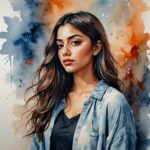

Seedance 2.5 from BytePlus can now render video in 4K inside Picsart, so its 30-second cinematic takes get a 4K finish. Try out an idea as an inexpensive 480p draft first, then turn the version that works into a 4K final.
4K joins 480p drafts and 1080p as a resolution option inside Seedance 2.5, and none of the model’s features drop away at the higher setting. Long single takes, physically accurate light, consistent characters and dialogue in 20 languages all come along to the higher resolution.
Below, a look at what 4K adds, how the draft-to-final workflow keeps costs down, what has changed since Seedance 2.0 and what to make first.
What 4K adds to Seedance 2.5
Resolution is now a choice you make at generation time. In AI Playground, Seedance 2.5 offers 480p for drafts, 1080p and the new 4K option, and the feature set does not shrink as the resolution goes up.
That means a 4K render keeps everything the model is known for:
- Complete 30-second scenes, generated from one prompt as a single unbroken shot
- Light that behaves like real light, with softer, physically accurate shading on faces and scenes
- The same cast in every shot, held in place by as many as 50 image, video and audio references
- Dialogue in 20 languages, with lip sync matched to each line
The difference is the finish. A take that topped out at 1080p in Picsart until now can be delivered in 4K, ready for the screens and campaigns that call for it.
Preview in 480p, deliver in 4K
Paying for a full-resolution render on every experiment adds up fast. Draft Mode splits the work into two stages instead: quick, low-cost 480p previews first, then one full-resolution render of the take you pick.
The 480p stage is where the real decisions happen. Framing, movement, spoken lines and camera paths can all be tested and retested without paying full price for each attempt.
Once a draft looks right, send that exact draft to a 4K render. Its prompt, references and seed are reused, so the 4K version keeps the framing and movement you already approved instead of rolling the dice on a new take.
The savings are significant. By ByteDance’s estimate, a session of roughly 20 previews followed by one finished render comes in up to 77% cheaper than 20 full-resolution takes, at nearly twice the speed.
Why long takes benefit from 4K
Seedance 2.5 is built for continuous shots. A single 30-second take gives a character time to enter, act and deliver a line without a cut breaking the moment.
Faces are a good example of what the model gets right. Seedance 2.5 lights them the way a cinematographer would, with the eye nearer the light catching more of it than the far one and shadows falling in natural places. Micro expressions carry real emotion, and a 4K finish gives those small details more room on a large screen.
Continuity works the same way. As many as 50 references can pin down how a character looks, dresses and sounds, along with the place they live in, so a long scene stays coherent from the first frame to the last.
What has changed since Seedance 2.0
Seedance 2.5 4K is the latest step in a run of upgrades over Seedance 2.0. Compared with the earlier model, Seedance 2.5:
- Runs twice as long, up to 30 seconds per shot
- Reaches 4K, on top of 480p drafts and 1080p
- Drops the overblown glow of 2.0 for gentler, more realistic lighting, with more lifelike eyes and faces
- Handles collisions and impacts more believably, and can texture scenes from 3D reference models
- Accepts 50 references where 2.0 took 15
Put together, those changes move the model from short clips toward complete scenes, and 4K gives those scenes a finish to match.
What to make with Seedance 2.5 4K
- Product ads and showcases. Start from product photos and brand assets and build a clean spot where the camera moves with purpose and the product looks the same in every frame.
- Short films and cinematic stories. Use 30-second continuous takes and up to 50 references to keep a cast and a world steady from scene to scene.
- Social media videos. Draft quickly in 480p, then publish the finished take in 4K.
- Localized campaigns. Voice the same spot in 20 languages with synced lips, and adjust the location and cast to fit each market.
Here is a prompt to try in 4K:
30-second product reveal
Slow cinematic dolly toward a frosted glass perfume bottle on wet black stone, soft rain falling, warm backlight catching each droplet on the glass, shallow depth of field, the camera circles to reveal the engraved label in sharp focus, light mist drifting through the frame, calm ambient soundtrack with gentle rain, 30 seconds, one continuous shot
How to create 4K videos with Seedance 2.5
Seedance 2.5 runs in AI Playground on the web and in the Picsart desktop app, next to more than 150 other AI models. It is also available from the terminal with the Picsart CLI and inside AI assistants through Picsart MCP. For tips on structuring long takes, see the Seedance 2.5 prompting guide.
1.
Open Seedance 2.5 Go to AI Playground and choose Seedance 2.5 from the video models.
2.
Describe the scene Write the prompt with the action, camera movement and dialogue, and add references.
3.
Draft in 480p Use Draft Mode to generate low-cost previews until the take looks right.
4.
Render in 4K Pick 4K as the resolution and render the approved draft.
5.
Download and share Save the finished video and publish it. No. 4K is a resolution option inside Seedance 2.5, next to 480p drafts and 1080p. You select the resolution when generating in AI Playground.
Get answers to common questions
Render your next take in 4K
Seedance 2.5 4K pairs the model’s long, cinematic takes with a finish fit for the biggest screens. Draft the idea in 480p, approve the shot and open Seedance 2.5 to render it in 4K.


