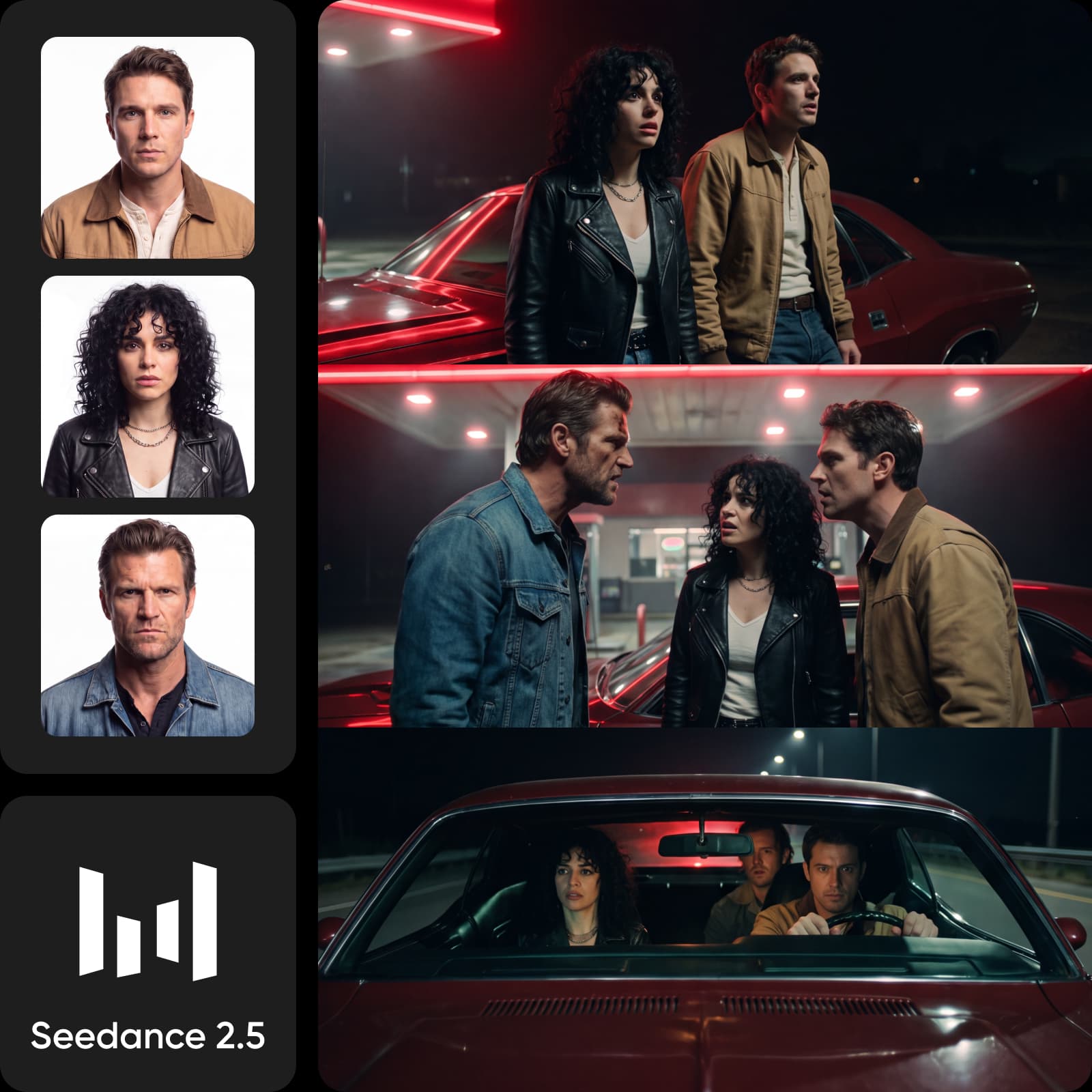



Create your next video with Seedance 2.5

Start with a prompt or reference image, video, or audio. Direct the motion and framing, then keep shaping the result in Picsart.
  • Start with any input
  • Direct motion and framing
  • Refine it in Picsart
Start
End
Ref
Video
Audio
Describe your scene — generate with Seedance 2.5

Direct more with Seedance 2.5

  • Builds scenes up to 30 seconds

  • Outputs video up to 1080p

  • Uses up to 50 references

  • Supports lip-sync in 20 languages

  • Keeps motion connected across a scene

  • Responds to detailed shot direction

Why Picsart

Make more from 1 creative idea

PicsartMove from a video idea to a finished cut in 1 workspace.Separate toolsBreak the video workflow across separate tools.
Picsart✓175+ AI models from 32 providersSeparate tools✗Switch accounts to change models
Picsart✓Generate video with the right model for the shotSeparate tools✗Jump between tools to test directions
Picsart✓Direct scenes with prompts and referencesSeparate tools✗Re-explain prompts and references
Picsart✓Build repeatable video workflows with Picsart FlowSeparate tools✗Rebuild the workflow for every version
Picsart✓Start from video templates, then make them yoursSeparate tools✗Find video templates in a separate tool
Picsart✓Finish captions and audio in the same projectSeparate tools✗Move projects into another editor
Picsart✓Compare video directions before you commitSeparate tools✗Compare results without shared context

Create more with AI in Picsart

How to

Start with your idea

Write a prompt or add a reference to show what you want to make.

Step 1: Starting an idea in Picsart AI Playground
  • 175+AI models in AI Playground
  • 32model providers
  • 3creative formats
  • 1connected Picsart workspace

Turn 1 brief into more video directions

Use Seedance 2.5 for the first cut, then test the same idea across video, image, and audio before you commit to a direction.

Seedance 2.5 product video with a camera move
Seedance 2.5
Give a product shot a camera moveTurn a product reference into a shot with movement, framing, and a clear focal point.
Seedance 2.5 vertical social video
Seedance 2.5
Build a vertical social cutShape a short scene around the pace and composition your placement needs.
Seedance 2.5 video with a consistent subject
Seedance 2.5
Keep the subject recognizableUse references to hold onto the same subject while you try a different direction.

Choose the model for the shot

Compare Seedance, Sora, Veo, Kling, Nano Banana, Flux, ElevenLabs, and other current models by the video, image, or audio result you need.

Keep shaping the result in Picsart

Create with Seedance 2.5, compare another model when the brief needs a different treatment, then edit and organize the work in the same Picsart workspace.
  • Compare models before you commit
  • Edit the strongest version in Picsart
  • Keep the next cut moving in 1 workspace
Picsart AI Playground workspace with video, image, and audio tools
4.9/5(6,946 reviews)
G2 reviewsG2 Spring 2026 Leader badgeG2 Spring 2026 Momentum Leader badgeG2 Spring 2026 Fastest Implementation badge

See how reviewers use video and AI tools

These G2 reviews mention video templates, video editing, and AI tools.

Edit videos and thumbnails

“I like that there is video editing option from which we can also edit videos and make posters thumbnails easily.”

Rukish R., Executive team · G2

Start with video templates

“I often use the video templates to quickly put together an idea.”

Simon T., Operations manager · G2

Use AI tools

“...with its strong AI tools.”

Jatin Kumar S., Conferencer · G2

Choose the plan that fits the work

Review the plan cards below for current credits, creative tools, limits, and billing details before you generate.

SAVE UP TO 50%

Pro

Most popular

AI tools for everyday creative work.

$15 $10.5/mo
Billed yearly
You save $54 with yearly
Trending models
Full access
  • Seedance 2.04K 15s
  • Nano Banana Pro4K
  • MiniMax H32K 15s
  • Kling 3.04K 15s
  • Access to all photo & video editing features
  • Advanced background & object removal
  • Parallel video generations with the world's most powerful AI video models
  • Unlimited image generations with Flex.2 Klein
  • 1-tap image enhancer
  • Millions of stock photos & Getty video clips
  • Selection of trendy fonts, text styles & stickers
  • Thousands of premium templates
  • Support for 3+ brand kits
  • Bulk edit up to 50 images at once
  • 100 GB of cloud storage
New features:
  • 15+ creative AI agents that plan, execute, and deliver — across video, brand, localization, and more
  • Auto-generate content from your terminal or agent with the Picsart CLI
  • Use Picsart inside Claude Code, Cursor, and ChatGPT via MCP

Ultra

Most powerful

Heavy AI usage for creators & teams.

$45 $24.5/mo
Billed yearly
You save $246 with yearly
Trending models
Full access
  • Seedance 2.51080p 30s
  • Nano Banana Pro4K
  • MiniMax H32K 15s
  • Kling 3.04K 15s
  • 200+ leading AI video, image, and audio models (Kling 3.0, Nano Banana, MiniMax H3, Seedance 2.5 & more)
  • Parallel video generations with the world's most powerful AI video models
  • Early access to advanced AI features
  • Unlimited image generations with Flex.2 Klein
  • Option to buy add-on credits that never expire
  • Up to 6.5 million Getty stock videos
  • Bulk edit up to 100 images at once
  • Support for 10+ brand kits
  • Create ad variations & localize
  • Track ads performance
  • Add team seats
  • 300 GB of cloud storage per seat
New features:
  • 15+ creative AI agents that plan, execute, and deliver — across video, brand, localization, and more
  • Auto-generate content from your terminal or agent with the Picsart CLI
  • Use Picsart inside Claude Code, Cursor, and ChatGPT via MCP

Check the details before you create

Find the answers that matter before your first Seedance 2.5 generation.

  • Seedance 2.5 is ByteDance's AI video model for creating scenes from text, images, video, and audio references. In Picsart AI Playground, you can use those inputs to direct motion, framing, characters, and story, then judge the finished output against your brief.