

Contents
GPT Image 2.6 Sunburst vs Nano Banana 2.1 comes down to the job: Sunburst for brand, product and text-heavy work, Nano Banana 2.1 for editing in conversation.
OpenAI built Sunburst for images where the logo has to read and the copy has to be right. Google built Nano Banana 2.1 for back-and-forth edits and scenes made from several images.
Both generate and edit images from text and reference pictures, and both render up to 4K in Picsart. The differences show up in how each one handles text, how you steer an edit, and what kind of file comes out at the end.
This guide compares the two for creators and marketers working on posters, product shots, social posts and campaign visuals. It covers:
- Text, editing, inputs and output formats, side by side
- A full comparison table
- A same-prompt test with real results
- A quick guide to picking the right model
Searching for Nano Banana vs ChatGPT? ChatGPT’s image generation runs on GPT Image, so the GPT side of this comparison is the model behind it.
Meet GPT Image 2.6 Sunburst and Nano Banana 2.1
GPT Image 2.6 Sunburst is OpenAI’s model for detailed visual work. It is built for brand and B2B creative, product imagery and layouts packed with text, where the logo has to read and the product has to look like the product. Raise quality to medium or high and Sunburst sharpens the result further while keeping details locked from one edit to the next. It accepts text plus up to 16 source images and renders up to 4K.
GPT Image 2.6 comes as two models. Sunburst is the detailed one, and GPT Image 2.6 Flare is its smaller, faster sibling for quick edits and background swaps. This comparison focuses on Sunburst, the model to reach for when the result has to be right the first time.
Nano Banana 2.1 is Google’s newest Nano Banana model, released in October 2026 as part of the Gemini 3 series, with Gemini 3.6 Flash underneath. The model reads text and images with a context window of up to 1M tokens and returns images and text together in one response. Google built it for editing in several turns: ask for a change, see the result, ask again. Its model card calls out legible lettering on posters and charts, text in several languages, and infographics that draw on real-world knowledge.
Text in the image: exact copy vs many languages
Text is where the two models show their different priorities most clearly. Sunburst is made for work that leaves no room for a misspelled word: packaging, ad layouts, posters dense with copy and product shots with readable labels. It holds those details steady as the image goes through edits, which matters when a campaign needs the same headline across ten versions.
Nano Banana 2.1 approaches text from another angle. Google’s model card points to sharp lettering on posters and detailed charts, text rendered in several languages, and complex infographics backed by real-world knowledge. That makes it a natural fit for localized campaigns and explainer graphics where the facts in the picture matter as much as the lettering.
Resolution plays a part on both sides. Google’s model card notes that small text can blur at 1K, so text-heavy designs are best rendered at 2K or 4K. Both models reach 4K in AI Playground, with 1K as the default.
Bottom line: choose Sunburst for exact brand copy and dense layouts, and Nano Banana 2.1 for multilingual text and knowledge-heavy infographics.
Editing: precise rounds vs a conversation
Both models edit as well as they generate, but they invite different ways of working. Sunburst keeps details consistent across editing rounds on one image, so the hero product, the main character or the logo stays put while everything around it changes. OpenAI also added markup-guided edits, so you can mark the exact spot a change belongs instead of describing it in words.
Nano Banana 2.1 turns editing into a conversation. Replace an object, move the scene somewhere new, give the whole picture a fresh style or change a character without losing who they are, then ask for the next change in the same thread. Doodle editing lets you draw directly on the picture to mark what should change, with no mask tools or settings.
Consistency also means something different on each side. Sunburst protects the details of one image across many edits. Nano Banana 2.1 keeps several characters consistent in the same frame and can drop multiple products into one scene.
Bottom line: pick Sunburst for controlled rounds on a single hero image, and Nano Banana 2.1 for fast back-and-forth edits and multi-image scenes.
Inputs, shapes and planning controls
On paper the two models look close, and most differences sit in the details. Sunburst takes up to 16 source images, while Nano Banana 2.1 takes up to 14. Sunburst offers 1:1, 3:2, 2:3, 16:9, 9:16, 4:3, 3:4 and auto. Nano Banana 2.1 covers most of the same ratios plus 21:9 for wide banners, but skips 3:2.
Each model also lets you decide how much it plans before rendering. Sunburst uses a Complexity setting with low, medium and high options, plus a separate quality setting from low to max. Nano Banana 2.1 uses a Thinking level with minimal, medium and high options, and minimal is the default and the faster choice. Crowded scenes with many elements reward the higher settings on both models.
What only one side can do
Some features decide the choice on their own, because only one model offers them.
Only in GPT Image 2.6 Sunburst:
- Animated GIFs. Choose GIF as the format, then set between 2 and 16 frames and the delay between them. OpenAI’s own examples include an animated brand mascot, reactions and memes, and a product shot turned into a loop.
- SVG export. Scalable vector files that drop straight into web pages, apps and print layouts.
- Transparent background. Cutout-ready images for logos, stickers and product shots.
Only in Nano Banana 2.1:
- Doodle editing. Draw on the picture to mark exactly what should change.
- Text and images in one response. The model can explain or caption alongside the image it returns.
- Long context. Up to 1M tokens of text and images in, useful for long briefs and reference-heavy prompts.
- 21:9 frames. Ultra-wide output for banners and headers.
GPT Image 2.6 Sunburst vs Nano Banana 2.1: full comparison table
Here is how the two models line up in AI Playground.
| GPT Image 2.6 Sunburst | Nano Banana 2.1 | |
|---|---|---|
| Maker | OpenAI | |
| Built for | Brand, product and text-heavy work | Conversational edits, multi-image scenes |
| Max output | 4K | 4K |
| Source images | Up to 16 | Up to 14 |
| Aspect ratios | 1:1, 3:2, 2:3, 16:9, 9:16, 4:3, 3:4, auto | 1:1, 16:9, 9:16, 3:4, 4:3, 2:3, 21:9, auto |
| Planning control | Complexity: low, medium, high | Thinking: minimal, medium, high |
| Quality setting | Low to max | Not listed |
| GIF output | Yes, 2 to 16 frames | No |
| SVG output | Yes | No |
| Transparent background | Yes | Not listed |
| How you steer edits | Prompt and markup | Conversation and doodles |
| Text returned with images | No | Yes |
Visual showdown: the same prompt in both models
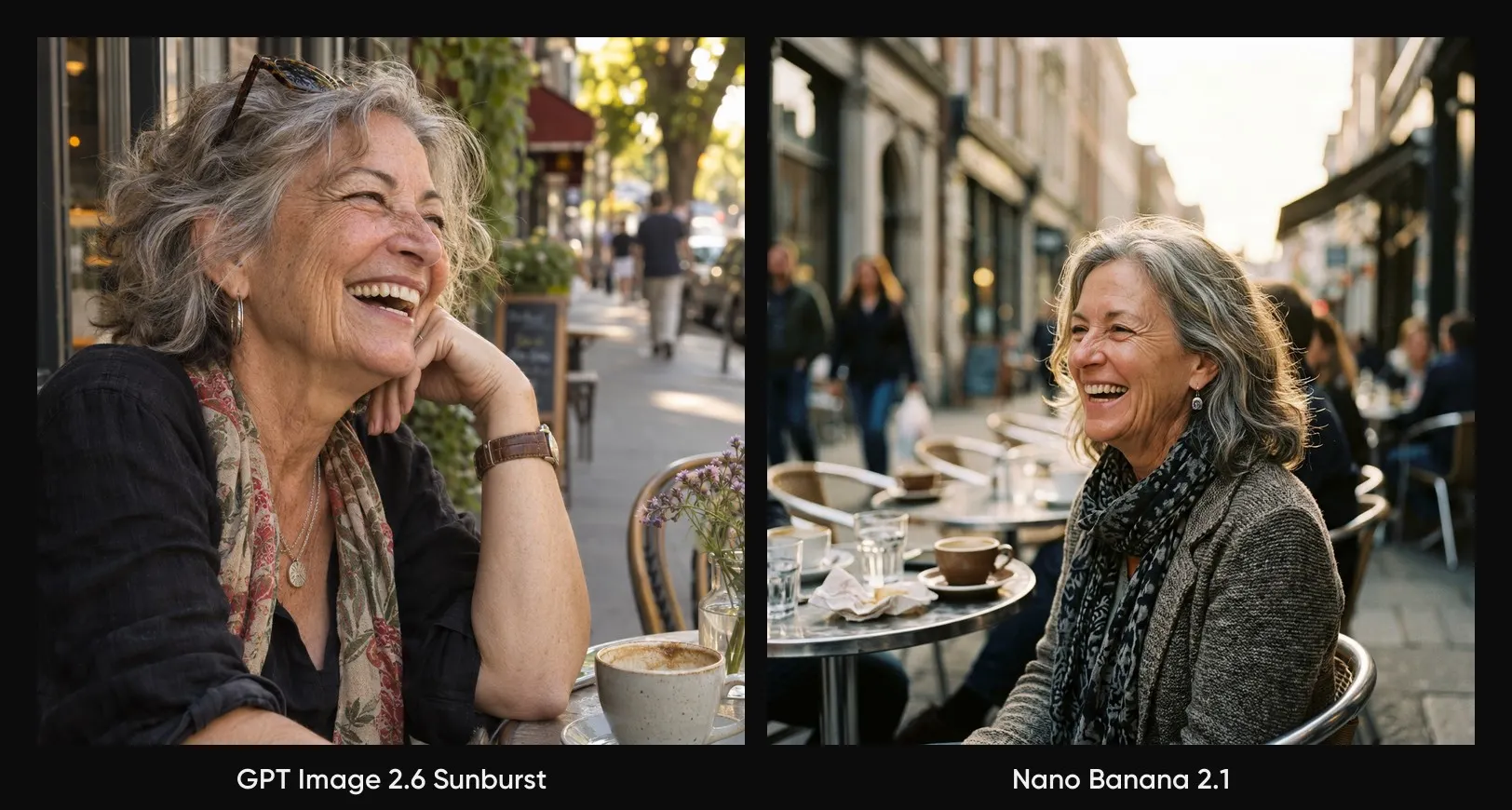
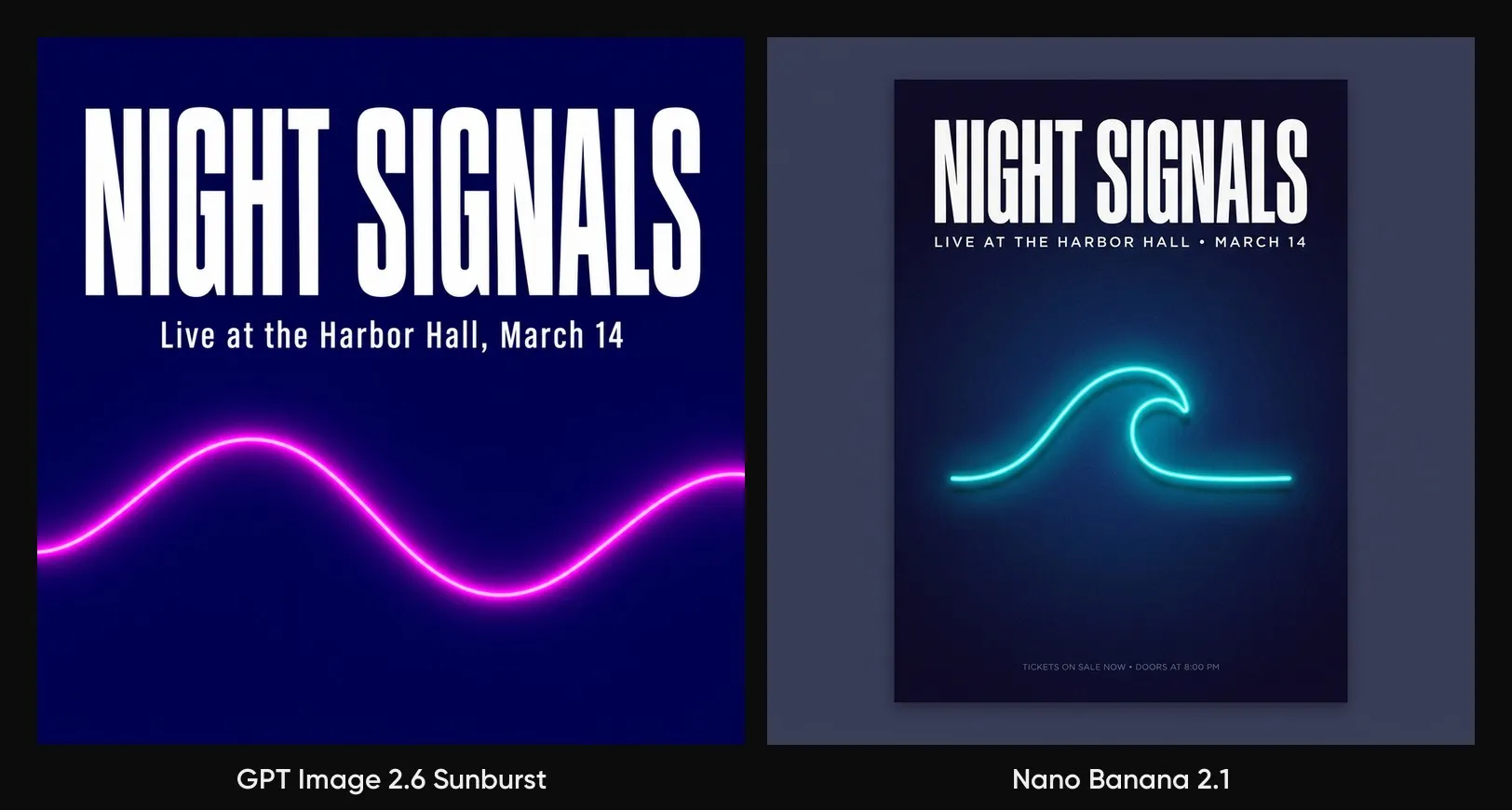
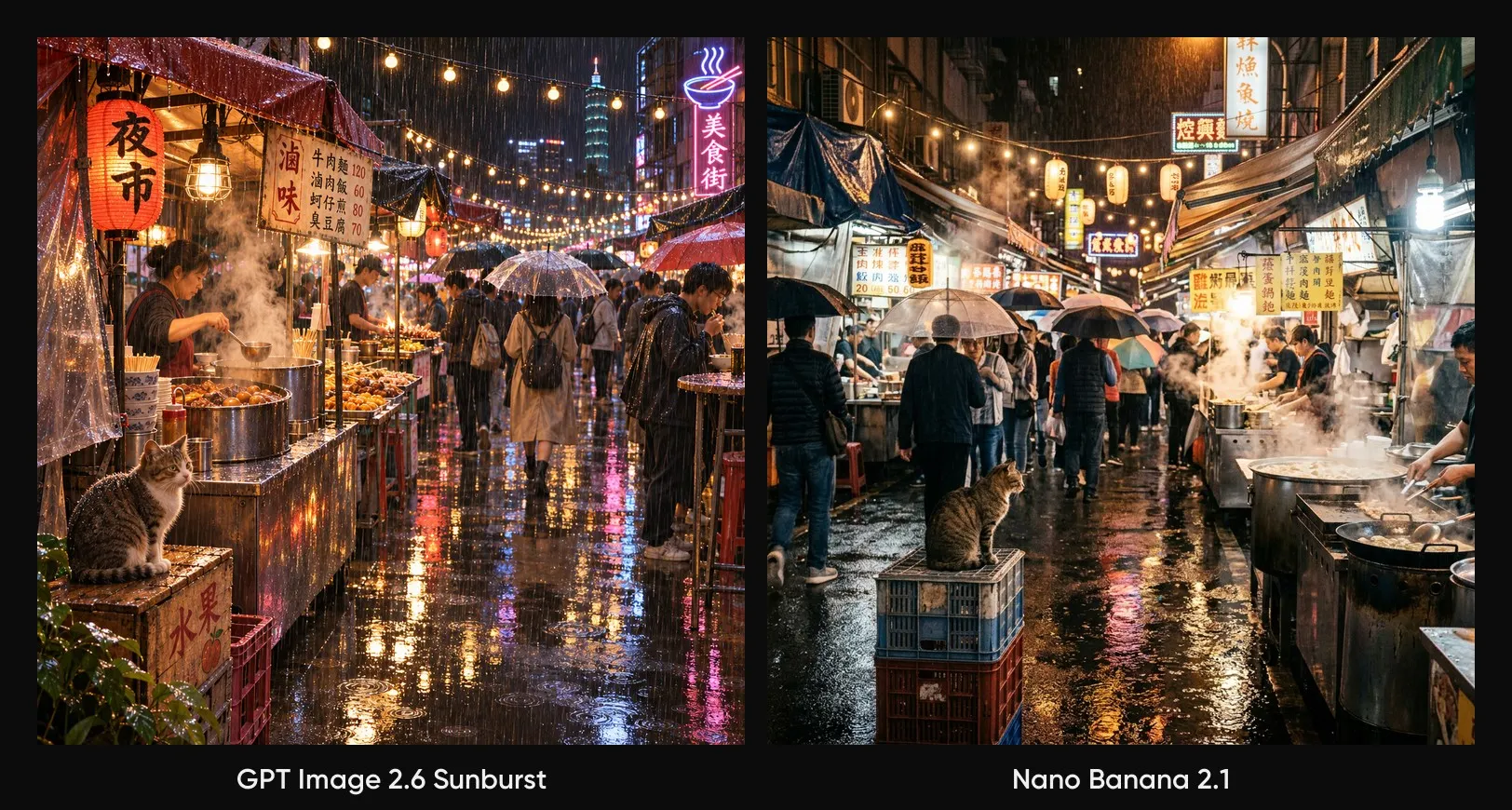
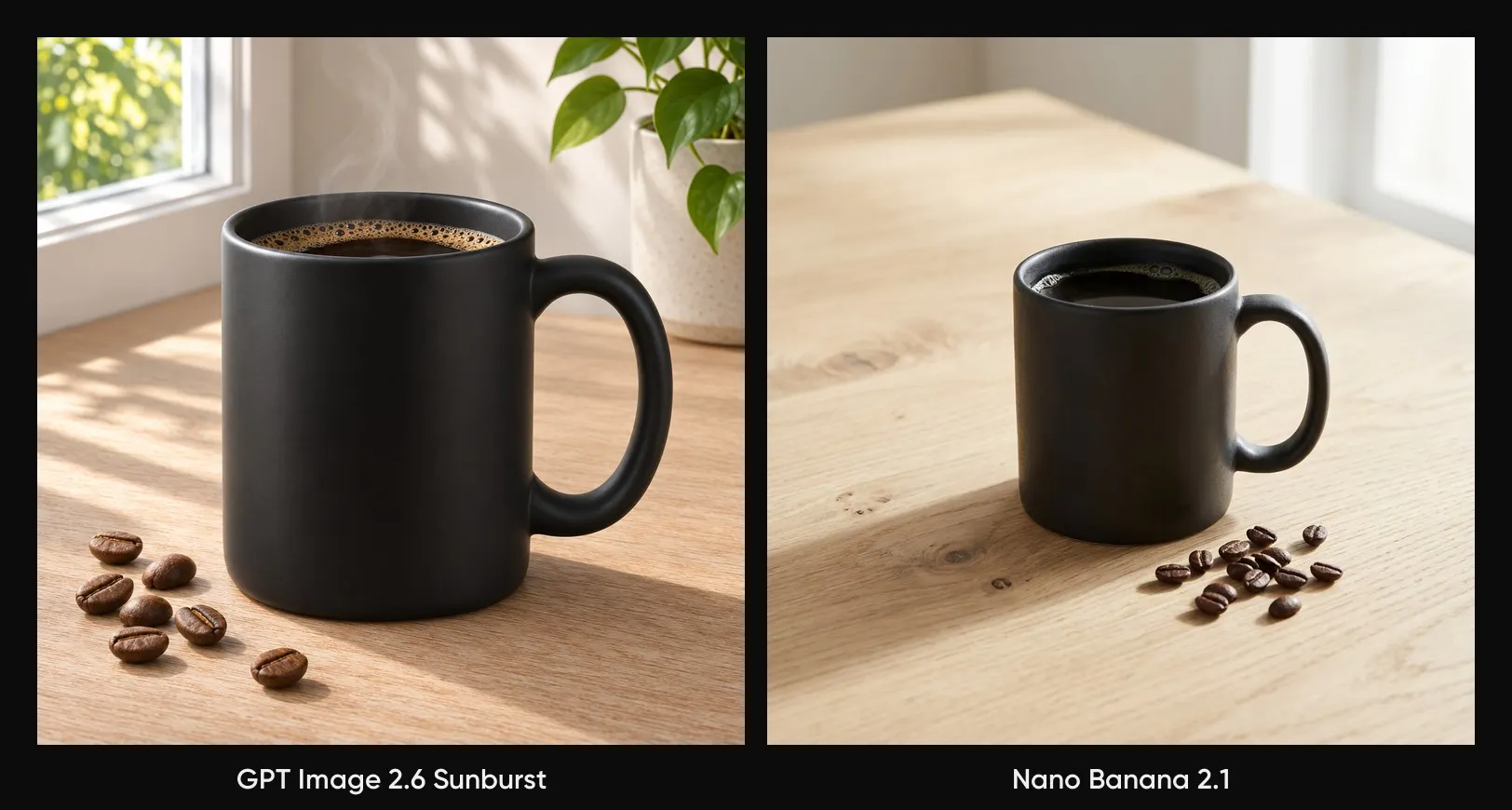
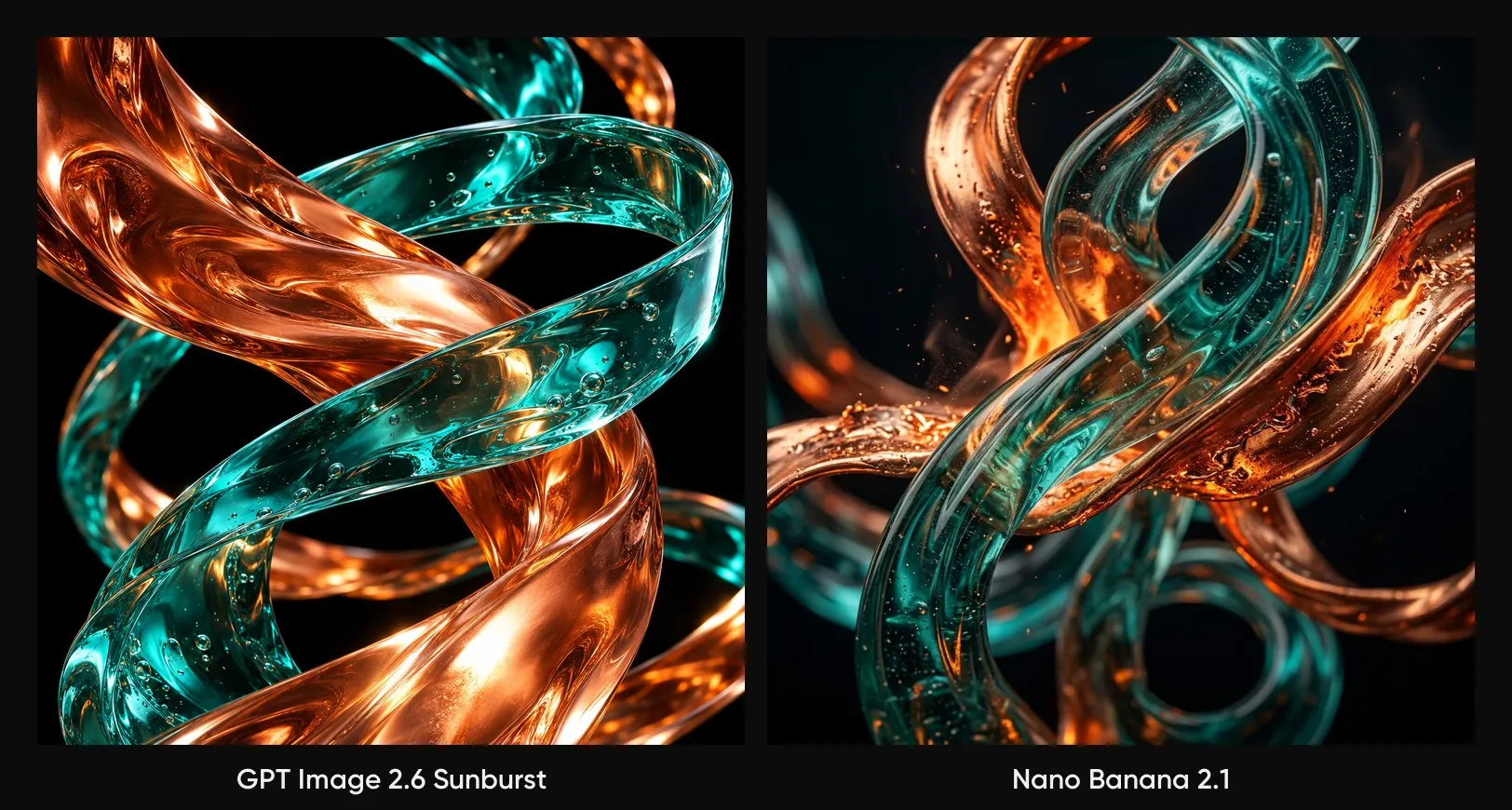
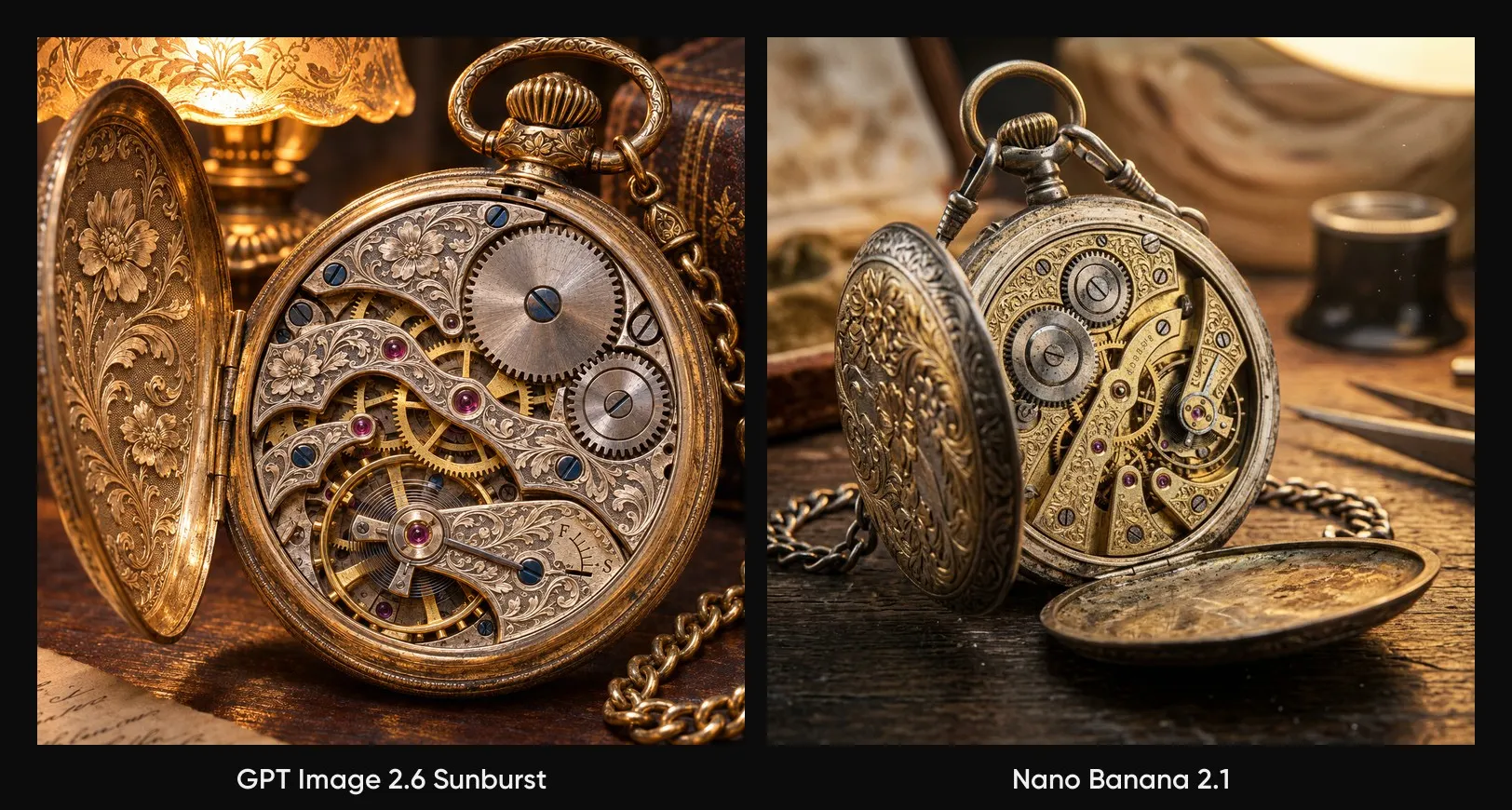
The fairest way to compare image models is to give them identical work. Each prompt below ran through GPT Image 2.6 Sunburst and Nano Banana 2.1 in a square frame, with every other setting left at its default and no editing afterwards. Every pair of results shows where one model’s priorities pull ahead.
A candid street portrait of a woman in her sixties laughing at a sidewalk cafe in soft late-afternoon light, shot from a slight side angle, shallow depth of field, natural skin texture. A minimalist concert poster with the headline “NIGHT SIGNALS” in bold condensed type, the line “Live at the Harbor Hall, March 14” underneath, deep blue background with a single neon wave. A busy night market in the rain, food stalls with steaming pots, string lights reflecting in puddles, people with umbrellas, a cat on a crate in the foreground. A matte black ceramic coffee mug on a pale oak table, morning window light, a few roasted beans scattered nearby, clean e-commerce composition, no logos. Flowing ribbons of molten copper and teal glass twisting through empty space, macro detail, dramatic studio lighting, high contrast. A close-up of an antique pocket watch with the back open, visible gears and engraved floral patterns, warm lamp light, extreme detail.Photorealistic portrait
Text rendering
Complex scene
Product shot
Abstract art
Fine detail
Which one should you use?
Each model wins a different kind of brief, so the choice is quick once the job is clear.
Choose GPT Image 2.6 Sunburst for:
- Images that carry a brand, a product or a text-heavy layout
- Details that must hold steady across several editing rounds
- GIF, SVG or transparent-background files
Choose Nano Banana 2.1 for:
- Editing by conversation or by drawing on the image
- Combining several products or characters into one scene
- Multilingual text or infographics that need real-world knowledge
- Ultra-wide 21:9 frames
The quick rule: brand-perfect detail and motion go to Sunburst, and conversational edits with multi-image scenes go to Nano Banana 2.1.
How to try GPT Image 2.6 Sunburst and Nano Banana 2.1 in Picsart
Both models sit side by side in AI Playground, so testing them on the same brief takes a few minutes. They are also available in the AI image generator for everyday creation.
1.
Pick a model Open AI Playground and choose GPT Image 2.6 Sunburst or Nano Banana 2.1 from the model menu.
2.
Set the frame Choose an aspect ratio and a resolution of 1K, 2K or 4K. Text-heavy designs read best at 2K or above.
3.
Write the prompt Describe the image, then attach source images of whatever must look identical in the result, like the product or the main character.
4.
Set the planning level Use Complexity on Sunburst or Thinking on Nano Banana 2.1. Low or minimal suits quick edits, and high suits crowded scenes.
5.
Compare and keep going Generate, compare the results side by side, and keep editing the winner in Picsart. Yes. OpenAI released Images 2.6 in ChatGPT, Codex and its API at the same time, and the API offers it as two models, Sunburst and Flare. In Picsart, both appear by name in AI Playground.
Get answers to common questions
Put both on the same brief
GPT Image 2.6 Sunburst vs Nano Banana 2.1 is less a contest than a choice of strengths: Sunburst for detail and exact text, Nano Banana 2.1 for edits by conversation. Picsart had early access to the model, and OpenAI’s Images 2.6 announcement features work made in Picsart, so Sunburst has been ready to use here from the first day. Run your next prompt through both in AI Playground and keep the one that fits the job.


