


Contents
The Black Friday social media posts that earn attention do one job each: announce the sale, show the product, show the whole lineup, then push the final hours. Four Picsart Flow templates cover those four jobs, from a text-only announcement to a last-chance post with a countdown feel.
Black Friday feeds are crowded, and shoppers scroll past anything that looks like the post before it. A clear plan for what goes up each day, made in formats built for vertical screens, keeps the account from repeating itself. Every idea below comes with the template that makes it and the exact outputs it gives you.
What makes a Black Friday post stop the scroll
A Black Friday post has about as long as a thumb pause to land. Four things decide whether it does:
- A readable offer.
The discount has to be legible on a phone at a glance. - A vertical frame.
Reels, Stories and TikTok fill the screen at 9:16, and the feed favors 4:5 and 3:4. - Motion.
A short loop holds the eye longer than a still. - Variety.
Posting the same image every day trains followers to skip it.
When to post what during Black Friday week
Each idea in this guide fits a different moment in the sale. A simple Black Friday content plan looks like this:
- Five to seven days before.
Post the announcement so followers know the date and the discount. - Launch day.
Publish product reels, one or two a day, through the weekend. - Peak weekend.
Share a lineup video that shows everything on sale in one clip. - Final hours.
Close with a last-chance post in the feed and in Stories.
The same plan works for Black Friday Instagram posts and TikTok, because every template exports vertical video.
Each idea runs on a ready-made canvas in Picsart Flow, the AI workflow builder, loaded with sample inputs you swap for your own.
An announcement post that needs no product photo
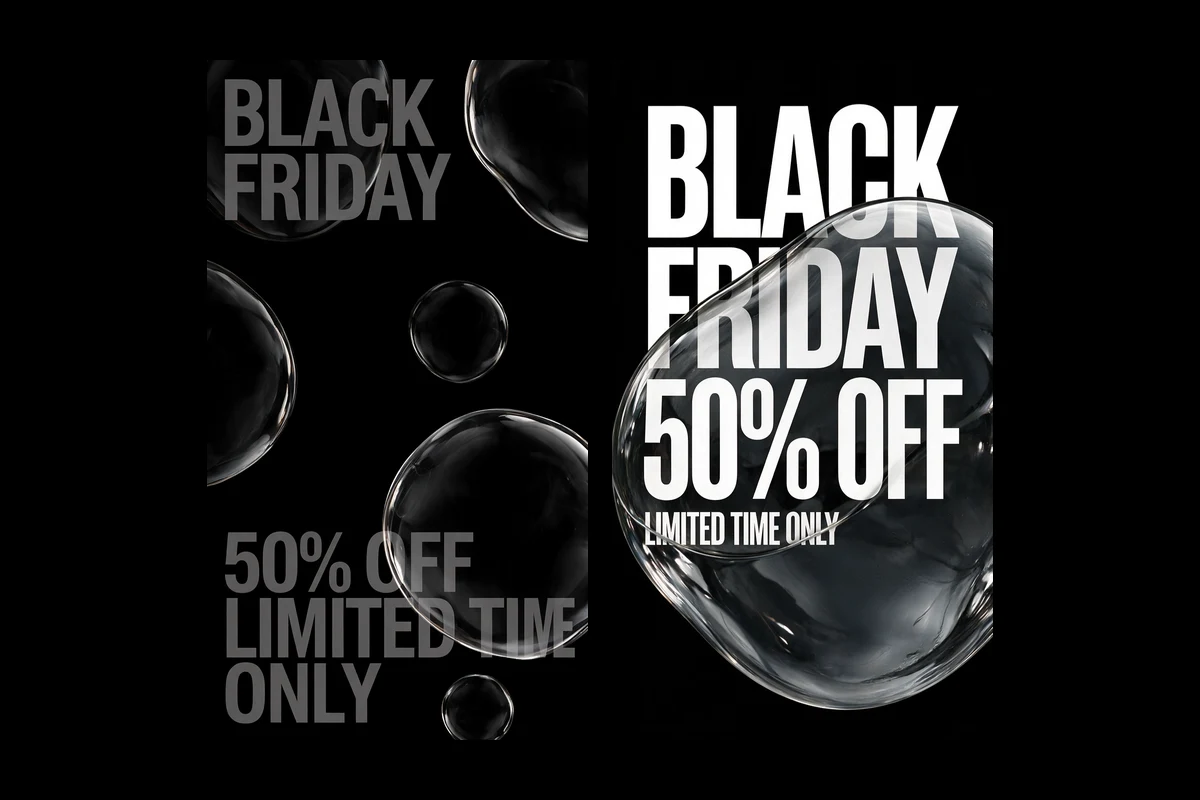
The first post only has to say the sale is coming. The Black Friday Promotional Videos with Floating Bubbles template works from text alone: a headline, an offer and a short supporting line, such as BLACK FRIDAY, 50% OFF and LIMITED TIME ONLY.
It turns that text into two 9:16 posters in a strict black-and-white style. One scatters realistic transparent bubbles over oversized type. The other places a single giant bubble over white lettering on pure black, so the words bend behind it.
Both posters then become 8-second vertical videos with sound, where the bubbles drift across the type. Use the floating bubble announcement as a teaser Reel and the poster as a Story.
A week of Reels from one product photo
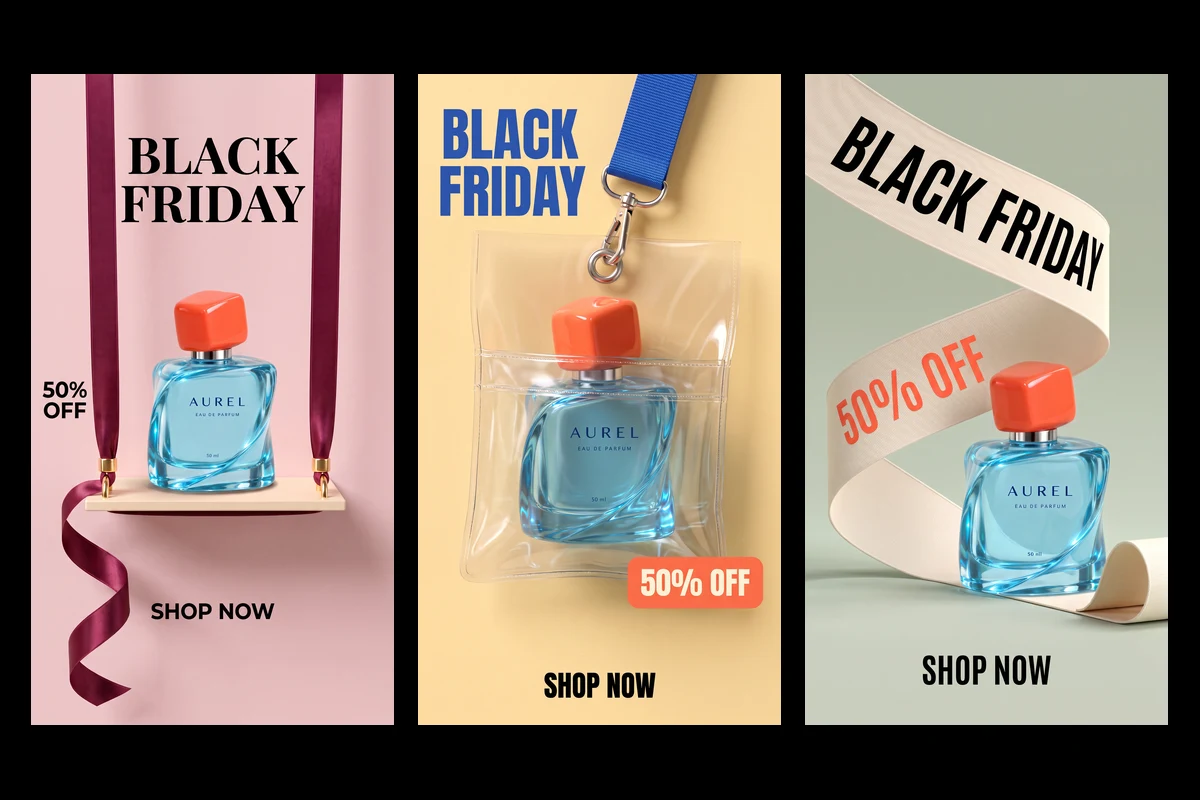
Daily product posts need daily variety. The Stylized Perfume Sale Visual Advertisements template takes one product photo and places the same bottle in five different vertical scenes:
- hanging on a ribbon swing against blush pink
- tucked into a clear pouch on a lanyard against butter yellow
- wrapped by a printed ribbon on sage green
- set into an orange puzzle-frame display
- standing on a coral pedestal against navy
The lettering, BLACK FRIDAY, 50% OFF and SHOP NOW, comes in on a later pass that is told to leave the bottle, its label and the lighting untouched. Each scene then becomes a 6-second vertical clip at 720p.
The clips are silent, which suits Reels where a trending audio track goes on top. The five-scene perfume reels give roughly a week of Black Friday Reels from a single photo.
A lineup reel for the whole sale
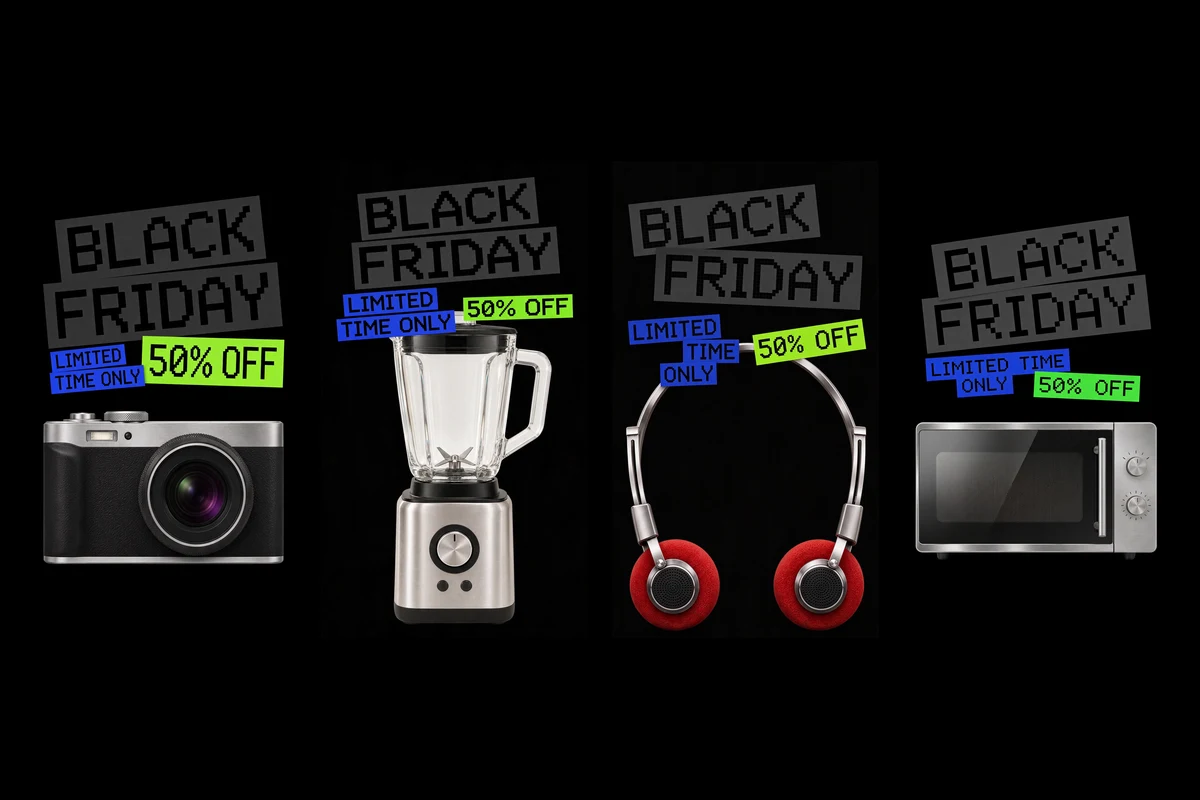
Peak weekend is the time to show everything on sale. The Dynamic Black Friday Sale Video Ad template takes four product photos, in the sample a camera, a blender, a microwave and a pair of headphones.
The canvas cleans each photo, then builds four matching 9:16 posters on black, with BLACK FRIDAY in chunky pixel lettering and the offer on bright blue and green strips. A final node combines all four posters into one 10-second vertical video with sound that moves from product to product.
The retro style suits electronics and gadgets especially well. The pixel lineup video works as a Reel, and the four posters work as a feed carousel.
A last-chance post for the final hours
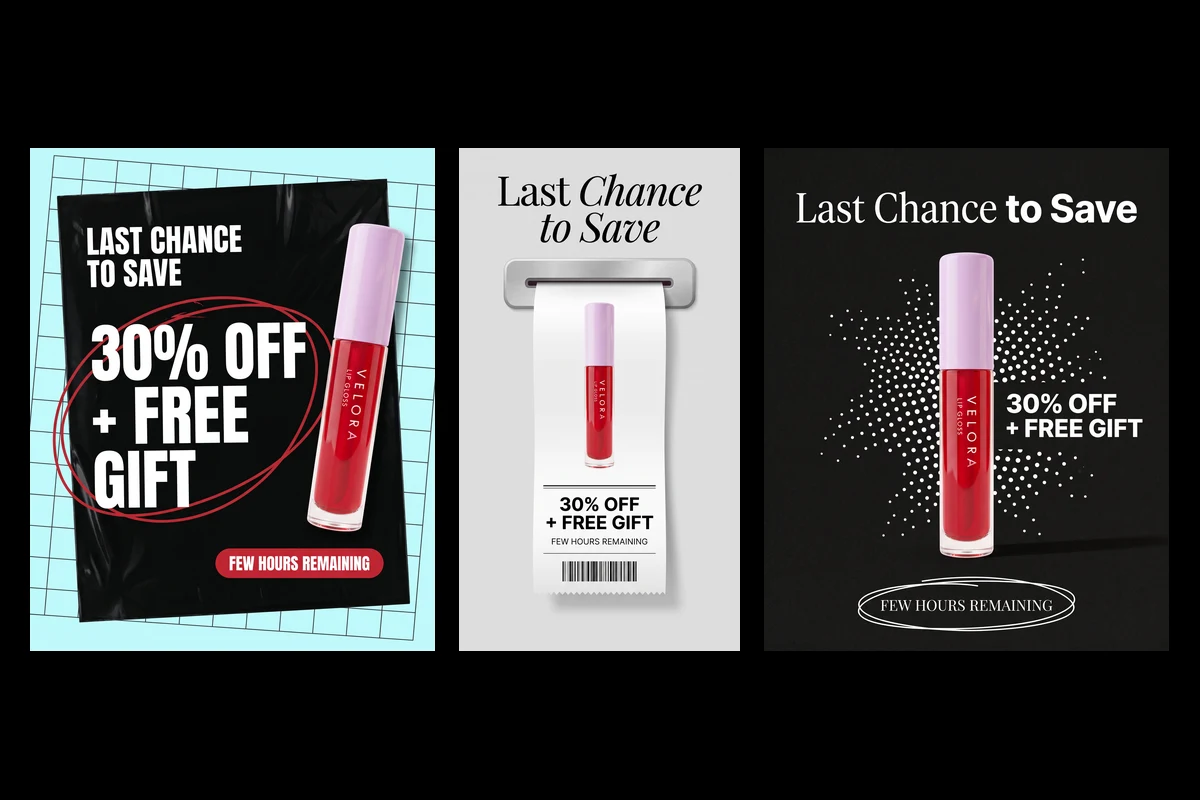
The final post creates urgency. The Engaging Cosmetic Sale Ads and Promo Videos template needs a single product shot plus a sale details node. Its sample copy is a general last-chance offer, LAST CHANCE TO SAVE with 30% OFF + FREE GIFT and FEW HOURS REMAINING, so type a Black Friday line into the same node.
The canvas cleans the product photo, then creates four ads: two vertical 9:16 versions for Stories and two 4:5 versions for the feed. In one, the offer prints out of a receipt slot. In another, the product sits on a black shipping bag against a bright grid.
Four 6-second silent clips follow, in 9:16 and 3:4. The last-chance sale posts give the feed and Stories a matching pair for the final day.
How to make Black Friday Reels and posts in Flow
Step 1. Open the template
Choose the post you want to publish first and open its template. Flow creates a private copy you can edit freely.
Step 2. Swap in your inputs
Replace the sample product photos with yours and edit the text nodes with your offer. Keep the wording short, because the templates set it in large type.
Step 3. Run the canvas
Run the whole canvas, or only the branch you need. Images generate first, and the videos build on them.
Step 4. Export for each platform
Download the 9:16 files for Reels, Stories and TikTok, and the 4:5 or 3:4 files for the feed. Downloads require signing in to a Picsart account.
Mixing nodes from several templates is possible too: the Flow workflow editor opens an empty canvas for that. Still posters for the grid are covered in these Black Friday design ideas.
Tips for Black Friday Instagram posts and Reels
- Write the caption around the date.
The visual carries the discount, so the caption can carry the deadline. - Use the Story version for links.
Stories make it easy to send followers straight to the sale page. - Pin the announcement.
Keep the first post at the top of the profile for the whole week. - Turn posters into a carousel.
Templates that output several posters give a ready-made carousel for the feed.
Get answers to common questions
The discount, the sale dates and a clear call to action, such as SHOP NOW. A product image helps on launch day, while a text-only post works well for the first announcement.
Plan your Black Friday posts today
Black Friday social media posts work best as a sequence: announce, show the product, show the lineup, then close with a last chance. Browse the Flow community templates, pick the post you need first and have the full week of content ready before the sale starts.


