


Two strangers bump into each other. Their AirPods fall out, they each grab the wrong pair, press play – and suddenly they’re hearing each other’s world. That’s the AirPods switch trend, and it’s everywhere on TikTok and Instagram Reels right now.
The audio is the reveal – a song, a voice memo, a podcast, a thought – and the reveal drives the entire video. Creators are racking up millions of views across a few lanes:
- Romantic – they connect through music taste, the swap becomes a meet-cute
- Funny – the audio is embarrassing, chaotic, or wildly unexpected
- Dramatic – hearing someone’s inner thoughts or a voicemail they weren’t supposed to hear
- Storytelling – mini short films where the swap kicks off a whole narrative arc
Why this format hooks everyone
Instantly relatable. Everyone who owns AirPods has had that moment of panic – dropping one, grabbing the wrong case. The premise doesn’t need explanation.
It’s a story engine, not a skit. Most trends are one-beat jokes. This one is a full narrative framework: inciting incident, rising action, climax, resolution. That’s why creators keep coming back – it supports real storytelling.
The reveal creates a double reaction. Viewers react to the audio, then react to the character’s reaction. Two emotional beats in one moment – that’s what drives replays and shares.
Endlessly remixable. Change the audio, change the genre. Sad song? Romance. True crime podcast? Comedy. Motivational speech? Satire. Infinite combinations.
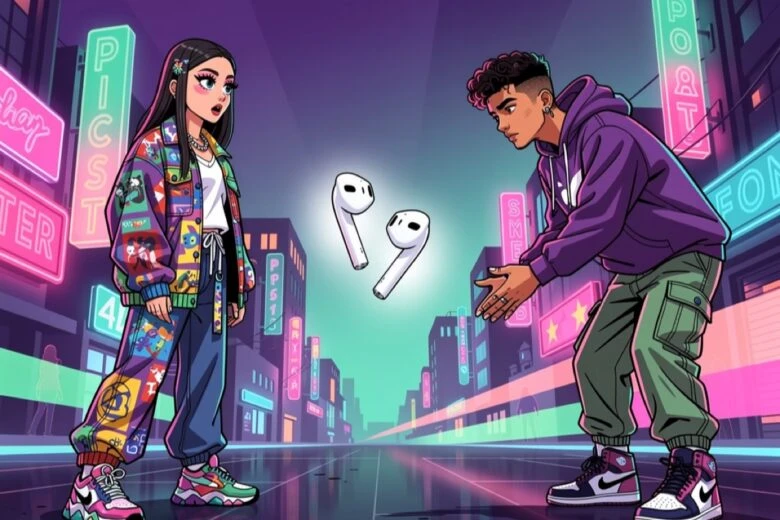
How to do It with characters nobody’s seen before
Most creators film this with real people. But what if the two strangers aren’t real at all?
Picsart’s AI Video Generator now runs on WAN 2.7 as the default model – with up to 5 reference images, 5 reference videos, and first-and-last frame control. Lock a character’s appearance once, and WAN 2.7 keeps their face, outfit, and proportions consistent across every clip. You can even film yourself as one half and generate the stranger you bump into.
A few directions to try:
- You + an AI character – film yourself, generate the stranger
- Fantasy characters – an elf and a knight swap AirPods in a medieval market
- Your pet bumping into another pet at the dog park, AirPods flying
- Historical figures – Einstein and Frida Kahlo collide on a sidewalk in 1920s Paris
- Completely original characters that exist nowhere else on the internet
Here’s how to make it.
Step 1: Create your characters
Generate or upload reference images for your two characters using Picsart AI Image Generator. Lock in face, outfit, hair, overall vibe. The more distinct they look, the stronger the visual contrast when they collide.
Step 2: Generate the video
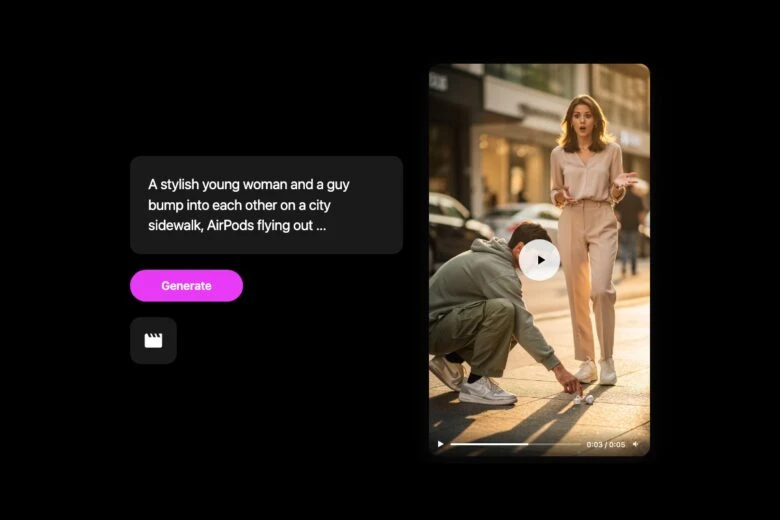
Open Picsart AI Video Generator – WAN 2.7 is already the default. Upload your character reference images, set your first and last frames, and write one prompt that captures the full scene:
“A stylish young woman and a guy in streetwear walking toward each other on a busy city sidewalk. They bump into each other, AirPods flying out of their ears and scattering on the ground. The guy crouches to pick them up, grabs the wrong pair, puts them in – his expression shifts from confused to surprised as he hears her music. Golden hour lighting, cinematic, 9:16, slow dolly in”
The more specific your prompt, the better. Describe the setting, the outfits, the lighting, and use plain-language camera direction – “slow dolly in,” “pan left,” “tracking shot” – and WAN 2.7 follows it.
Step 3: Edit and ddd Audio
Stitch the clips together. The audio choice IS the content – time the bump to feel natural, make the audio switch crisp, and add slow motion on the AirPods falling for dramatic effect. Generate a custom soundtrack with Lyria 3 or use trending audio from TikTok or Reels. Format for 9:16, caption, post.
Tips to make yours actually land
Use characters that create contrast. A businessman and a skater. A grandma and a goth. An astronaut and a barista. The wider the gap, the better the reveal lands.
Keep the reveal tight. Don’t drag out the moment between putting in the AirPods and hearing the audio. It should hit within one second.
Caption with the vibe, not the explanation. Not “POV: you grabbed the wrong AirPods.” Instead: “This wasn’t supposed to happen.” “Wrong AirPods, right person.” Let the video explain itself.
The AirPods Fall. You write the story.
Everyone doing this with real people is in the same lane. With WAN 2.7 in Picsart’s AI Video Generator, you can build characters from scratch, place them in any world, and tell stories that aren’t possible with a phone camera.
The AirPods fall. The story is yours.


