


Flux prompts are natural-language instructions that tell Flux models exactly what image to generate, and the right Flux prompt turns an average output into a standout visual. Flux understands full sentences instead of keyword lists, so the way a prompt is written directly shapes the result. The most effective Flux prompts begin with the subject, stay between 30 and 80 words, and describe the scene clearly and naturally.
This Flux prompting guide explains how to prompt Flux across different model versions, including Flux 1, Flux 2, and Flux Kontext. You will also find 25+ ready-to-use Flux prompts you can copy, paste, and test immediately. Each version of Flux has its own strengths, so strong results come from matching your prompt style to the model you are using.
Flux 1 prompts
Flux 1 is the original Flux model family. It includes Schnell for speed, Dev for flexibility, Pro for high-quality outputs, and Pro Ultra for ultra-detailed images. Each version of Flux performs best when prompts are written as clear, natural descriptions.
Tip: Flux works best when prompts read like real sentences. Start with the subject and build the scene around it.
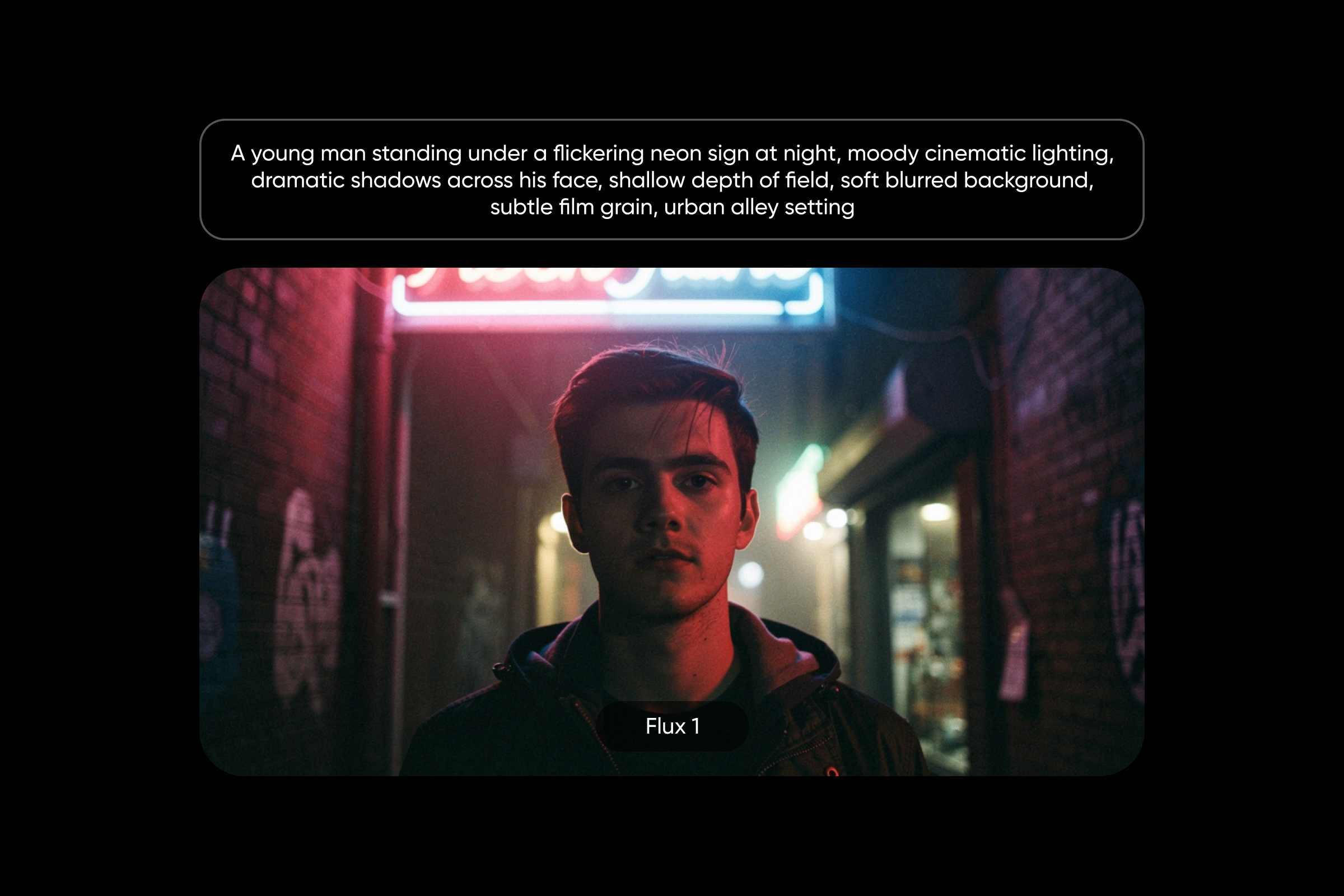
Schnell – quick cinematic portrait
A young man standing under a flickering neon sign at night, moody cinematic lighting, dramatic shadows across his face, shallow depth of field, soft blurred background, subtle film grain, urban alley setting
Flux 1 Dev – stylized fantasy scene
A floating island city surrounded by glowing waterfalls and bioluminescent trees, vivid colors, a surreal sky with multiple moons, intricate architecture, a magical atmosphere, and a highly detailed fantasy world
Pro – complex multi-element scene
Three chefs working inside a modern open kitchen, one plating food, one chopping vegetables, one stirring a pan, stainless steel surfaces, warm overhead lighting, realistic depth, detailed textures
Pro Ultra – high-detail landscape
A wide mountain range at sunrise with mist rolling through the valleys, sharp rocky textures, golden light hitting the peaks, atmospheric depth, ultra-detailed environment, and realistic sky tones
Flux 2 prompts
Flux 2 is more advanced and handles complex scenes, realistic movement, and consistent characters across images. Flux 2 prompts are ideal when you want multiple subjects or detailed interactions in a single scene.
Tip: Flux 2 prompts can handle more detail and complexity, so describe interactions and environments with more depth.
Pro – multi-subject action scene
Two basketball players jumping mid-air during a dunk attempt, realistic body positioning, stadium lighting, strong motion, blurred crowd in the background, clear sense of depth, and energy
Max – character consistency
A red-haired woman with freckles wearing a green jacket and boots, standing in a snowy forest, with soft winter light, the same character later walking through a sunny park, consistent facial features, and outfit
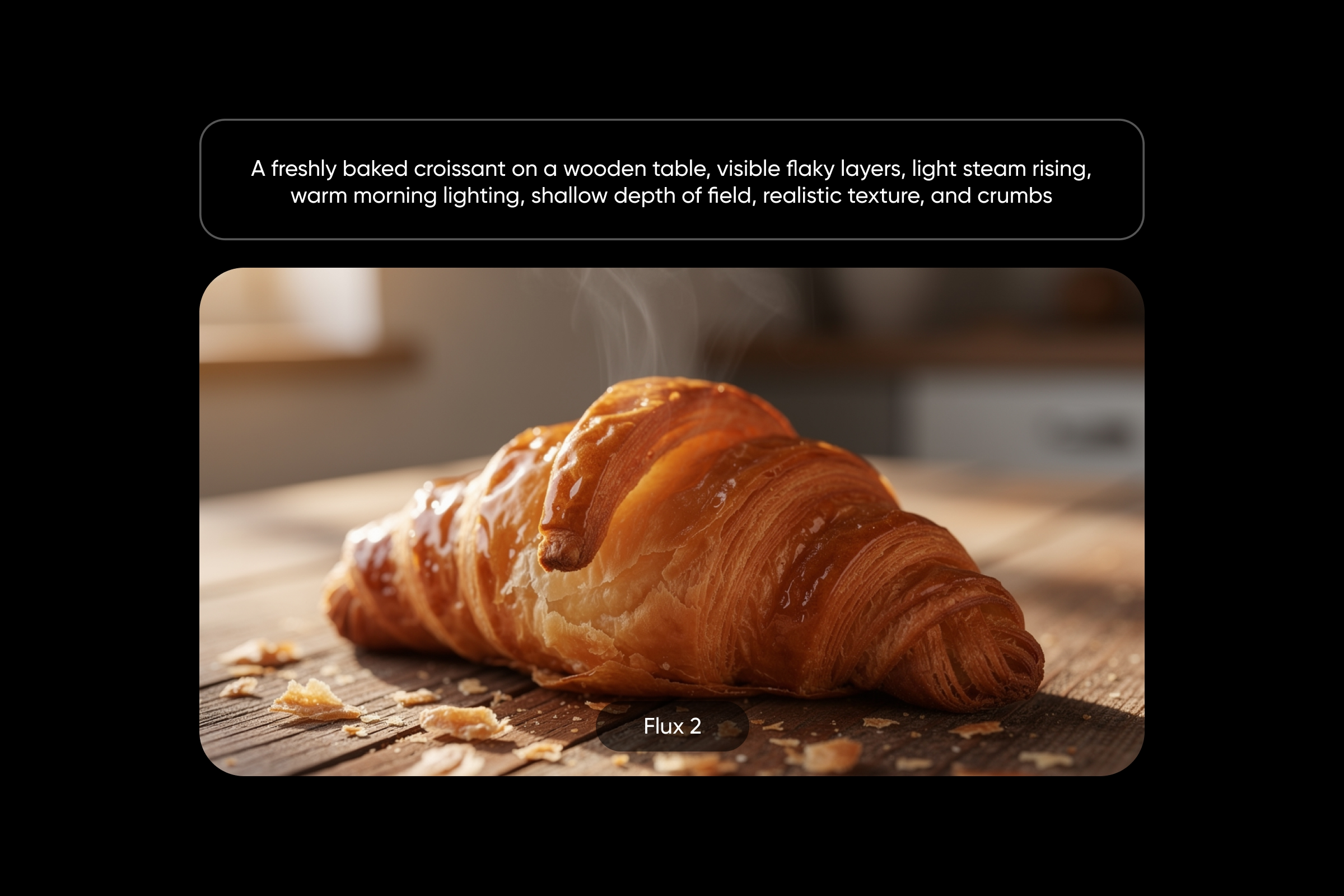
Flex – detailed food photography
A freshly baked croissant on a wooden table, visible flaky layers, light steam rising, warm morning lighting, shallow depth of field, realistic texture, and crumbs
Flux 2 Dev – editorial fashion
A fashion model wearing a bold monochrome outfit, posing against a clean white backdrop, high-fashion lighting, sharp shadows, minimal composition, magazine-style editorial look
Klein – storefront signage with text
A cozy coffee shop storefront with a glowing neon sign that reads “Morning Brew,” warm interior lighting, inviting atmosphere, and clear and readable lettering
Flux Kontext prompts
Flux Kontext prompts work differently from standard Flux prompts. Instead of generating a new image, Flux modifies an existing one based on your instructions. This makes Flux Kontext especially useful for edits and variations.
Tip: Focus on one clear change at a time and explain what should stay the same.
Background swap
Keep the subject exactly the same and replace the background with a tropical beach at sunset, warm lighting, soft ocean waves, and natural shadows
Style transfer
Keep the same composition and transform the image into a soft pastel color palette with symmetrical framing and a cinematic aesthetic
Outfit change
Keep the person and pose unchanged, and replace the clothing with a formal black suit and tie, maintain lighting and background
Product mockup variation
Keep the same coffee mug and place it on an outdoor picnic table with natural sunlight, greenery, and soft shadows
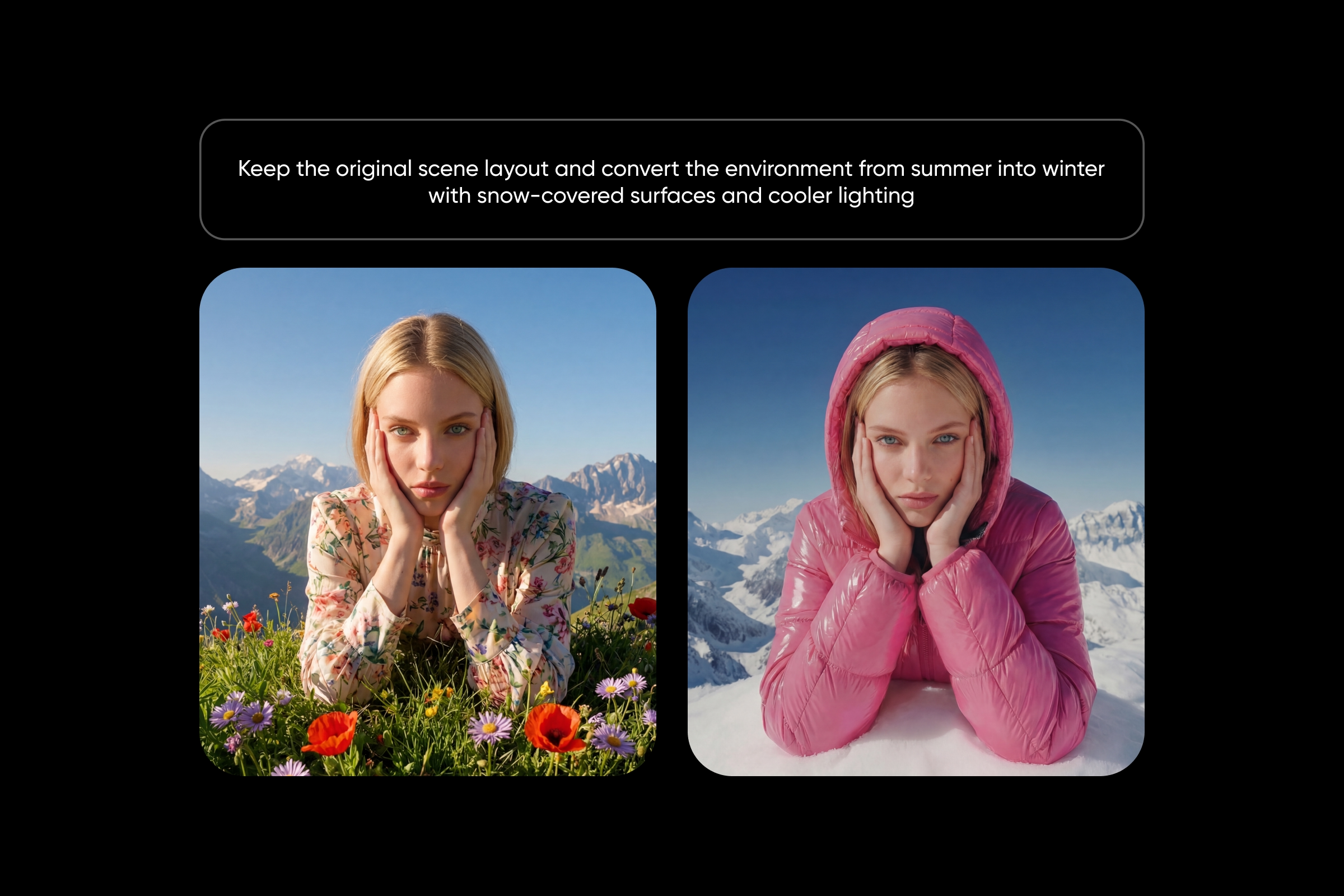
Season shift
Keep the original scene layout and convert the environment from summer into winter with snow-covered surfaces and cooler lighting
Best Flux prompts for realism
Flux performs especially well when prompts are written for realism. Adding camera details, lighting conditions, and film references helps guide the output toward a photographic look.
Tip: Include the camera body, lens, and aperture to get more realistic results from Flux.
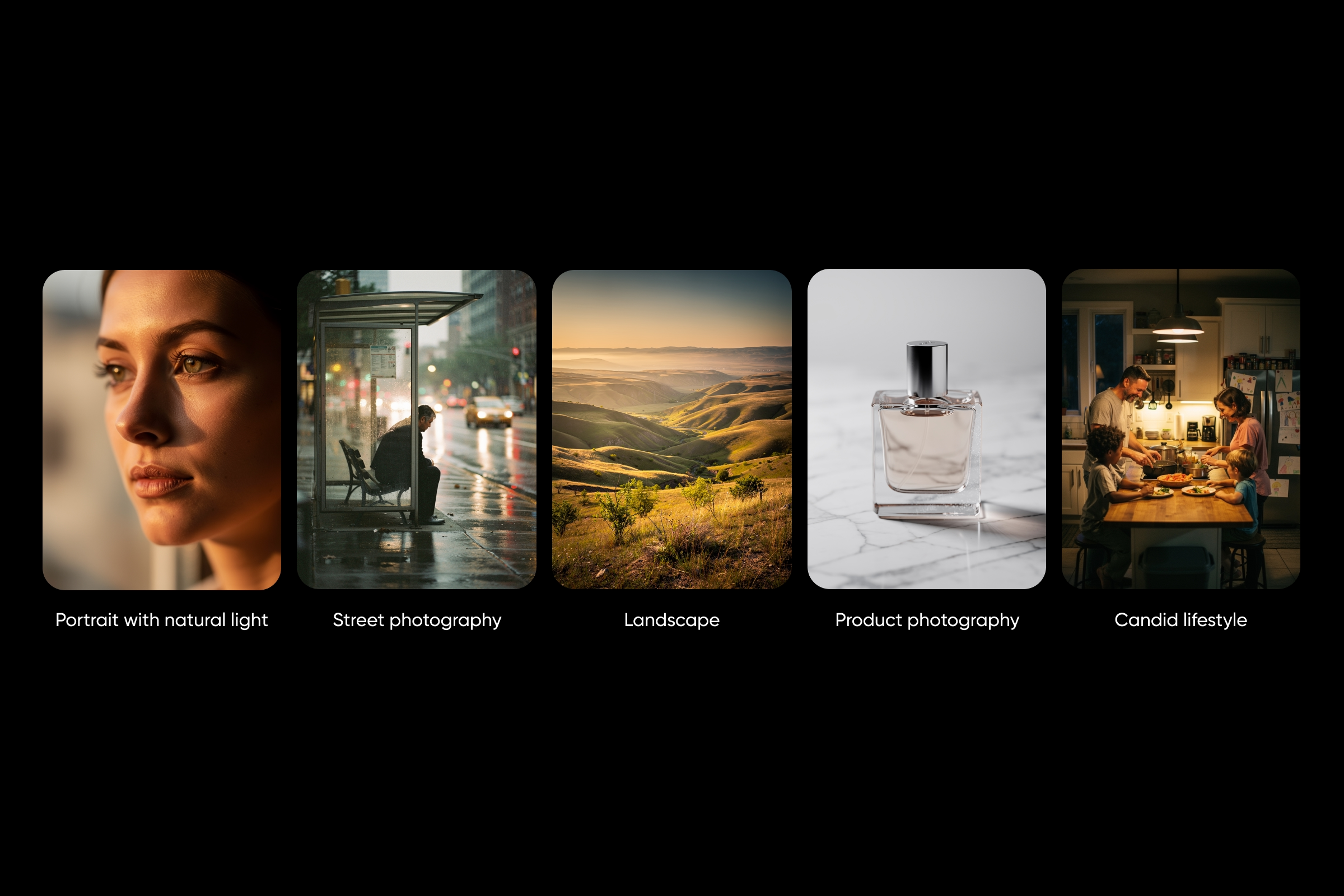
Portrait with natural light
A close-up portrait of a woman sitting near a window, soft natural light illuminating her face, Canon EOS R5, 50mm lens, f/1.8, shallow depth of field, natural skin texture, warm tones
Street photography
A man sitting at a bus stop in the rain, reflections on wet pavement, natural lighting, candid moment, Leica M6, 35mm lens, Kodak Portra 400 style
Landscape
A wide valley during golden hour with rolling hills and soft haze in the distance, Nikon D850, 24mm lens, f/8, detailed environment, natural atmospheric depth
Product photography
A glass perfume bottle placed on a marble surface, controlled reflections, studio lighting setup, macro detail, sharp focus, subtle shadows
Candid lifestyle
A family cooking together in a cozy kitchen, unposed interaction, soft ambient lighting, Sony A7III, 35mm lens, Kodak Portra tones, realistic home environment
Try these Flux prompts in Picsart
These Flux prompts are easy to test and refine using Picsart tools, whether you are experimenting or building a full creative workflow.
Start with the AI Playground to explore Flux models in one place. You can paste the same Flux prompt and compare how different models interpret it side by side, which helps you understand how small prompt changes affect results.
The AI Image Generator lets you generate visuals from Flux prompts across a range of styles, from photorealistic to artistic. This is a fast way to turn a written idea into a finished image.
For more advanced workflows, Picsart Flow allows you to build step-by-step pipelines where a Flux prompt becomes part of a larger process. You can generate, edit, enhance, and export images in one smooth flow.
If you want to improve how you write Flux prompts, the Image to Prompt feature is especially helpful. Upload any image and get a usable Flux prompt that shows how similar visuals can be recreated.
Common Flux prompting mistakes
Even strong ideas can fall flat if a Flux prompt is not structured well. These are common mistakes to watch for.
Burying the subject
Flux focuses on the beginning of a prompt. Always lead with the subject so the model clearly understands the main focus.
Using weight syntax
Formatting like (word:1.5) or ::2 does not work in Flux and has no effect on the result.
Writing negative prompts
Flux does not rely on negative prompts. Instead of describing what you do not want, clearly describe what you do want.
Overloading the prompt
Very long prompts can reduce clarity. Keeping your Flux prompt between 30 and 80 words improves results.
Mixing too many styles
Combining too many visual styles can confuse Flux. Stick to one clear direction.
Using a plain white background with Flux Dev
This can lead to flat or unclear images. Adding more environmental detail helps produce better outputs.
Frequently asked questions
No. Flux works best with clear and positive descriptions.
Frequently asked questions
No. Flux works best with clear and positive descriptions.
Final thoughts
These Flux prompts give you a strong starting point across different styles and use cases, from realistic photography to creative edits. Small changes in how a Flux prompt is written can noticeably improve the final image.
Ready to experiment? Try these prompts inside AI Playground and see how different Flux models interpret your ideas.


