


Create an AI influencer by building the character in the Picsart AI influencer generator, then taking it into Picsart Storyspace to put it into new images and videos. Build it from parts, save it once, and reuse it in every post.
What makes this interesting isn’t just the speed. It’s the level of control. Creating an AI influencer means building a digital identity from scratch, not managing a person. No contracts. No scheduling conflicts. No production budgets. You decide how they look, how they evolve, and how they show up online. This guide walks through how to create an AI influencer with Picsart, and why AI influencer marketing is becoming more common across social platforms.
What is an AI influencer?
An AI influencer is a digitally created personality that exists online. It can post photos, appear in short-form videos, share captions, and build an audience – even though it isn’t a real human.
The biggest difference from traditional influencers is ownership. With an AI influencer, everything is intentional. The aesthetic isn’t random. The personality isn’t accidental. You define it. A realistic AI influencer today can look extremely lifelike, whether styled for fashion, gaming, tech, lifestyle, or something niche. It’s not a cartoon profile picture. It’s a constructed digital persona designed for social media.
Examples of famous virtual influencers
This idea isn’t brand new. A few famous virtual influencers helped make it mainstream:
- Lil Miquela – Known for fashion campaigns and major brand partnerships.
- Shudu – A digital supermodel featured in luxury editorials.
- Aitana Lopez – A realistic AI influencer recognized for polished lifestyle content.
They helped normalize AI influencer marketing and showed that audiences are open to virtual creators when the identity feels consistent.
AI influencer vs. traditional influencer: what’s different?
They’re not opposites. They just operate differently.
Cost
Once you create an AI influencer, content becomes far more affordable. There’s no per-post rate or contract negotiation. Traditional influencers can range from a few hundred dollars to six figures per post, depending on reach.
Speed
An AI influencer can be built quickly. New outfits, new visuals, even animated videos — all generated when you need them. Traditional campaigns usually involve timelines, approvals, and coordination.
Consistency
AI influencers don’t have “off days.” The lighting, styling, and aesthetic remain consistent. Human creators naturally vary based on environment and setup.
Availability
An AI influencer is available whenever you are. There’s no scheduling to coordinate.
Traditional influencers operate within real-world limitations.
Authenticity
Human influencers rely on lived experience. Their connection is personal. AI influencers build connections through storytelling and transparency. When the character is well-developed, audiences engage with it differently but still meaningfully.
Best use cases
AI influencers work especially well for scalable campaigns, experimental aesthetics, and brand-owned characters. Traditional influencers remain strong for community-driven storytelling and live engagement. Many brands use both. It’s not replacement – it’s expansion.
Why create an AI influencer?
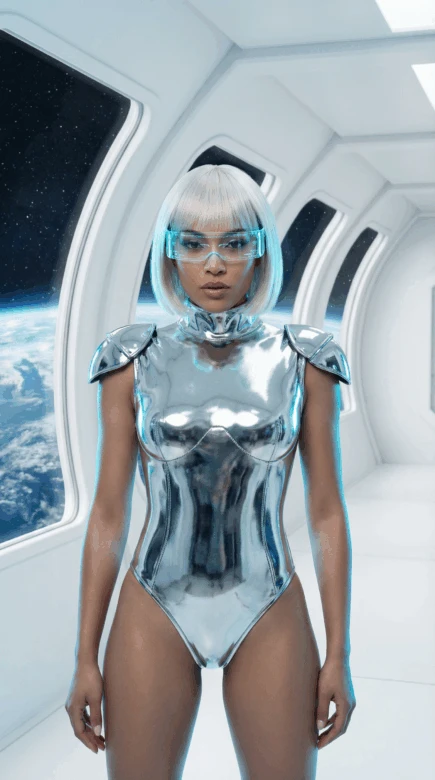
There are obvious business reasons. Lower cost. Fewer logistics. Faster turnaround.
But there’s also creative freedom. You can test bold aesthetics. Try niche micro-trends. Build a character that would be difficult or impossible to execute in real life. And if something doesn’t work? You adjust.
Privacy matters too. Some creators want presence without personal exposure.
And speed? That’s a big one. Trends shift overnight. An AI influencer can move just as fast.
How to create an AI influencer with Picsart
Everything starts in the AI influencer generator. You don’t need design experience. You just need a direction.
1. Open the AI influencer generator
Start from scratch, or add a photo to build from. Use your own photo, or one of someone who agreed.

2. Pick a type and shape the look
Choose a human, an animal, an alien, or a monster, then shape it across six categories: Person, Features, Face and hair, Outfit, Accessories, and Body. Every choice appears in the prompt box as one sentence. Click any word to swap it or describe your own, and add your own details to fine-tune the result. Shuffle for new ideas and lock the parts you like.
3. Generate a character sheet
Click Generate. You get front, side, and back views plus a close-up in one image. Not quite right? Open it in the creator again, change a part, and regenerate.
4. Take it into Storyspace and save it
Save your character to your project in Picsart Storyspace. The character’s name works as an @mention in any prompt in the project.
5. Create posts and videos
Mention your character with @ in a new prompt and describe a new scene or outfit. Click a picture to animate it, or use Recast to swap your character into a clip you filmed. Faces and small details can drift, so review each result.
6. Combine and share
Merge your clips in the Sequencer for a longer video, then download and post to your social channels.
Treat it like a real creator account.
- Post consistently.
- Write a backstory and keep it consistent.
- Mix static posts with video content.
- Adapt your aesthetic slightly depending on the platform.
- Use trends, but make them fit the character.
- Be transparent that it’s AI-generated.
- Test variations and see what resonates.
Growth still requires a strategy, even if the creator is virtual.
FAQ
Creating an AI influencer uses Picsart credits. The credit amount for the chosen tool and settings shows before each generation.
Start creating your AI influencer with Picsart
You don’t need a production team to launch a digital creator. You need an idea and a direction. Build your character in the AI influencer generator, then take it into Picsart Storyspace and start making content that fits your brand and moves at internet speed.


