How to create an AI influencer
Design your character, save its references, and create images and videos for your content.
- Step 1
Design your character
Pick a type, a face, hair, an outfit, and accessories, or start from a photo. Shuffle for a new direction and lock what you like. 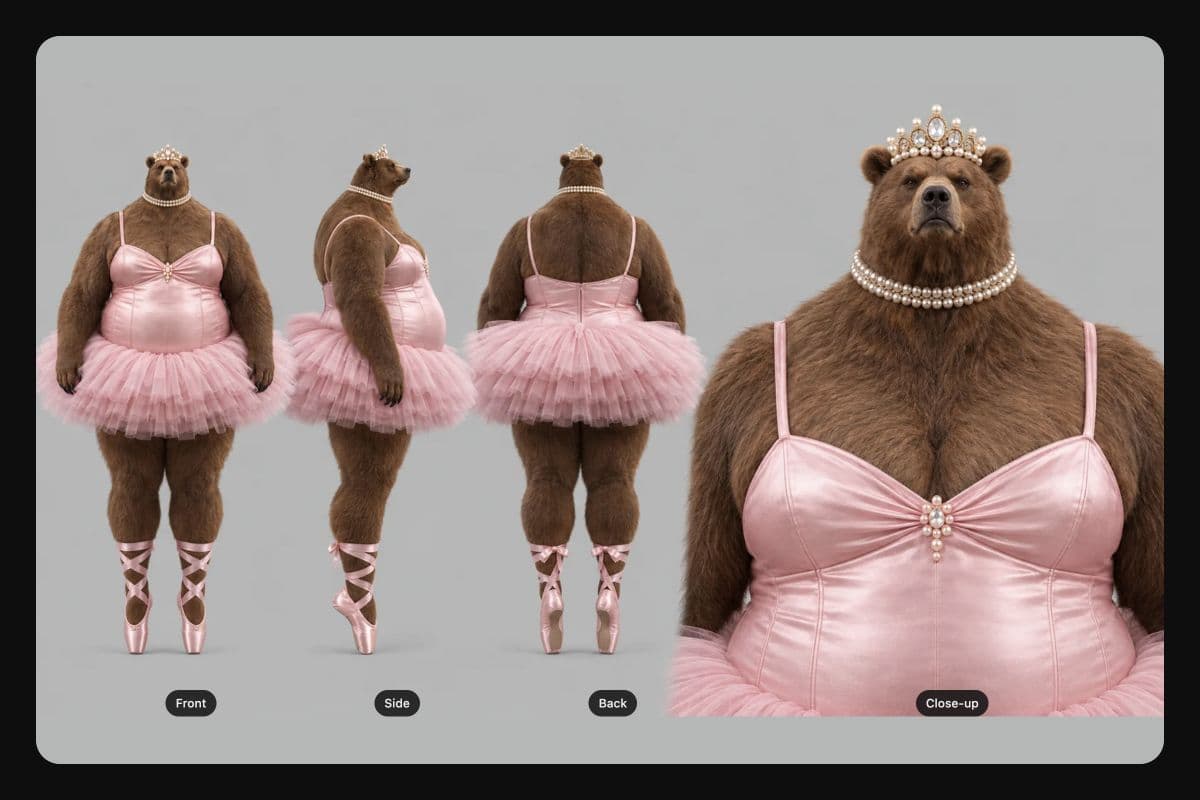 Step 2
Save a character sheet
Generate front, side, and back views plus a close-up in 1 sheet, then save the character to reuse in your project.- Step 3
Create images and videos
Use your character as a reference for new images and videos, or open Recast to place it in an existing clip.
Design your influencer’s look
Choose a human, an alien, a monster, or an animal, then shape it across 6 categories: Person, Features, Face and hair, Outfit, Accessories, and Body. Your character reads as a sentence in the prompt box, and every word in it is a choice you can change.
Reuse your character across posts
Save your character’s reference images and reuse them when you create new posts. A 4-view sheet gives you front, side, and back views plus a close-up. Check each result for changes to faces and small details before you share it.
Put your character in new scenes
The Character creator and Recast live in Picsart Storyspace. Add your character as a reference when you generate new images and videos, and build each scene around it.
New outfit, same character
Add your character as a reference when you generate in Storyspace, and dress it in a new look each time.


Swap who's in a clip you already have
Give Recast up to 8 pictures: your characters, plus a location if you want a new setting. Keep the original sound, make new sound, or go silent. Faces and small details can drift, so watch each take before you post it.
Keep every clip on the same board
Your character sheet and each recast clip land on the same Storyspace board. Try the same clip with another character, compare the takes, then merge the ones you keep into a longer video in the Sequencer.
What will your influencer create?


Post your character's series in Earn with Picsart campaigns
Explore Earn with Picsart campaigns for content you make with your AI influencer. Check the available campaign briefs and requirements before you create and post your content.
AI influencer questions, answered
Design your AI influencer in the Character creator, generate a character sheet, and save it to your Storyspace project. Use the character’s reference images when you create new images and videos.
Choose a plan for your AI influencer
Pro
Most popularAI tools for everyday creative work.
Ultra
Most powerfulHeavy AI usage for creators & teams.
Start creating with your AI influencer
Design your character in Picsart Storyspace, then use it as a reference for new images and videos.
Works in a desktop or laptop browser.