


To make a Halloween animation starring your kid or pet, start from one clear photo of them, write a four-line brief for the costume and the story, and let a Picsart Flow template turn it into three key scenes and a 30-second animated short. The result is a friendly Halloween short film with your own trick-or-treater as the hero, ready to post on the night.
The workflow behind it is the Friendly Halloween Trick-or-Treat Short Film template in Picsart Flow. It plans the story, locks the character, draws the key scenes and animates them, so the whole halloween animated video comes out of one canvas.
What makes a good Halloween animation for kids
A Halloween cartoon for small children walks a fine line: spooky enough to feel like Halloween, gentle enough that nobody hides behind the sofa. The template builds that balance into its structure, and the same rules work for any halloween story for kids.
- Three short beats. The hero sets off, something small happens at the last house, and the story ends warm. Each beat runs ten seconds.
- One small scare, never shown. Something moves on its own, like a garden gate swinging open, but nothing frightening ever appears.
- A friendly answer. The scare turns out to be a small, harmless companion who is happy to be found.
- A happy, safe ending. The candy pail is full, the light opens up, and the last shot settles on the two of them side by side.
Every animation prompt in the canvas also rules out monsters, creatures with teeth, peril, chases and jump scares, so the short stays safe for a six-year-old audience.
How to make a Halloween animation in Picsart Flow
The canvas runs in six steps. Only the first two need you, and the other four run on their own.
Step 1. Upload your trick-or-treater
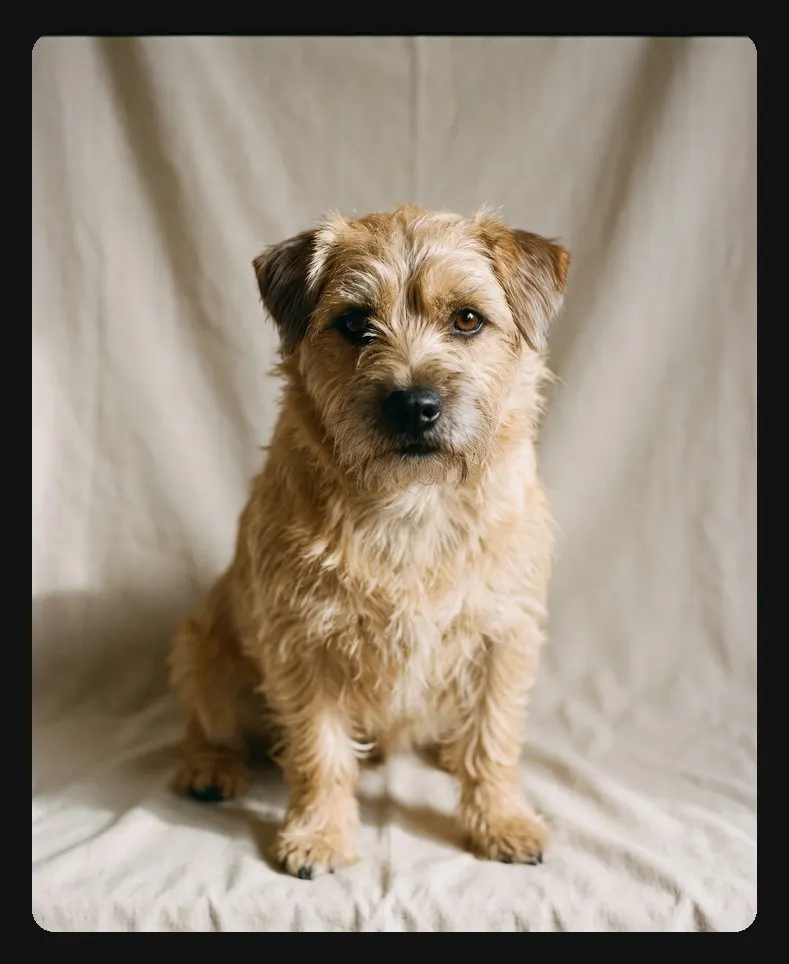
Replace the sample photo in the first node with your own: a child, a dog, a cat, any small hero. A clear head-and-shoulders shot works best, facing the camera, with the whole face visible and a plain background.
Step 2. Write the four-line brief
The second node holds the whole story in four lines. Change them, and everything after updates to match. The sample brief reads:
- The costume: a small hand-sewn dragon costume with soft green wings and a floppy ridged tail.
- The small scare: the garden gate at the last house on the road swings open all by itself.
- Who is watching: families with children of about six, posting on the night itself.
- The happy ending: the one leaning on that gate is the neighbour’s round ginger cat, who walks the rest of the road with everybody.
Leave a line blank and the template writes a gentle, classic one that fits the other three. From the brief, a story bible is written automatically, with the hero, costume, companion, street and three beats.
Step 3. Lock the hero in costume
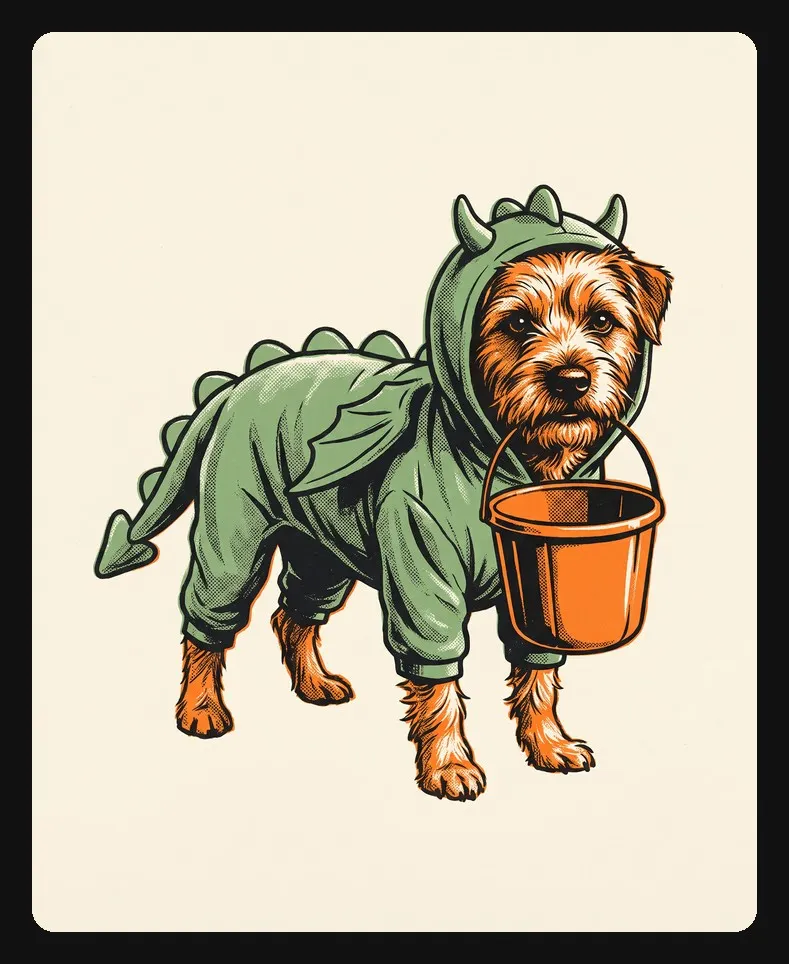
The canvas turns your photo into one character sheet: your hero head to toe in the costume from the brief, with an empty candy pail. Every scene and clip reuses this sheet, which keeps the face, markings and costume the same from the first shot to the last.
Step 4. Check the three key scenes
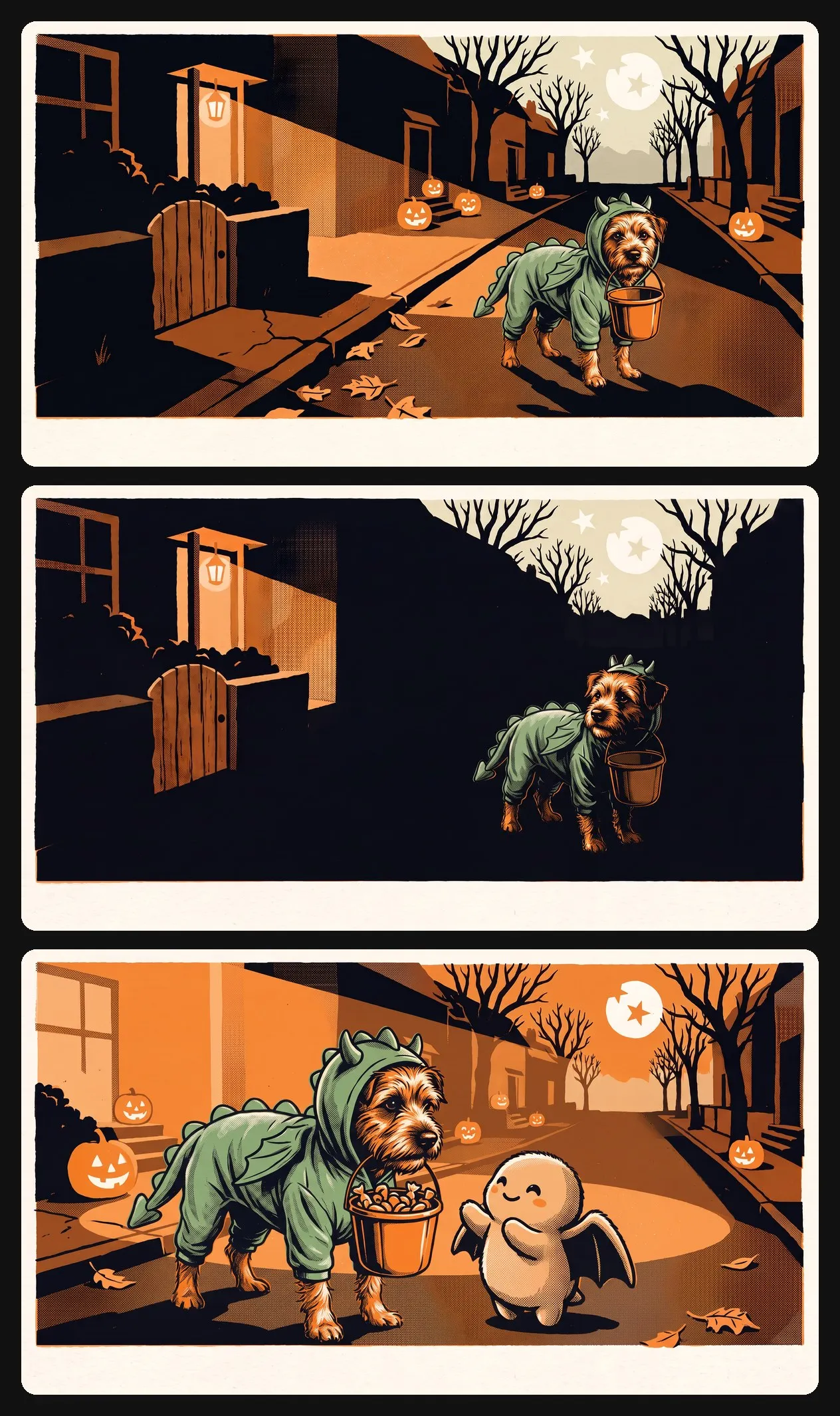
Next comes one wide shot of the street on the evening of October 31, then three key scenes on it: setting off with an empty pail, stopping at the last house where the gate moved, and meeting a small friendly companion with a full pail. Check the scenes here, since every clip starts from its scene.
Step 5. Animate the three beats
Kling 2.6 brings each scene to life as a ten-second clip with sound: soft wind and dry leaves on the path. A final node joins the three into one 30-second trick or treat animation. A frame extractor also saves the last frame, ready to start a next scene if the story continues.
Step 6. Post it with the cover and caption
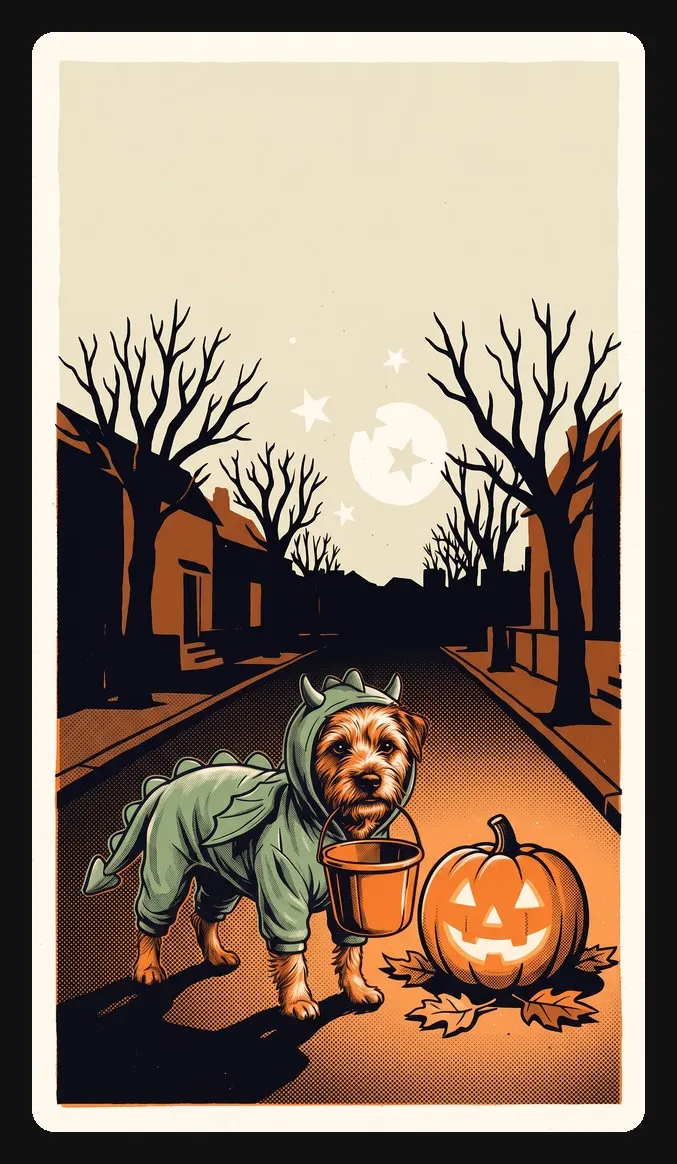
The last two nodes prepare the short for sharing. One draws an upright cover poster with a clear upper third for a title. The other writes a posting pack: a title, a short blurb, a caption that ends with a question for other parents, a one-line parent note on why it is safe for small children, ten hashtags and alt text.
A printed poster that moves, not stop motion
The look sits somewhere between a vintage poster and halloween stop motion. Every image is drawn as a hand-pulled three-ink print: warm pumpkin orange, pale moon-cream and soft ink-black, with visible halftone dots and edges that sit a hair out of line.
Stop motion moves frame by frame, with small jumps between poses. This animation moves the other way: the flat ink layers slide gently past each other, the halftone grain breathes, and the camera makes at most one slow push per shot. The result keeps the handmade charm of a Halloween cartoon without any flicker, and the hero never turns into a rendered 3D model.
Ideas for your own trick or treat animation
The four-line brief is where every new version starts. A few combinations that fit the template’s gentle three-beat shape:
- A ghost costume and a flickering porch light that turns out to be a firefly keeping the hero company.
- A pumpkin costume and a rustling hedge that hides a hedgehog with a leaf on its head.
- A witch costume and a doorbell that rings by itself, answered by a grandparent with the biggest bowl of candy on the street.
- A bat costume and a creaking swing where a sleepy owl is waiting to say hello.
Keep the scare small and the ending warm, and each brief becomes its own halloween short film in the same printed style.
Get answers to common questions
Yes. The first node is labelled for a child’s or a pet’s photo. The character sheet keeps their face, colouring and proportions, rebuilt in the printed poster style, with the costume never hiding the face.
Make your own Halloween short tonight
Upload one photo of your trick-or-treater, write four lines, and let the canvas do the drawing. Your Halloween animation is ready before the doorbell starts ringing.


