


Contents
A cinematic Halloween commercial can start from a product photo you already have: place the product into a moonlit Halloween scene, add your offer, and animate it into a short vertical clip. No reshoot, no props and no set build.
Two very different businesses show how far that goes. A café turns a quick photo of an iced drink into a spooky coffee commercial, and a beauty brand turns plain studio packshots into a Halloween beauty commercial. Both run on Halloween video templates in Picsart Flow.
What makes a Halloween commercial cinematic
A cinematic Halloween commercial looks like a short film scene rather than a product photo with stickers on it. The templates in this guide build that look from the same few ingredients:
- A dark, atmospheric set. Night skies, full moons, graveyards and smoke push the product forward instead of competing with it.
- One clear hero. The product sits in the center of the frame, and every scene prompt asks the model to keep its exact shape, colors, packaging and label.
- Light that comes from the scene. Moonlight, glowing pumpkins and green cauldron smoke light the product, so it looks like it belongs there.
- Small, deliberate motion. A cape billows, mist spirals, a broom swoops across the moon. The clips stay between five and eleven seconds, so one move carries the whole commercial.
- Vertical framing with room for words. Every scene is built 9:16, with clear space above and below the product for the headline and the offer.
How to make a cinematic Halloween commercial from a product photo
The method is the same whatever you sell: start from a photo you already have, let the template build the Halloween scenes, add the offer, then animate. What changes is the starting photo, and two cases show both ends of it.
A coffee commercial from a café photo
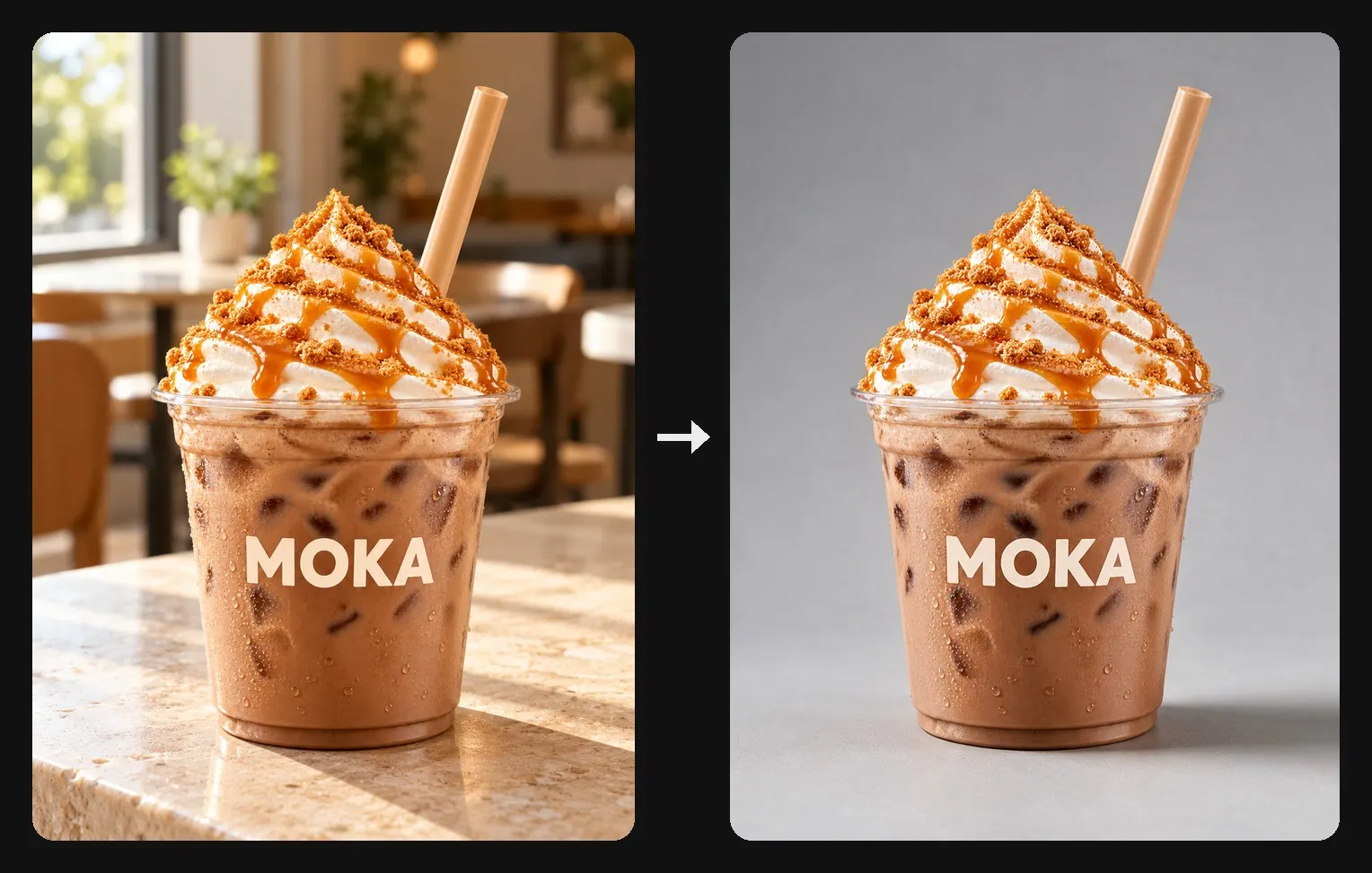
The café case starts from the photo every café already has: a drink on the counter by the window, background and all. The Halloween-Themed Coffee Ad Animations workflow takes it from there in four steps.
Step 1. Reuse the drink photo you have. Upload the photo as it is. The first node redraws the drink on a light gray studio backdrop, keeping the cup, the logo and the whipped topping, so the café clutter never reaches the commercial. That cleanup is the Halloween product photography, done for you.
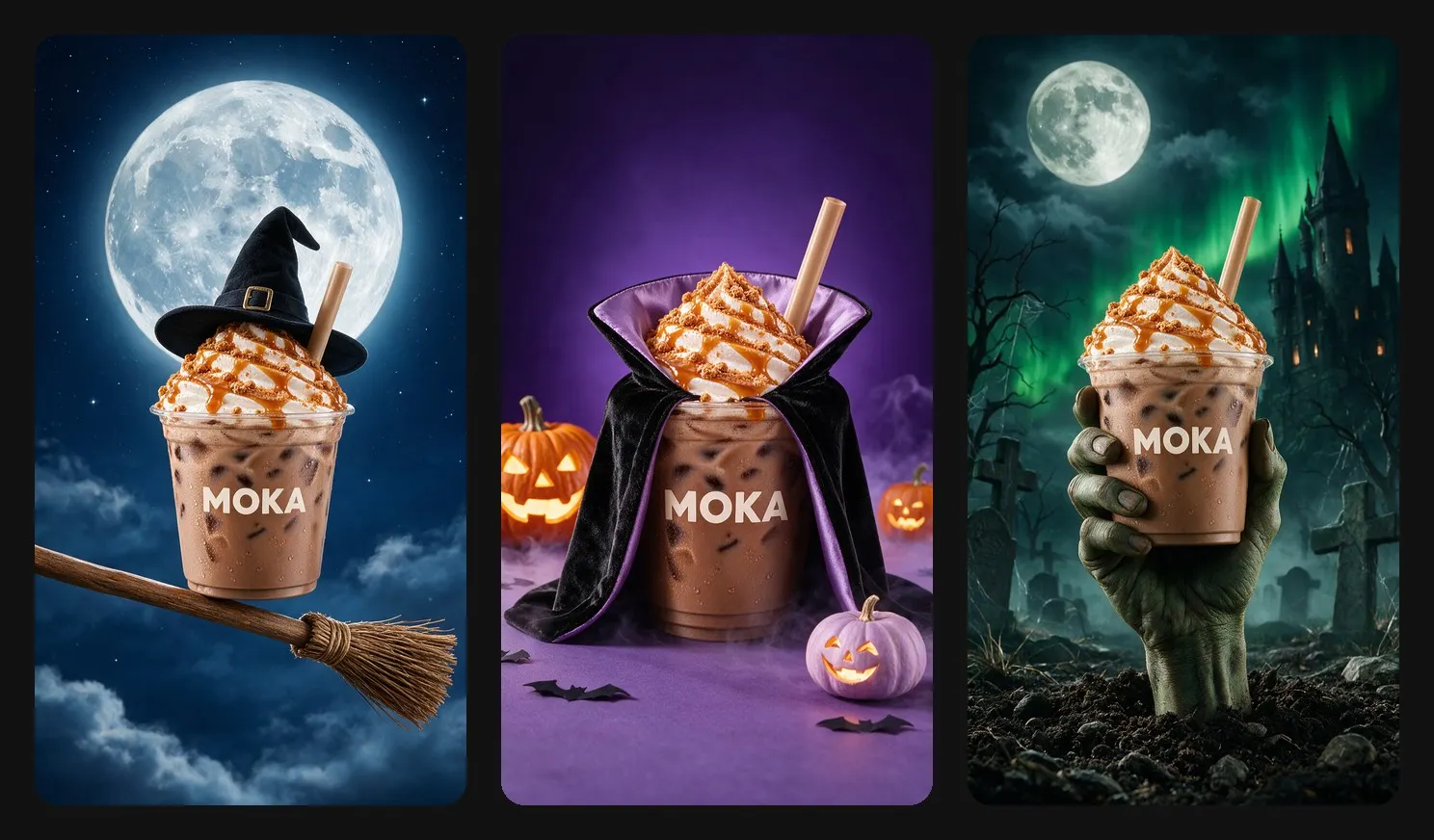
Step 2. Let the drink play three Halloween roles. Seedream 5.0 Pro builds three cinematic scenes from that one shot. The cup rides a witch’s broom past a full moon, wears a tiny vampire cape with a lavender lining among glowing pumpkins, and rises out of graveyard soil in a zombie’s hand, with a castle and green northern lights behind it.
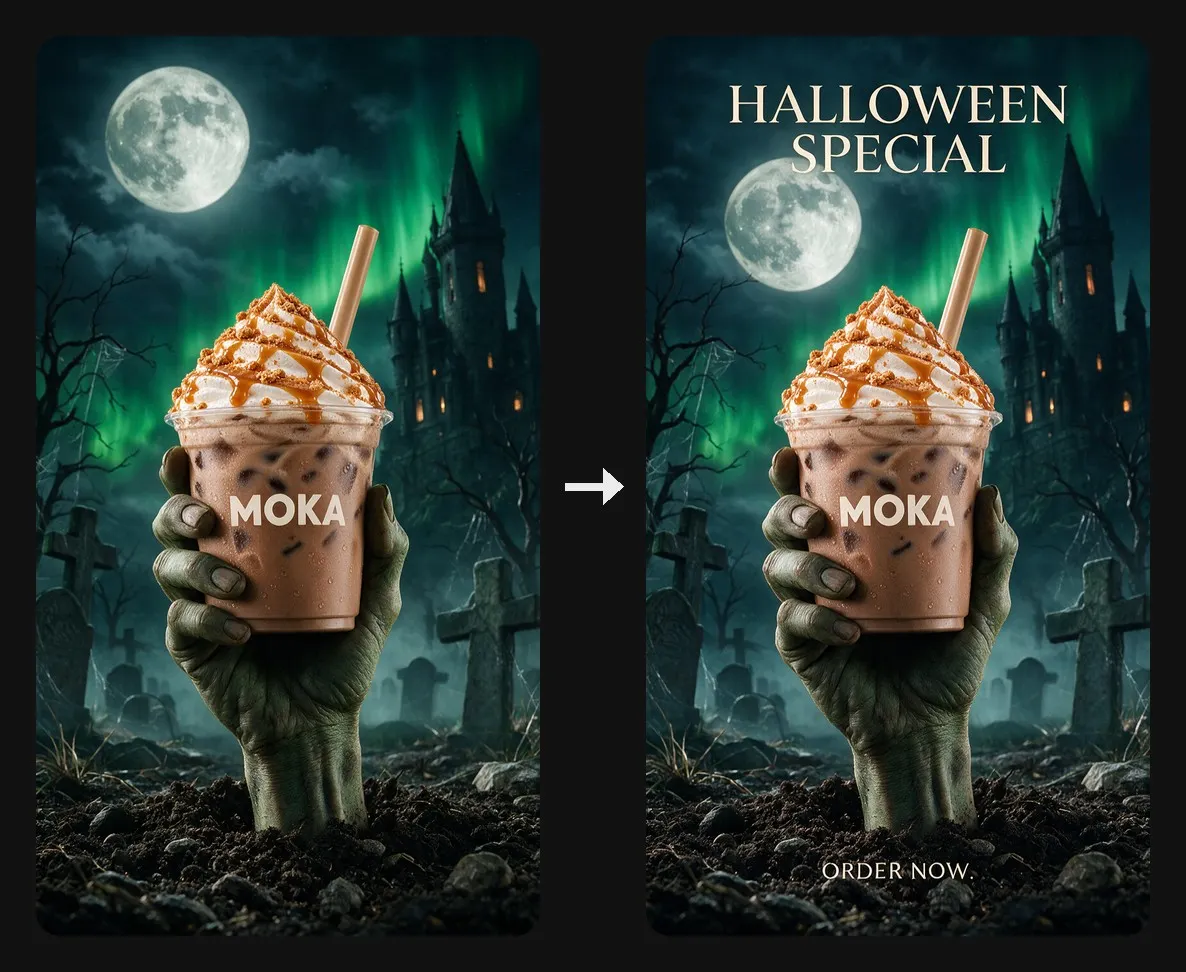
Step 3. Put the special on every poster. A single text node holds the headline and the order button, and all three posters pick it up. Type your seasonal drink or offer once and every scene carries it.
Step 4. Animate the scenes. Seedance 2.5 turns each poster into a five to seven second vertical clip. The broom dips and swoops across the moon, the cape billows open, and the zombie arm pushes the cup up out of the ground. The clips are silent, which leaves room for your café’s own music.
A beauty commercial from studio packshots
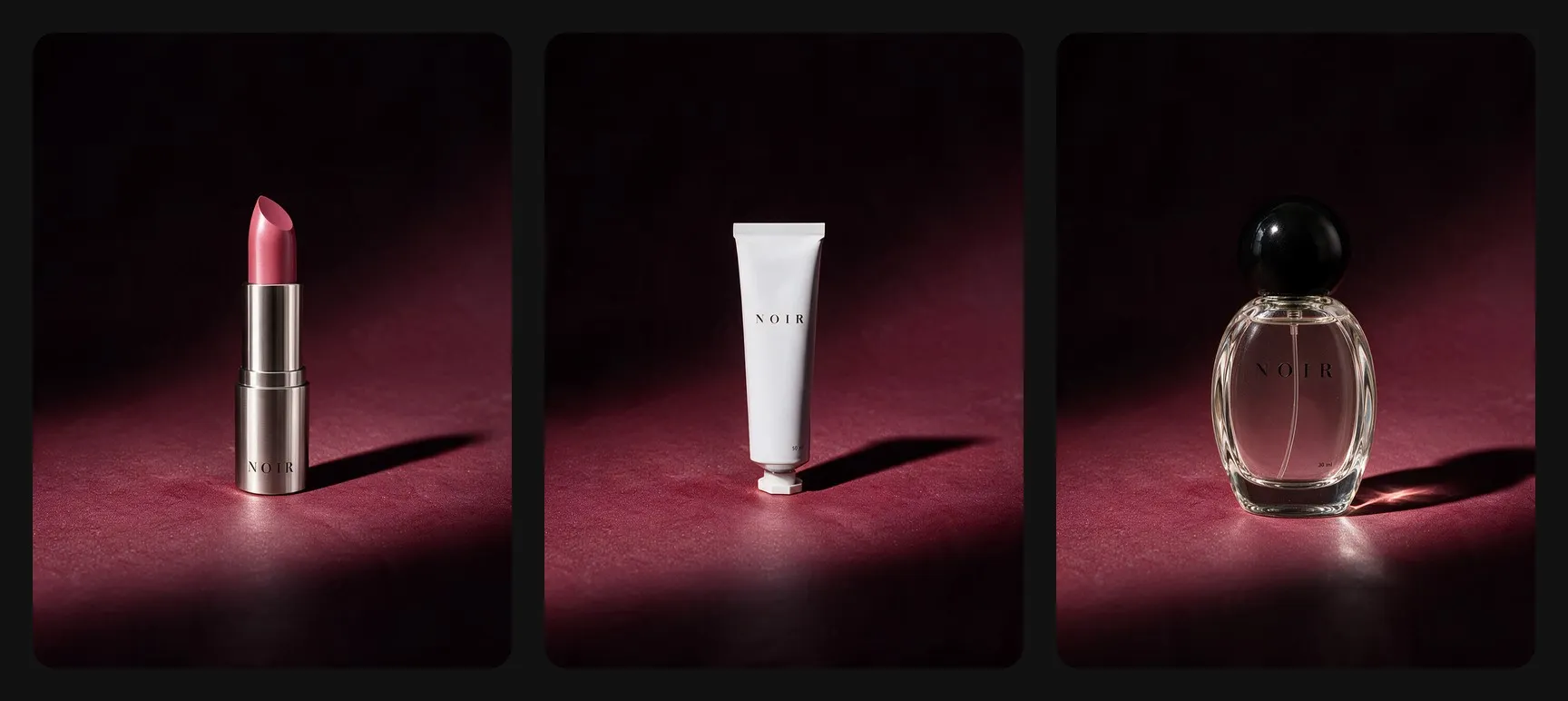
The second case starts from the opposite end. A beauty brand usually already has clean, well-lit studio packshots, and those work as Halloween product photography as they are, so nothing needs cleaning up first.
Step 1. Start from the packshots you have. The Enchanting Halloween Beauty Advertisements workflow takes up to three products at once, such as a lipstick, a tube and a perfume, and keeps each one in the scene. For a single hero product, the Spooky Halloween Skincare Product Videos workflow builds everything around one jar.
Step 2. Choose cauldron drama or quiet luxury. The range template goes for drama: a black cauldron under a full moon, with green smoke curling around the products as they float above the rim. The single-jar template goes quiet and expensive instead, with a tiny ghost sheet on an ivory surface, a dewy spiderweb on black glass, and a silver hand with chrome claws, closer to Halloween still life photography than to a party.
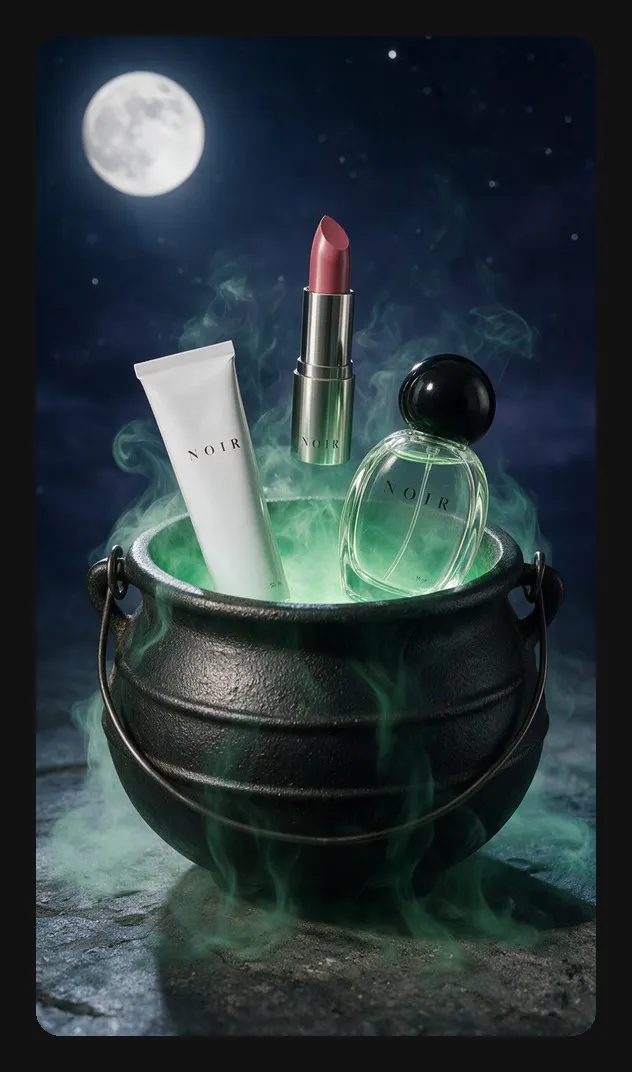
Step 3. Decide when the offer appears. The cauldron poster carries “All treats, no tricks” above the scene and a short offer line below it, on screen from the first frame. The single-jar claw clip holds the offer back: the silver hand lifts the jar out of frame, and only then does the “Halloween deals” headline appear.
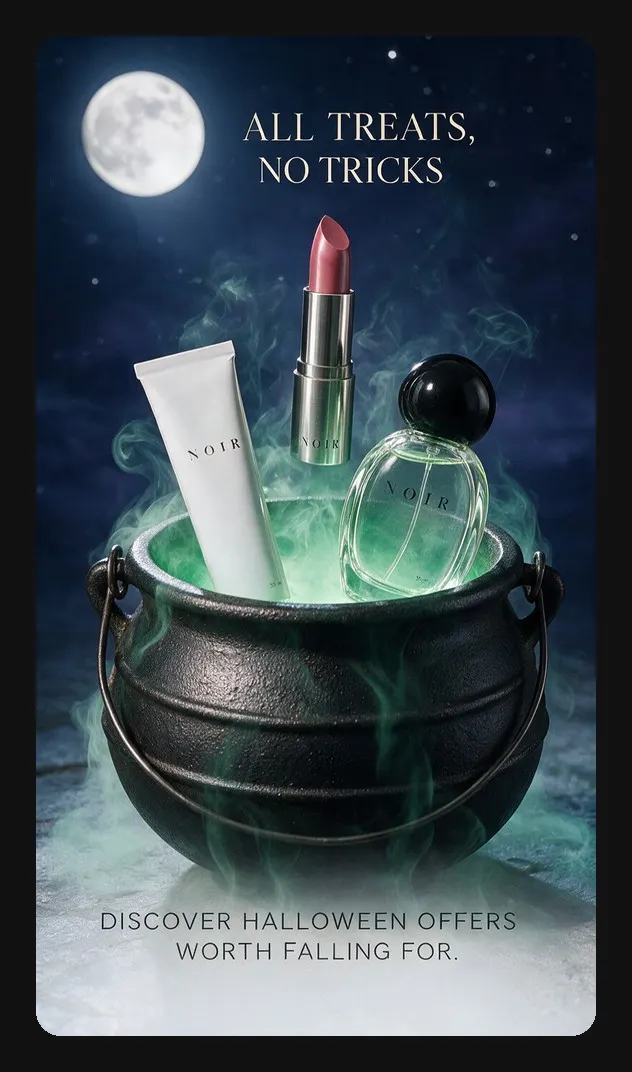
Step 4. Animate the scene. In the cauldron clip, a spiral of mist lifts all three products higher while the offer stays put. It runs eleven seconds with sound. The single-jar clips run nine seconds without it.
Coffee vs beauty: what changes between the two commercials
| Café coffee commercial | Beauty commercial | |
|---|---|---|
| Starting photo | a drink photo taken in the café | plain studio packshots |
| Cleanup | drink redrawn on a gray backdrop first | none needed |
| Products per commercial | one drink | up to three, or one hero jar |
| Offer on screen | on every poster from the start | from the start, or after the reveal |
| Sound | none | cauldron clip only |
| Clip length | five to seven seconds | nine to eleven seconds |
Halloween commercial ideas for other products
The scene prompts are written for whichever product appears in the uploaded image, and they adapt the grip or placement to its shape and size. That makes the same commercial ideas reusable well beyond coffee and cosmetics.
- The broom flight suits anything that can balance on a broomstick: a bottled drink, a candle jar, a small box.
- The vampire cape turns any upright product into a character, which works for bottles, cans and tall packaging.
- The graveyard hand gives a product a dramatic reveal from below, a strong fit for a limited Halloween release.
- The cauldron holds a whole set, so it suits gift boxes and bundles as much as beauty ranges.
- The silver claw reads as luxury, a match for jewelry, fragrance or premium skincare.
Where to use your Halloween commercial
Each template returns two kinds of output, and both are useful through October.
- The vertical clips fit stories, reels and short video placements without cropping. The silent ones leave room for a seasonal track or a voiceover.
- The posters are finished stills with the headline and offer already set, ready for feed posts, product pages or an email header.
- The scenes without text work as backgrounds for your own layouts, or as a teaser before the offer goes live.
The prompts preserve the label, but they can only keep what the upload shows clearly. Edit the text node before running the posters, so every scene carries the same wording. A scene that looks wrong as a still will look wrong as a clip, and fixing it first saves a video run. Two or three words, like "Halloween special", leave the moonlit scene room to do the selling. Cauldron smoke and zombie hands suit playful brands, while the claw and the spiderweb suit premium ones. Short. The clips in these templates run five to eleven seconds, vertical, which fits stories and reels without trimming.Tips for a cinematic Halloween commercial
Keep the label readable in the source photo
Write the offer once
Check the stills before animating
Keep the headline short
Match the mood to the brand
Get answers to common questions
Turn your product photo into a cinematic Halloween commercial
Pick the case closer to yours, the café drink or the beauty packshot, upload the photo you already have, and swap in your offer.


