


The latest chapter in AI photo editing has arrived. Picsart has introduced Seedream 4.0 into Flows, giving creators a smarter, sharper way to generate and refine visuals. This model isn’t just an upgrade – it’s a complete rethink of what an AI image editor can do, built for designers, marketers, and creators who need both speed and precision.
What makes Seedream 4.0 different?
At its core, Seedream 4.0 is about unifying creativity. Previous tools often forced you to choose: generate an image from scratch or edit something that already exists. This new release does both, and it does so at a professional level. The model delivers 4K resolution, processes entire batches at once, and can handle everything from poster design to complex text edits.
In plain English: you can brainstorm, create, and polish all in one place – without swapping between different apps or plugins. That’s a big deal if you’re managing campaigns or juggling multiple client projects.
👉 Curious about what other next-gen models look like? Check out the Gemini 2.5 Flash image, another step forward in real-time image generation.
Why it matters for Picsart users
For everyday creators, the impact is simple: less friction, more freedom. If you’ve ever wasted time exporting, reformatting, or resizing files, you’ll appreciate how Seedream 4.0 keeps everything in one streamlined flow.
- Designers can finally export print-quality graphics without extra workarounds.
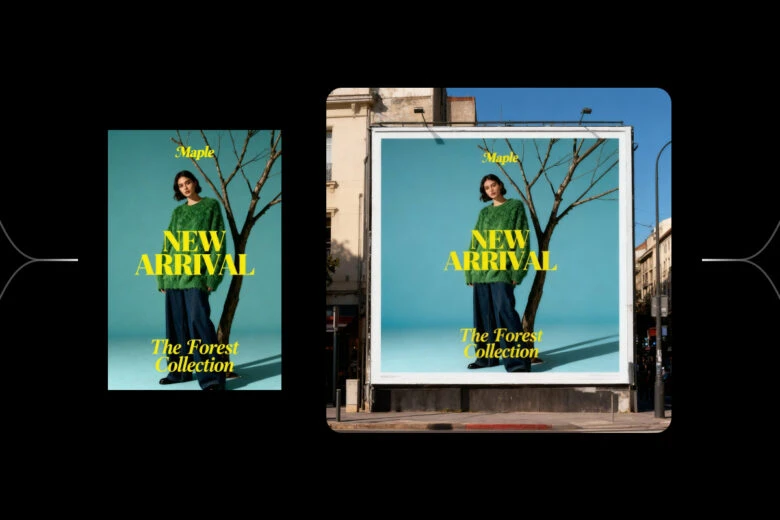
- Content creators gain the ability to produce posters, infographics, or story slides at scale.
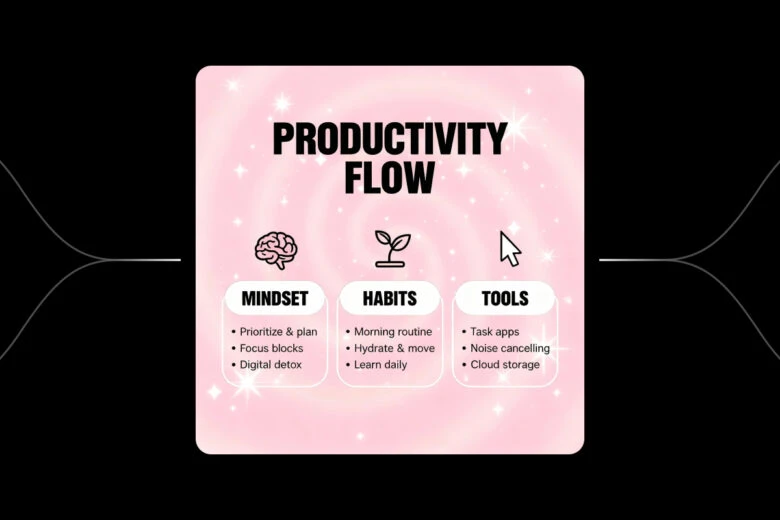
- E-commerce brands can generate dozens of consistent, high-res product shots in a single run.
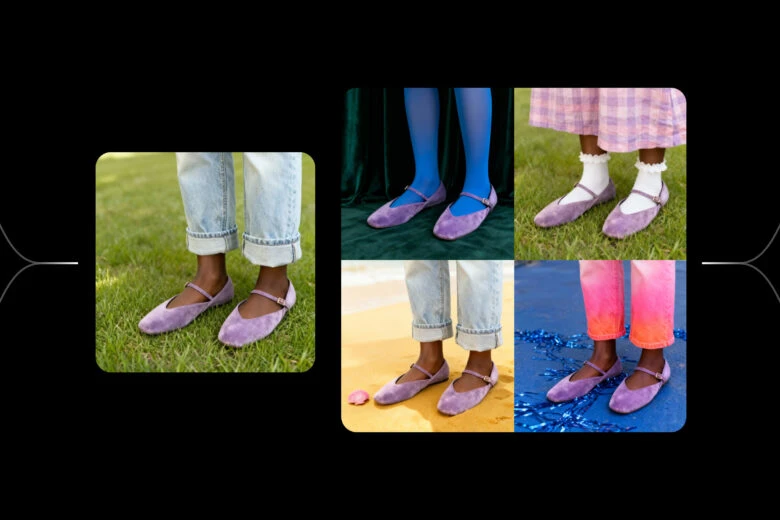
- Marketing teams save hours on campaign production by batching entire sets of visuals.

It’s the kind of model that feels less like a tool and more like a collaborator—fast, flexible, and built with real creative bottlenecks in mind.
Getting started in Flows
You don’t need to be a tech wizard to use it. Adding Seedream 4.0 is as intuitive as dropping in a new layer:
- Open Picsart Flows.
- Click the plus icon to add a node.
- Choose image → generate.
- From the dropdown, select Seedream 4.0.
From there, you can type prompts, upload references, or run bulk generations depending on your project. It’s designed to slot into your workflow without slowing you down.
When to use Seedream 4.0 and when not to
Picsart Flows offers multiple models because not every project calls for the same muscle. Here’s a quick guide:
- Seedream 4.0 is your go-to when you need large-scale, high-resolution outputs or when a campaign demands both generation and fine-tuned editing in one place.
- Nano Banana, on the other hand, shines for quick, reliable edits – think product photography or portraits where keeping a subject’s identity consistent is non-negotiable.
The beauty of Flows is that you can experiment. Sometimes the right choice is Seedream 4.0’s powerhouse capabilities; other times, a lightweight model is the smarter fit.
Collaboration with Bytedance
This launch isn’t happening in a vacuum. Picsart has been deepening its creative ecosystem through partnerships with names like Bytedance, opening up more possibilities for users to access high-quality assets and tools that pair seamlessly with AI-powered editing. The result? A richer playground for creators at every level.
The bigger picture: the future of AI photo editing
Seedream 4.0 isn’t just about sharper images or faster runs – it’s about workflow liberation. By merging generation and editing, it eliminates one of the biggest frustrations in digital design: fragmentation. Now, whether you’re experimenting with online image creation with text or scaling up assets for a full marketing rollout, everything happens in one continuous flow.
The arrival of Seedream 4.0 marks a clear signal: the line between “idea” and “final asset” is getting shorter. For creators, that means less time stuck in menus and more time bringing visions to life.


