


Contents
Snow effects transform ordinary photos into magical winter scenes – adding sparkle, texture, and emotional depth in just one click. From dreamy snowfall portraits to icy Alpine vistas, AI makes it unbelievably simple to build a captivating winter aesthetic that feels cinematic, festive, or serene, depending on the mood you’re after.
Below are the top winter-inspired snow effect styles creators are loving right now on GenAI. Each one gives your images a unique seasonal vibe, perfect for holiday content, snowy night stories, and crisp winter photos.
🎄Christmas Ornament Character
Turn any photo into a charming, character-style Christmas ornament with warm lights and festive sparkle. This effect miniaturizes your subject into a whimsical holiday keepsake-perfect for cards, profile pics, and playful winter edits.👉Try the ornament slow sway effect and give your photos a magical, tree-ready glow.
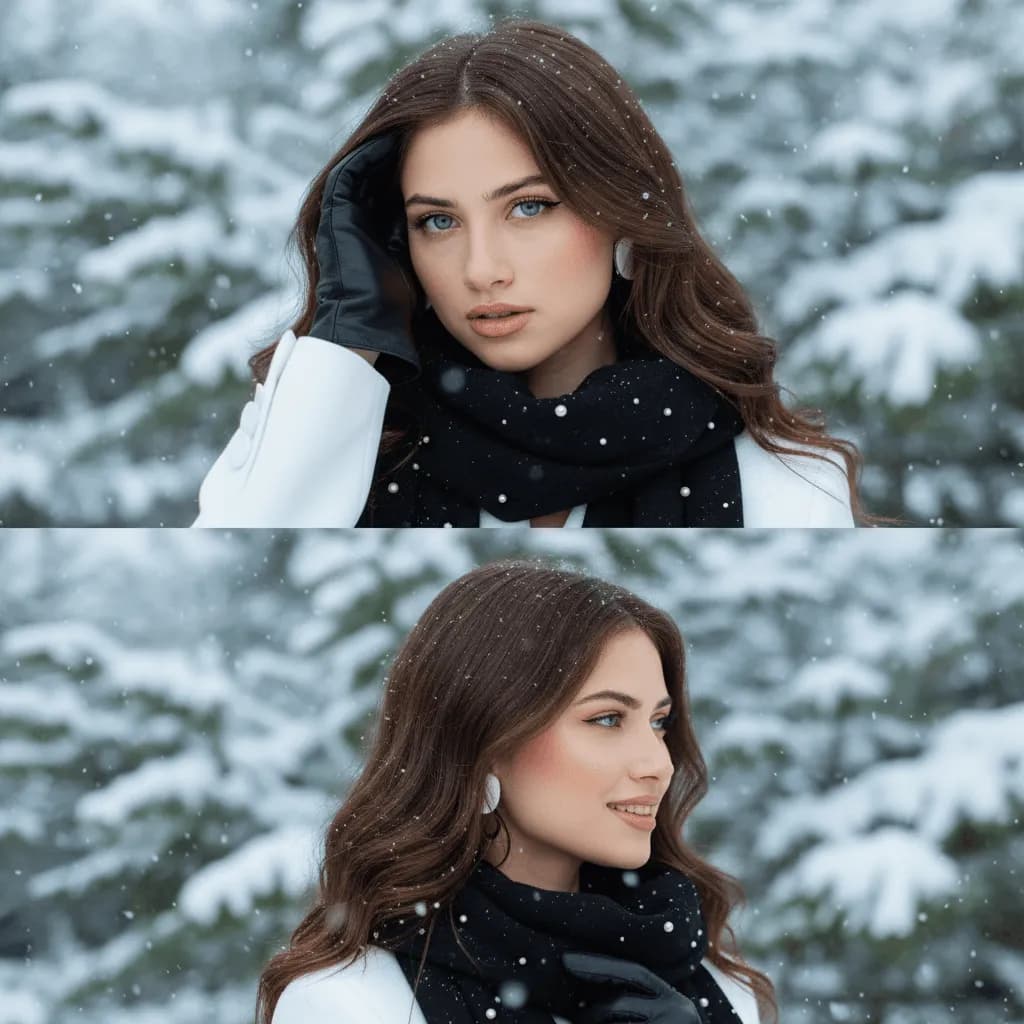
❄️ Snowy Elegance
Wrap your photo in soft flakes, delicate textures, and refined winter lighting. Snowy Elegance delivers a clean, sophisticated look that feels straight from a minimalist holiday editorial. The effect enhances highlights and depth, giving your winter photo a polished, timeless aesthetic.
👉 Try the Snowy Elegance Image Effect and enhance your winter aesthetic.
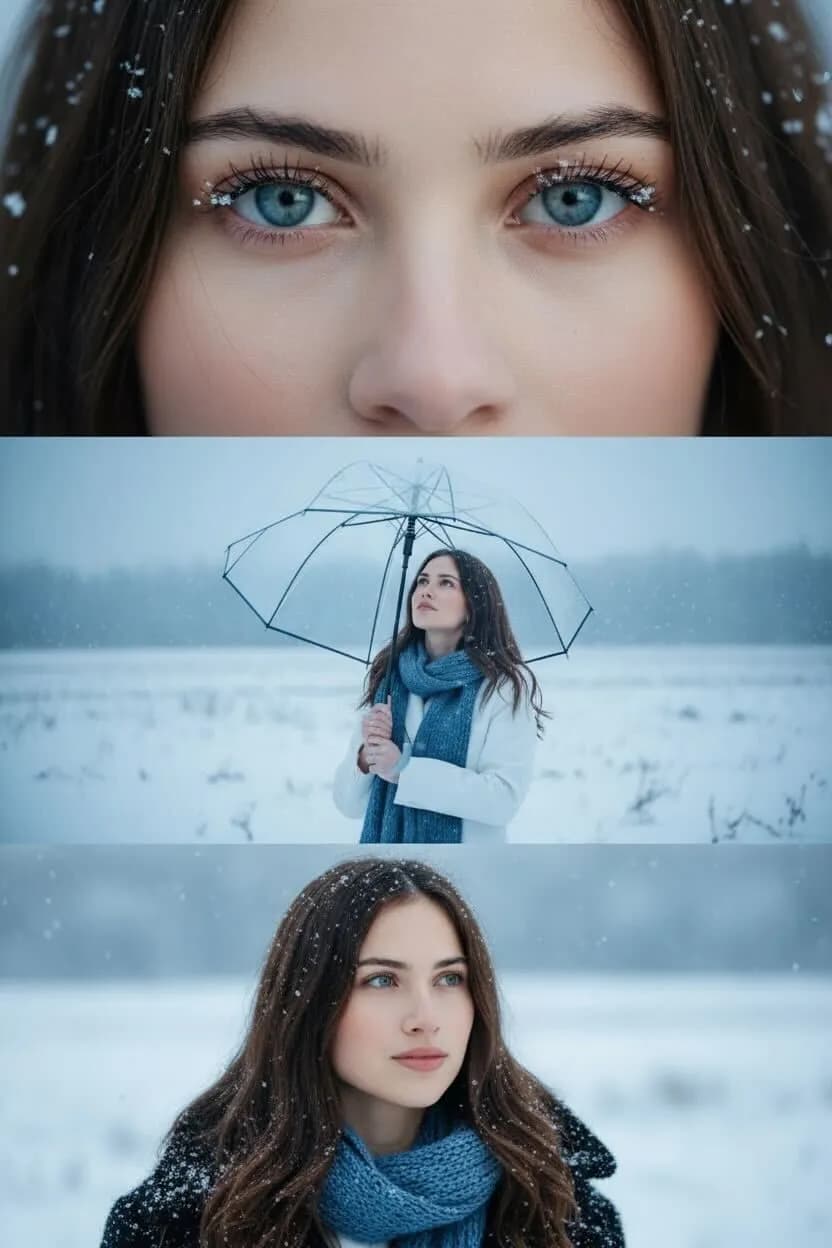
🌨️ Snowfall Portrait
For something more dramatic, Snowfall Portrait surrounds your subject with bold, cinematic flakes and emotional depth. This effect adds movement and atmosphere, perfect for expressive portraits, cozy couple shots, and winter photos that feel like stills from a romance movie.
👉 Try the Snowfall Portrait Image Effect and step into a cinematic snowstorm.
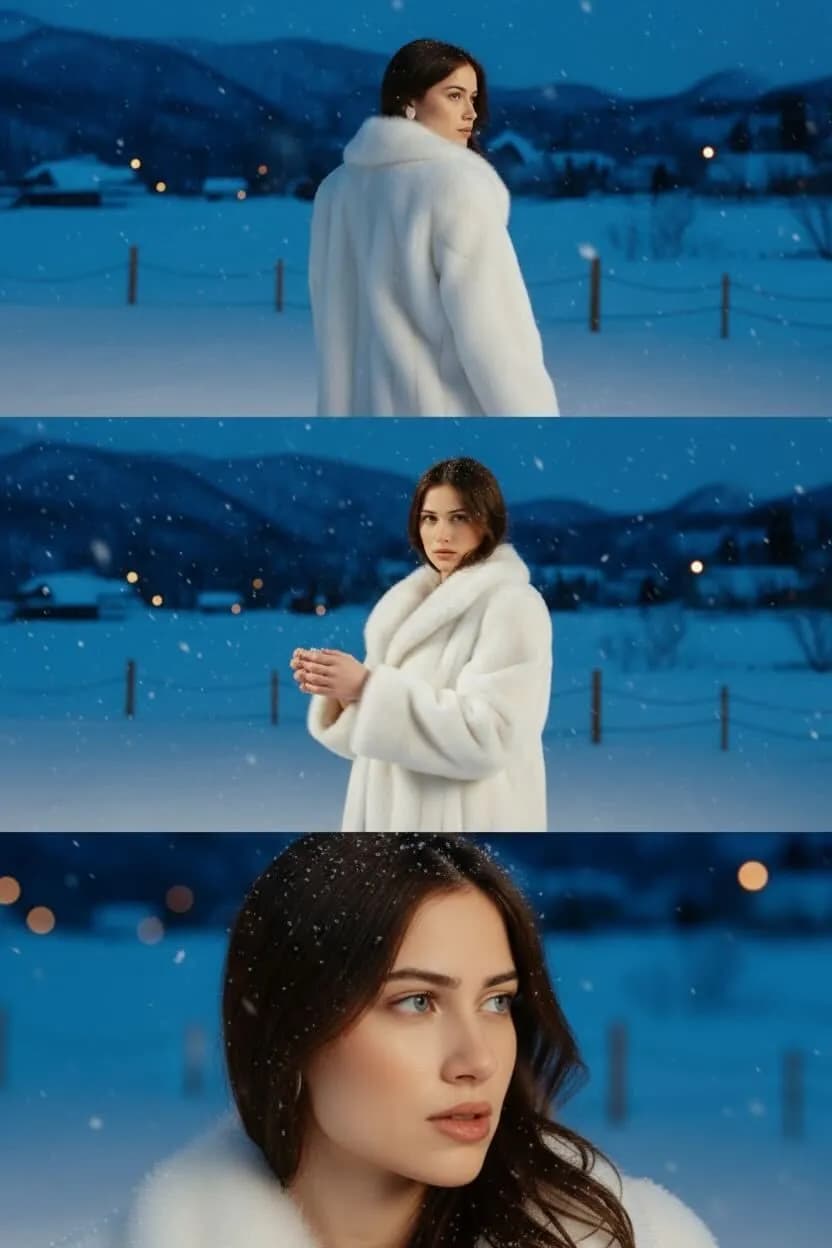
🌙 Snowy Night
Snowy Night transforms your image into a moody, romantic winter evening. Deep shadows, glowing lights, and soft snowfall come together to create a scene that feels serene and cinematic. Perfect for nighttime portraits, creative storytelling, or cozy holiday aesthetics.
👉 Try the Snowy Night Image Effect and create your own magical winter evening.
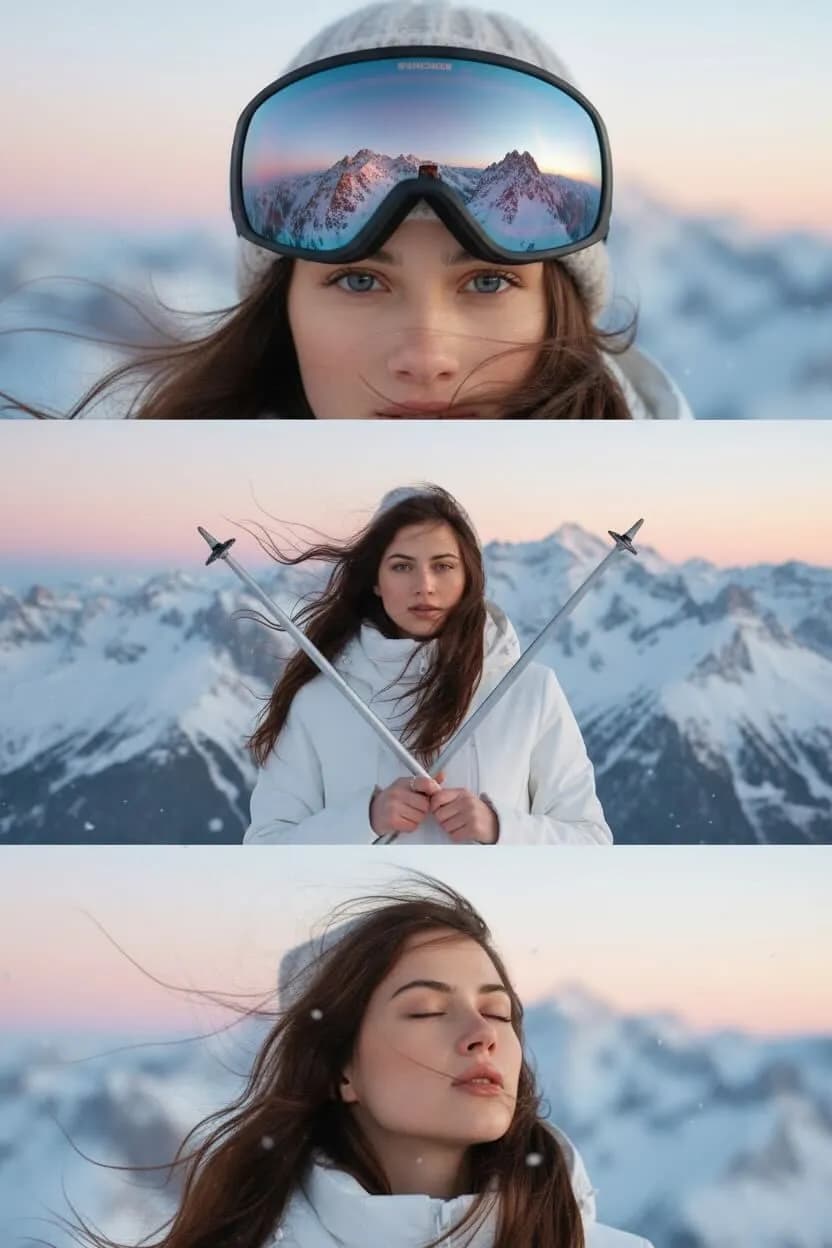
🏔️ Alpine Reflection
Alpine Reflection delivers crisp, icy tones and cool mountain-inspired textures, turning your image into a tranquil winter landscape. This effect is perfect for outdoor photos, travel content, and snow pictures that need that fresh, high-altitude feel.
👉 Try the Alpine Reflection Image Effect and freeze your moment in Alpine serenity.
🎁 Frostside Mood Drop
Give your image a frosty, atmospheric Christmas feel with cool tones, soft snow layers, and cinematic holiday lighting. Frostside Mood Drop sets the perfect mood for storytelling, festive portraits, or cozy winter content.
👉 Try the Frostside Moodrop Image Effect and freeze your holiday moment in style.
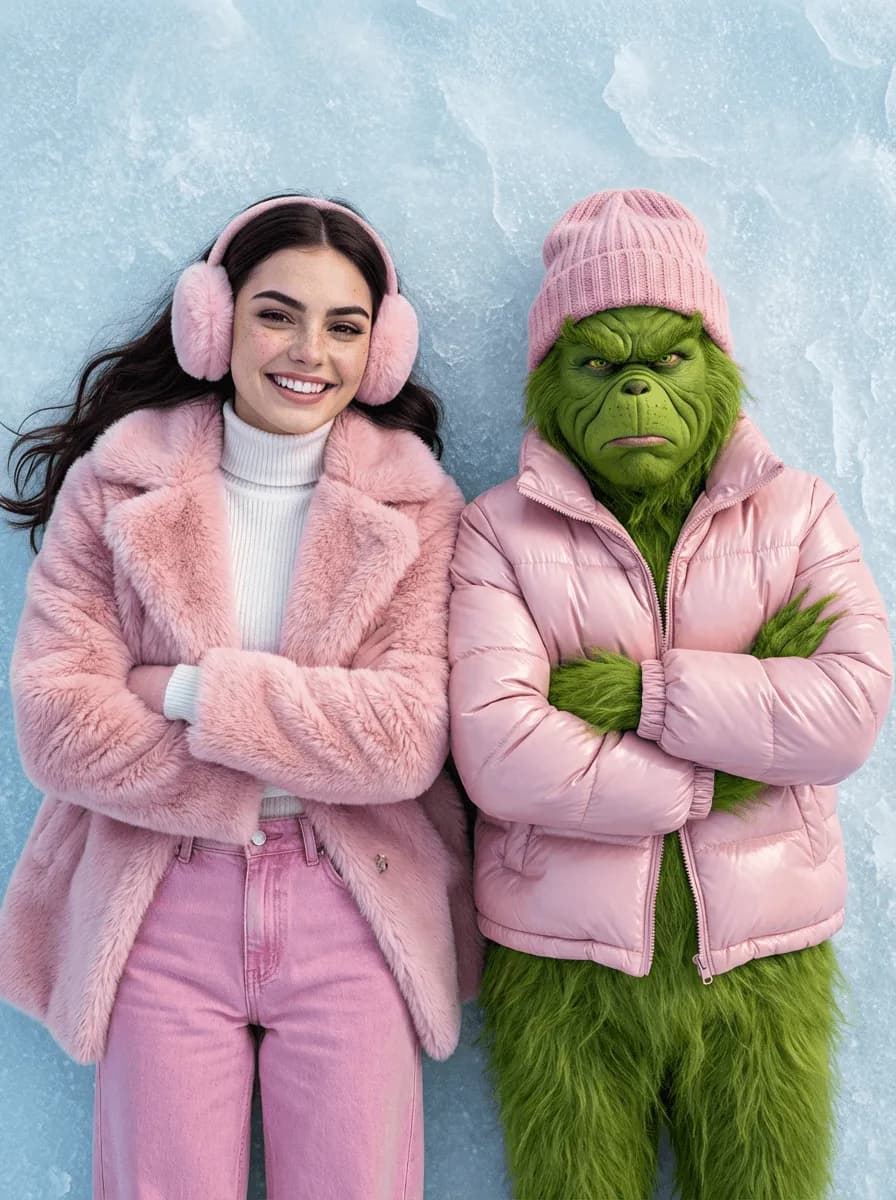
🎄 AI Christmas Ornament
Turn your portrait into a festive ornament scene complete with glowing highlights, rich seasonal colors, and holiday sparkle. This effect feels playful, polished, and perfect for cards, content, or creative Christmas edits.
👉 Try the AI Christmas Ornament Image Effect and decorate your world with holiday magic.

🛷 Mini Sleigh Drive
This whimsical effect places your subject in a miniature winter world – complete with a tiny sleigh and snowy details that spark pure joy. It’s imaginative, nostalgic, and perfect for fun Christmas storytelling.
👉 Try the Mini Sleigh Drive Video Effect and take your photo on a festive adventure.
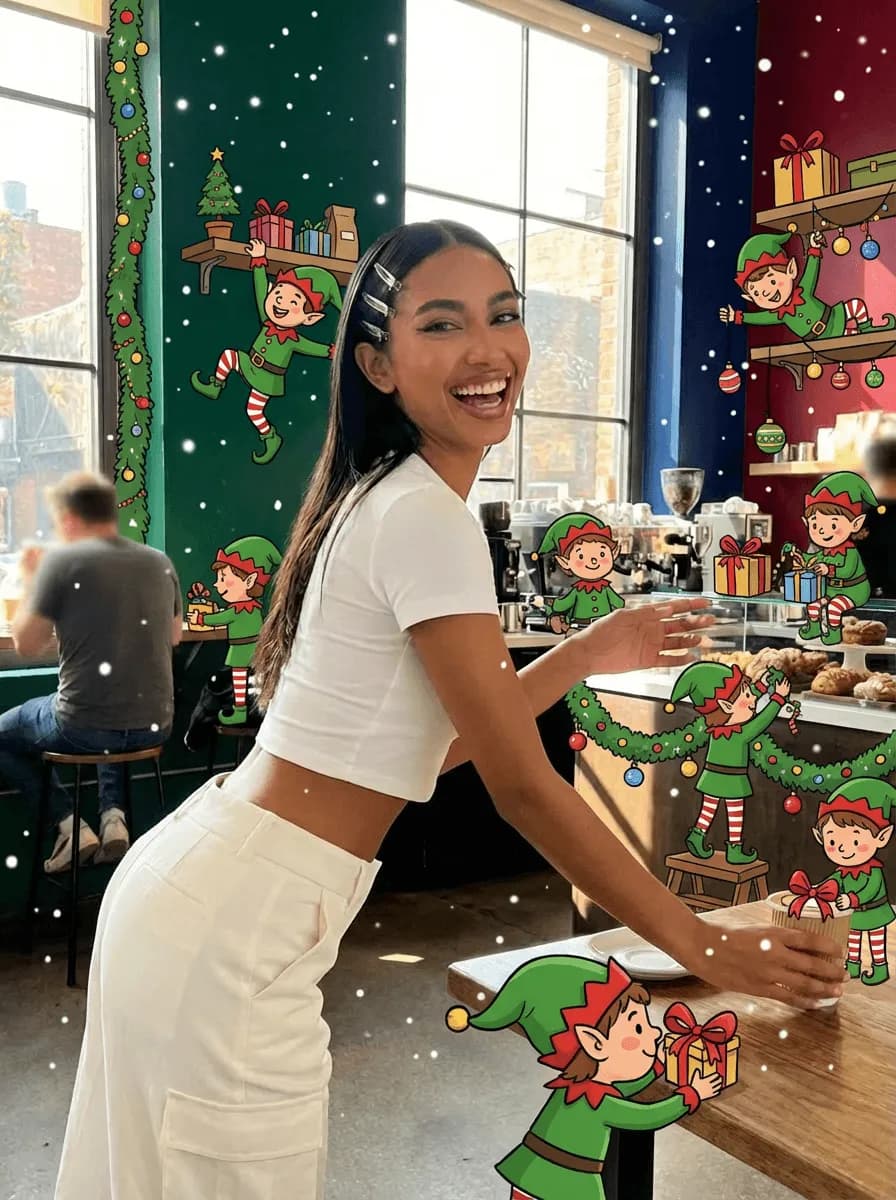
🧝 Elf Helper Chaos
Add playful holiday energy to your image with mischievous elf characters, bright colors, and fun seasonal textures. It’s a lively effect made for creators who want a humorous, spirited Christmas vibe.
👉 Try the Elf Helper Chaos Image Effect and unleash cheerful holiday chaos.
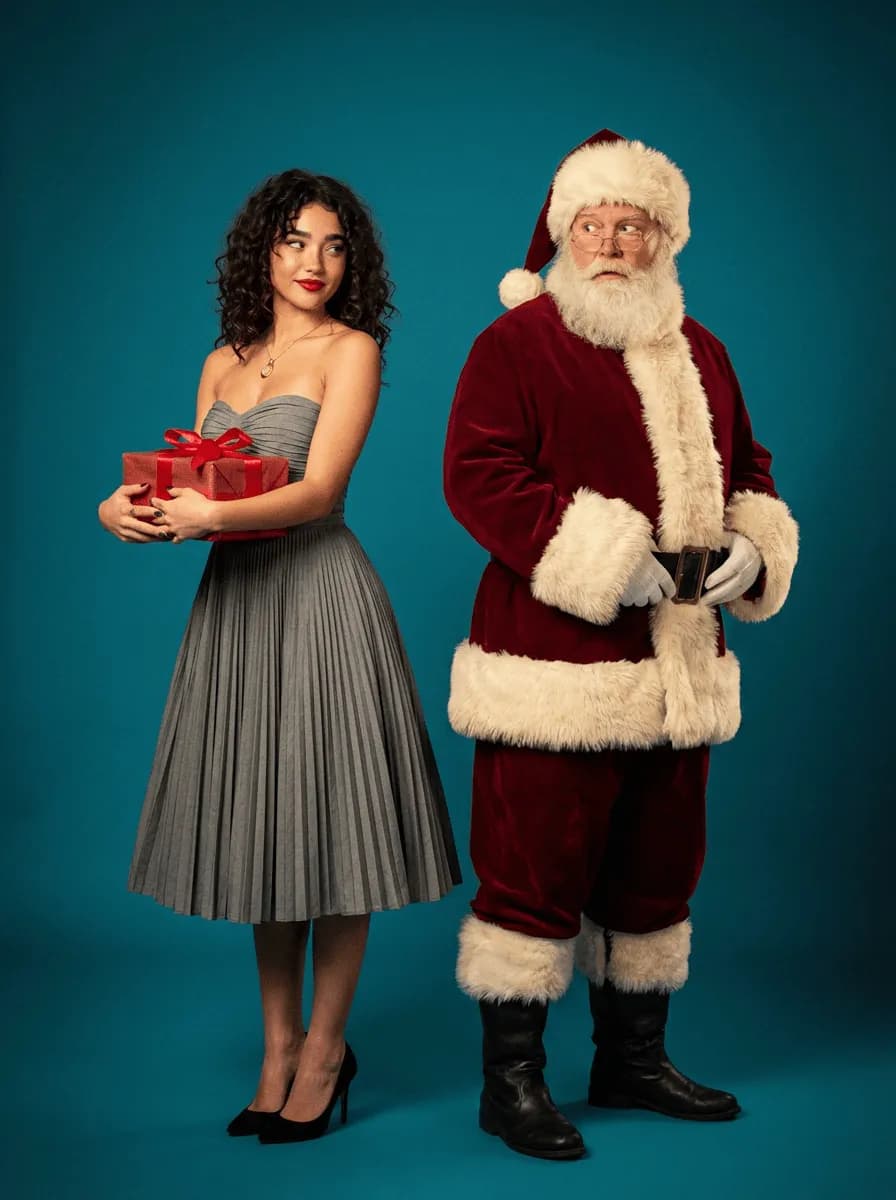
✨ Mid-Century Holiday Conspiracy
Channel retro Christmas charm with warm tones, vintage textures, and stylized mid-century illustrations. This effect brings instant nostalgia and feels straight out of a classic holiday storybook or 1950s postcard.
👉 Try the Mid-Century Holiday Conspiracy Image Effect and step into a retro holiday dream.
📮 Retro Christmas Postcard
Give your photo the timeless look of an old Christmas card with soft grain, vintage typography, and snowy postcard details. It’s perfect for holiday greetings, printed cards, or cozy winter visuals.
👉 Try the Retro Christmas Postcard Image Effect and send a holiday message with vintage flair. And this can also be the result and

❄️ Snow Angel Dream
Snow Angel Dream turns your photo into a soft, animated winter scene with gentle snowfall, warm pastel tones, and storybook charm. The effect feels playful and nostalgic, perfect for whimsical portraits or cozy holiday moments.
👉 Try the Snow Angel Dream Image Effect and drift into a winter daydream.
🎥 Cinematic Snow Globe
Cinematic Snow Globe places your subject inside a glowing snow globe with slow snowfall, winter light, and cinematic depth. It’s a polished, magical look ideal for standout holiday portraits and festive storytelling.
👉 Try the Cinematic Snow Globe Image Effect and capture a holiday moment worth shaking.
How to create AI-generated snow photos
Turning a regular image into a magical winter moment is simple. GenAI’s effects let you add snow, adjust lighting, and transform entire moods – all without outdoor shooting or advanced editing.
Here’s how to get started:
Step 1: Go to GenAI
Browse winter and snow styles at gen.ai
Step 2: Choose your snow effect
Pick the winter aesthetic you want:
- Snowy Elegance for refined winter minimalism
- Snowfall Portrait for cinematic emotion
- Christmas Portrait for warm holiday sparkle
- Snowy Night for moody winter romance
- Alpine Reflection for icy travel-inspired visuals
Each effect page includes examples for inspiration.
Step 3: Upload your reference image
Use any: portrait, landscape, winter photo, product shot, or everyday mobile image. The AI automatically adapts the snow to your lighting, background, and subject.
Step 4: Click Generate
In seconds, your winter transformation is ready – complete with realistic snow textures, light adjustments, and atmospheric winter details. No masking, blending, or manual editing required.
Step 5: Export and share
Download your winter photo in high resolution and post it anywhere: Instagram, TikTok, holiday cards, campaign visuals, blogs, portfolio, prints. Your snowy aesthetic is ready to go.
Why creators love GenAI for snow effects
1. Effortless workflow
Upload, choose, generate. That’s it. No cold weather or special equipment needed.
2. Fast results
You can create an entire winter series in minutes, ideal for campaigns or seasonal content.
3. High-quality exports
Snow textures, shadows, color grading, and lighting feel natural and cinematic.
4. Versatile winter moods
Soft and dreamy, cozy and festive, bold and dramatic – there’s a snow effect for every story.
FAQs
Q1. How do I add a snow effect to a photo?
Visit gen.ai, pick a winter effect, upload your photo, and generate your snow-filled image instantly.
Q2. What is the snowfall effect?
A snowfall effect adds falling snowflakes, atmospheric blur, motion, and winter lighting, making your image look like it was captured during real, active snowfall.
Q3. How can I create a romantic snowy night?
Use the Snowy Night Image Effect for glowing lights, soft shadows, and gentle snowfall.
Q4. What’s the best AI tool for realistic snow effects?
GenAI’s AI Image Effects offer fast, stylized winter transformations tailored to portraits, landscapes, and product photos.
Q5. Can AI turn a normal selfie into a snowy winter portrait?
Absolutely. Effects like Snowfall Portrait and Snowy Elegance create natural-looking winter atmospheres around any portrait – no winter weather required.
Final thoughts
From festive Christmas portraits to cinematic snowy nights, AI-powered snow effects make winter creativity effortless and magical. Every effect brings a new visual story – cozy, dramatic, or serene and transforms even the simplest image into a winter wonder.
Upload a photo, pick your snow effect, and watch your winter world appear in seconds. With GenAI, your next snowy masterpiece is just one click away.


