


Contents
There’s something magical about Halloween – the chill in the air, the smell of autumn leaves, and that glow of a full moon over a quiet street. This year, that magic is finding its way into digital art through AI Halloween effects that instantly transform photos into spooky masterpieces.
These AI effects are eerie, cinematic, and packed with all the details we love: cobwebs, black cats, and maybe even a few skeletons hiding in the shadows.
Below, you’ll find 10 of the coolest user-generated Halloween AI effects – created by people who live for spooky season. Each effect mixes fantasy, fashion, and fright, giving you new ways to level up your Halloween content. Whether you’re into costume ideas, haunted houses, or scary movies, these effects are pure creative candy.
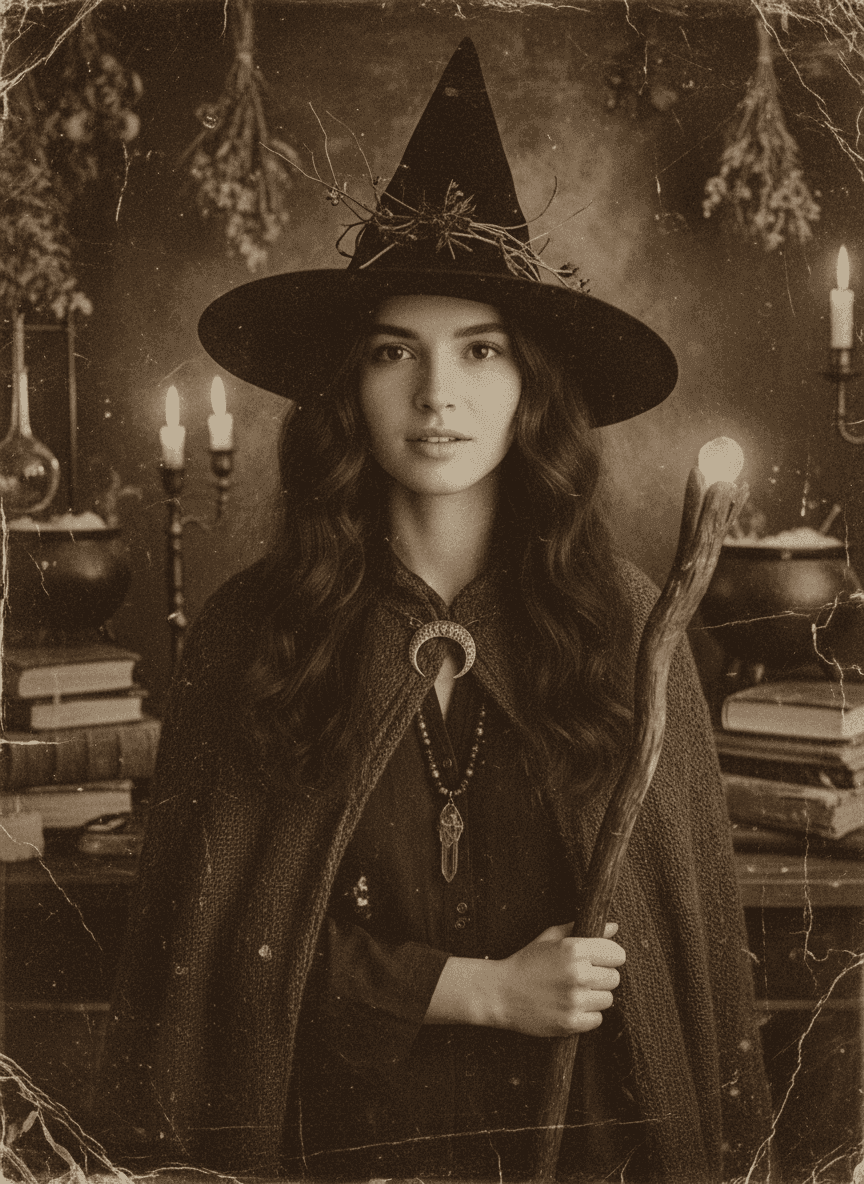
🧙♀️ 1. Vintage Witch Image Effect
Step back in time with this hauntingly elegant effect that transforms your photo into a sepia-toned vintage witch portrait. Candlelight warmth and cinematic shadows make it look like a photo from another century.
Try the Vintage Witch Image Effect and channel your inner spellcaster.
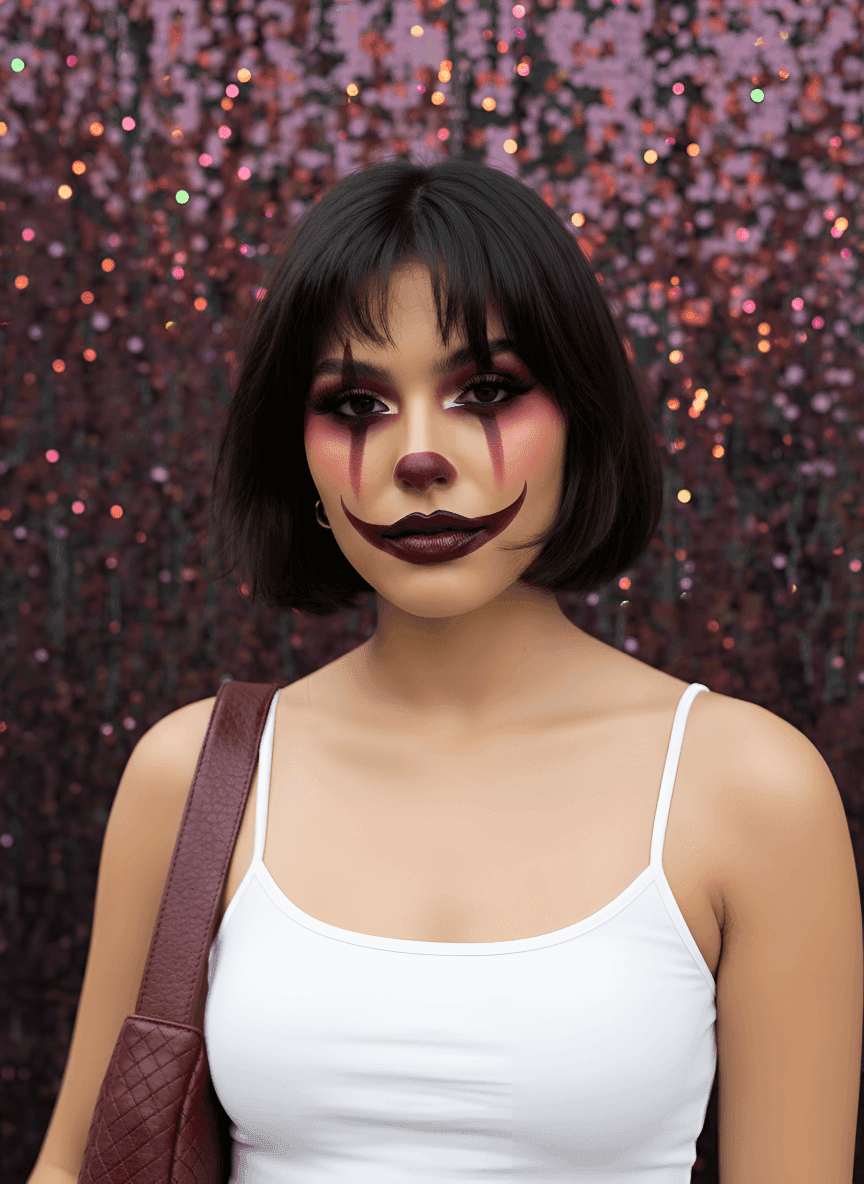
🤡 2. Glam Clown Makeup Image Effect
Go bold with dark, high-fashion clown makeup – smoky eyes, burgundy tones, and glossy lips for a runway-ready Halloween look. Glamour meets fright in one stylish portrait.
Apply the Glam Clown Makeup Image Effect for a creepy-chic transformation.
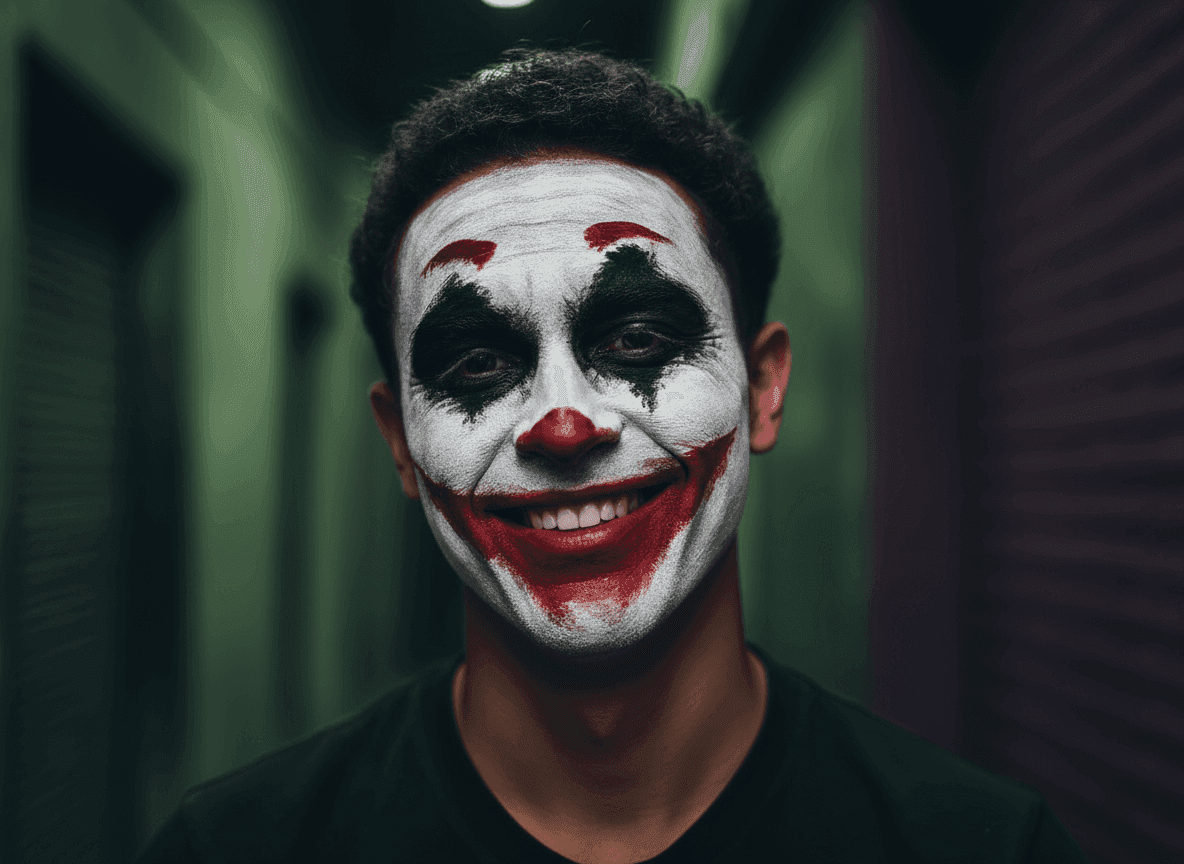
😈 3. Painted Smile Image Effect
Add eerie realism with smudged red paint, a white base, and a sinister grin. This edit captures the perfect mix of cinematic chaos and raw Halloween energy.
Use the Painted Smile Image Effect to bring your dark side to life.
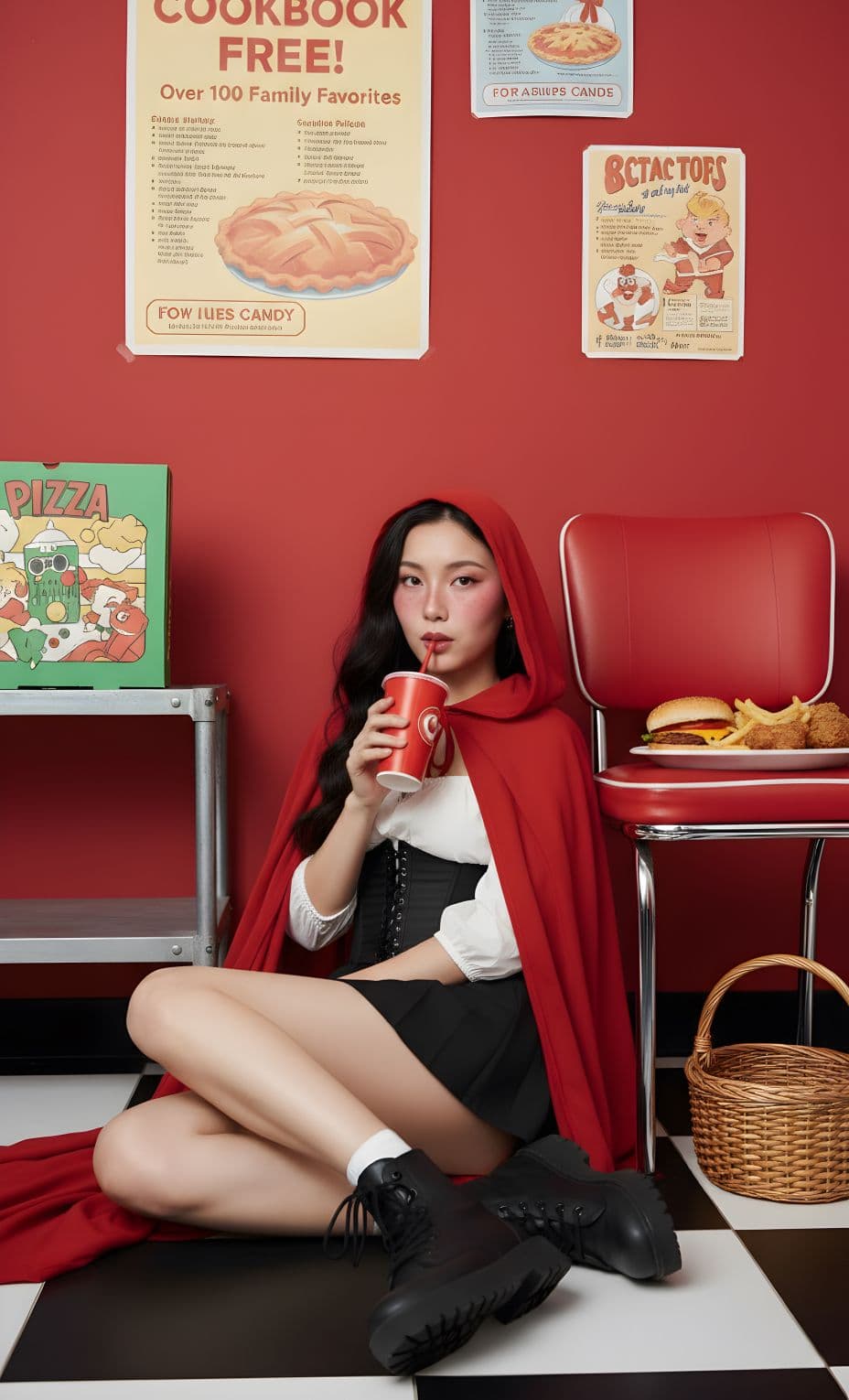
🧛 4. Red Riding Hood Look Effect
Turn your selfie into a polished vampire portrait complete with glowing eyes, sharp fangs, and gothic elegance. This effect adds cinematic depth and pale moonlit tones for a classic Halloween vibe.
Try Red Riding Look Effect to unleash your inner creature of the night.
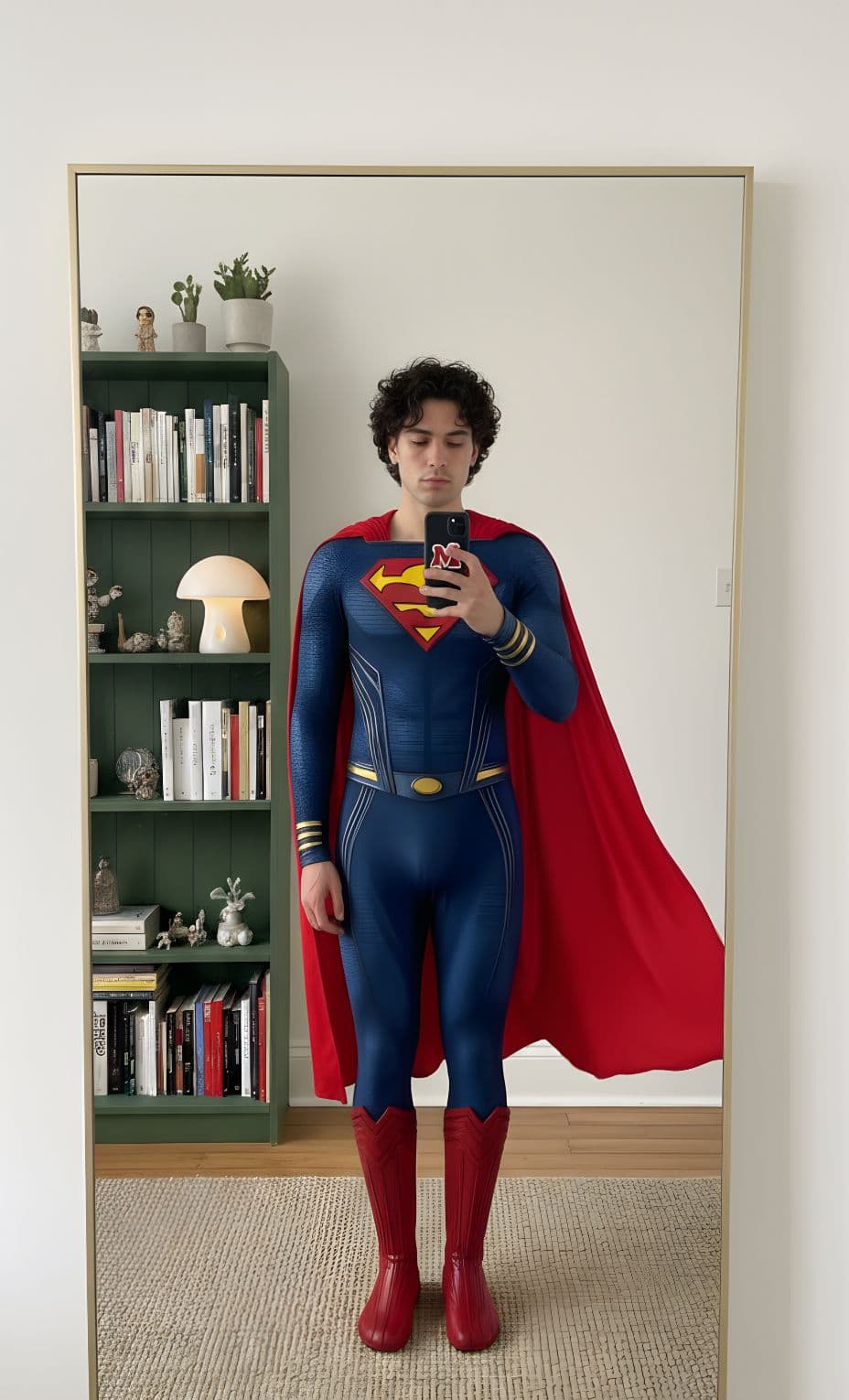
🦸♂️ 5. Superman Costume Image Effect
Step into superhero mode! This effect transforms your photo into a bright, cinematic Superman costume shot – cape, confidence, and all.
Apply the Superman Costume Image Effect and save the world in style.
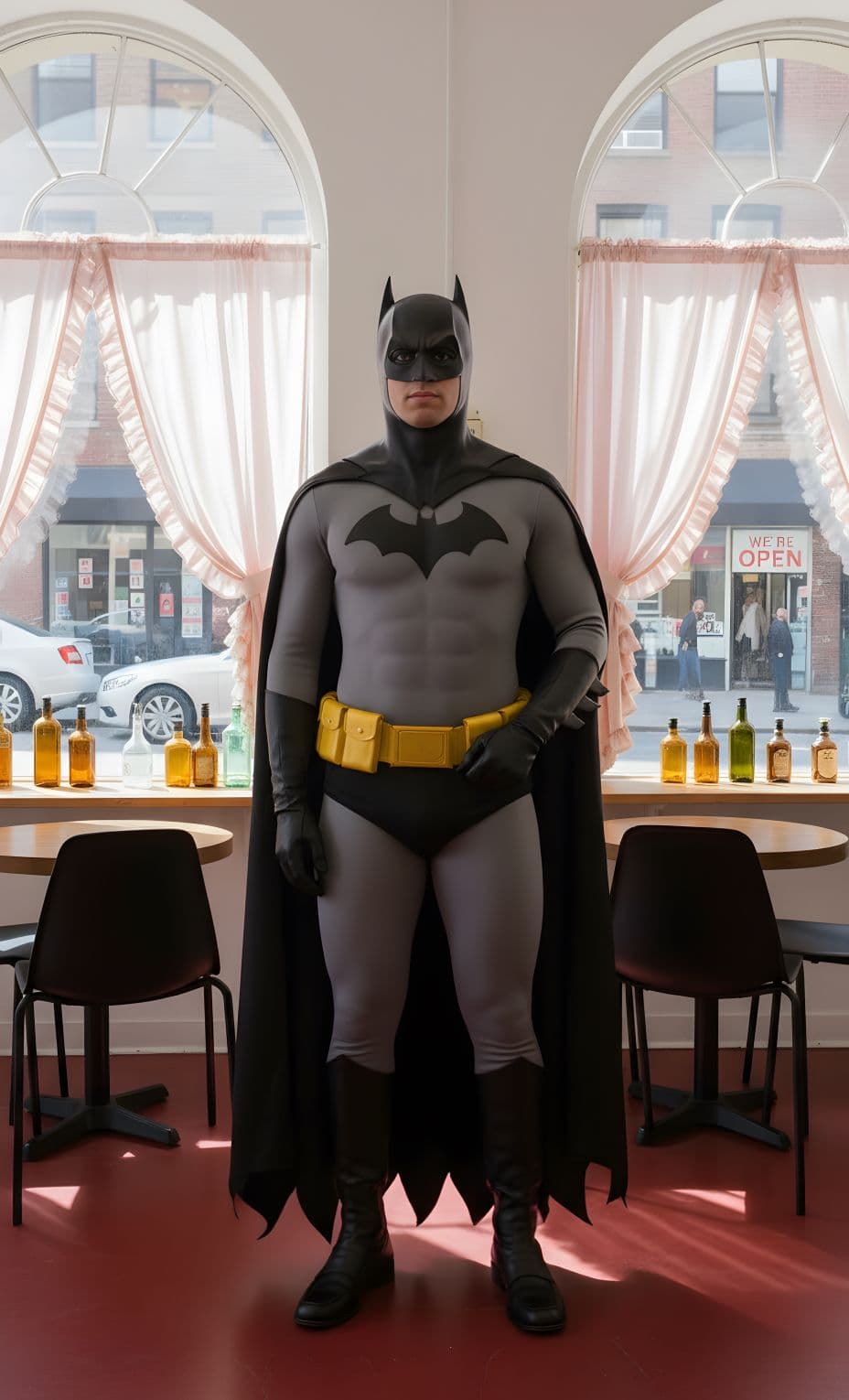
🦇 6. Batman Costume Image Effect
Bring out your dark hero energy with this moody transformation. The black suit, golden belt, and shadowed backdrop give your portrait the feel of a Gotham night scene.
Try the Batman Costume Image Effect for a bold, cinematic Halloween look.
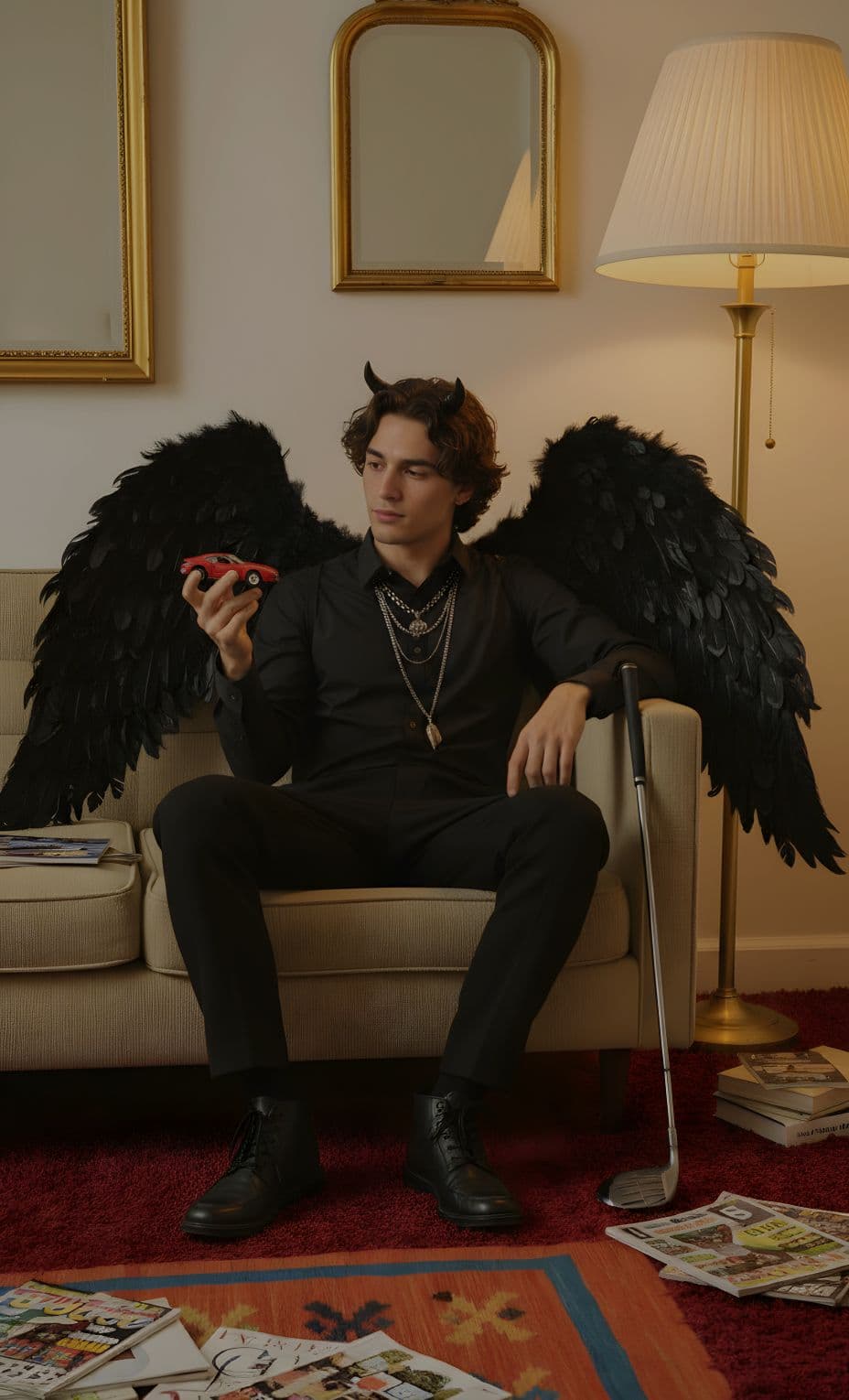
🪶 7. Dark Wing Image Effect
This mysterious fantasy-inspired effect gives you large, dark wings and a stormy atmosphere. Perfect for a fallen angel or supernatural Halloween theme.
Use the Dark Wing Image Effect and embrace your shadow side.
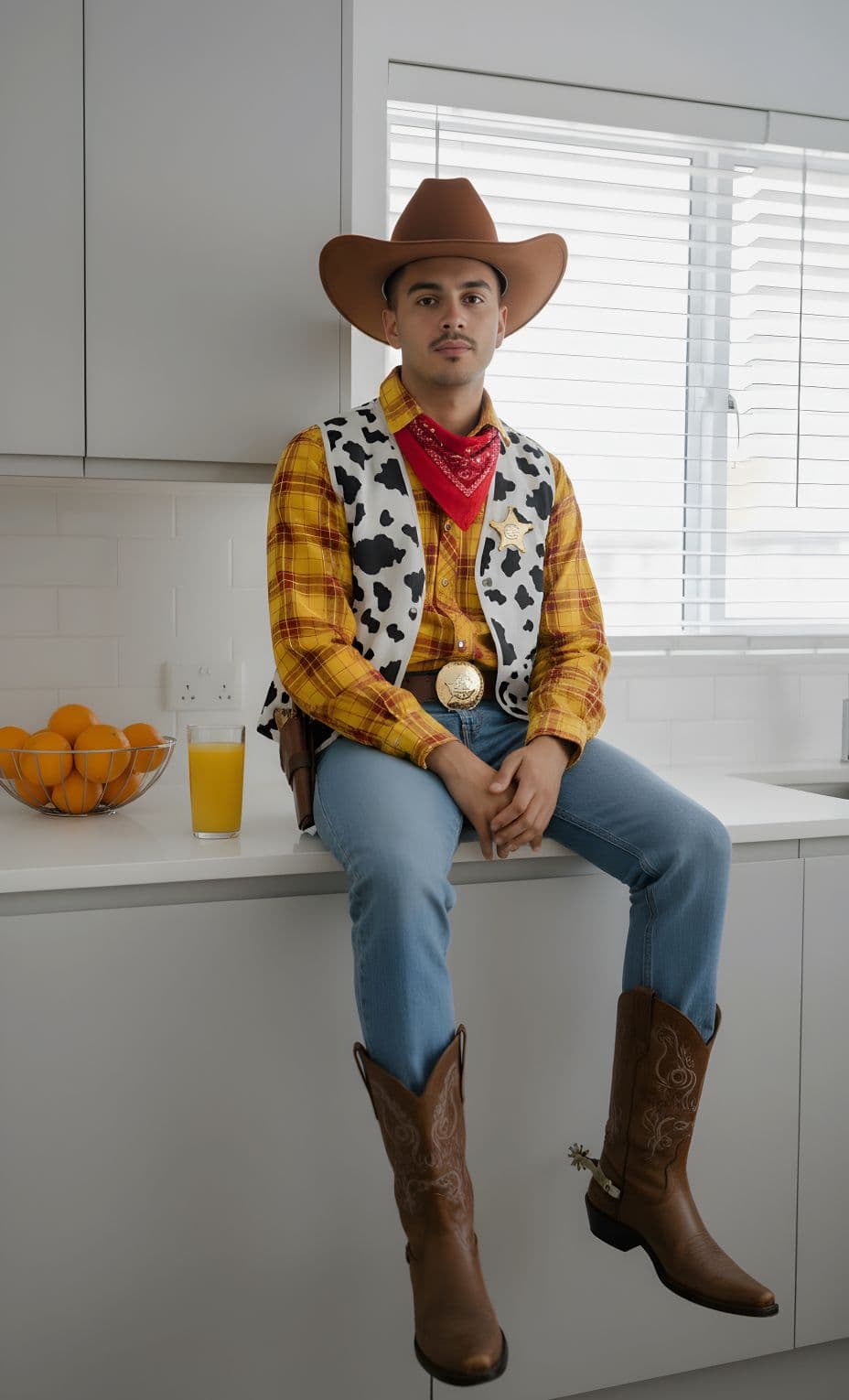
🤠 8. Cowboy Costume Image Effect
Dust off your boots! This effect places you in a Western-inspired portrait with a cowboy hat, rugged textures, and golden-hour lighting. Perfect for a fun, cinematic Halloween edit.
Use the Cowboy Costume Image Effect for a playful country twist this Halloween.
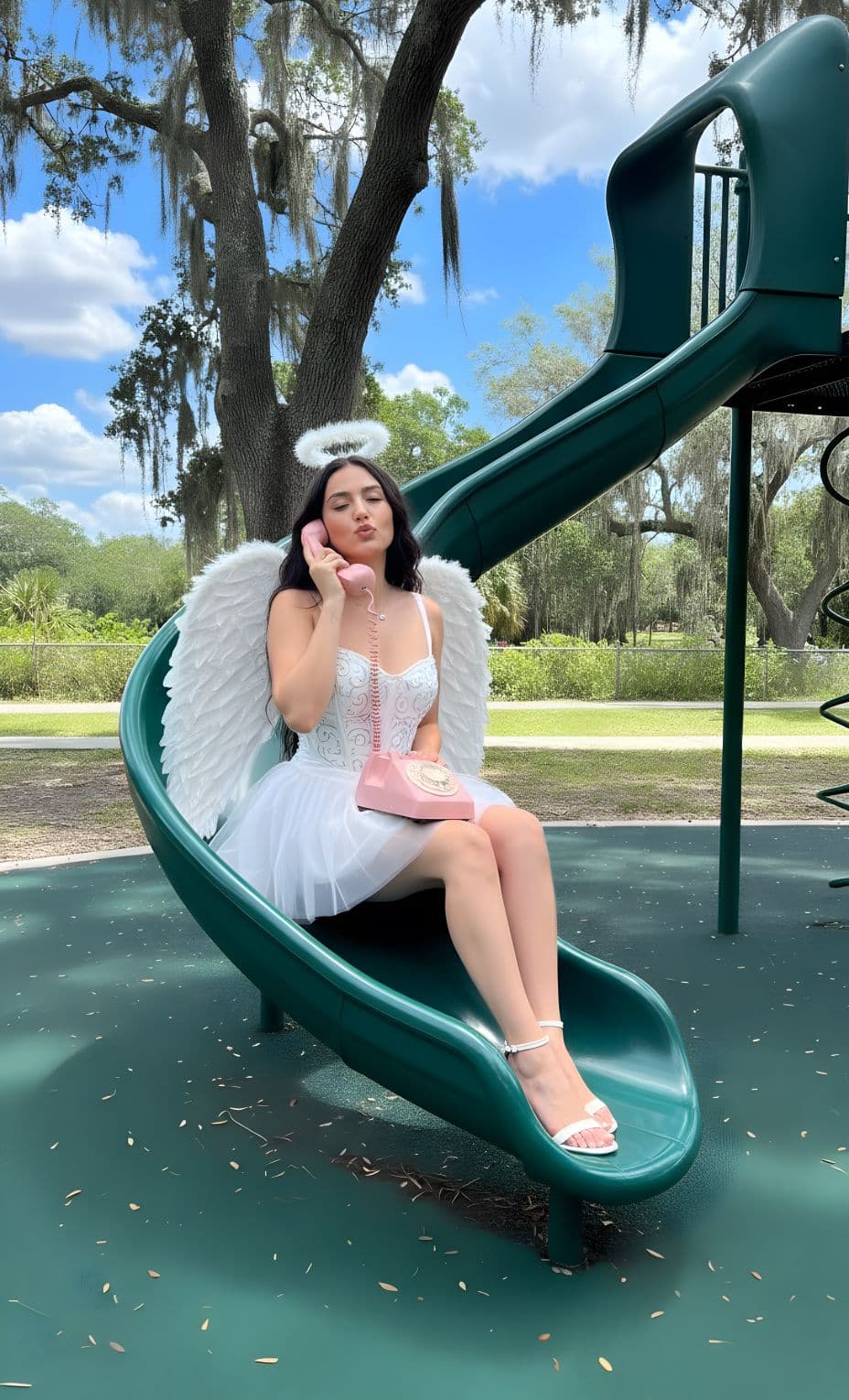
😇 9. Angel Costume Image Effect
Balance out the spooky with something divine. This effect wraps you in glowing light and soft, ethereal wings – perfect for a celestial Halloween look that’s equal parts haunting and heavenly.
👉 Use the Angel Costume Image Effect to capture a radiant, otherworldly vibe.
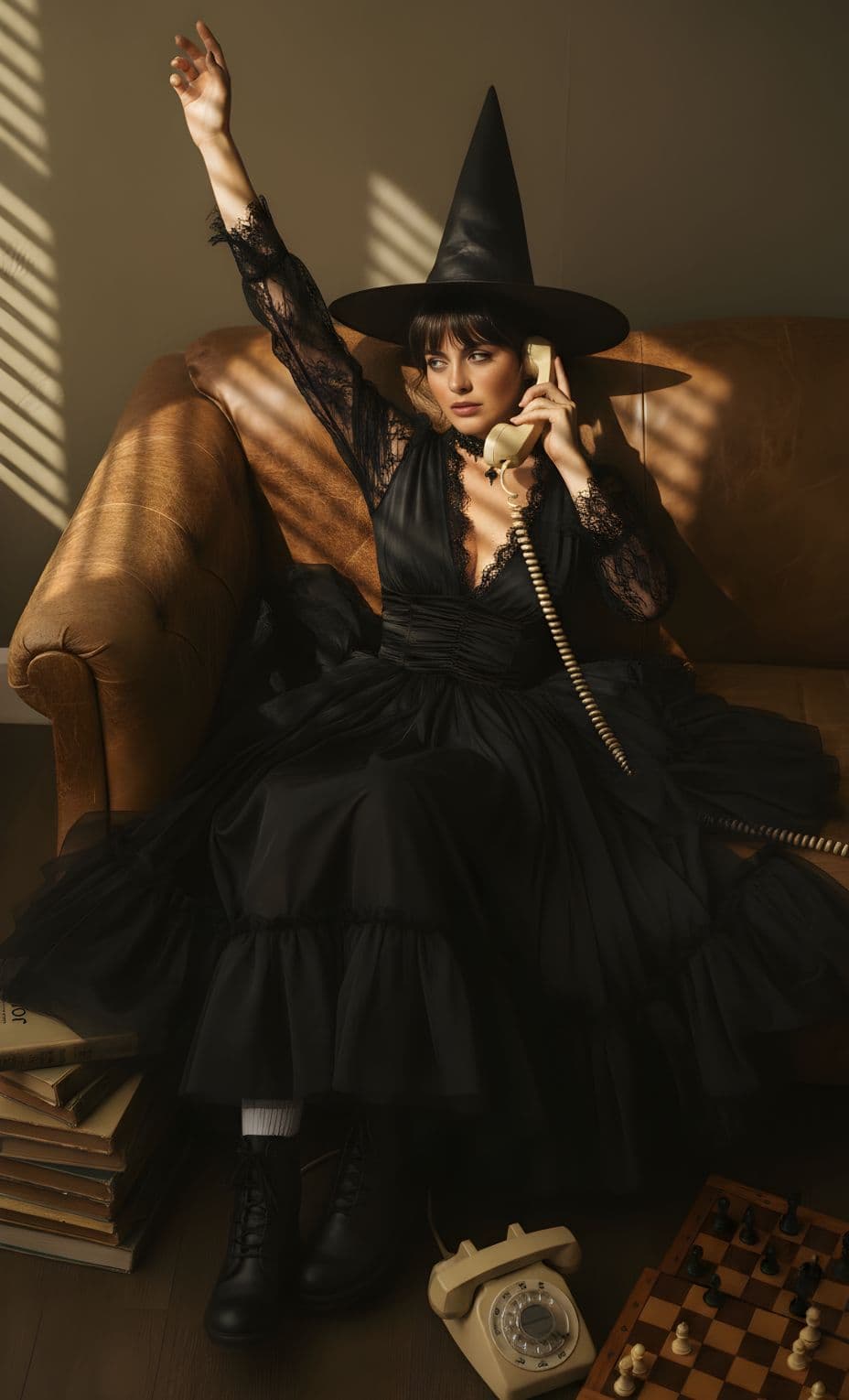
🧙🏻♀️10. Witch Costume Image Effect
A modern take on the witch aesthetic – bold lighting, sleek wardrobe, and dark allure. Perfect for anyone who wants to blend fashion with fantasy.
Apply the Witch Costume Image Effect and step into your supernatural alter ego.
Each of these Halloween AI effects supports animated outputs – giving your images a cinematic, video-like twist when generated on GEN.AI.”
How to create your own AI Halloween images
Here’s the fun part – making your own spooky AI masterpiece is surprisingly simple. The process is smooth, intuitive, and designed to let your creativity shine.
- Describe your image
Type a quick description of what you want to create with Picsart’s AI Image Generator. Maybe it’s “witch under a full moon” or “ghost surrounded by cobwebs.” Helpful prompts and inspiration tools make it easy to refine your prompt. - Pick your battles (optional)
Select your preferred style (cartoon, illustration, cinematic, and more), model (DALL·E, OpenAI, etc.), and size – portrait, landscape, or square. - Generate it
Click “Generate” and watch the magic unfold. You’ll get four unique images – pick the one that captures your Halloween vision best. - Edit your image
Add details like floating candy corn, drifting autumn leaves, glowing pumpkins, or even a lurking black cat. The creative tools are intuitive, fun, and easy to explore. - Download
Once your edit feels perfect, export it and share it with the world. Whether it’s a spooky portrait or a playful trick-or-treat scene, your creation is ready to go.
✨ Everything about the product is built for ease of use. The editing tools are designed to feel effortless and intuitive, so you can focus on having fun, not figuring out complicated software. Whether you’re editing your first photo or your hundredth, the experience stays fast, fluid, and friendly.
Want a head start on your spooky designs? Browse hundreds of ready-made Halloween templates – from pumpkin posters and eerie invitations to haunted house flyers and social media posts. Each one is fully customizable, so you can make it as creepy, funny, or aesthetic as you want.
If you’re planning something visual for your feed or event, check out Halloween banner designs too. They’re perfect for parties, promotions, and content creators who want to catch attention fast. With drag-and-drop editing and flexible layouts, you can easily personalize banners with cobwebs, full moons, black cats, or bold trick-or-treat text. In minutes, your design can go from simple to spine-chilling – no graphic design degree required.
🎃 FAQ
- What Halloween images will be most popular this season?
Expect to see cinematic-style edits inspired by scary movies, cozy autumn leaves backdrops, and eerie details like skeletons, cobwebs, and black cats. Vintage-inspired portraits and AI-generated ghostly scenes are trending big this year – think haunted glamour meets digital art.
- What prompt ideas can I use to generate simple Halloween images for a bold and easy coloring book for kids?
Keep it playful and clear! Try prompts like “cute pumpkin patch with smiling ghosts,” “cartoon bats and candy corn,” or “friendly skeletons trick-or-treating.” Simple line art with bold outlines and minimal detail works best for kid-friendly Halloween coloring pages.
- How do I create my own Halloween images?
Start with a photo or a simple idea, then describe what you want – maybe a “witch under a full moon,” “ghost in a haunted house,” or “black cat surrounded by pumpkins.” AI tools make it easy to turn your imagination into a spooky masterpiece in just a few clicks.
- How do I edit a photo to give it a Halloween effect?
Use filters like dark tones, glitch, or neon glow to build a moody atmosphere. Add overlays – spider webs, fog, cobwebs, or glowing pumpkins – to enhance the eerie vibe. Experiment with contrast and saturation until your image feels mysterious but balanced.
- Do I need to know design tools to create Halloween images?
Not at all! The platform is built for ease of use. Every feature is intuitive – from describing your idea to tweaking the final edit. You can start creating without any prior design experience and still end up with something that looks polished and professional.
Final Thoughts
Halloween is the season where creativity takes a darker, more magical turn. With tools like the Picsart AI Image Generator, anyone can bring eerie ideas to life – from cinematic ghost scenes to playful trick-or-treat edits glowing under a full moon.
The best part? You don’t need design experience or complicated software. It’s built for ease, making every spooky edit – whether filled with skeletons, black cats, or candy corn – feel effortless and fun.
So this year, go beyond costumes and haunted houses. Create your own Halloween world, one image at a time. Because when art meets imagination, even the scariest nights can look downright spectacular. 👻


