


Kling AI is an AI video generation model that creates short videos from text or images. It’s designed to handle motion realistically, which means the results feel closer to filmed scenes than animated effects.
That focus on movement is why Kling AI keeps coming up in conversations about the future of content. Images still matter, but video now sets the pace online. Scroll any platform and motion does the talking. Kling AI exists for that exact shift, giving creators a way to explore video ideas without cameras, crews, or editing timelines.
What makes it interesting isn’t just that it generates video. It’s how little effort it takes to get something usable on screen.
What Kling AI is actually good at
Kling AI isn’t trying to replace traditional video tools. It plays a different role.
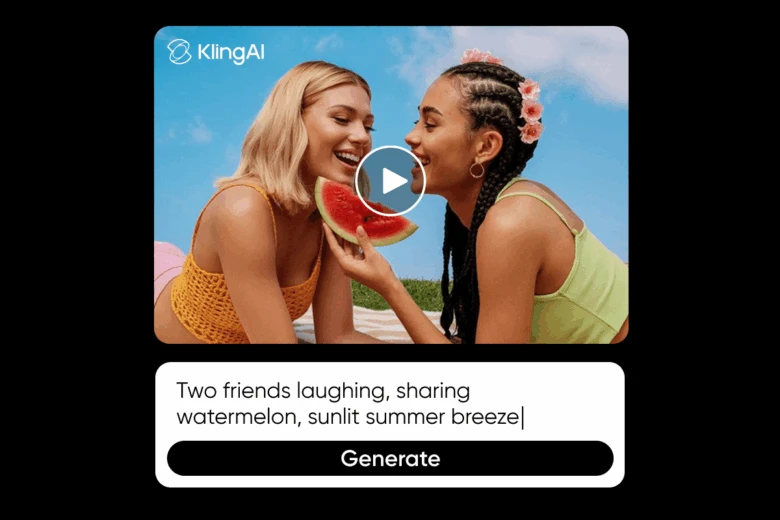
With text-to-video generation, you describe a scene in plain language. That might include what’s happening, how the subject moves, or the general mood. Kling AI interprets that input and turns it into a short video clip. It’s less about perfection and more about momentum – getting ideas into motion quickly.
Image-to-video generation works from the opposite direction. You start with a still image and let Kling AI animate it. Instead of simple looping effects, it introduces depth and movement that feel intentional. The result usually looks like a moment pulled from a longer scene rather than a single animated frame.
The key difference between Kling AI and image-focused AI tools comes down to intent. Image tools freeze a moment. Kling AI assumes the moment continues.
Using Kling AI through Picsart
Where to start
Kling AI is available through Picsart’s dedicated Kling AI page. This page is the main access point for using Kling AI on Picsart. There’s no onboarding hurdle and no technical setup. You don’t need to understand video editing, frame rates, or timelines. You choose an input, describe what you want, and see what comes back.
That low barrier is part of the appeal.
How it fits into Picsart’s tools
Inside Picsart, Kling AI works behind the scenes. You’re not adjusting the model or tweaking parameters. Instead, it powers features like the AI Video Generator, handling motion and visual flow while you focus on direction.
It also pairs naturally with tools such as the AI Voice Generator, which makes it easier to turn visual ideas into complete, shareable video content without jumping between platforms.
What creators actually make with it
Most creators use Kling AI on Picsart in one of two ways. Some start from text when they’re exploring an idea that doesn’t exist yet. Others begin with an image they already like and want to bring to life.
Because the process is fast, Kling AI works especially well for short-form content. Social videos, creative experiments, and visual drafts can be generated, revised, or discarded in minutes. That speed changes how people create. There’s less pressure to commit and more room to test.
How it works
The workflow is intentionally simple:
- Open the Kling AI page on Picsart
- Choose text or image as your starting point
- Describe the subject, movement, and overall feel
- Let Kling AI generate the video
- Adjust the prompt if something feels off
- Download or reuse the result in other projects
It feels closer to sketching ideas than producing a finished video, which is exactly why it works.
One more option worth noting
Picsart also offers Gen.AI Kling effects for creators who want social-first formats. These effects make it easier to adapt Kling AI videos for trend-driven styles without adding complexity to the process.
Why creators keep coming back to it
Traditional video tools reward control but demand time. Kling AI does the opposite. It prioritizes speed, flexibility, and experimentation. Ideas don’t need to be fully formed before you try them, which makes the creative process feel lighter and more forgiving.
That freedom matters, especially in fast-moving content spaces.
FAQs about Kling AI
What is Kling AI used for on Picsart?
On Picsart, Kling AI is used to generate short videos from text or images, making motion-based content easier to create.
Do I need video editing experience to use Kling AI on Picsart?
No. Kling AI on Picsart is designed to be accessible, even if you’ve never edited a video before.
How does Kling AI work inside Picsart tools?
Kling AI runs in the background. Creators work with prompts and visuals while the model handles animation and motion.
Is Kling AI free to try on Picsart?
Creators can explore Kling AI on Picsart and experiment with its features before deciding how they want to use it.
Can I share Kling AI videos from Picsart on social media?
Yes. Videos created with Kling AI on Picsart are suitable for social platforms, especially short-form formats.
Final thoughts
Kling AI is part of a larger shift toward making video less intimidating. By focusing on motion and scene-building rather than technical controls, it opens the door for more creators to experiment with video.
Picsart makes that experimentation practical. By integrating Kling AI into a familiar, flexible workflow, it becomes easier to test ideas, explore movement, and create content that feels alive without slowing down the creative process.


