


Contents
The creator economy is booming, and digital products are leading the charge. With nothing but your skills and a creative spark, you can start selling digital goods online, skipping the hassle of shipping, inventory, or overhead costs.
In this guide, you’ll learn how to sell digital products, how to create them with Picsart, where to sell them (including Etsy and Amazon), and which digital items are the most profitable. Whether you’re looking for a full-time income or a passive side hustle, this blog will walk you through every step of the journey.
What are digital products?
Digital products are intangible files delivered electronically – no shipping, no packaging, just pure convenience. They include:
- Templates (for resumes, social media, planners, etc.)
- Art prints and digital illustrations
- eBooks and educational resources
- Lightroom presets and filters
- Online courses
- Fonts, icons, and UI kits
Once created, these assets can be downloaded and sold an unlimited number of times, making them a go-to revenue stream for creatives and solopreneurs.
Digital products vs. physical products: What’s better?
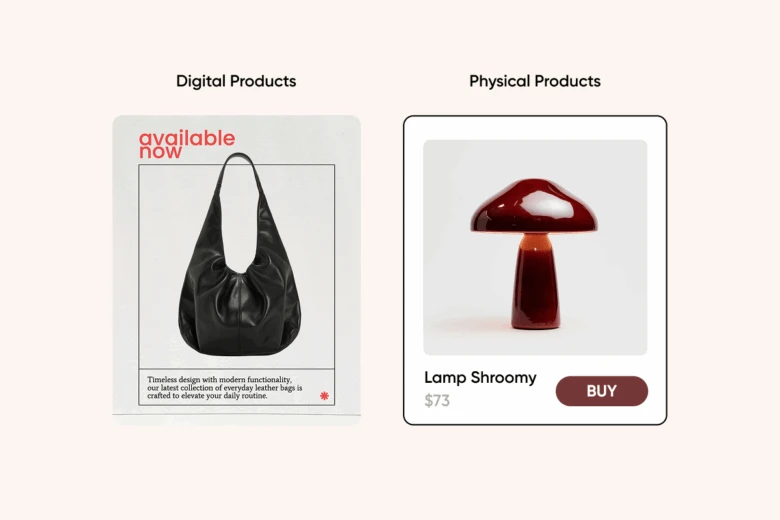
Let’s break it down:
| Feature | Digital Products | Physical Products |
| Inventory | None | Required |
| Shipping | Instant delivery | Manual/outsourced |
| Costs | Low startup, high margin | High upfront & ongoing |
| Scalability | Unlimited | Limited by logistics |
| Passive income potential | Very high | Lower |
In short, digital goods win for ease, flexibility, and profitability – especially if you’re a solo creator.
How to sell digital goods: Your step-by-step guide
If you’re wondering how to sell digital items online, follow this roadmap:
1. Choose your niche
Start by identifying where your skills and passions overlap with market demand. Are you great at organizing? Try digital planners. Into photography? Sell presets or wallpapers. Focus on products that are useful, beautiful, or both.
2. Create high-quality products
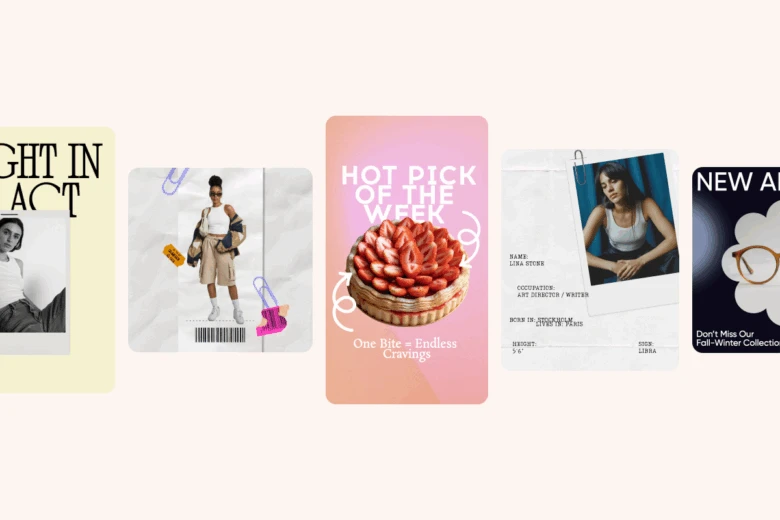
Use beginner-friendly tools like Picsart’s Design Maker to craft polished, professional assets – no fancy software needed. From IG templates to printable wall art, you’ll find pre-made templates that make designing fast and easy.
3. Decide where to sell
You can sell on:
- Your own site (via Shopify, Gumroad, Stan Store, etc.)
- Etsy (great for handmade or lifestyle-focused goods)
- Amazon (especially for eBooks and printables via Kindle Direct Publishing)
- Social platforms using direct-to-consumer tools and link-in-bio shops
4. Price your products smartly
Start low to attract your first customers, but don’t undervalue your time. Consider bundling products to increase perceived value and profit margins.
5. Optimize for discoverability
Use relevant keywords in your titles, tags, and descriptions – like “how to sell digital products on Etsy” or “best-selling digital products.” This will boost your visibility on search engines and marketplaces.
6. Promote your product
Market yourself on Instagram, TikTok, and Pinterest – places where visually appealing content shines. Create mockups or product demos using Picsart’s Templates to drive engagement and clicks.
Is selling digital products profitable?
Absolutely. Once you’ve built your product, you can sell it infinitely with little to no overhead. Profit margins often exceed 90%, especially when you manage everything yourself.
Creators making anywhere from $500/month to $50,000/year doing this aren’t unicorns – they’re consistent. The formula? High-quality products + smart marketing + customer feedback loops.
What are the most profitable digital products?
Here’s what’s trending and converting in 2025:
- Social media kits (Instagram, TikTok, Pinterest templates)
- Notion dashboards and productivity tools
- Printable planners and journals
- eBooks and mini-courses
- Digital art prints
- Wallpapers for mobile and desktop
- Brand kits for small businesses
- Stickers and emoji packs for creators and streamers
You can easily start building these using Picsart’s Sticker Maker or drag-and-drop graphic design tools.
What is the best digital product to sell?
The best one is the one that solves a real problem. Think: a meal planner that helps people stay healthy or an aesthetic content calendar that helps small businesses stay consistent on Instagram.
Find a gap in the market or a way to put your own spin on an existing trend. For example, combine your knowledge of fitness with design by creating printable workout trackers.
Do I need a license to sell digital products?
For most digital products, you don’t need a license to get started. But keep in mind:
- If you’re using stock assets, check the license for commercial use.
- If you’re making a significant income, consider registering a business.
- Platforms like Etsy or Gumroad may require tax information.
Always make sure your content is original or properly licensed – especially if using AI or stock assets.
How to sell digital products on Etsy
Etsy is one of the easiest platforms for beginners to start selling digital goods. Here’s how to stand out:
- Use keyword-rich titles like “Minimalist Weekly Planner Printable PDF”
- Include usage instructions and file format details
- Design attention-grabbing thumbnails with Picsart’s AI Design Tools
- Offer bundles or customizable versions for a higher perceived value
- Encourage reviews with bonus freebies or thank-you notes
Digital planners, budget trackers, and wall art do especially well on Etsy.
How to sell digital products on Amazon
Amazon works best for:
- Kindle eBooks (great for guides, how-tos, or niche knowledge)
- Printables via Kindle Direct Publishing (KDP)
- Digital downloads under software or app categories
To win on Amazon, optimize your title and cover design – both of which you can easily create in Picsart. Focus on keywords like “self-care workbook” or “productivity journal for entrepreneurs.”
Digital products list: What you can start selling today
Here’s a starter list to brainstorm your first product:
- Printable affirmation cards
- Instagram highlight covers
- Wedding invitation templates
- Logo design kits
- Educational flashcards
- Clipart and icon sets
- Resume templates
- Vision board kits
- Coloring pages for kids or adults
- Phone and desktop wallpapers
Many of these can be created in under an hour using Picsart’s free Design Editor.
How to create digital products with Picsart

Picsart gives you everything you need to create beautiful, professional digital products – even if you’re just starting out.
Here’s how:
- Use the AI photo tools to upscale, enhance, or stylize your artwork
- Design printables, eBook covers, and templates with drag-and-drop simplicity
- Remove backgrounds or isolate objects for product mockups
- Create digital stickers with the sticker maker
No learning curve, no hassle – just beautiful results, fast.
Start selling digital products today
From side hustle to full-time income, selling digital goods online is one of the most rewarding ways to monetize your creativity. With a bit of inspiration and the right tools (hello, Picsart), you can create products that sell themselves.
Ready to make your first digital product? Start designing with Picsart’s all-in-one creative tools.


