


Looking for real-world inspiration for your next online ad? These web banner examples show just how creative, clickable, and conversion-ready your designs can be. Whether you’re exploring header web banners or diving into digital ad campaigns, this post breaks down what makes a stellar banner stand out.
A web banner is a digital graphic display used to promote products, services, or brands across websites. Typically found at the top, sides, or bottom of a webpage, these banners are designed to capture attention and encourage users to click through to a landing page. They can be static or animated and are a staple in digital advertising strategies.
Choosing the right size can make or break your banner’s performance. Here are the most common banner ad dimensions:
- Leaderboard: 728 x 90 px
- Banner: 468 x 60 px
- Skyscraper: 120 x 600 px
- Wide skyscraper: 160 x 600 px
- Medium rectangle: 300 x 250 px
- Large rectangle: 336 x 280 px
- Mobile banner: 320 x 50 px
Make sure to optimize your layout for all sizes, especially when designing responsive ads that scale across devices.
To make your web banner advertising examples truly click-worthy, include these essential elements:
- Clear, engaging headline
- Concise copy that gets to the point
- A call-to-action (CTA) like “Shop now” or “Learn more”
- Striking visuals or product shots
- Consistent branding elements like your logo or brand colors
Pro tip: Let imagery speak louder than words. Your design should do most of the talking.
Header banners sit at the top of websites, making them prime real estate for first impressions. They often showcase major promotions, new product launches or seasonal campaigns. Your header banner should contain:
- A bold headline
- Minimal but punchy copy
- A captivating image or graphic
- Seamless integration with the site’s design
Ready to create your own? Try the Picsart Website Banner Maker for easy drag-and-drop design.
Whether you’re designing from scratch or using free Banner Templates, these creative strategies will elevate your designs:
- Combine stylish fonts with bold imagery
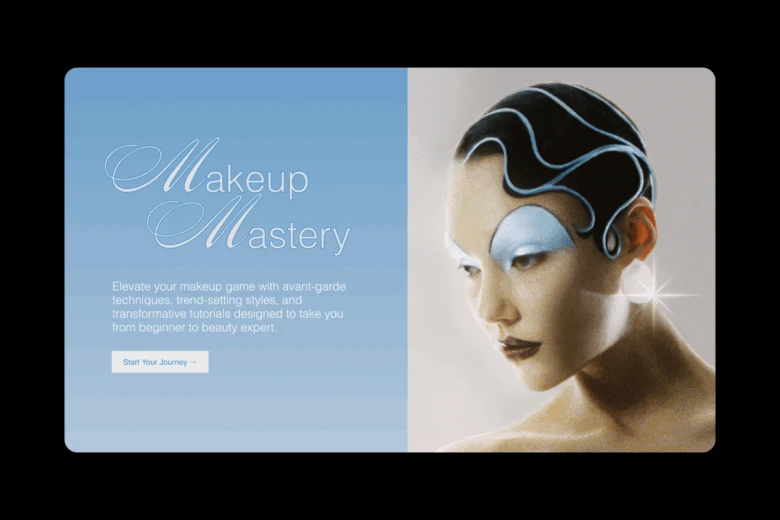
- Establish visual hierarchy with font size and layout
- Integrate meaningful icons that match your message
- Add unexpected design twists to stand out
- Enhance layouts with illustrations
- Optimize for all screen sizes
- Use vivid, eye-catching colors
- Embrace minimalism to let key elements shine
- Align with current visual trends
- Add texture for depth and dimension
- Target your audience with relevant imagery
- Let visuals tell the story
- Use a strong focal point to guide attention
- Reinforce ideas with visual cues
- Put the product front and center
- Use angles for dynamic layouts
- Add color overlays for contrast
- Set a lifestyle scene for relatability
- Experiment with expressive typography
- Illustrate your message boldly
- Blend photos, shapes, and type creatively
- Reference pop culture for instant recognition
- Use an asymmetrical layout for a playful vibe
- Harmonize your visuals and copy
- Use contrast to emphasize CTAs
- Balance your layout with symmetry
- Reflect your audience’s lifestyle visually
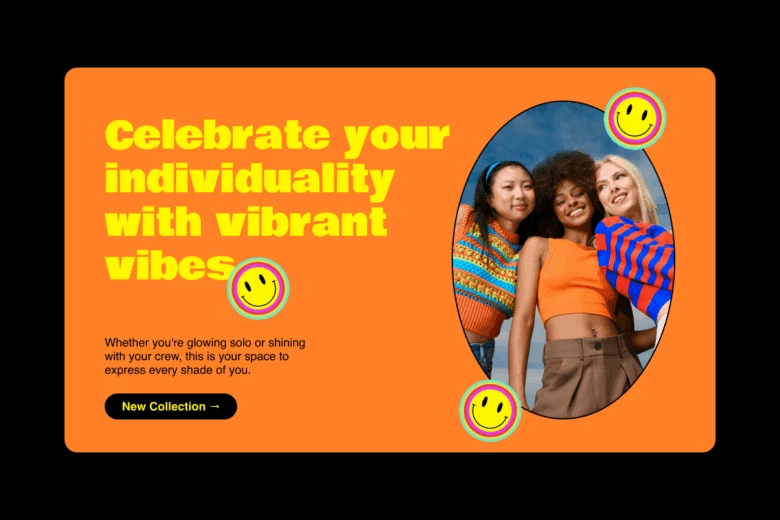
- Add subtle motion for interactivity
- Try edgy, bold designs to provoke curiosity
- Create depth using color strokes
- Choose a distinctive typeface
- Layer typography styles for flair
- Pair simple graphics with real photos
- Add texture through overlays or patterns
- Use color accents to draw attention
- Focus on engagement over hard sells
- Harmonize rich color palettes
- Illustrate with clean, simple visuals
- Create motion through layout, not animation
- Add animations tastefully
- Try geometric patterns for structure
- Break up space with unique shapes
- Ground floating elements with shadows
- Use repeating patterns with purpose
- Divide images with color blocks
- Enhance with fine line details
- Tell a visual story from left to right
- Inject humor to boost memorability
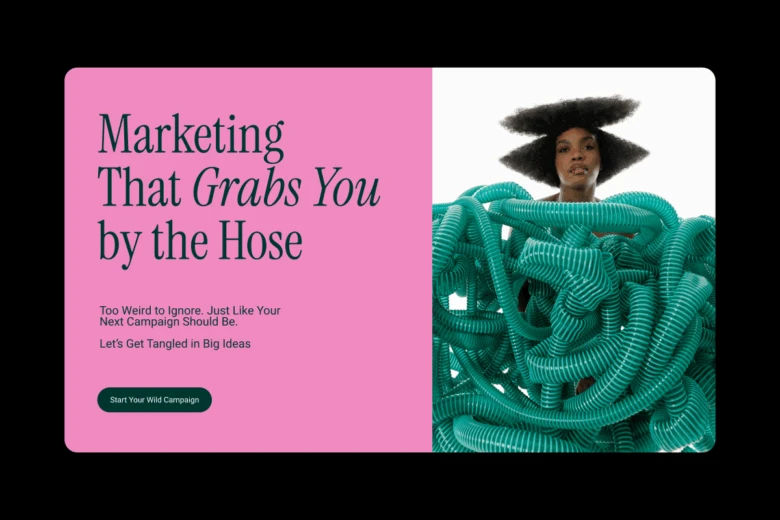
- Mix font weights for variety
- Use basic shapes to build visual depth
Want to shortcut your process? Use the Picsart Banner Maker to apply many of these tricks.
Need a dose of design inspiration? These web banner examples span various industries, each showing how creative execution can drive real results:
- E-commerce flash sale – Bold color block, countdown timer, and CTA button
- Fashion lookbook launch – Hero model photo, clean serif fon,t and pastel overlay
- SaaS feature update – Screenshot mockup with bold text on the side
- Fitness class promo – Dynamic imagery, strong callout, and energetic colors
- Food delivery service – Product photo with hand-drawn graphics and textures
- Mobile game ad – Illustrated characters with layered typography
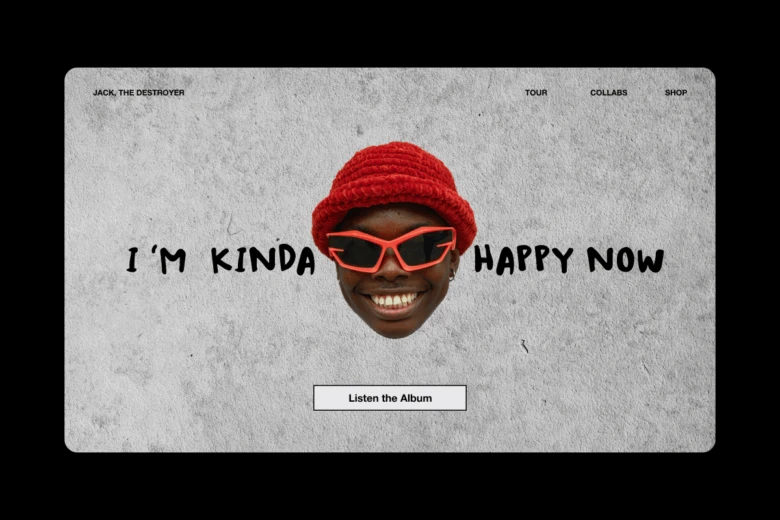
- Music album release – Grunge texture with animated CTA pulse
- Real estate listing – Photo carousel with clean sans-serif text
- Travel deal – Sunset photo, map overlay, and bold discount banner
- Nonprofit fundraiser – Minimal design with emotional photo
- Book release – Lifestyle photo, quote pull-out, and buy-now CTA
- Pet adoption – Playful typography with paw print icons
- Beauty product launch – Macro product image with neon text glow
- Tech webinar promo – Speaker headshots, clean layou,t and RSVP button
- Art exhibition – Abstract visuals, elegant typography
- Holiday sale – Snowflake patterns with animated gift icons
- Restaurant menu banner – Flat lay food photography with rustic type
- Podcast teaser – Audio waveform animation, episode quote
- Car dealership offer – 3D model with price overlay
- Online course enrollment – Badge icon with instructor intro
- Gaming channel intro – Pixel background and motion type
- New app launch – Product screen mockup with user reviews
- Festival ticket sale – Confetti animation, CTA ribbon
- Gym membership special – Before/after photos, countdown bar
- Interior design showcase – Mood board layout and soft color palette
- Job opening – Megaphone icon and bold action statement
- Kids event flyer – Whimsical graphics and rainbow palette
- Coffee shop ad – Steaming cup illustration, retro font
- Language app ad – Cultural icons and global typography
- Twitch stream promo – Avatar graphic and stream countdown
- Subscription box offer – Unboxing photo and price slash
- Influencer collaboration – Dual imagery and quote card
- Home decor sale – Neutral tones and soft gradients
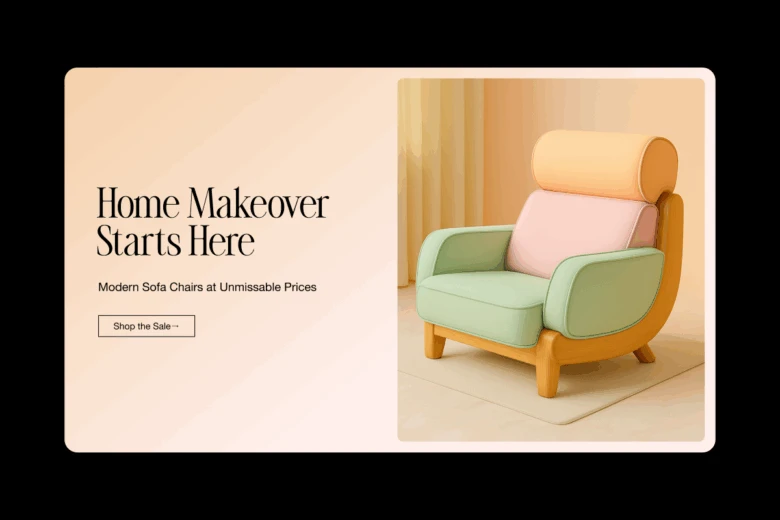
- Tech giveaway – Spark burst animation and form CTA
- Online magazine teaser – Collage style and clickable image links
Create any of these banner types in minutes using Picsart’s Advertising Poster Templates or customize one with Twitch Banner Maker and YouTube Banner Maker tools.
Designing a banner for your website header, a YouTube channel, or a full-scale ad campaign requires thoughtful creativity. These 50 web banner examples offer plenty of inspiration to guide your next move. Tap into Picsart’s tools to bring your ideas to life quickly, beautifully, and professionally.
Need help getting started? Explore free website banner templates and customize them with just a few clicks. Let your next banner do more than decorate your site – make it convert.


