使用AI图像模型创建ai替换
使用图像模型将ai替换转换为精致视觉、设计创意和即用型资产。

AI精准度
以轻松自动的精准度替换对象。无需仔细描边。

逼真替换
使用创新准确的AI技术替换对象,与您照片的视觉环境相匹配。

无限自定义
利用内置的照片编辑工具自定义照片的最终外观。
如何在Picsart中使用AI替换
上传您的图像
选择一张图像来开始。
选择对象
替换对象
下载
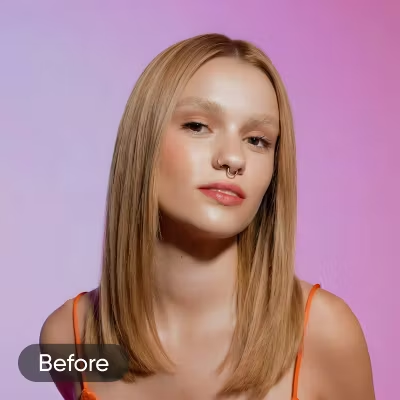
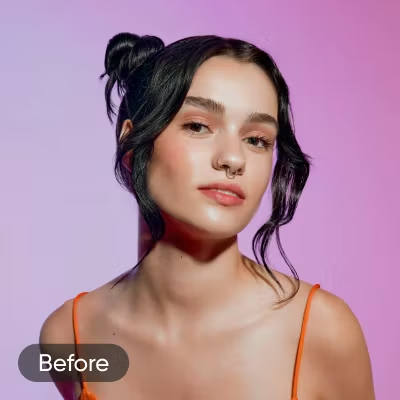
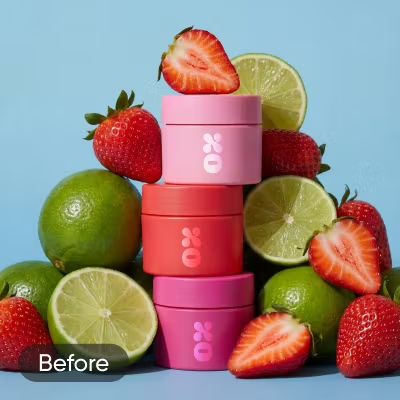
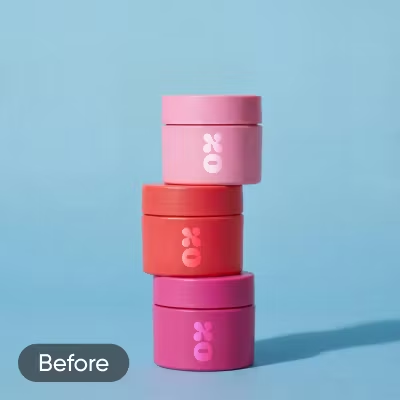
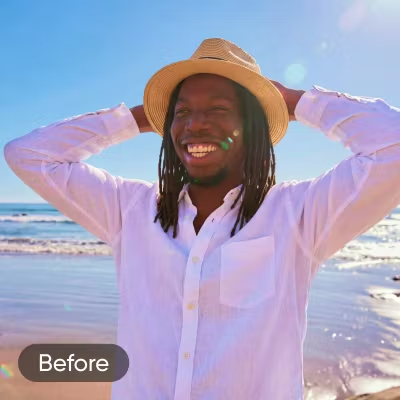
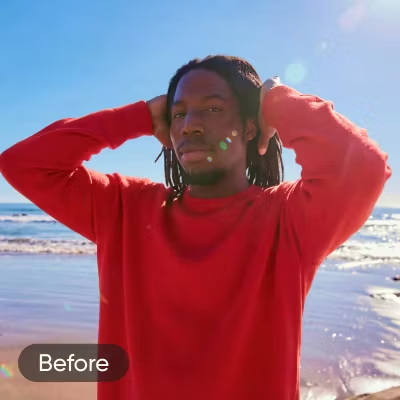
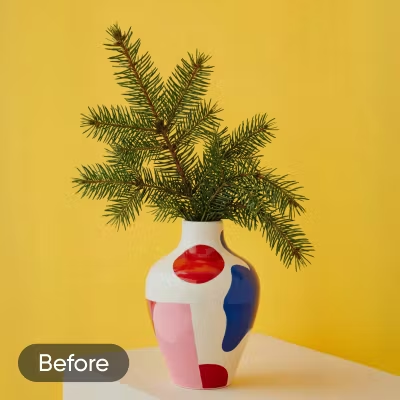
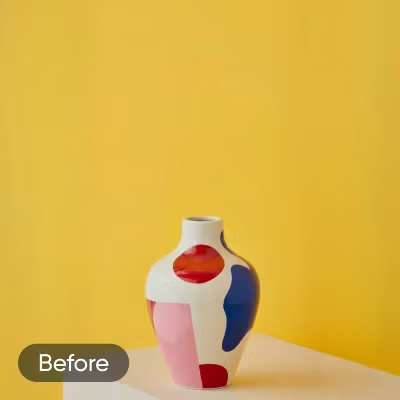
对任何创意项目使用AI替换
交换产品照片中的道具、包装或配件以匹配季节性活动或更新的品牌。获得专业级效果而无需重新拍摄。
尝试Picsart的其他AI编辑工具
AI替换常见问题
什么是Picsart的AI替换工具?
我如何使用Picsart AI替换工具?
将您的照片上传到Picsart并打开AI替换。使用笔刷工具或衣服、天空或头发等快速选择选项选择要更改的区域。然后输入描述替换的文本提示或选择热门预设。点击生成,预览结果并应用。
使用AI替换需要设计技能吗?
不需要。AI替换处理技术工作——选择混合、颜色匹配和重建自动进行。您只需选择要更改的内容并描述您想要的替代品。该工具为所有体验级别而构建,从首次编辑者到专业设计师。
AI替换在手机上可用吗?
是的。Picsart的AI替换在网络和手机上都可用。您可以跨设备访问相同的替换工具,因此无论您是在手机上开始还是切换到桌面,您的编辑工作流程都保持一致。
我可以使用AI替换做什么?
AI替换适用于广泛的编辑需求——交换产品照片中的对象、更改肖像背景、更新标志或包装上的文本、修改室内装饰以及调整发型或服装等个人细节。任何您可以选择的元素,您都可以替换。
使用AI替换后,我可以编辑照片吗?
是的。应用替换后,您的照片仍然可以完全编辑。您可以继续调整其他区域、应用其他替换或使用Picsart的任何其他编辑工具来优化最终结果,然后导出。
什么是AI修复?
AI修复是照片中对象替换背后的技术。它分析所选区域周围的像素并生成与原始图像的光线、纹理和颜色匹配的新内容。Picsart的AI替换使用修复无缝填充替换区域。
AI替换如何与我的照片环境相匹配?
AI替换读取您选择周围区域的光线、调色板、阴影和纹理图案。生成替换时,它重建新元素以匹配这些条件,因此插入的对象看起来像属于原始场景,而不是粘贴在上面。
使用AI编辑每个创意想法的图像
Pro
适用于日常创意工作的 AI 工具。
- 访问所有照片和视频编辑功能
- 高级背景和物体移除
- 使用全球最强大的 AI 视频模型并行生成视频
- 使用Flex.2 Klein获得无限图像生成次数
- 一键图像增强器
- Millions of stock photos & Getty video clips
- 精选时尚字体、文本样式和贴纸
- 数千个优质模板
- Support for 3+ brand kits
- Bulk edit up to 50 images at once
- 100 GB of cloud storage
- 15+ creative AI agents that plan, execute, and deliver — across video, brand, localization, and more
- 通过 Picsart CLI 从您的终端或代理自动生成内容
- Use Picsart inside Claude Code, Cursor, and ChatGPT via MCP
Ultra
创作者和团队的大量 AI 使用。
- 140+ leading AI video, image, and audio models (Kling 3.0, Nano Banana, Veo 3, Seedance 2.0 & more)
- 使用全球最强大的 AI 视频模型并行生成视频
- 抢先体验高级 AI 功能
- 使用Flex.2 Klein获得无限图像生成次数
- 可购买永不过期的附加积分
- 多达650万个Getty库存视频
- Bulk edit up to 100 images at once
- Support for 10+ brand kits
- Create ad variations & localize
- 跟踪广告效果
- 添加团队席位
- 300 GB of cloud storage per seat
- 15+ creative AI agents that plan, execute, and deliver — across video, brand, localization, and more
- 通过 Picsart CLI 从您的终端或代理自动生成内容
- Use Picsart inside Claude Code, Cursor, and ChatGPT via MCP