


Visiting cards were invented around the 18th Century as to introduce themselves when making social calls. These days, they’re still used to make a great impression!
You might use a visiting card to network, represent your services, or share information about an event. In this sense, visiting cards and business cards are terms that are often used interchangeably.
In this article, we’ll look at how you can make maximum impact no matter what you’re using your visiting card for. Get ready for design tips and tools that simplify the process for any creator.
How to create visiting cards: The planning stage
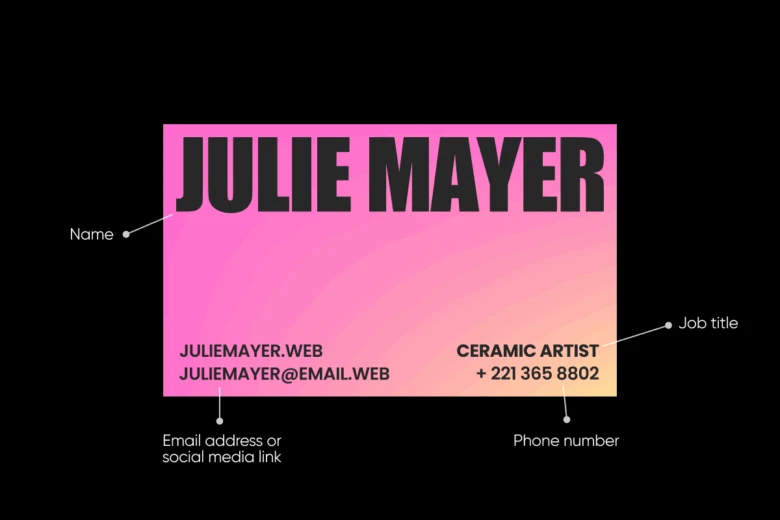
The question of how to design a business card starts with pinpointing who your target audience is and what content you need to include.
If you’re trying to network in a very traditional industry like finance, for example, you’ll probably opt for a classic, professional-looking design that clearly shows key information. If, on the other hand, you’re a potter trying to sell your work, you can get a little more creative with layout and content. Typically, though, a visiting card should include your:
- Name
- Job title
- Email address or social media link
- Phone number
You also need to consider your brand identity from the very start. A great visiting card will strengthen and reflect your brand’s visual personality. As an individual, you should also pick colors, fonts, and designs that reflect your values and character.
If you need help finding colors that represent you or your brand, check out our color picker. You can move your mouse around the tool until you find a color you love, and then with the color wheel, you can automatically find complementary shades!
The key elements of a visiting card
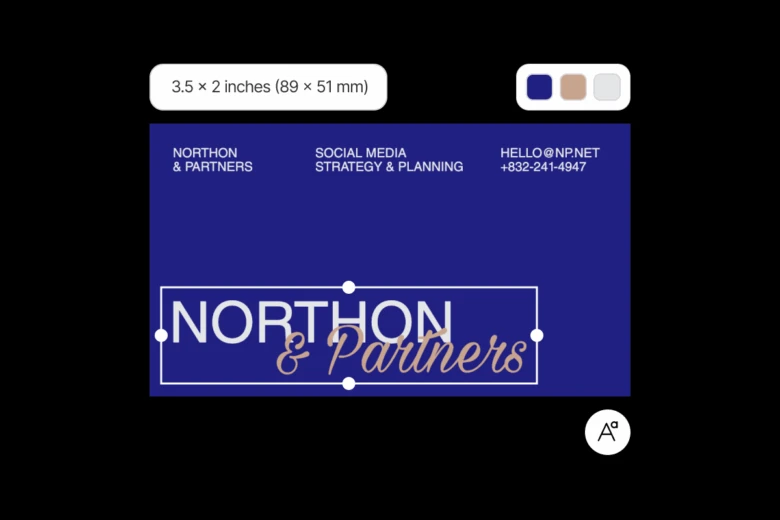
No matter what context you’ll be using your visiting card in, these are the key factors you need to consider when designing:
- Size and shape: The classic visiting card is rectangular, measuring about 3.5 x 2 inches (89 x 51 mm). However, if you’re in a more creative space or want to make a strong impression, you can mix it up!
- Color scheme: As well as choosing colors that represent your brand, you should consider the power of color meanings! Our brains interpret shades differently and playing with this can allow you to build trust, create a sense of energy, and more.
- Fonts: You should pick fonts that are readable, but also show your personality! Check out our font generator if you’re looking for completely unique styles that your visiting card recipients won’t have seen before.
- Logo and graphics: Using visuals is a great way to enhance your card, so long as you can still see them clearly in the small space. Logos are great because they’re instantly recognizable.
- White space: It’s important to maintain visual balance by including enough white space in your business card design. Be sure to check that no graphic or text looks cramped.
How to create your own visiting card with Picsart
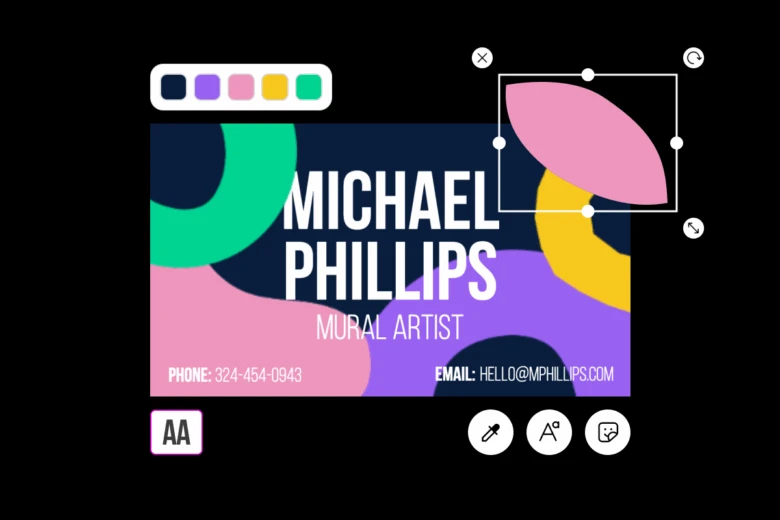
Picsart’s templates make it easy for you to create a wide range of assets. But we’ve also had our expert designers create some dedicated business card templates to help you leave a lasting impact on whoever you meet.
If you’re wondering how to design business cards online for free, simply follow these steps:
On the web:
- Browse Picsart’s business card templates
- Select a template that fits your style the most
- Add your text, graphics, and fonts by using the tools on the left sidebar
- Select “Export” in the top right corner to download
And on mobile:
- Open the app and select “Templates” from the top of the “Create” tab
- Search for “Business card” in the top bar
- Choose your design and customize it
- Select “Next” and “Save” to download the design
It’s easy to create business cards that stand out using Picsart because you can access a wide range of photo editing tools in one solution. Want to use AI to generate a logo? You can in seconds. Want to add stickers and shapes? You’ve got a whole library at your fingertips.
Create, resize, and realize your business card vision with ease. The best part? All these tools are free.
Tag us in your visiting card creations on social media. We love to see them!


