


Contents
An anime prompt is a short text instruction handed to an AI tool to generate an anime-style image, whether that’s a character portrait, a manga panel, a sci-fi cityscape, or a 5-second looping avatar. It’s the difference between thinking “I want a cool OC for my profile” and actually holding the finished art two prompts later.
The right prompt turns a vague idea into a scroll-stopping piece in seconds, ready to drop into a profile picture slot, a sticker pack, a fan-art mood board, or a TikTok intro. The wrong one returns the kind of generic anime render that already crowds every feed. Specificity is the difference, and writing prompts is a skill that gets sharper with every run.
This guide lays out 30 ready-to-adapt anime prompts across style, character, scene, and video, plus a quick read on what makes a great anime prompt and which AI models inside Picsart handle anime work best. One note up front: AI anime works best alongside the illustrators, animators, and mangaka whose work shaped the look in the first place. Use AI for sketches, OCs, and personal pieces, and keep commissioning or buying from the working artists who inspire the prompts.
All 30 prompts run inside Picsart’s AI Image Generator, the AI Playground, and the AI Video Generator for the video ones. Attach a selfie or a reference photo for personalized results.
Write a great anime prompt with five ingredients
Strong anime prompts read like a designer’s brief written out loud, not a stack of keywords. Modern image models respond best to natural sentences with one clear detail per slot, so the sweet spot lands somewhere between 30 and 50 words. Five ingredients carry the weight.
Lead with the subject in plain detail. “A wind-swept warrior with a long braid” beats “anime character” every time, because the second leaves the model to guess. Then name the style: “90s cel-shaded anime with hand-drawn linework” gives the model far more to work with than “anime.” Add the mood in three words or fewer, like “melancholy, dusk-lit, raining,” to set the tone. Specify the composition next, since “close-up portrait, slight upward angle, off-center framing” hands the AI a frame to fill instead of a blank canvas. Finish with the extras that personalize the piece: a “saturated sunset palette,” “thick black ink outlines,” “soft cross-hatching shadows.”
One note on style references. Reach for anime eras and genres, shonen, shojo, seinen, josei, slice-of-life, mecha, cyberpunk anime, 80s anime, 90s cel, instead of naming specific living animators or studios. Eras give the model a clear visual language without copying anyone’s livelihood.
Specificity beats length. One strong detail per slot beats five vague ones. Iterate one word at a time across runs, and the model becomes easier to read every pass.
Pick an anime style prompt from these 10 directions

Style is the biggest lever in any anime prompt. The same subject in 90s cel and the same subject in webtoon read like two different pieces, even when every other variable holds steady. Ten prompt directions across the most-used anime substyles, each with a personalize line so the structure stays useful for any character and palette.
90s cel-shaded anime
Prompt 1: A 90s cel-shaded anime portrait with hand-drawn linework, painted backgrounds, retro film grain, warm sunset palette, nostalgic mood, close-up framing. Personalize this: subject, palette, mood.
Modern anime
Prompt 2: A modern anime hero portrait with clean digital lineart, sharp cel-shading, vibrant palette, key-visual composition, soft painterly background blur. Personalize this: subject, outfit, mood.
Manga (black and white)
Prompt 3: A manga illustration in high-contrast black and white, expressive ink linework, screentone shading, dynamic panel composition, editorial framing. Personalize this: subject, scene, panel layout.
Shonen action
Prompt 4: A shonen action scene with a dynamic hero pose, dramatic motion lines, bold outlines, high-contrast lighting, saturated palette, low-angle camera. Personalize this: subject, weapon or ability, palette.
Shojo
Prompt 5: A shojo-style portrait with soft pastel palette, delicate linework, floral accents, sparkle highlights, romantic mood, gentle three-quarter framing. Personalize this: subject, hair, palette.
Slice-of-life
Prompt 6: A slice-of-life anime scene with muted palette, warm natural light, everyday setting, cozy mood, painterly background, relaxed composition. Personalize this: subject, location, time of day.
Mecha
Prompt 7: A mecha illustration with intricate hard-surface mech design, cinematic scale, dramatic lighting, sci-fi palette, low camera angle, environmental dust and smoke. Personalize this: mech silhouette, palette, setting.
Chibi
Prompt 8: A chibi character with oversized head, simplified features, soft pastel palette, expressive face, sticker-ready composition on a clean background. Personalize this: subject, outfit, palette.
Cyberpunk anime
Prompt 9: A cyberpunk anime portrait with neon palette, rain-soaked street backdrop, glowing futuristic outfit, moody dusk lighting, reflective surfaces, close-up framing. Personalize this: subject, neon accent, mood.
Webtoon vertical
Prompt 10: A webtoon-style vertical panel with clean digital style, soft gradient background, expressive face, slim color palette, scroll-format composition. Personalize this: subject, palette, scene beat.
Design an anime character with these 8 prompts
Anime art is at its strongest when the character has personality, so a few of the most-used character directions come next. Each one is built for image-to-image too, so a selfie or an OC reference can drop straight in.
Original character (OC) portrait
Prompt 11: An original anime character portrait, close-up framing, signature outfit, expressive eyes, mood-driven directional lighting, painterly background. Personalize this: hair, eyes, outfit, expression, palette.
Anime self-insert
Prompt 12: An anime-style portrait based on a reference selfie, anime linework and cel-shading, expressive eyes that match the reference, soft directional lighting. Personalize this: hair, eyes, outfit, vibe. Best for profile pictures.
Anime couple portrait
Prompt 13: An anime couple portrait with two characters in an interaction-driven pose, back-to-back, hand-in-hand, or sharing an umbrella, warm palette, cinematic framing. Personalize this: pose, outfits, palette, mood.
Anime villain
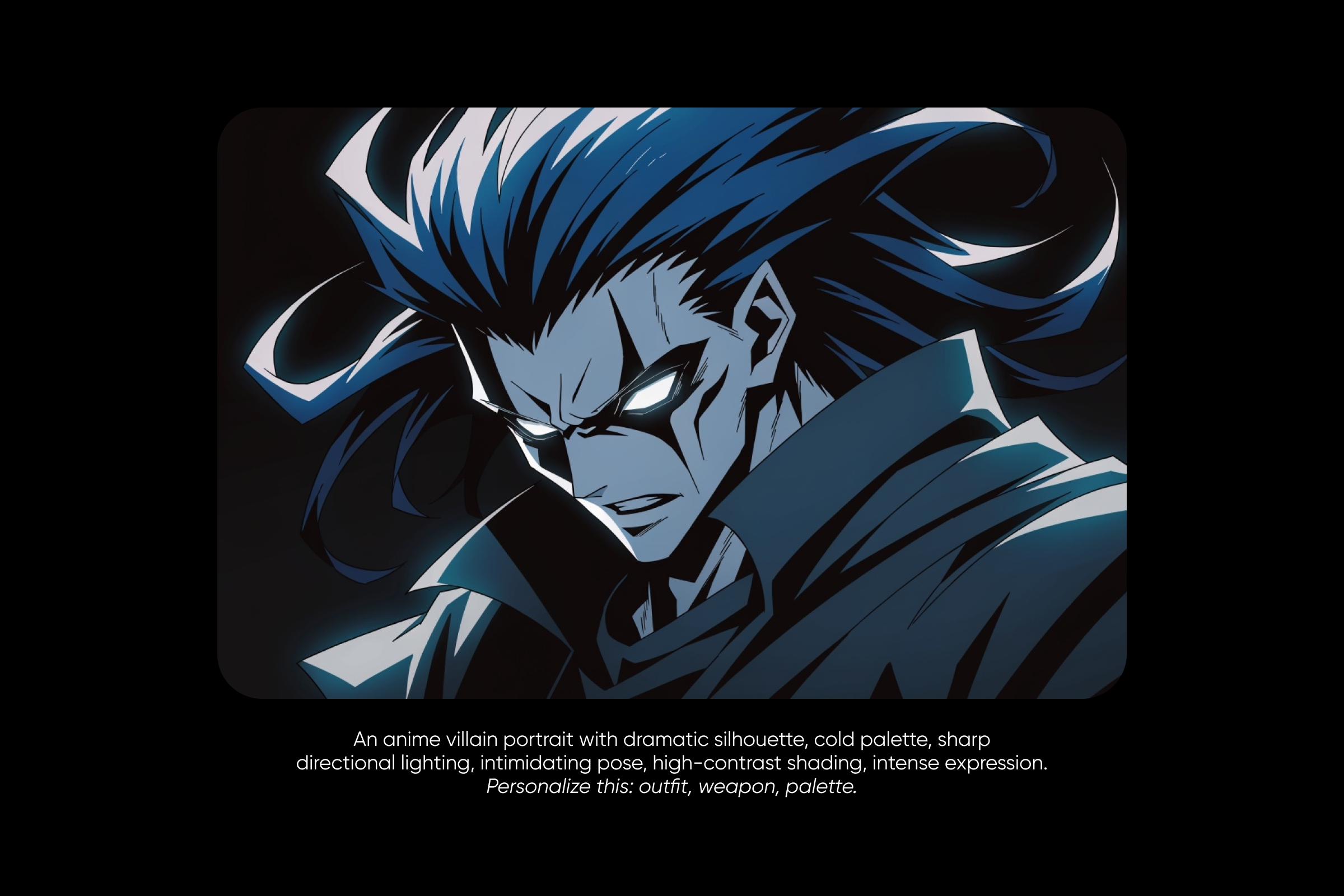
Prompt 14: An anime villain portrait with dramatic silhouette, cold palette, sharp directional lighting, intimidating pose, high-contrast shading, intense expression. Personalize this: outfit, weapon, palette.
Anime mage or fantasy character
Prompt 15: An anime mage character mid-cast, glowing magical effects, fantasy outfit detail, dynamic pose, painterly background, mood-driven palette. Personalize this: subject, magic type, palette.
Anime pet or mascot
Prompt 16: An anime mascot character with simplified design, oversized features, soft pastel palette, friendly expression, sticker-ready composition on a clean background. Personalize this: animal, palette, accessory. Best for stickers and profile pics.
Anime sports character
Prompt 17: An anime sports character mid-motion, dynamic angle, dramatic motion lines, sweat and lighting detail, jersey or uniform design, key-visual composition. Personalize this: sport, outfit, palette.
Anime everyday character
Prompt 18: An anime everyday character in a school uniform or casual outfit, slice-of-life setting, soft natural lighting, muted palette, relaxed pose. Personalize this: outfit, setting, time of day.
Set the scene with these 6 anime prompts
Anime scenes do half the storytelling. The lighting, the weather, the architecture, all of it carries the mood before a character ever steps in. Six scene and setting directions to copy and adapt.
Anime cityscape
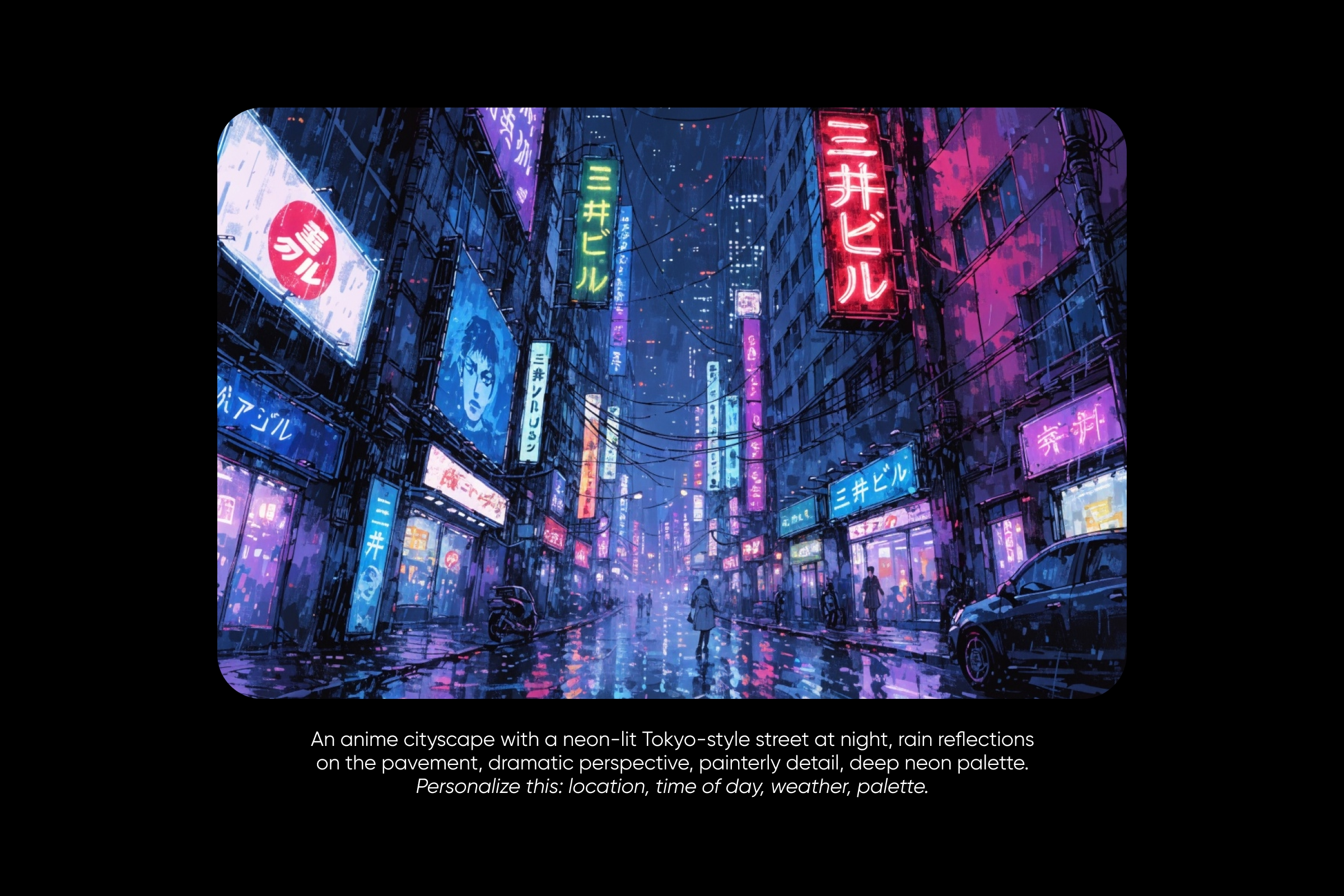
Prompt 19: An anime cityscape with a neon-lit Tokyo-style street at night, rain reflections on the pavement, dramatic perspective, painterly detail, deep neon palette. Personalize this: location, time of day, weather, palette.
Anime classroom
Prompt 20: An empty anime classroom at golden hour, light streaming through tall windows, painted-background style, soft warm palette, slice-of-life mood, low camera angle. Personalize this: time of day, palette, character presence (yes or no).
Anime nature scene
Prompt 21: An anime nature scene of a forest path at dawn or a mountain ridge at dusk, painterly Japanese-illustration style, atmospheric depth, layered foreground silhouettes. Personalize this: location, time of day, weather.
Anime interior
Prompt 22: A cozy anime interior, bedroom or cafe, with warm window light, lived-in detail, slice-of-life palette, painterly composition, soft shadows. Personalize this: room, palette, character presence.
Anime sky or weather scene
Prompt 23: An anime sky scene with dramatic clouds, a storm rolling in or a sunset gradient, mood-driven composition, painterly atmosphere, no characters. Personalize this: weather, palette, time of day.
Anime sci-fi scene
Prompt 24: An anime sci-fi scene inside a cyberpunk alley or a space station interior, neon palette, cinematic camera angle, painterly hard-surface detail. Personalize this: setting, lighting, palette.
Animate anime art with these 6 video prompts
Anime is built to move. A still character portrait can become a looping avatar, a scene can become atmospheric background motion, and a manga panel can come to life with the smallest gesture. Six video prompts that run inside Picsart’s AI Video Generator.
Looping anime portrait
Prompt 25: A looping anime portrait with the character blinking slowly, hair drifting in a soft breeze, subtle background motion, seamless 3-5 second loop, vertical 9:16 framing, profile-ready. Personalize this: subject, outfit, mood, model match.
Anime scene atmosphere clip
Prompt 26: An anime scene atmosphere clip with moving clouds, falling rain, drifting cherry petals, or flickering neon signs, painterly anime style, 5-10 seconds, no characters. Personalize this: weather, setting, palette.
Anime action sequence
Prompt 27: An anime action sequence with a dynamic camera move on a character mid-strike or mid-jump, motion lines, dramatic lighting, 5 seconds, cinematic framing. Personalize this: subject, action, palette.
AMV-style multi-shot edit
Prompt 28: An AMV-style multi-shot edit with a character intro, mood-matched cuts, music-video pacing, 10-15 seconds, vertical 9:16, modern anime style. Personalize this: subject, mood, palette.
Manga panel coming to life
Prompt 29: A black-and-white manga panel coming to life with subtle motion, eyes blinking, a page turn, ink bleeding into the next frame, 3-5 seconds. Personalize this: panel scene, motion type.
Anime opening-style intro
Prompt 30: An anime opening-style intro with a dramatic camera pull-out or pull-in on a character, key-visual feel, painterly background, 5 seconds, 16:9 cinematic framing. Personalize this: subject, camera move, palette.
Pair each video prompt with the right model. Wan 2.7 handles multi-reference stylized clips, Seedance 2.0 leans cinematic motion, Kling V3 Pro nails character motion, and Veo skews photoreal-leaning anime when realism matters.
Pick the best AI model for anime
Picsart runs 130+ models inside the AI Playground, and the one selected at the top of the canvas shapes the result as much as the prompt below it. Seven models do most of the heavy lifting for anime work.
Recraft V4 is the pick for clean lineart and design-aware illustration, with sticker-ready output and strong flat-color anime. Flux 2 Pro leans into detailed anime portraits with painterly shading, hitting key-visual quality on the first or second run.
Seedream 4.5 goes vibrant and aesthetic-led at high resolution, perfect for stylized characters and moodier anime art. Nano Banana 2 excels at reference-based anime transformations and multi-character consistency, so it’s the strongest option for image-to-image.
GPT Image 2 handles reference-based generation and prompt-driven anime edits with readable text for panels and posters. Ideogram 3.0 Flash is the typography model, the right call for anime posters, key visuals, and panels with readable title overlays. Luma Uni-1 is reasoning-first, so it shines on complex multi-character or layered anime scenes where the prompt has a lot of moving parts.
The smartest habit: run the same prompt through two or three of these inside the AI Playground and compare side by side. The winning result is rarely the first one.
Run anime prompts inside Picsart
Every prompt in this guide is built to drop straight into a working canvas. Open Picsart’s AI Image Generator for stills, the AI Playground to compare 130+ models on the same prompt, or the AI Video Generator for the six video prompts.
Paste the prompt, swap in the character details, substyle, palette, and mood that fit. For personalized results, attach a selfie, a pet photo, or an OC reference before generating, and the AI restyles the photo while keeping the subject recognizable. Pick a model from the lineup above based on the substyle, then generate and iterate one word at a time.
To animate a finished still, drop it into Picsart Flow and chain a video-gen node with Wan 2.7, Seedance 2.0, Kling V3 Pro, or Veo to turn the portrait or scene into a short clip.
Open Picsart and start prompting
The right anime prompt turns a vague idea into a finished character, scene, or panel in seconds, and iteration is the skill that compounds run after run. Open Picsart’s AI Image Generator for stills or the AI Video Generator for clips, paste any prompt from this guide, swap one word at a time, and watch how fast the result shifts. Keep supporting the human illustrators, animators, and mangaka whose work makes anime worth prompting in the first place.
Frequently asked questions
An anime prompt is a short text instruction handed to an AI tool to generate an anime-style image: a character portrait, a manga panel, a stylized avatar, or a full scene. The strongest anime prompts name the subject, the substyle (shonen, shojo, cyberpunk, slice-of-life), the mood, the composition, and a couple of personalizing extras like palette or line weight.


