logo

How to batch-generate content with the gen-ai-batch skill

SKILLS4 minAdvanced

Process hundreds of generations in one command using manifests, concurrency control, and automatic resume on failure.

How to batch-generate content with the gen-ai-batch skill

What you'll learn

  • How to import and configure the gen-ai-batch skill for large-scale operations
  • How to create JSON manifests that define batch generation parameters
  • How to control concurrency and manage credit usage across large batches
  • How to resume failed batches and pipe outputs to other tools

What is the gen-ai-batch skill?

The gen-ai-batch skill adds production-scale automation to your AI agent. Instead of generating one asset at a time, you define entire campaigns in JSON manifests and execute hundreds of generations concurrently. It handles concurrency limits, credit management, automatic retry on failure, and structured output for piping to CI/CD pipelines. Think of it as turning your agent into a render farm.

Common use cases

  • E-commerce: Re-shoot entire product catalogs with consistent styling
  • Marketing campaigns: Generate social assets across 10+ platforms at once
  • Content operations: Auto-generate featured images for 50+ blog posts
  • Localization: Create language-specific visuals for global campaigns
  • A/B testing: Generate 20 hero image variants for performance testing
  • Asset migration: Convert legacy image sets to new aspect ratios or styles

Run your batch generation step by step

STEP 1: Download and import the skill

  • On web: Go to picsart.com/cli/#skills-starter → Download gen-ai-batch → Extract to your agent's skills directory
  • On mobile: Use desktop — batch operations require a development environment with sufficient resources
Get the skill

STEP 2: Create your batch manifest

Define what you want to generate using a JSON manifest or directory scan:

  • JSON manifest: List each generation with model, prompt, and output path
  • Directory scan: Point to a folder and apply the same operation to all files
  • Concurrency control: Set max parallel jobs to manage API limits and speed
  • Credit estimation: Review total cost before executing the batch
  • Resume tokens: Automatically save progress to restart failed batches
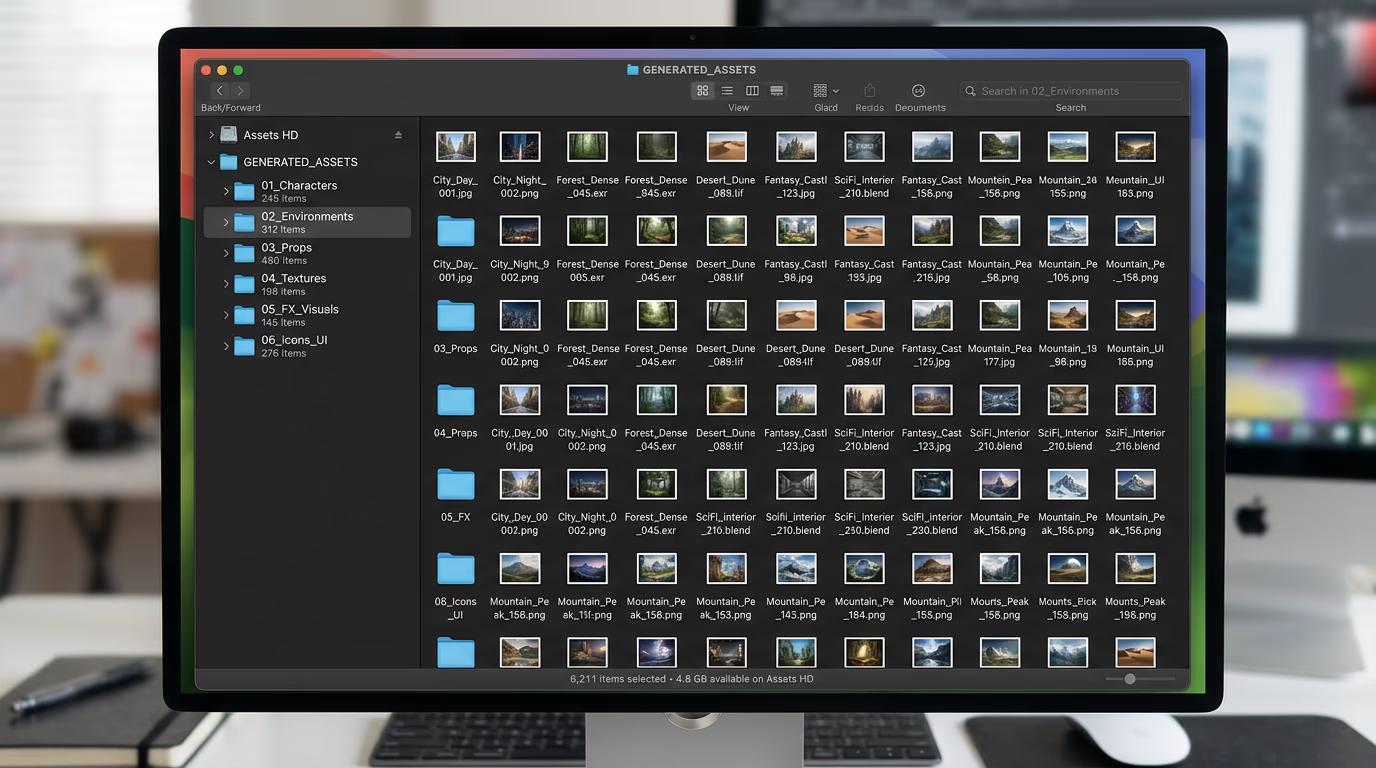
STEP 3: Execute and monitor

Your agent runs the batch job. Progress appears in real-time with completed count, failures, and estimated time remaining. Output files save to your specified directories. If the batch fails mid-run, the skill saves a resume token so you can restart without re-generating completed items.

STEP 4: Review and export

Check your output directory for completed files and verify quality: Found errors or low-quality outputs? Use the manifest to re-run specific items, or adjust prompts and regenerate the entire batch with updated parameters.

  • Verify all files generated successfully (check file count vs. manifest)
  • Spot-check quality across different generation types
  • Review the JSON output log for any API errors or skipped items
Start batch processing

Tips for best results

💡 Start small, then scale up

Before running a 500-item batch, test with 5-10 items to verify your manifest structure, prompts, and output paths work correctly. This saves credits and time if something is misconfigured.

💡 Use concurrency to balance speed and stability

Higher concurrency (10+ parallel jobs) runs faster but can hit API rate limits. Lower concurrency (3-5 jobs) is slower but more stable. Start with 5 and adjust based on your credit balance and urgency.

💡 Estimate costs before large batches

The skill can calculate total credit cost before executing. Always run an estimate for batches over 100 items to avoid mid-job failures due to insufficient credits. You can top up your balance if needed before starting.

💡 Pipe output JSON to other tools

Use silent mode and JSON output to feed results into jq, curl, or CI/CD pipelines. Example: generate product images in batch, then auto-upload to Shopify using the structured JSON response.

Manifest structure guide

  • items: Array of generation objects, each with model, prompt, and output path
  • concurrency: Max parallel jobs (default: 5, range: 1-20)
  • resumeOnFailure: Boolean to enable automatic resume tokens (default: true)
  • outputFormat: Choose json, csv, or silent for structured output
  • estimateOnly: Set true to preview cost without executing
  • failureStrategy: skip, retry, or halt — how to handle individual failures

Frequently asked questions

The skill automatically saves a resume token with completed items. When you restart, it skips already-generated files and continues from where it stopped. This prevents wasted credits and time on large batches. You can also manually specify which items to retry.

Set estimateOnly: true in your manifest or ask your agent to estimate the batch cost. The skill calculates total credits based on your models and item count, then displays the estimate without executing. This lets you decide whether to proceed or adjust the batch.

Yes. Each item in your manifest can specify its own model, prompt, aspect ratio, and output path. This is useful for campaigns where you need diverse styles or formats — for example, Flux for product photos and Recraft for illustrations, all in one batch.

Use JSON or CSV output format and pipe the results to other tools. The skill outputs structured data with file paths, models used, and generation metadata. You can feed this into jq for filtering, curl for uploads, or CI/CD steps for automated deployment.

Ready to scale your content production?

Import the gen-ai-batch skill and automate hundreds of generations in one command.

Download skill