Multimodal video, one unified model
What you can create with Kling 3.0 Omni Motion Control
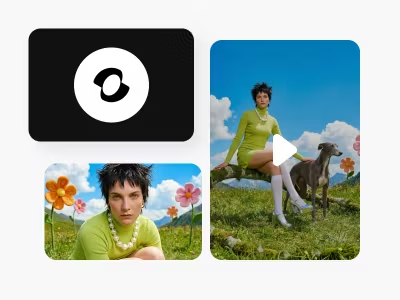
Upload multiple reference images and a voice clip to lock a character's visual identity and voice. Generate consistent character videos across scenes — the same face, outfit, and voice in every shot. Ideal for recurring characters in series content.
Kling 3.0 Omni Motion Control FAQ
What is Kling 3.0 Omni?
How is Kling 3.0 Omni different from Kling 3.0?
Kling 3.0 (V3) generates video from text or image prompts with optional basic audio. Kling 3.0 Omni generates video, audio, and character identity in a unified pass. Key Omni-exclusive features: multi-image + voice reference for character locking, Omni Edit for targeted video modification, multi-character coreference (3+ characters with distinct voices), native lip-sync in 5 languages, and audio continuity across multi-shot storyboards.
What is Omni Edit?
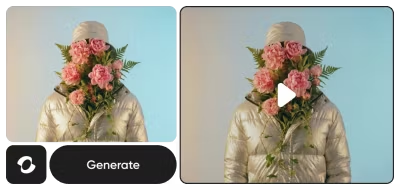
Omni Edit is a targeted video editing feature exclusive to Kling 3.0 Omni. It lets you mask specific areas of an existing video and change only those elements — swap clothing, modify backgrounds, adjust weather, or restyle characters — while keeping the rest of the video intact. It works on both AI-generated and uploaded video.
How does reference-based generation work in Kling 3.0 Omni?
Upload multiple reference images showing different angles of a character plus a 3-second voice clip. Kling 3.0 Omni locks both the visual identity and voice to that character, maintaining consistency across all generated scenes. It supports multi-character coreference — 3 or more distinct characters with separate locked voices in a single scene.
What languages does Kling 3.0 Omni support for audio?
Kling 3.0 Omni generates native lip-synced dialogue in 5 languages: English, Chinese, Japanese, Korean, and Spanish. It also supports multiple dialects and accents within each language. Audio is generated alongside the video in a single pass — not dubbed or post-processed.
Which Picsart tools use Kling 3.0 Omni?
Kling 3.0 Omni is available in four Picsart tools: AI Video Generator (direct video generation), AI Playground (open creative experimentation), Flow (automated multi-step video pipelines), and AI Storyline (multi-shot narrative creation with audio continuity).
Do I need video editing skills to use Kling 3.0 Omni?
No. Kling 3.0 Omni is integrated into Picsart's tools which handle the technical complexity. Type a prompt, upload references, and generate. Omni Edit uses simple masking to modify specific video elements — no timeline editing or compositing required.
Can I use Kling 3.0 Omni videos for commercial projects?
Yes. Videos generated through Picsart's tools powered by Kling 3.0 Omni can be used for marketing, social media, brand content, advertising, and other commercial purposes under Picsart's terms of service.