


AI video creation is changing the content game – faster, easier, and more dynamic than ever before. From social media clips to brand reels, knowing how to create AI video gives you a major edge. And the best part? You can do it for free, no fancy gear or editing expertise required.
In this guide, you’ll learn how to create an AI video for free using cutting-edge tools like the Picsart AI Video Generator. We’ll walk through text-to-video and image-to-video options, advanced settings, and how to polish your final edit like a pro. Whether you’re experimenting for fun or looking to scale content production, this is your all-in-one resource.
Why AI video creation is blowing up
Creators and marketers are turning to AI for one simple reason: speed meets creativity. With just a prompt or a photo, AI video tools generate engaging content in minutes. That means less time editing and more time sharing.
You might be wondering:
- Can I create an AI video of myself?
- What is the best AI video generator for free?
- Can ChatGPT make an AI video?
Let’s break it down, and yes, with the right tools, all of the above are possible.
Create AI videos with Picsart in minutes
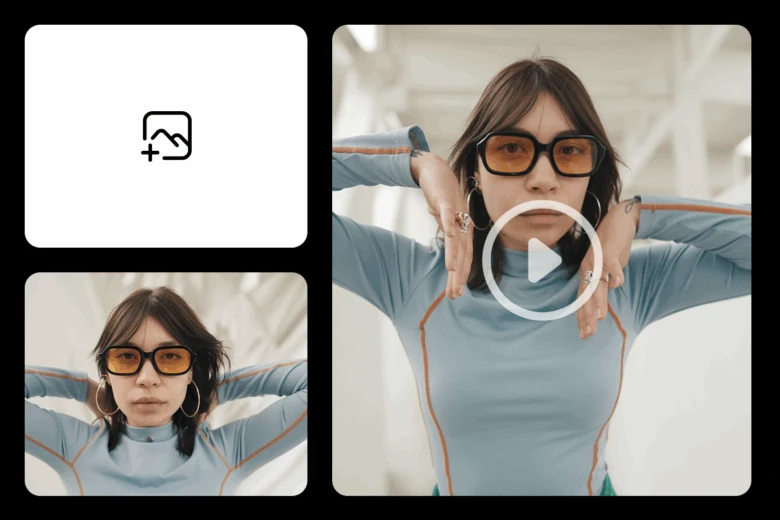
Ready to dive in? Here’s how to create an AI video using Picsart’s AI Video Generator.
Want to know how to create an AI video without breaking a sweat? Here’s the exact flow using Picsart’s AI Video Maker:
1. Open the AI Video Maker
Head to the AI Video Generator and click to get started. No complicated tools or software installs – everything works right in your browser.
2. Upload an image or enter a text prompt
Choose your starting point. Want to animate a photo? Upload it. Prefer to describe your scene in words? Just type your prompt into the box.
3. Customize style, mood, or length
This is where the creative control kicks in. Adjust things like video style, mood, and length to match your vision. Whether it’s cinematic, dreamy, or quick and snappy – you decide.
4. Generate your video in seconds
Click generate and let the AI do its thing. Within moments, your custom video will be ready.
5. Download or share your video in seconds
Once it’s complete, preview your video, then download it or share it directly to your go-to platforms. Easy, fast, and totally share-worthy.
Edit your AI-generated videos like a pro
Once your video is ready, you’re not locked in. Use the Picsart Video Editor to trim, add music, apply filters, and more.
Want to layer in transitions or text animations? Head to the full suite of video tools designed to enhance your content. Whether you’re working on Reels, YouTube Shorts, or ad creatives, you have everything you need to polish your clips.
Need a fast solution for more involved projects? Try the Picsart Video Maker – it’s perfect for combining multiple AI-generated scenes, adding audio tracks, and creating a final, share-ready product.
And if you’re looking for power-user tricks, check out this blog post on 5 features in Picsart video editor you probably didn’t know about to go even deeper.
What’s the best free AI video generator?
Based on ease of use, customization, and quality of results, Picsart easily ranks among the best free AI video generators available online. You can generate short videos for content marketing, personal projects, or social media – all without leaving your browser.
Still wondering, how do I make an AI video? Just remember: choose your input (text or image), pick a style, add detail, and let the AI do the rest.
Final thoughts
AI is transforming video creation into something fast, fun, and wildly creative. Whether you want to visualize your thoughts with a Text-to-Video AI free online tool or give life to a still photo using an AI Image-to-video generator, Picsart offers an easy and powerful way to do it.
So go ahead – experiment, create, and level up your content game. Because the future of video isn’t just professional, it’s AI-powered, creator-friendly, and completely in your hands.


