


Learning how to design a logo is one of the most valuable skills for building a personal brand, business, or creative project. A logo is more than just a symbol – it’s the visual identity that makes your brand recognizable. The good news? You don’t need to be a professional designer to create a unique, eye-catching logo. Today, anyone can design a logo online for free with easy-to-use tools like a logo maker AI.
🖌️ How to design a logo in simple steps
- Define your brand identity
– Ask: What does the brand stand for? Who’s the audience? What feelings should the logo evoke? - Look for inspiration
– Collect references: Pinterest boards, competitor logos, moodboards. Pay attention to colors, fonts, and symbols. - Choose your style
– Decide on the type of logo:- Wordmark (text-based, like Google)
- Lettermark (initials, like IBM)
- Pictorial (icon/symbol, like Apple)
- Abstract/Combination (symbol + text, like Adidas)
- Pick colors & fonts
– Use a limited palette (2–3 colors max).
– Choose fonts that reflect your brand (e.g., modern sans-serif for tech, serif for tradition). - Sketch ideas
– Start rough on paper or in a digital sketch tool. Experiment with variations. - Create a digital draft
– Use tools like Picsart, Canva, Illustrator, or Figma to turn sketches into clean designs. - Refine & simplify
– Remove clutter. A strong logo is recognizable even when tiny. - Test it out
– Place it on mockups (business cards, websites, social media) to see how it works in real contexts. - Get feedback & finalize
– Ask peers or clients for opinions. Refine details and export in multiple formats (PNG, SVG, PDF).
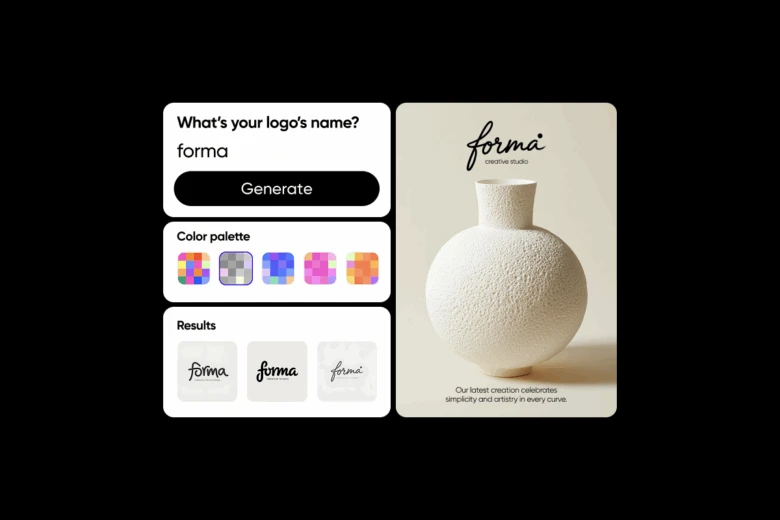
The easiest way to design your own logo is to use a logo maker that generates ready-to-use options you can customize. For example, the Picsart Logo Generator lets you type in your brand name and instantly create unique concepts. From there, you can edit fonts, colors, and icons until it feels right.
How do I design my own logo?
If you want to design a logo online, follow this simple process:
- Brainstorm your brand values – Write down keywords that describe your business or project.
- Choose your style – Minimalist, bold, modern, or playful.
- Use a logo maker AI – Generate ideas in seconds instead of starting with a blank canvas.
- Customize your design – Adjust text, layout, and colors to match your vision.
- Save and download your logo – Make sure you export high-quality files for web and print.
How to design a logo as a beginner
If you’re just starting out, the idea of designing a logo can feel overwhelming. That’s why using editable logo templates is a smart choice. With Picsart’s Logo designs, beginners can start with a professional layout and simply adjust the details. This approach saves time while still giving you creative control.
How to design a logo from scratch
Wondering how to design a logo from scratch without relying on presets? Here’s a step-by-step guide:
- Sketch your ideas – Even rough sketches can help you visualize the final look.
- Pick the right typography – Fonts communicate personality (think bold sans-serif for modern brands, elegant serifs for premium).
- Focus on shapes and symbols – Use icons that align with your niche or values.
- Apply the golden rule – Keep it simple, scalable, and memorable.
- Test your design – Make sure your logo looks good on small screens, business cards, and social media.
If you’d rather not sketch, you can explore ready-made Logo Templates to build from.
What is the golden rule for logos?
The golden rule of logo design is simplicity. A good logo is easy to recognize, works in black and white, and looks just as strong at 20 pixels as it does on a billboard. The most famous logos – Apple, Nike, McDonald’s – all share this trait. Overcomplicating your design with too many colors or details can make it forgettable.
Can ChatGPT design a logo?
While ChatGPT can’t create visual files directly, it can help brainstorm logo ideas, generate color palettes, or suggest typography pairings. Once you’ve got the inspiration, you can bring it to life with a free logo generator. Many people use AI prompts alongside PNG Logos from Picsart to speed up the process and polish their brand identity.
Generate free logos with Picsart
You can design a logo from scratch, use a logo maker AI, or explore free logo templates – Picsart has the tools to make it fast and simple. Experiment with colors, fonts, and icons until your design feels authentically yours.
Conclusion
Learning how to design a logo doesn’t require years of training – just the right tools and a clear idea of your brand identity. From brainstorming to customizing with a logo maker, you can design a logo online in minutes. Whether you’re a beginner or ready to experiment with advanced features, Picsart gives you everything you need to create a free, professional-quality logo that stands out.


