FAQs about Picsart vs Canva
What is the main difference between Picsart and Canva?
Is Picsart better than Canva for photo editing?
Both platforms are beginner-friendly, but Picsart offers strong ease of use for photo editing through intuitive tools, one-tap enhancements, and accessible AI features that make visual creation feel simple from the start. Canva is designed for quick layout creation and template-based workflows, which helps beginners produce polished designs with minimal effort.
Is Canva a good alternative to Picsart?
Canva is a good alternative if you mostly need presentations or structured templates. But if you want editing power, AI creativity, customizable templates, and a flexible workspace, Picsart is a more comprehensive choice if your workflow relies heavily on editing, AI features, and flexible creative tools.
Picsart vs Canva for beginners, which is easier?
Both are beginner-friendly, but Picsart makes editing easier with one-tap enhancements, intuitive AI tools, and simple photo adjustments. Canva is easier for layout-driven tasks like presentations, while Picsart is easier for anything visual, creative, or image-based.
Which has better templates: Picsart or Canva?
Canva has more business and presentation templates. Picsart offers richer visual templates – aesthetic styles, social formats, ads, and creative layouts built for modern content creation. If you care about visual storytelling, Picsart’s templates hit closer to the creator workflow.
Can Picsart replace Canva?
Picsart can replace Canva if your work revolves around visuals, editing, and creative content. It combines design tools, advanced photo editing, AI features, and templates in one workspace. Canva, on the other hand, is strong for presentation-style designs, brand kits, and structured layouts, so the better fit depends on the type of projects you handle most.
Picsart or Canva: which is better overall?
Choose Picsart if you want advanced editing tools, AI features, and a flexible space for creating visuals from scratch. Choose Canva if your work relies on structured templates, branded content, or presentation-friendly designs. Both platforms excel in different areas, so the best fit depends on the type of projects you create most.
Can you suggest some alternatives to Canva Pro?
Yes, options include Picsart, Adobe Express, VistaCreate, Fotor, and Desygner. For creators who want editing + design in one place, Picsart is the most versatile Canva Pro alternative.
What are the main differences between Canva and Picsart?
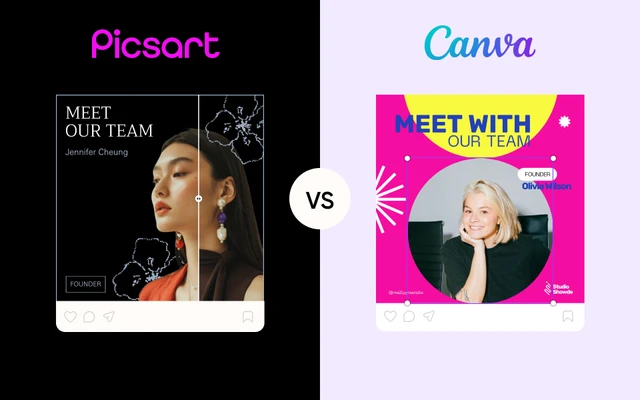
Canva is built around templates, presentations, and team collaboration. Picsart is built around creativity – advanced editing, AI tools, customizable templates, and mobile + web flexibility. Canva simplifies layout design; Picsart empowers visual creation at a deeper level.
What is the best alternative to Canva?
If you’re looking for a platform that goes beyond static layouts, Picsart is the best Canva alternative for creators who want deeper editing tools, AI features, and visual flexibility.
Can Picsart be used for teams?
Yes. Picsart supports teams with easy team setup, streamlined account management, bulk editing tools for high-volume work, and Picsart Flows – a real-time collaboration space where teams can create and review visuals together.