கருப்பு பின்னணிகளை இலவசமாக அகற்றவும்
 Pick an image or a video
By uploading a file, you agree to Picsart’s תנאי שימוש and מדיניות פרטיות.
ஏ.ஐ பட மாதிரிகளை கொண்டு கருப்பு பின்னணி திருத்தங்களை உருவாக்கவும்
பட மாதிரிகளை பயன்படுத்தி வீட்டுக் கருவிகளை இருண்ட தயாரிப்பு படங்கள், விளம்பரங்கள் மற்றும் நிகழ்ச்சிகளாக மாறுங்கள்.

இலவசமும் துல்லியமானதும்
Picsart இன் ஏ.ஐ யின் மூலம் கருப்பு பின்னணி அகற்ற இன்னும் ஒரு பொத்தானிலேயே, இலவசமாக உடனடியாக நடக்கின்றது!

பல்வேறு வடிவமைப்பின் எளிமையானது
தொழில்முறையில் அல்லது தனிப்பட்ட பயன்படுத்தப்பட்டது பொருத்தமின்றி, பல விதமான வடிவமைப்பு செயலிகளை இலவச அணுகல் செய்ய ஏற்றதாக கருப்பைப் பொறுத்தத்தைப் புறக்கணிக்கவும்.

தொகுதி அகற்றம்
காலத்தைச் சேமிக்கவும் உங்கள் வேலைப்பாட்டை எளிதாக்கவும் ஒரு முறை பல படங்களில் இருந்து கருப்பு பின்னணிகளை அகற்றவும்.
ஒரு படத்திலிருந்து கருப்பு பின்னணியை எப்படி அகற்றுவது
உங்கள் புகைப்படத்தை பதிவேற்றுக
"புகைப்படத்தை பதிவேற்றுக" பொத்தானை யுசெய்து, உங்கள் புகைப்படத்தைத் தேர்வுசெய்து, Picsart உங்கள் புகைப்படத்திலிருந்த கருப்பு பின்னணியை தானாகவே அகற்றும்.
பதிவிறக்க அல்லது தனிப்பயனாக்கவும்


கருப்பு பின்னணி அகற்றல் விவரக்குறிப்பு
கருப்பு பின்னணி அகற்றும் கருவி என்றால் என்ன?
கருப்பு பின்னணியை எப்படி அகற்றுவீர்கள்?
சில முறைகள் இப்பொழுது திருத்தப்படும்: கருப்பு பின்னணியை அகற்றும் Picsart இலவச கருவி: AI பயன்பாட்டின் மூலம் கருப்பு பின்னணியைக் கண்டறியவும், Photoshop பயன்படுத்தி கையேடாக நீக்கவும்: фронткை தேர்வுசெய்து பின்னணியைச் சுருக்கவும்.
கருப்பு பின்னணி அகற்றல் செயல்முறை எப்படி செயல்படுகிறது?
கருப்பு பின்னணி அகற்றல் செயல்முறை இப்படியே வேலை செய்கிறது:
- நீங்கள் படம் பதிவேற்றுகிறீர்கள் அகற்ற வேண்டிய பின்னணி அடைய வேண்டும்
- Picsart படம் பகுப்பாய்வு செய்கிறது மற்றும்_AI
- பிறகு, Picsart கருப்பு பின்னணியை அகற்றுகிறது மற்றும் பின்னணிக்குள் ஒரு அறியாத பதில் விடையை என்னும் நிறுத்துகிறது
- அதற்கு பின்னர் படத்தை பதிவிறக்குகிறது மற்றும் இணைத்து டூல்களைப் பயன்படுத்தி இறுதியில் ஒருவேளை மாற்றவோம்
கருப்பு பின்னணி அகற்றல் இலவசமாக இருக்கிறதா?
ஆம், நீங்கள் Picsart மூலம் ஆன்லைனில் கருப்பு பின்னணிகளை இலவசமாக அகற்றலாம்.
எந்த வழியாக ஒரு படத்தில் உள்ள கருப்பு பின்னணியை எடுத்துக்கொள்ள முடியுமா?
ஆம். Picsart பயனர்களுக்கு எந்த மென்பொருளையும் பதிவிறக்க தேவையில்லாமல் உலாவி மெனியில் கருப்பு பின்னணி நீக்க அனுமதிக்கிறது.
எந்த வகை படம் இருந்தாலும் கருப்பு நிற பின்னணி நீக்க முடியுமா?
ஆம், கருப்பு பின்னணி நீக்கி கருப்பு பின்னணிகளை புகைப்படங்கள், விளக்கப்படங்கள் மற்றும் லோகோக்கள் உட்பட பெரும்பாலான வகையான படங்களிலிருந்து நீக்க கைவிட முடியும். என்பதை தீர்க்கவும். तथापि, சில படங்களை பின்னணிகளை நீக்குவதில் மற்றவற்றைவிட சவாலாக இருக்கலாம்.
மேலும் பல பின்னணி கருவிகளை கண்டறியுங்கள்
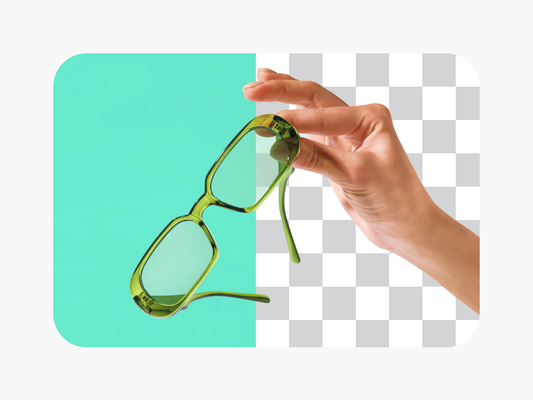


சுத்தமான கிரியேட்டர் உள்ளடக்கத்திற்காக காட்சிகளை சுத்தம் செய்யுங்கள்
Pro
כלי בינה מלאכותית לעבודה יצירתית יומיומית.
- גישה לכל תכונות עריכת התמונות והווידאו
- הסרת רקע ואובייקטים מתקדמת
- Parallel video generations with the world's most powerful AI video models
- Unlimited image generations with Flex.2 Klein
- משפר תמונה בלחיצה אחת
- Millions of stock photos & Getty video clips
- מבחר גופנים, סגנונות טקסט ומדבקות אופנתיים
- אלפי תבניות פרימיום
- Support for 3+ brand kits
- Bulk edit up to 50 images at once
- 100 GB of cloud storage
- 15+ creative AI agents that plan, execute, and deliver — across video, brand, localization, and more
- Auto-generate content from your terminal or agent with the Picsart CLI
- Use Picsart inside Claude Code, Cursor, and ChatGPT via MCP
Ultra
שימוש נרחב בבינה מלאכותית עבור יוצרים וצוותים.
- 140+ leading AI video, image, and audio models (Kling 3.0, Nano Banana, Veo 3, Seedance 2.0 & more)
- Parallel video generations with the world's most powerful AI video models
- גישה מוקדמת לתכונות מתקדמות של בינה מלאכותית
- Unlimited image generations with Flex.2 Klein
- Option to buy add-on credits that never expire
- Up to 6.5 million Getty stock videos
- Bulk edit up to 100 images at once
- Support for 10+ brand kits
- Create ad variations & localize
- מעקב אחר ביצועי המודעות
- הוספת מושבי קבוצה
- 300 GB of cloud storage per seat
- 15+ creative AI agents that plan, execute, and deliver — across video, brand, localization, and more
- Auto-generate content from your terminal or agent with the Picsart CLI
- Use Picsart inside Claude Code, Cursor, and ChatGPT via MCP