
స్మార్టర్ ఏఐ-పవర్డ్ ఎడిటింగ్
మీ దృశ్యాన్ని అర్థం చేసుకునే మరియు కేవలం సెకన్లలో సవ్యమైన ఫలితాలను అందించే AI వీడియో ఎడిటింగ్ టూల్స్తో ప్రొఫెషనల్ వీడియోలను సృష్టించండి.

ప్రాంప్ట్లతో ఒక క్లిక్లో వీడియో ఎడిటింగ్
ఫాస్ట్, సింపుల్, మరియు ప్రతి సారీ సవ్యమైన ఫలితాలను అందించడానికి రూపొందించబడిన ఒక క్లిక్ వీడియో ఎడిటింగ్ ఉపయోగించి సెకన్లలో మీ ఫుటేజ్ను మెరుగుపరచండి.

విజువల్ ఎఫెక్ట్స్ (VFX) సింప్లిఫైడ్
సినిమాటిక్ ఎఫెక్ట్స్, పదునైన వివరణ, మరియు జీవా రంగులతో నిండిన నాణ్యత గల ఏఐ వీడియోలను సృష్టించండి - ప్రతి ప్రాజెక్ట్ ప్రత్యేకంగా నిలబడేలా స్వయంచాలకంగా అన్వయించినవి.
AI నడిపించిన ఎడిటింగ్ సాధనాలతో ఉత్పాదకతలో వృద్ధి
AI-ఉత్పత్తి వీడియో టూల్లను ఉపయోగించే వ్యాపారాల కోసం సగటు ఖర్చు ఆదా
ఏఐ-పవర్డ్ ఎడిటింగ్ సహాయముతో ప్రతి వీడియో ప్రాజెక్ట్కు సేవ్ చేస్తుంది
అదనపు వనరులు లేకుండా కంటెంట్ అవుట్పుట్లో వృద్ధి
ఏఐతో వీడియోను ఎలా సవరించాలి
మీ వీడియోను అప్లోడ్ చేయండి
కంపెనింగ్ సవరించేందుకు సోర్స్ వీడియోని ఎంచుకోండి లేదా అప్లోడ్ చేయండి.
మీ మార్పులను వివరించండి
సూచనలు జోడించండి (ఐచ్ఛికం)
మీ వీడియోను రూపొందించండి
ప్రతి సృష్టికర్త కోసం ఏఐ వీడియో ఎడిటర్
క్లిప్లను సవరించండి, ఎఫెక్ట్లను జోడించండి మరియు మీ కంటెంట్ను ట్రెండ్ చేయించండి.

మీ కోసం అవసరమయ్యే అన్ని AI వీడియో ఎడిటింగ్ లక్షణాలు
మీ వీడియోల యొక్క రూపాన్ని వెంటనే పెంచే సినిమాటిక్ ఎఫెక్ట్లను జోడించండి.
నేపథ్యాలను సెకన్లలో మార్చి, మీ సబ్జెక్ట్ను ఎక్కడైనా తురిపించండి.
ఎటువంటి శైలిలోనైనా లేదా వాతావరణంలో వస్తున్నట్లులోని ఎటువంటి మార్పులను చేయండి.
విస్తరించబడిన, మరింత డైనమిక్ షాట్ల కోసం మీ ఫ్రేమ్ను సులభంగా విస్తరించండి.
AI-ఉత్పత్తి ప్రత్యామ్నాయాలతో అనవసర వస్తువులను మార్చండి.
మీ వీడియో సహజంగా ఉంచుతున్నప్పుడు వ్యక్తులను లేదా పాత్రలను మార్చండి.
సృజనాత్మక వయస్సు మార్పులు మరియు శైలీకృత రూపాలను కలిపి అప్డేట్లు చేయండి.
ఒకే తడుగుతో శుభ్రంగా వీడియో నేపథ్యాలను తీసివేయండి లేదా మార్పునిపించండి.
ఏఐ వీడియో ఎడిటర్ FAQ
ఏఐ వీడియో ఎడిటర్ అంటే ఏమిటి?
ఏఐ వీడియో ఎడిటర్ ఎలా పని చేస్తుంది?
కేవలం మీ ఫుటేజ్ను అప్లోడ్ చేసి, ఒక శైలి, ఎఫెక్ట్, లేదా ప్రాంప్ట్ను ఎంచుకోవడం, AI స్వయంచాలకంగా నాణ్యత అన్వయిస్తుంది, ఎఫెక్ట్లను జోడిస్తుంది లేదా మార్పులను అన్వయిస్తారు - ఇవన్నీ కొన్ని క్లిక్ల్లోనే పూర్తి అవుతుంది.
Picsart యొక్క ఏఐ వీడియో ఎడిటర్ వేరుగా ఏమిటి?
సంప్రదాయ సాధనాలతో తప్పగా, Picsart యొక్క ఏఐ వీడియో ఎడిటర్ ఉచితంగా, ఉపయోగించడం సులభంగా, మరియు VFX, నేపథ్య తొలగింపు, మరియు AI-పవర్డ్ ప్రాంప్ట్ల వంటి సామర్ధ్యాలు పుషికించి ఉంటుంది - ఇవన్నీ సమయాన్ని సేవ్ చేసి సవ్యమైన ఫలితాలను అందించడానికి రూపొందించబడ్డాయి.
AIతో వీడియో నేపథ్యాన్ని తొలగించగలదా?
అవును, Picsart యొక్క వీడియో నేపథ్య తొలగింపు ద్వారా మీరు సెకన్లలో నేపథ్యాలను తొలగించవచ్చు లేదా మార్చవచ్చు.
ఏ ఫైల్ ఫార్మాట్లు AI వీడియో ఎడిటర్ సపోర్ట్ చేస్తుంది?
ఎడిటర్ ప్రజాదరణ పొందిన వీడియో ఫార్మాట్లను, అంటే MP4, MOV మరియు AVI వంటి ఫార్మాట్లను సపోర్ట్ చేస్తుంది, దీనితో మీ ప్రాజెక్టులను దిగుమతి చేయడం మరియు ఎగుమతి చేయడం సులభం.
AIతో వీడియోను ఎడిట్ చేయడానికి ఎంత సమయం పడుతుంది?
చాలా వీడియోలు కేవలం కొన్ని నిమిషాల్లో మెరుగుపరచబడతాయి, ఎడిట్ చేయబడతాయి, మరియు ఎగుమతి చేయబడతాయి, వీడియో పొడవు మరియు అన్వయించిన ఎఫెక్ట్లపై ఆధారపడుతుంది.
సంప్రదాయ ఎడిటింగ్తో పోలిస్తే ఏఐ వీడియో ఎడిటింగ్ ఎలా భిన్నంగా ఉంటుంది?
ఏఐ వీడియో ఎడిటింగ్ రంగుల సమన్వయం, ఎఫెక్ట్లు మరియు దృశ్యాల సరిదిద్దింపు వంటి సంక్లిష్టమైన పనులను ఆటోమేట్ చేస్తుంది. ఇది సమయాన్ని ఆదా చేస్తుంది, శ్రమను తగ్గిస్తుంది, మరియు ఏవైతే ప్రొఫెషనల్ నాణ్యతగల ఎడిటింగ్ను అందించడానికి పొందుపరచగల సమర్థతలు అందించగల దర్యాప్తులకు లభ్యం చేస్తుంది.
ఇంకా ప్రేమించదగిన సాధనాలు
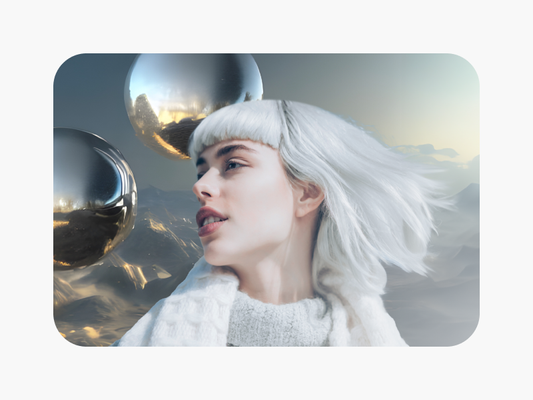


ప్రతీ కంటెంట్ ఆలోచన కోసం AIతో వీడియోలను ఎడిట్ చేయండి
Free
సాధారణ అన్వేషణ కోసం ప్రాథమిక సాధనాలు.
- ప్రామాణిక ఫోటో & వీడియో ఎడిటింగ్ సాధనాలు
- ఉచిత చిత్రాలు, వీడియోలు & అనుకూలీకరించదగిన టెంప్లేట్ల ఎంపిక
- పరిమిత AI యాక్సెస్
- 100 MB of cloud storage