AI Image
AI Video
Library
Solutions
Community
MCP & CLI
Pricing
  1. Home
  2. వీడియోకు సంగీతాన్ని జోడించు

వీడియోకు సంగీతం జోడించండి

AI ఉపయోగించి కస్టమ్, కాపీరైట్-సేఫ్ సంగీతం సృష్టించండి లేదా ఉపయోగానికి సిద్ధమైన ట్రాక్‌లను విహారించండి. ఒక వేగవంతమైన, సరళమైన ఆన్‌లైన్ ఎడిటర్‌లో వీడియోకు వాయిస్‌ఓవర్‌లు, సౌండ్ ఎఫెక్ట్‌లు మరియు బ్యాక్‌గ్రౌండ్ ఆడియోను జోడించండి.

వీడియోకు ఆడియో జోడించండి

జోడించిన సంగీతం సహా యానిమేటెడ్ సముద్రతీర ప్రకార వీడియో
జోడించిన సంగీతం సహా ప్లష్ బొమ్మల పోర్ట్రెట్ వీడియో
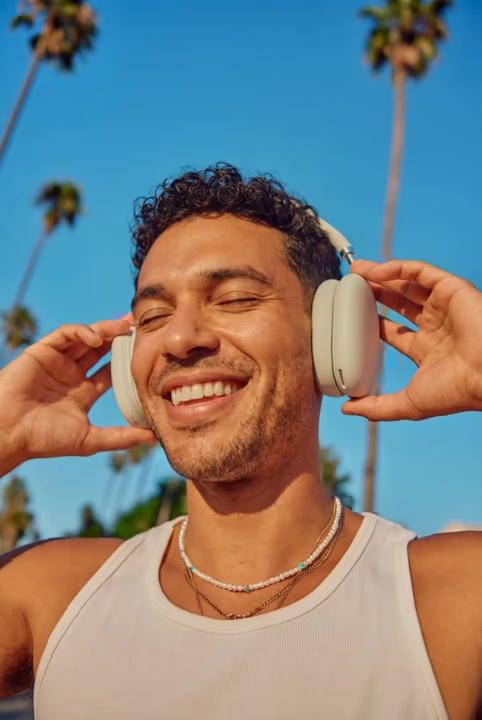
జోడించిన సంగీతం సహా బహిరంగ హెడ్‌ఫోన్‌ల వీడియో
జోడించిన సంగీతం సహా 3D క్యారెక్టర్ నియాన్ వీడియో
జోడించిన సంగీతం సహా చెర్రీ బ్లాసమ్ వీడియో
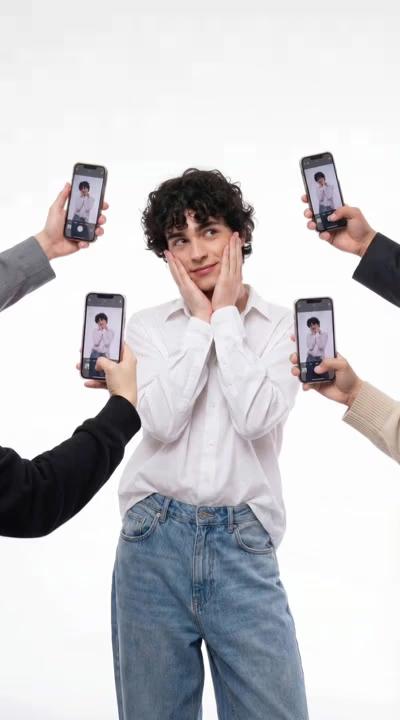
జోడించిన సంగీతం సహా సోషల్ మీడియా పోజ్ వీడియో
జోడించిన సంగీతం సహా సూర్యాస్తమయం నృత్యం వీడియో
జోడించిన సంగీతం సహా సరియలు మెర్షూమ్ వీడియో
జోడించిన సంగీతం సహా హెడ్‌ఫోన్‌ల వీడియో
సంగీతం చిహ్నం జోడించండి

వేగవంతమైన సంగీతం జోడించడం

సంగీతం మరియు విజ్యువల్‌లను సంపూర్ణంగా సమకాలీకృతంగా ఉంచే సరళమైన ఎడిటర్ ఉపయోగించి సెకన్లలో వీడియోకు సంగీతం జోడించండి.

ఆడియో సంపాదన చిహ్నం

సహజమైన ఆడియో సంపాదన

సహజమైన ఎడిటర్ ఉపయోగించి వీడియోకు ఆడియో జోడించండి, ట్రాక్‌లను పరీక్షించడం మరియు వివిధ క్షణాలలో వాల్యూమ్‌ను నియంత్రించడం సులభం చేస్తుంది.

మైక్రోఫోన్ చిహ్నం

సరళమైన వాయిస్‌ఓవర్ వర్కఫ్లో

వాయిస్‌ను ఎంచుకుని, రికార్డింగ్ లేదా అतిరిక్త సామగ్రి లేకుండా వ్రాయబడిన పాఠ్యాన్ని కথితమైన ఆడియోకు మార్చండి.


వీడియోకు సంగీతం జోడించడం ఎలా

1

అనువర్తనాల ప్যానెల్‌ను తెరండి

ఎడమ సైడ్‌బార్‌లో, సంపాదన సాధనాలను విహారించడానికి అనువర్తనాలను క్లిక్ చేయండి.

2

ఆడియోను శోధించండి

3

సంగీతం లేదా వాయిస్‌ఓవర్ జోడించండి

4

సర్దుబాటు చేయండి మరియు ఎగుమతి చేయండి

టోన్ సెట్ చేయడానికి వీడియోకు సంగీతం జోడించండి

సంగీతం వీడియోను నిర్మించడానికి మరియు దృశ్యాలు ఎలా సংযోగం చేయాలో గైడ్ చేయడానికి సహాయపడుతుంది. ఈ వీడియో సంగీతం ఎడిటర్‌తో, నైపుణ్యం లేదా సॉఫ్ట్‌వేర్ ఇన్‌స్టాల్‌లు లేకుండా ఆన్‌లైన్‌లో వీడియోకు సంగీతం జోడించవచ్చు. ట్రాక్‌ను ఎంచుకోండి, ఇది సరిపోయిన చోట ఉంచండి, మరియు వీడియోర యొక్క ప్రవాహానికి మద్దతు ఇవ్వడానికి సమయం మరియు వాల్యూమ్‌ను సర్దుబాటు చేయండి, మీరు వ్యక్తిగత క్లిప్‌లు లేదా రోజువారీ కంటెంట్‌ను సంపాదించినా సరే.


ట్రెండింగ్ ట్రాక్‌లతో వీడియోకు ఆడియో జోడించండి

ప్రస్తుత ఆడియో శైలిలను ఉపయోగించడం వీడియోలను నేటి కంటెంట్ ఫార్మాట్‌లకు సమలేఖనం చేయడానికి సహాయపడుతుంది. జనప్రియ ఆడియో ఆప్షన్‌లతో వీడియోకు ఆడియో జోడించినప్పుడు, మీ క్లిప్‌లు ప్లాట్‌ఫాంమ్‌లలో మరింత సంబంధితంగా ఉంటాయి. విస్తృత వర్గాలు నుండి వీడియోల కోసం బ్యాక్‌గ్రౌండ్ సంగీతం ఎంచుకోండి, వాల్యూమ్ స్థాయిలను సర్దుబాటు చేయండి, మరియు ట్రాక్‌లను ఖచ్చితంగా ఉంచండి, అవి మీ వీడియోర ప్రతిభాగానికి మద్దతు ఇస్తాయి.


AI-జనరేటెడ్ ఆడియోతో వీడియోలను వ్యక్తిగతీకరించండి

ఎడిటర్‌లో నేరుగా వ్రాయబడిన టెక్సట్‌ను సహజమైన వాయిస్‌ఓవర్‌లుగా మార్చండి. AI ఆడియో జెనరేటర్‌తో, ప్రకటనలు, ట్రెయిలర్‌లు, వ్లాగ్‌లు, సమాచారం లేదా ధ్యానం కోసం సరిపోయిన వాయిస్‌ల నుండి ఎంచుకుని, వీడియోకు వాయిస్‌ఓవర్ జోడించవచ్చు. విరామాలు లేదా భావోద్వేగ మార్పులతో డెలివరీని చక్కగా చేయండి, తరువాత సమయం, ప్లేస్‌మెంట్ మరియు వాల్యూమ్‌ను సర్దుబాటు చేయండి - రికార్డింగ్ లేదా అదనపు సాధనాలు అవసరం లేదు.


రీల్‌లు, వ్లాగ్‌లు, విజ్ఞాపనాలు మరియు మరిన్నింటికి బ్యాక్‌గ్రౌండ్ సంగీతం ఉపయోగించండి

సంরचన మరియు స్థిరత సమర్థన చేయడానికి వీడియోలకు సంగీతం జోడించండి వివిధ ఫార్మాట్‌లలో. రీల్‌లు మరియు TikTok వీడియోల కోసం, వీడియోల కోసం బ్యాక్‌గ్రౌండ్ సంగీతం సాధారణ కంటెంట్ శైలిలకు క్లిప్‌లను సమలేఖనం చేయడానికి సహాయపడుతుంది మరియు సంపాదనలను సమన్వయం చేస్తుంది. వ్లాగ్‌లలో, సౌండ్ ప్రారంభం నుండి ముగింపు వరకు ధారాబాహిత్యం సృష్టిస్తుంది. ప్రకటనలు మరియు ప్రచారణ క్లిప్‌ల కోసం, సంగీతం సందేశాలను స్పష్టంగా డెలివరీ చేయడానికి సహాయపడుతుంది మరియు వీడియోలను నిర్దేశించిన మరియు వృత్తిసม్మతంగా ఉంచుతుంది.


మరిన్ని వీడియో సంపాదన సాధనాలతో మీ కంటెంట్‌ను బలపరచండి

సంగీతం జోడించడం ఆధారం సెట్ చేస్తుంది, కానీ ఇది సంపాదన ప్రక్రియలో ఒక భాగం మాత్రమే. సౌండ్ సెట్ చేసిన తర్వాత, అంతర్నిర్మిత వీడియో సంపాదన సాధనాలను ఉపయోగించి మీ వీడియోను రిఫైన్ చేయడం కొనసాగించవచ్చు. స్ఫటికత కోసం వీడియో క్లిప్‌లను కత్తిరించండి, వీడియోకు టెక్సట్ జోడించండి, విజ్యువల్‌లను సర్దుబాటు చేయండి, మరియు వివరణలను చక్కగా చేయండి - అన్నీ ఒకే వీడియో ఎడిటర్‌లో, సాధనాలు లేదా వర్కఫ్లోలను మార్చకుండా.


ఆలోచనలను సౌండ్ మరియు కథలుగా మార్చండి

సంగీతం, వాయిస్‌ఓవర్‌లు మరియు ఖచ్చితమైన సంపాదన సాధనాలతో మీ వీడియోకు జీవం ఇచ్చే కస్టమ్ ఆడియోను సృష్టించండి మరియు కస్టమైజ్ చేయండి.</p>

అసలైన AI సంగీతం జెనరేట్ చేయండి

25 మానసిక ఎంపికల నుండి ప్రత్యేక, కాపీరైట్-సేఫ్ ట్రాక్‌లను సృష్టించండి, కాబట్టి మీ వీడియో ఎల్లప్పుడు సరికొత్తగా ఉంటుంది మరియు ఎప్పుడూ పునరావృతం కాదు.

టెక్సట్‌ను వాయిస్‌ఓవర్‌లుగా మార్చండి

మీ స్క్రిప్ట్‌ను బహుళ వాయిస్ శైలిలతో సహజమైన కథనవాచకంగా మార్చండి, మీ వీడియోకు డ్రాప్ చేయడానికి సిద్ధంగా ఉంటుంది.

రాయల్టీ-ఫ్రీ సంగీతం లైబ్రరీని ఆఫర్ చేయండి

ఏదైనా వీడియోకు సరిగ్గా సౌండ్ త్వరగా కనుగొనడానికి మానసిక స్థితి, జానర్ లేదా టెంపో ద్వారా ట్రాక్‌లను విహారించండి.

ఖచ్చితమైన ఆడియో సంపాదనను ప్రారంభించండి

ప్రతిটి బీట్, కట్ మరియు దృశ్యకు సరిపోసేలా టైమ్‌లైనలో ఆడియోను డ్రాగ్, ట్రిమ్ మరియు ప్రతిక్షేపించండి.

బహుళ ఆడియో లేయర్‌లను మద్దతు ఇవ్వండి

సంగీతం, వాయిస్‌ఓవర్ మరియు సౌండ్ ఎఫెక్ట్‌లను కలపండి, సమృద్ధమైన, సమతుల్య ఆడియో అనుభవం నిర్మించండి.

వాల్యూమ్ మరియు ఫేడ్‌ను నియంత్రించండి

ఆడియో లెవెల్ సర్దుబాటు చేయండి మరియు దృశ్యాల మధ్య మృదువైన ఫేడ్-ఇన్ మరియు ఫేడ్-అవుట్‌ను జోడించండి.

సౌండ్ ఎఫెక్ట్ జోడించండి

ఆభిప్రాయాలు, పరివర్తనాలు మరియు చుట్టుపక్కల సౌండ్‌ల ద్వారా మీ వీడియోను సాయుజ్యం చేయండి మరింత లోతు కోసం.

అధిక నాణ్యతలో ఎగుమతి చేయండి

అసలు రిజల్యూషన్‌లో పొందిన ఆడియోతో మీ వీడియోను డౌన్‌లోడ్ చేయండి, పంచుకోవడానికి సిద్ధంగా ఉంటుంది.

సంగీతం జోడించడం సరళమైనది, మరియు సమయం మరియు వాల్యూమ్ సర్దుబాటు ప్రారంభం నుండి సహజమైనది అనిపించింది.
- Liam R., వీడియో కంటెంట్ క్రియేటర్
నా క్లిప్‌లకు బ్యాక్‌గ్రౌండ్ సంగీతాన్ని సరిపోల్చగలిగాను, చాలా ఆలోచన చేయకుండా.
- Sofia M., సోషల్ మీడియా మేనేజర్
ఆడియో సాధనాలు నాకు నా వీడియోలను స్థిరంగా ఉంచడానికి సహాయ చేసాయి, నేను స్వయంగా వాయిస్‌ఓవర్‌లను రికార్డ్ చేయకుండా.
-Daniel K., చిన్న వ్యాపార యజమాని

వీడియో FAQ కు సంగీతం జోడించండి

ఒక మంచి అనువర్తనం ఆన్‌లైన్‌లో వీడియోలకు సంగీతం జోడించడం, సమయం మరియు వాల్యూమ్ నియంత్రించడం, మరియు డౌన్‌లోడ్‌లు లేకుండా పని చేయడం సులభం చేస్తుంది. Picsart ఇది అన్నీ ఒక సరళమైన ఎడిటర్‌లో చేయడానికి మీకు అనుమతిస్తుంది.

మీ వీడియోను అప్లోడ్ చేయండి, సంగీతం ట్రాక్ లేదా ఆడియో ఫైల్‌ను ఎంచుకోండి, టైమ్‌లైన్‌లో ఉంచండి, మరియు ఇది మీ వీడియోకు సరిపోయే వరకు సమయం మరియు వాల్యూమ్‌ను సర్దుబాటు చేయండి.

సాధనం సాధారణ ఆడియో ఫార్మాట్‌లకు మద్దతు ఇస్తుంది, కాబట్టి మీరు సులభంగా చాలా ప్రామాణిక సంగీతం మరియు సౌండ్ ఫైల్‌లను అప్లోడ్ మరియు ఉపయోగించవచ్చు.

అవును. బ్యాక్‌గ్రౌండ్ సంగీతం, వాయిస్‌ఓవర్‌లు మరియు అసలు వీడియో సౌండ్‌ను సమతుల్యం చేయడానికి ఆడియో స్థాయిలను సర్దుబాటు చేయవచ్చు.

అవును. ఆడియోను టైమ్‌లైన్‌లో ఖచ్చితంగా ఉంచండి మరియు ప్రతిটి దృశ్యకు సరిపోసేలా ఆరంభం మరియు ముగింపు సమయాన్ని చక్కగా చేయండి.

ఇష్టమైన మరిన్ని సాధనాలు
సృజనాత్మకత యొక్క భావన టెక్సట్ ఉన్న బాలుడి చిత్రం

వీడియోకు టెక్సట్ జోడించండి

అద్భుతమైన సంపాదనలను సాధించడానికి ఆన్‌లైన్ వీడియోలకు టెక్సట్‌ను సులభంగా జోడించండి.

AI టెక్సట్ నుండి వీడియోకు ఉచితం

AI టెక్సట్-టు-వీడియో

Picsart యొక్క టెక్సట్-టు-వీడియో AI ఉపయోగించి వ్రాయబడిన ప్రాంప్ట్‌లను స్క్రోల్-సోకిపోయే కంటెంట్‌లుగా మార్చండి.

ఆన్‌లైన్ AI ఇమేజ్ నుండి వీడియో జెనరేటర్

AI ఇమేజ్-టు-వీడియో

AI ఉపయోగించి ఏదైనా చిత్రాన్ని డైనమిక్ వీడియోలుగా మార్చండి.

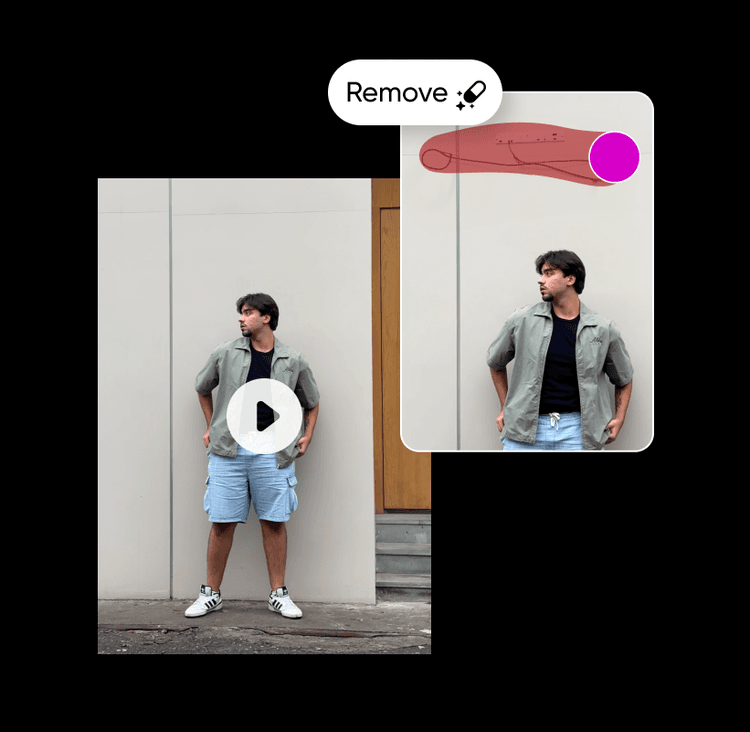
వీడియో నుండి వస్తువు తీసివేయండి

వీడియో ఆబ్జెక్ట్ రిమూవర్

AI సహాయంతో వీడియోల నుండి అనవసరమైన వివరణలను తొలగించండి.

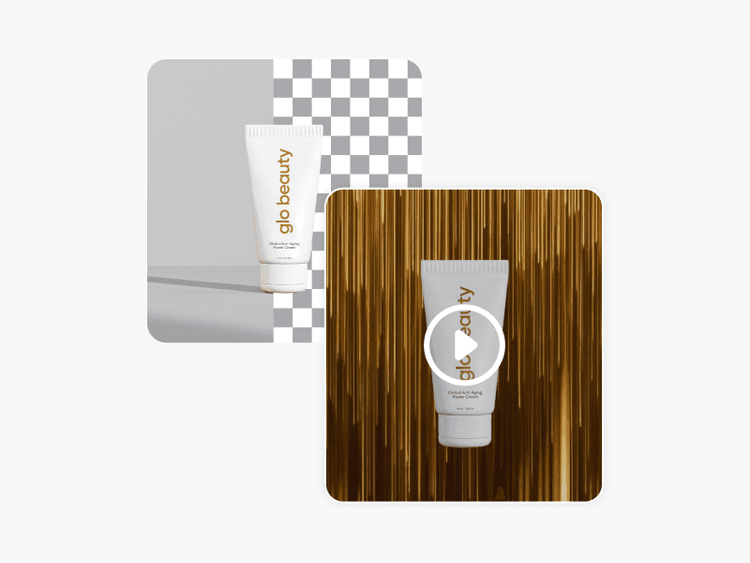
ఆన్‌లైన్‌లో మరియు ఉచితంగా వీడియో నేపథ్యం తీసివేయండి

వీడియో బ్యాక్‌గ్రౌండ్ రిమూవర్

Picsart యొక్క AI-ఆధారిత వీడియో బ్యాక్‌గ్రౌండ్ రిమూవర్‌ను ఉపయోగించి వీడియో నేపథ్యాలను చెరిపివేయండి। 

ఆన్‌లైన్‌లో ఉచితంగా వీడియోలకు సబ్టైటిల్‌లు జోడించండి

వీడియోకు సబ్టైటిల్‌లు జోడించండి

సెకన్లలో ఏదైనా వీడియోకు ఖచ్చితమైన సబ్టైటిల్‌లను జెనరేట్ చేయండి.

క్లిప్‌ల నుండి కంటెంట్‌కు.
వీడియో సబ్‌టైటిల్‌లను సృష్టించండివీడియో టెక్‌స్ట్‌ను తయారు చేయండినేపథ్యాలను తీసివేయండివీడియో వస్తువులను తొలిగించండిచిత్రాలను వీడియోకు ప్రయత్నించండివీడియోలను సవరించండిAI వీడియోలను జనరేట్ చేయండిAI వీడియో ఫిల్టర్‌లను అన్వేషించండిస్టాక్ వీడియోలను కనుగొనండిAI ఉపయోగించి వీడియోలను మార్చండి

Get the free app

Download on the App StoreGET IT ON Google PlayGet it from Microsoft
Pinterest
AICPA SOC

Explore

  • AI Image Generator
  • AI Video Generator
  • AI Playground
  • AI Image Models
  • AI Video Models
  • AI Photo Editor
  • Templates
  • Design Tools

Solutions

  • For Enterprise
  • For Developers
  • For Google Drive
  • For specific Industries
  • Quicktools
  • AI Avatar
  • Pricing

Company

  • Support
  • Careers
  • About us
  • Earn with Picsart
  • Blog
  • Press Center
Terms of UsePrivacy PolicyDo Not SellInternet-Based AdvertisingCommunity GuidelinesDMCASecurity PolicyAccessibility
© 2026 PicsArt, Inc.

AI వీడియో మోడల్‌లతో సౌండ్ సహా వీడియోలను రూపొందించండి

క్లిప్‌లు, ఫూటేజ్ మరియు ప్రాంప్ట్‌లను సోషల్, ప్రకటనలు మరియు సৃజనాత్మక వర్కఫ్లోల కోసం సౌండ్ సహా వీడియోలుగా రూపాంతరం చేయడానికి వీడియో మోడల్‌లను ఉపయోగించండి.

Seedance 2.0New
Next-gen cinematic video with optional audio and reference image. Up to 1080p.Reference inputAudio1080pCinematicSee model
Seedance 2.0 FastNew
Fast cinematic video with audio, reference images, and start/end frame control.Reference inputAudioFast generationCinematicSee model
Seedance 2.0 Video EditNew
Edit video — replace subjects, add or remove objects, restyle scenes with reference images.Video editingReference inputVideo generationSee model
Seedance 2.0 Fast Video EditNew
Fast video edit — modify scenes with reference images.Video editingReference inputFast generationSee model
Sora 2 Pro
Up to 1080p with strong physical realism and optional reference image.Reference input1080pPro qualityCinematicSee model
Sora 2
Naturalistic 720p video with lifelike motion and character detail.CinematicVideo generationSee model
Wan 2.7
Wan 2.7 T2V — up to 15s at 1080p with audio input and prompt enhancement.Text to videoAudio1080pCinematicSee model
Kling V3
Long-form video up to 15s with native audio and start/end frame control.AudioCinematicVideo generationSee model
Kling V2.6
Mature pipeline with audio, adjustable cfg, and standard/pro rendering.AudioPro qualityCinematicSee model
Kling V3 Omni
Flexible generation across creative styles using V3 Omni architecture, with optional 4K output.4KCinematicVideo generationSee model
Kling V3 Turbo
Faster V3 variant — long-form video up to 15s with native audio, start/end frame control, and 720p/1080p output.Audio1080pFast generationCinematicSee model
Kling Video O1
O1-architecture video generation with 5 or 10 second output.CinematicVideo generationSee model
Seedance 2.0New
Next-gen cinematic video with optional audio and reference image. Up to 1080p.Reference inputAudio1080pCinematicSee model
Seedance 2.0 FastNew
Fast cinematic video with audio, reference images, and start/end frame control.Reference inputAudioFast generationCinematicSee model
Seedance 2.0 Video EditNew
Edit video — replace subjects, add or remove objects, restyle scenes with reference images.Video editingReference inputVideo generationSee model
Seedance 2.0 Fast Video EditNew
Fast video edit — modify scenes with reference images.Video editingReference inputFast generationSee model
Sora 2 Pro
Up to 1080p with strong physical realism and optional reference image.Reference input1080pPro qualityCinematicSee model
Sora 2
Naturalistic 720p video with lifelike motion and character detail.CinematicVideo generationSee model
Wan 2.7
Wan 2.7 T2V — up to 15s at 1080p with audio input and prompt enhancement.Text to videoAudio1080pCinematicSee model
Kling V3
Long-form video up to 15s with native audio and start/end frame control.AudioCinematicVideo generationSee model
Kling V2.6
Mature pipeline with audio, adjustable cfg, and standard/pro rendering.AudioPro qualityCinematicSee model
Kling V3 Omni
Flexible generation across creative styles using V3 Omni architecture, with optional 4K output.4KCinematicVideo generationSee model
Kling V3 Turbo
Faster V3 variant — long-form video up to 15s with native audio, start/end frame control, and 720p/1080p output.Audio1080pFast generationCinematicSee model
Kling Video O1
O1-architecture video generation with 5 or 10 second output.CinematicVideo generationSee model
Seedance 2.0New
Next-gen cinematic video with optional audio and reference image. Up to 1080p.Reference inputAudio1080pCinematicSee model
Seedance 2.0 FastNew
Fast cinematic video with audio, reference images, and start/end frame control.Reference inputAudioFast generationCinematicSee model
Seedance 2.0 Video EditNew
Edit video — replace subjects, add or remove objects, restyle scenes with reference images.Video editingReference inputVideo generationSee model
Seedance 2.0 Fast Video EditNew
Fast video edit — modify scenes with reference images.Video editingReference inputFast generationSee model
Sora 2 Pro
Up to 1080p with strong physical realism and optional reference image.Reference input1080pPro qualityCinematicSee model
Sora 2
Naturalistic 720p video with lifelike motion and character detail.CinematicVideo generationSee model
Wan 2.7
Wan 2.7 T2V — up to 15s at 1080p with audio input and prompt enhancement.Text to videoAudio1080pCinematicSee model
Kling V3
Long-form video up to 15s with native audio and start/end frame control.AudioCinematicVideo generationSee model
Kling V2.6
Mature pipeline with audio, adjustable cfg, and standard/pro rendering.AudioPro qualityCinematicSee model
Kling V3 Omni
Flexible generation across creative styles using V3 Omni architecture, with optional 4K output.4KCinematicVideo generationSee model
Kling V3 Turbo
Faster V3 variant — long-form video up to 15s with native audio, start/end frame control, and 720p/1080p output.Audio1080pFast generationCinematicSee model
Kling Video O1
O1-architecture video generation with 5 or 10 second output.CinematicVideo generationSee model
Seedance 2.0New
Next-gen cinematic video with optional audio and reference image. Up to 1080p.Reference inputAudio1080pCinematicSee model
Seedance 2.0 FastNew
Fast cinematic video with audio, reference images, and start/end frame control.Reference inputAudioFast generationCinematicSee model
Seedance 2.0 Video EditNew
Edit video — replace subjects, add or remove objects, restyle scenes with reference images.Video editingReference inputVideo generationSee model
Seedance 2.0 Fast Video EditNew
Fast video edit — modify scenes with reference images.Video editingReference inputFast generationSee model
Sora 2 Pro
Up to 1080p with strong physical realism and optional reference image.Reference input1080pPro qualityCinematicSee model
Sora 2
Naturalistic 720p video with lifelike motion and character detail.CinematicVideo generationSee model
Wan 2.7
Wan 2.7 T2V — up to 15s at 1080p with audio input and prompt enhancement.Text to videoAudio1080pCinematicSee model
Kling V3
Long-form video up to 15s with native audio and start/end frame control.AudioCinematicVideo generationSee model
Kling V2.6
Mature pipeline with audio, adjustable cfg, and standard/pro rendering.AudioPro qualityCinematicSee model
Kling V3 Omni
Flexible generation across creative styles using V3 Omni architecture, with optional 4K output.4KCinematicVideo generationSee model
Kling V3 Turbo
Faster V3 variant — long-form video up to 15s with native audio, start/end frame control, and 720p/1080p output.Audio1080pFast generationCinematicSee model
Kling Video O1
O1-architecture video generation with 5 or 10 second output.CinematicVideo generationSee model
Seedance 2.0New
Next-gen cinematic video with optional audio and reference image. Up to 1080p.Reference inputAudio1080pCinematicSee model
Seedance 2.0 FastNew
Fast cinematic video with audio, reference images, and start/end frame control.Reference inputAudioFast generationCinematicSee model
Seedance 2.0 Video EditNew
Edit video — replace subjects, add or remove objects, restyle scenes with reference images.Video editingReference inputVideo generationSee model
Seedance 2.0 Fast Video EditNew
Fast video edit — modify scenes with reference images.Video editingReference inputFast generationSee model
Sora 2 Pro
Up to 1080p with strong physical realism and optional reference image.Reference input1080pPro qualityCinematicSee model
Sora 2
Naturalistic 720p video with lifelike motion and character detail.CinematicVideo generationSee model
Wan 2.7
Wan 2.7 T2V — up to 15s at 1080p with audio input and prompt enhancement.Text to videoAudio1080pCinematicSee model
Kling V3
Long-form video up to 15s with native audio and start/end frame control.AudioCinematicVideo generationSee model
Kling V2.6
Mature pipeline with audio, adjustable cfg, and standard/pro rendering.AudioPro qualityCinematicSee model
Kling V3 Omni
Flexible generation across creative styles using V3 Omni architecture, with optional 4K output.4KCinematicVideo generationSee model
Kling V3 Turbo
Faster V3 variant — long-form video up to 15s with native audio, start/end frame control, and 720p/1080p output.Audio1080pFast generationCinematicSee model
Kling Video O1
O1-architecture video generation with 5 or 10 second output.CinematicVideo generationSee model
Seedance 2.0New
Next-gen cinematic video with optional audio and reference image. Up to 1080p.Reference inputAudio1080pCinematicSee model
Seedance 2.0 FastNew
Fast cinematic video with audio, reference images, and start/end frame control.Reference inputAudioFast generationCinematicSee model
Seedance 2.0 Video EditNew
Edit video — replace subjects, add or remove objects, restyle scenes with reference images.Video editingReference inputVideo generationSee model
Seedance 2.0 Fast Video EditNew
Fast video edit — modify scenes with reference images.Video editingReference inputFast generationSee model
Sora 2 Pro
Up to 1080p with strong physical realism and optional reference image.Reference input1080pPro qualityCinematicSee model
Sora 2
Naturalistic 720p video with lifelike motion and character detail.CinematicVideo generationSee model
Wan 2.7
Wan 2.7 T2V — up to 15s at 1080p with audio input and prompt enhancement.Text to videoAudio1080pCinematicSee model
Kling V3
Long-form video up to 15s with native audio and start/end frame control.AudioCinematicVideo generationSee model
Kling V2.6
Mature pipeline with audio, adjustable cfg, and standard/pro rendering.AudioPro qualityCinematicSee model
Kling V3 Omni
Flexible generation across creative styles using V3 Omni architecture, with optional 4K output.4KCinematicVideo generationSee model
Kling V3 Turbo
Faster V3 variant — long-form video up to 15s with native audio, start/end frame control, and 720p/1080p output.Audio1080pFast generationCinematicSee model
Kling Video O1
O1-architecture video generation with 5 or 10 second output.CinematicVideo generationSee model