Format
Dimensions
Twitch image sizes overview
Twitch uses different graphic placements across profile pages, live streams, and offline screens. Each area has specific dimensions to ensure overlays align correctly, banners scale properly, and panels remain readable.
Using the correct pixel size helps prevent stretching, compression blur, and unwanted cropping across desktop and mobile viewers.
Profile picture
Recommended vs supported sizes
Twitch profile pictures are displayed at 256 × 256 pixels using a square format.
Best practices for visibility
Keep logos or faces centered, as the image appears circular in many contexts. Avoid placing text near the edges.
Quality and export considerations
Use high-contrast visuals and export at exact dimensions to maintain clarity at small sizes.
Channel banner
Recommended vs supported sizes
Channel banners are designed at 1200 × 480 pixels.
Best practices for visibility
Keep important text and branding centered, as banners may crop differently across screen widths.
Quality and export considerations
Export at recommended dimensions and avoid stretching horizontal images.
For ready-made layouts, explore Twitch banner templates.
Video player banner
Recommended vs supported sizes
Video player banners use 1920 × 1080 pixels, matching standard HD resolution.
Best practices for visibility
Design with safe zones in mind, as parts of the banner may be covered by interface elements.
Quality and export considerations
Maintain full HD resolution to prevent pixelation on large screens.
Offline screen banner
Recommended vs supported sizes
Offline screen banners also use 1920 × 1080 pixels.
Best practices for visibility
Keep messaging clear and centered so viewers immediately understand the stream status.
Quality and export considerations
Export at full resolution to preserve detail on large monitors.
Panel image
Recommended vs supported sizes
Panel images are displayed at 320 × 160 pixels.
Best practices for visibility
Keep text minimal and bold, as panels are small and stacked vertically.
Quality and export considerations
Avoid resizing large images down multiple times, as this can reduce sharpness.
Stream overlay
Recommended vs supported sizes
Stream overlays use 1920 × 1080 pixels, aligning with standard stream resolution.
Best practices for visibility
Position overlays around the edges so gameplay or video content remains visible in the center.
Quality and export considerations
Design overlays at full HD resolution and export without compression artifacts.
Stream thumbnail
Recommended vs supported sizes
Stream thumbnails are designed at 1280 × 720 pixels, using a 16:9 aspect ratio.
Best practices for visibility
Use bold visuals and limited text so thumbnails remain readable at smaller sizes.
Quality and export considerations
Export at exact dimensions to avoid automatic cropping.
Pro tips for Twitch graphics
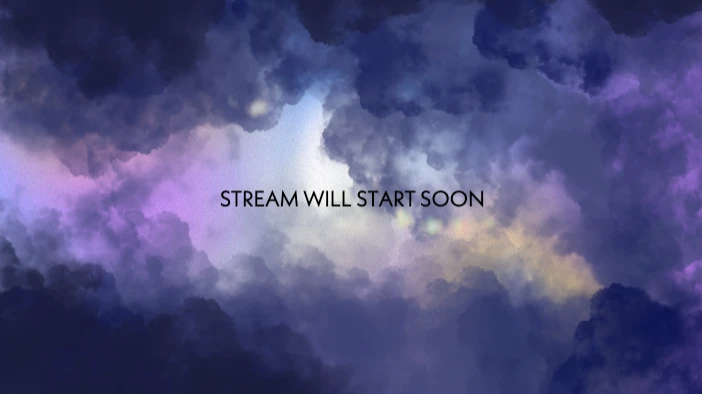
- Use 1920 × 1080 for all full-screen stream assets
- Keep important elements within safe zones
- Avoid placing text near edges
- Maintain consistent branding across banners and panels
- Export at highest available quality
How to resize Twitch images using Picsart
Picsart helps you create and resize Twitch graphics using exact pixel dimensions.
Use the Photo Editor to set a custom canvas size before designing overlays, banners, or thumbnails.
If resizing existing graphics, the Image Resizer allows you to convert visuals to Twitch-ready dimensions without distortion.
Browse Twitch templates to start with pre-sized layouts for overlays and panels.
Always export at final size and highest quality to maintain clarity during streaming.
FAQ
What are the recommended Twitch image sizes?
What size should a Twitch banner be?
Channel banners should be 1200 × 480 pixels.
What size are Twitch panels?
Panels display at 320 × 160 pixels.
Why does my Twitch banner look cropped on different screens?
Different screen widths may crop banner edges. Keeping important content centered reduces this issue.
Why do Twitch overlays need 1920 × 1080 resolution?
Most Twitch streams run at 1920 × 1080, so overlays must match this resolution to align correctly.
Why do Twitch panels appear blurry if resized incorrectly?
Resizing multiple times or scaling small images up can reduce sharpness.
How do I choose the right size for Twitch graphics?
Choose dimensions based on where the graphic appears—profile, banner, overlay, or panel.
How do I design Twitch overlays that fit all screen resolutions?
Design at 1920 × 1080 and keep essential elements within safe areas.
How do I resize Twitch images without losing quality?
Resize images to exact pixel dimensions before uploading.
How do I export Twitch banners and panels correctly?
Export at recommended sizes and highest quality to prevent compression blur.
All your marketing, one easy platform
It’s easy to create art with graphic design templates. Choose from stunning templates made by professional designers and edit them with just a few clicks.