How to build a creator profile and portfolio on Picsart

What you'll learn
What is a Picsart creator profile?
Common use cases
Build your portfolio step by step
STEP 1: Set up profile basics
- On web: Go to picsart.com/community → Click profile icon → Edit profile
- On mobile: Open Picsart → Profile tab → Edit profile → Add photo, bio, links
STEP 2: Add profile details
Fill out information that helps people understand your work and find you:
- Profile photo: High-quality headshot or logo that represents your brand
- Display name: Your creator name or business name (searchable)
- Bio: 2-3 sentences about your style, specialty, or what you create
- Website/social links: Connect Instagram, portfolio site, or other platforms
- Location: City and country (helps with local discovery)
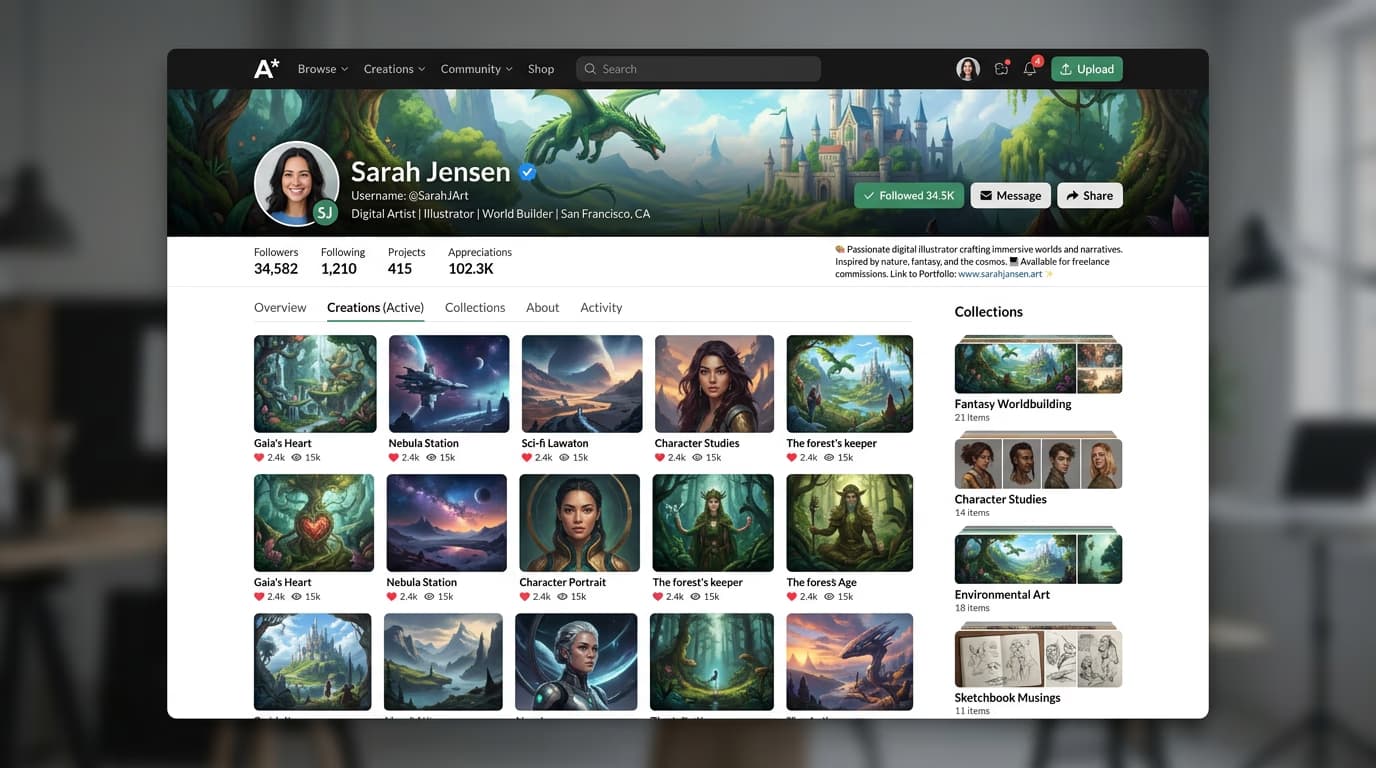
STEP 3: Curate your portfolio
Review your published work and organize it for maximum impact. Pin your 3-6 best pieces to the top of your profile—these are the first things visitors see. Create collections to group similar work by style, subject, or client.
STEP 4: Maintain and grow
Check your profile from a visitor's perspective: Not attracting followers? Post more consistently and engage with other creators in your niche.
- Verify your best work is pinned and visible first
- Confirm bio clearly explains what you do
- Check that all links work and lead to current profiles
Tips for best results
💡 Update your bio regularly
Change your bio every few months to reflect current projects, new skills, or availability for work. A stale bio signals an inactive account.
💡 Pin recent wins
Keep your pinned posts current. If you win a challenge, get featured, or create something that performs well, replace an older pinned post with the new success.
💡 Use collections strategically
Create collections for different client types or use cases. Potential clients should see "Logo Design," "Product Photography," or "Portrait Edits"—not vague categories like "Favorites."
💡 Add keywords to your bio
Include searchable terms in your bio: "portrait photographer," "AI artist," "photo restoration." Picsart's search indexes bio text, so the right keywords help people find your profile.
Frequently asked questions

Ready to showcase your work?
Build your creator profile and start attracting followers with your portfolio today.
Create profile