logo

How to prompt for specific art styles with AI
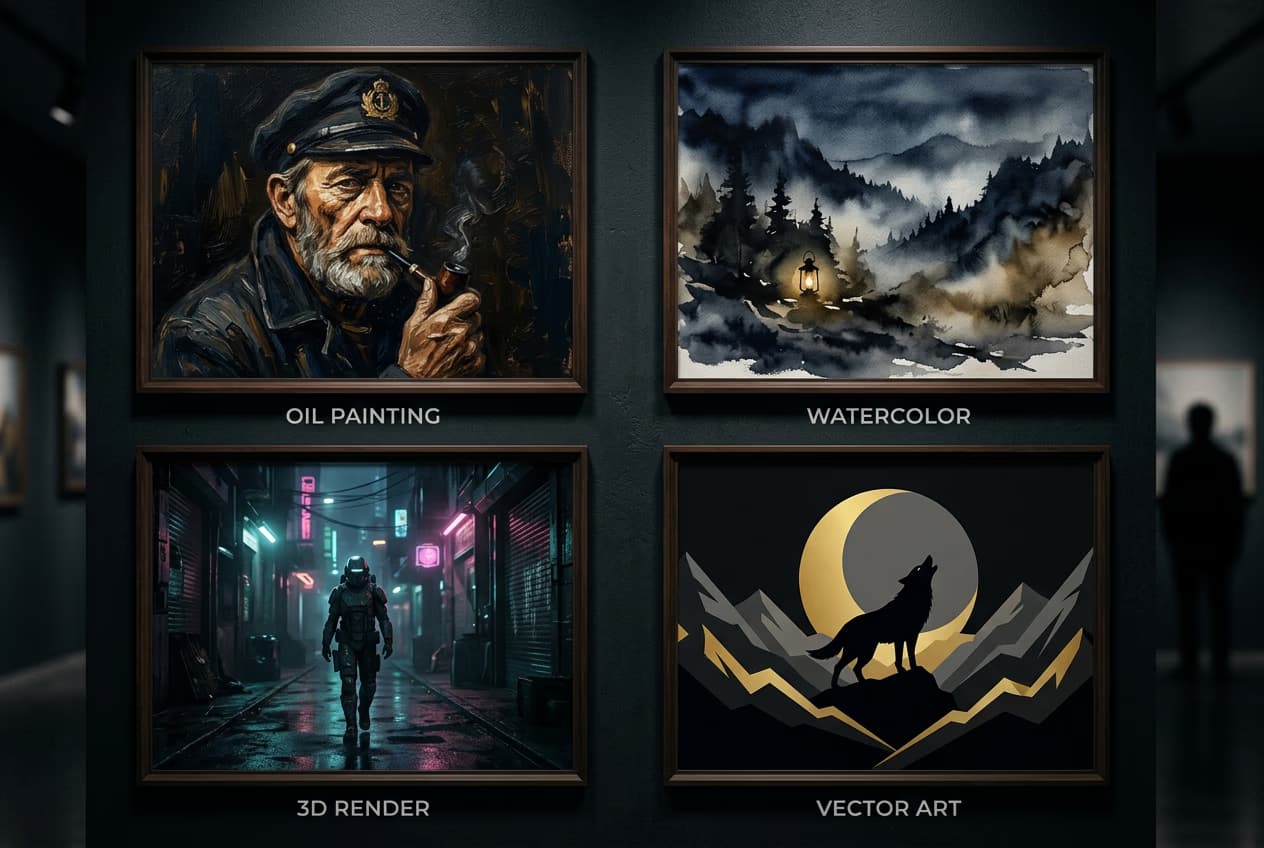
PROMPTING6 minIntermediate

Get consistent results in oil painting, watercolor, 3D, anime, and 20+ other styles.

How to prompt for specific art styles with AI

What you'll learn

  • Exact keywords for 20+ popular art styles
  • How to combine style terms for hybrid aesthetics
  • Artist names and movements that control style
  • Settings that enhance specific art styles

What are AI art style prompts?

Art style prompts are specific keywords that tell the AI what aesthetic to apply to your image. Instead of getting random results, you can specify "watercolor painting" or "3D render" and get consistent outputs in that exact style. Each style has trigger words and modifier terms that give you control over the final look.

Common use cases

  • Branding: Consistent style across marketing materials and social content
  • Book covers: Specific genre aesthetics like fantasy oil paintings or sci-fi renders
  • Storyboarding: Quick concept art in client-approved styles
  • Print products: High-resolution styles suitable for posters and merchandise
  • Social media: Trendy aesthetics like anime or vaporwave for engagement
  • Portfolio work: Explore multiple styles without learning new software

Create styled AI images step by step

STEP 1: Open AI image generator

  • On web: Go to picsart.com/ai-image-generator → Click the prompt field
  • On mobile: Open Picsart → "+" → AI Image Generator → Tap to enter prompt
Open AI generator

STEP 2: Choose your style keywords

Add these style terms to your subject description:

  • Oil painting: "oil painting, thick brushstrokes, canvas texture, classical art, impasto technique"
  • Watercolor: "watercolor painting, soft edges, paper texture, transparent washes, delicate colors"
  • 3D render: "3D render, octane render, blender, cinema4d, ray tracing, professional lighting"
  • Vector art: "vector illustration, flat design, bold outlines, geometric shapes, adobe illustrator style"
  • Anime: "anime style, cel shading, clean linework, vibrant colors, manga aesthetic"
  • Photorealistic: "photorealistic, DSLR photo, professional photography, 8K, sharp focus, studio quality"
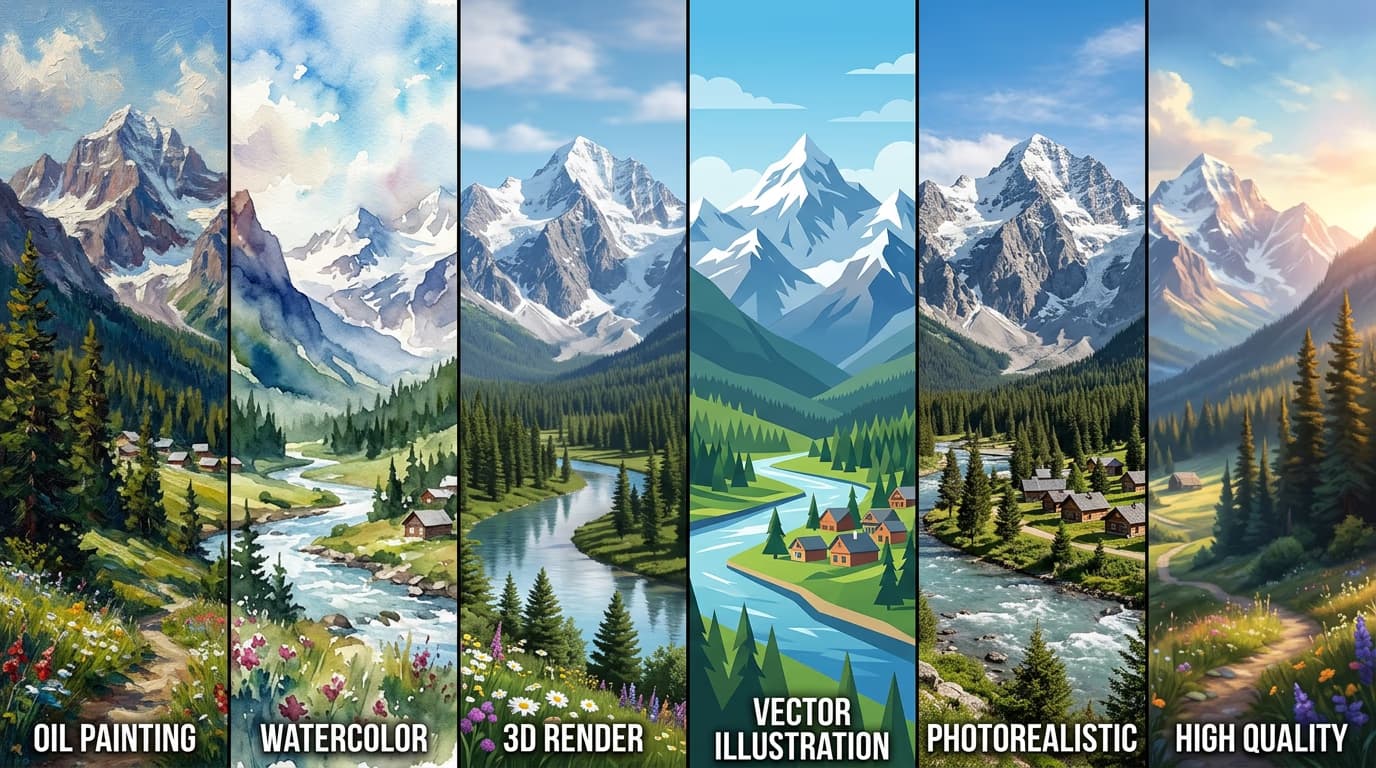
STEP 3: Generate and compare styles

Click "Generate" to create images in your chosen style. Generate multiple versions with different style keywords to compare results. Each style keyword combo creates a distinct aesthetic even with the same subject.

STEP 4: Refine style accuracy

Check that the style matches your expectations: Not perfect? Add artist names like "by Greg Rutkowski" for fantasy, "by Studio Ghibli" for anime, or "by Alphonse Mucha" for art nouveau. Artist references strengthen style consistency.

  • Does the medium look authentic (brushstrokes for oil, soft edges for watercolor)?
  • Are the colors and lighting appropriate for the style?
  • Does the level of detail match the chosen aesthetic?
Create styled art

Tips for best results

💡 Layer multiple style terms

Combine a primary style with supporting details: "watercolor painting, loose brushwork, wet-on-wet technique, soft color bleeds." Each term adds specificity without contradicting the main style.

💡 Use artist names strategically

Famous artists carry strong style signals. "By Moebius" gives you French comic book aesthetics, "by Hayao Miyazaki" gives you Ghibli style. Mix multiple artists for hybrid styles: "by Norman Rockwell and Pixar."

💡 Match technical terms to style

For 3D renders, add rendering engine names: "octane render, unreal engine." For photography, add camera specs: "shot on Canon 5D, 85mm lens." These technical details push the AI toward that production method.

💡 Avoid conflicting style signals

Don't mix "photorealistic" with "cartoon" or "oil painting" with "vector art." Pick one primary style and only add modifiers that support it. Conflicting terms produce muddy, inconsistent results.

Popular art style keywords

  • Digital painting: digital art, digital painting, concept art, matte painting, artstation trending
  • Pencil sketch: pencil drawing, graphite sketch, hand-drawn, detailed linework, crosshatching
  • Pixel art: pixel art, 8-bit, 16-bit, retro game graphics, pixel perfect
  • Art Deco: art deco, geometric patterns, gold accents, 1920s style, streamline moderne
  • Vaporwave: vaporwave aesthetic, pink and cyan, retro 80s, glitch art, neon grids
  • Cyberpunk: cyberpunk, neon lights, futuristic, blade runner style, high tech low life
  • Gothic: gothic art, dark aesthetic, ornate details, medieval architecture, dramatic lighting
  • Minimalist: minimalist design, simple shapes, limited color palette, clean composition, negative space

Frequently asked questions

Use multiple reinforcing keywords for the same style. Instead of just "watercolor," write "watercolor painting, soft edges, paper texture, transparent washes." Add artist names known for that style. Avoid mixing style terms—keep your prompt focused on a single aesthetic throughout.

Yes, but be strategic. Combine compatible styles like "oil painting with impressionist technique" or "3D render with cel shading." Avoid extreme opposites like "photorealistic pixel art." The AI will blend styles, so pick combinations that make visual sense together.

AI models train on millions of labeled images, including works by famous artists. Artist names act as shorthand for entire aesthetics—"by Studio Ghibli" triggers soft colors, nature themes, and hand-drawn quality. Use artist names when you want a complete style package, not just one element.

Medium describes the physical material: oil paint, watercolor, charcoal. Style describes the aesthetic approach: impressionism, surrealism, photorealism. You can combine them—"watercolor painting, surrealist style"—but medium keywords generally have stronger visual impact in AI prompts.

Ready to explore styles?

Create AI images in any art style with the right prompts.

Try style prompts