logo

Generate multiple brand direction concepts from a creative brief with AI
SKILLS5 minAdvanced

Turn a pitch brief into 5 distinct visual directions for client presentations. Explore fast, converge later.

Generate multiple brand direction concepts from a creative brief with AI

What you'll learn

  • How brand scoping skills work in Picsart
  • Translating client briefs into visual direction parameters
  • Generating multiple distinct concepts from one brief
  • Setting up divergent exploration workflows for pitch meetings

What is brand scoping?

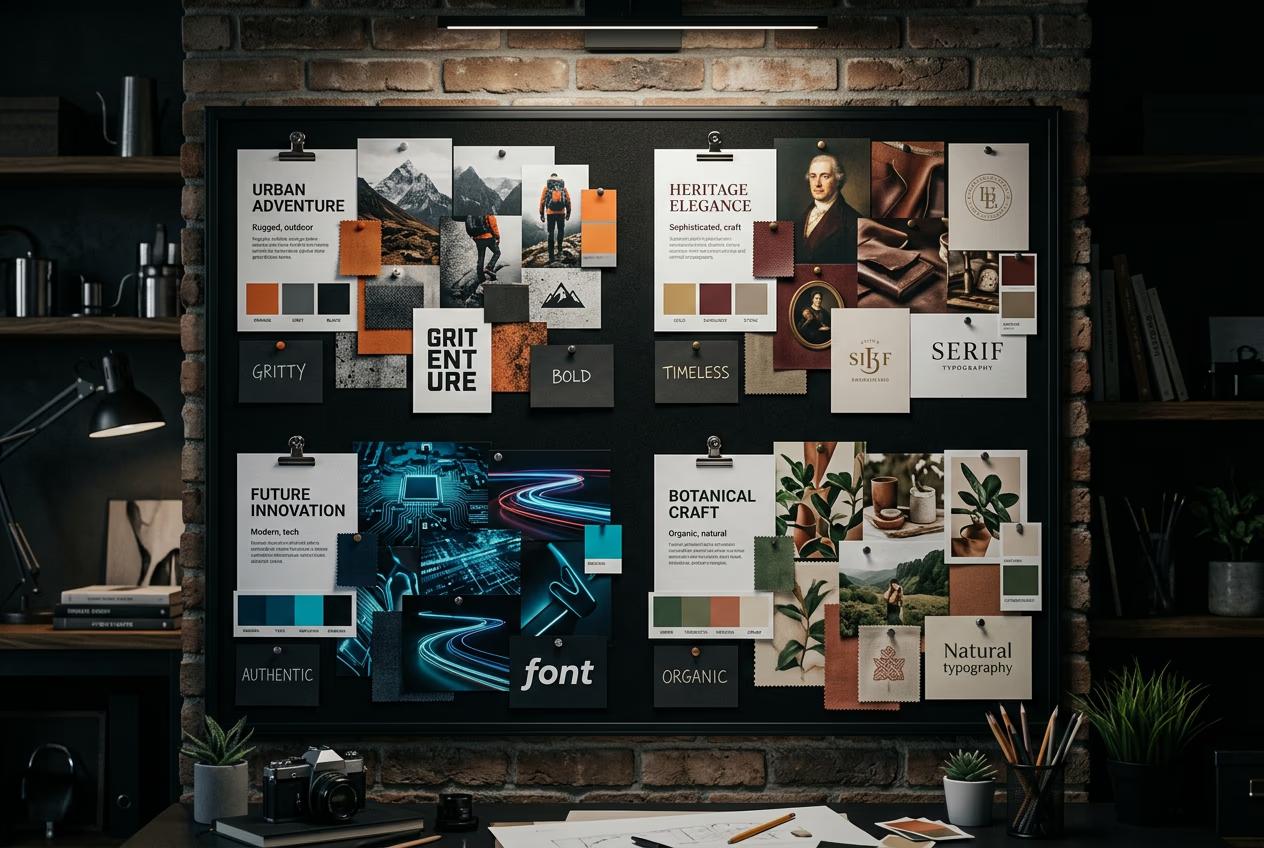
Brand scoping is a Picsart agency skill that transforms written creative briefs into multiple visual brand directions. You input client requirements, target audience, and brand goals, and the skill generates 5 distinct visual concepts — each with different color palettes, typography styles, imagery approaches, and overall aesthetic. Think of it like having five senior designers each interpret the brief differently, giving you maximum creative range before you converge on a final direction.

Common use cases

  • New client pitches: Generate diverse visual directions before the first creative meeting to show range and spark conversation
  • Rebranding projects: Explore multiple aesthetic paths early to help clients articulate what feels right for their evolution
  • Campaign concepting: Create 5 different visual approaches for a campaign brief to test which direction resonates with stakeholders
  • Internal brainstorms: Use AI-generated directions as conversation starters to break teams out of default aesthetic patterns
  • Client workshops: Bring multiple visual territories to collaborative sessions so clients can react, combine, and refine rather than starting from scratch
  • Pitch preparation: Reduce time spent on speculative creative exploration so your team can focus energy on refining the strongest concepts

Scope your brand directions step by step

STEP 1: Access brand scoping skill

  • On web: Go to picsart.com/cli → Skills → Agency section → Select "Brand scoping"
  • On mobile: Not available — brand scoping requires brief input and multi-concept review best suited for desktop workflow
Open brand scoping

STEP 2: Input creative brief and parameters

Translate your client brief into direction generation settings:

  • Paste or upload creative brief (text document, PDF, or key bullet points)
  • Define target audience (demographics, psychographics, cultural context)
  • Set brand attributes (3-5 keywords: bold, minimal, playful, premium, rebellious, warm, tech-forward)
  • Choose diversity mode: Maximum spread (5 completely different aesthetics), Thematic variations (exploring one territory 5 ways), Spectrum (gradual progression from one extreme to another)
  • Select output format: Mood boards, Style tiles, Logo + color explorations, Full brand identity previews
STEP 3: Generate visual directions

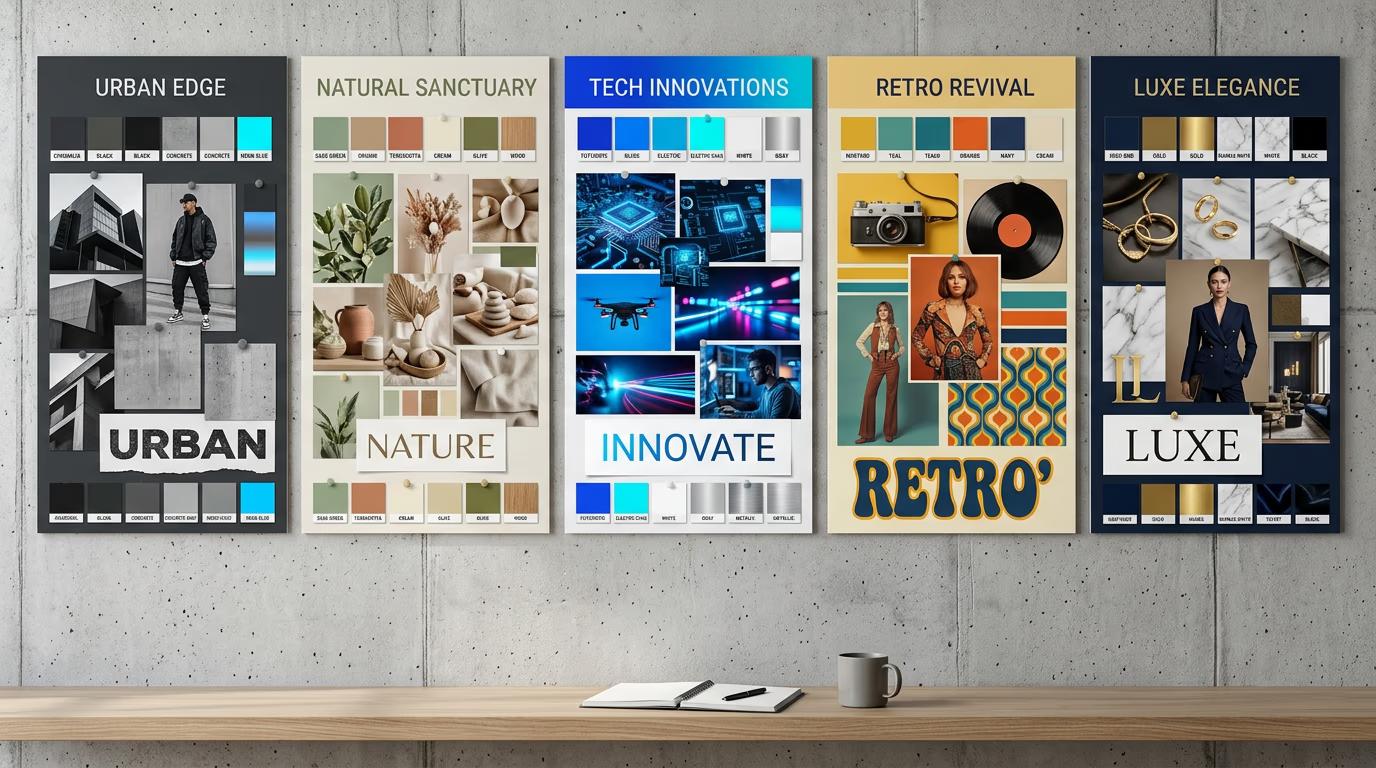
Click "Scope directions" and the skill creates 5 distinct visual brand concepts based on your brief. Each direction gets its own color palette, typography suggestion, imagery style, and overall aesthetic personality. The AI intentionally pushes concepts apart to give you real variety — safe corporate, bold disruptor, minimal premium, playful approachable, editorial sophisticated. Takes about 90 seconds to generate all five directions.

STEP 4: Review directions and prepare presentation

Evaluate the five generated concepts for client presentation: Not enough range? Regenerate with diversity set to "Maximum spread". Too scattered? Switch to "Thematic variations" to explore one aesthetic territory more deeply. You can also cherry-pick 2-3 favorites and ask for variations on just those directions.

  • Check that each direction feels genuinely distinct (different enough that a client could clearly prefer one over others)
  • Verify concepts align with brief requirements (all directions should solve the core problem, just with different aesthetic approaches)
  • Confirm at least one direction pushes beyond safe territory (give clients something unexpected to react to)
Scope brand directions

Tips for best results

💡 Write tight, opinionated briefs

The AI generates better directions from specific constraints than vague requests. Instead of "modern and professional", try "Norwegian minimalism meets Japanese craft, targeting 35-50 year old design-conscious urbanites". Specific inputs produce more interesting, useful outputs.

💡 Use diversity mode strategically

Maximum spread works best for early exploration when you want to show clients the full range of possibilities. Thematic variations work better when you've already narrowed to a general aesthetic and need to explore nuances within that territory. Don't use maximum spread if your brief is already highly specific — you'll get nonsense.

💡 Always include one unexpected direction

Even if you think you know what the client wants, generate at least one direction that challenges assumptions. Clients often surprise you by choosing the unexpected option. If they reject it, their reasoning helps you understand their taste better. If they love it, you just unlocked a more interesting project.

💡 Combine AI directions with human curation

Don't present all five AI-generated directions raw. Review them, pick the 3 strongest, refine those slightly based on your expertise, then present. The AI gives you fast divergence. Your creative judgment provides the convergence. The combination is more powerful than either alone.

Brand attribute vocabulary guide

  • Bold / Daring: Strong colors, high contrast, confident typography, makes a statement
  • Minimal / Clean: Lots of white space, simple palettes, restrained type, quiet confidence
  • Playful / Approachable: Bright colors, rounded forms, friendly type, casual energy
  • Premium / Luxury: Sophisticated palettes, elegant type, high-end materials, refined details
  • Tech-forward / Modern: Geometric forms, cool tones, sans-serif dominance, digital-first aesthetic
  • Warm / Human: Organic shapes, warm palettes, approachable type, handcrafted feel
  • Editorial / Sophisticated: Strong typography hierarchy, curated imagery, magazine-quality layouts
  • Rebellious / Disruptive: Rule-breaking layouts, unexpected colors, challenging conventions

Frequently asked questions

Brand scoping is a Picsart AI skill that generates multiple distinct visual brand directions from a written creative brief. Instead of your team spending hours brainstorming and sketching different aesthetic approaches, the skill produces 5 complete visual concepts in 90 seconds — each with different color palettes, typography, imagery styles, and overall personality. This gives agencies fast divergence at the start of a project, freeing up creative time for refinement and client collaboration rather than initial exploration.

Yes, the generated directions are starting points, not final deliverables. Use them to spark conversation with clients, then refine based on feedback. You can also cherry-pick elements from multiple directions — take the color palette from direction 2, combine it with the typography approach from direction 4, and the imagery style from direction 1. The AI gives you raw material. Your creative judgment shapes it into final work.

Write specific, opinionated briefs with clear constraints rather than vague requests. Include target audience details, brand attribute keywords, and any non-negotiable requirements. Review the brief input screen carefully before generating — the more precise your input, the more aligned your output. If generated directions miss the mark, refine your brief language and regenerate. The skill learns from the specificity of your language.

Maximum spread generates 5 completely different aesthetic approaches — minimal premium, bold disruptor, playful approachable, editorial sophisticated, organic craft. Use this early in a project when you want to show clients the full range of possibilities. Thematic variations explores one aesthetic territory 5 different ways — for example, 5 different interpretations of "Scandinavian minimalism" or 5 versions of "tech-forward boldness". Use this when you've already narrowed to a general direction and need nuanced options within that space.

Need multiple creative directions fast?

Go from brief to five distinct brand concepts in 90 seconds, not three days.

Start brand scoping