Image
Video
Library
Creators
Solutions
Community
MCP & CLI
Pricing
  1. Home
  2. AI Teks ke Video

Pembuat Video AI Teks-ke-Video: Ubah teks menjadi video yang menarik

Ubah prompt tertulis menjadi konten yang memukau dengan AI Teks-ke-Video Picsart. Alat ini mengubah ide Anda menjadi video berkualitas tinggi dalam hitungan detik - tidak perlu keterampilan editing. Baik Anda membuat postingan sosial, iklan, atau cerita kreatif, ini adalah cara tercepat untuk mengubah konsep menjadi video dengan kecepatan AI.

Get started
 ikon untuk membuat video dari teks

Hasilkan video dari teks dalam hitungan detik

Ketik ide Anda dan biarkan Pembuat Video AI Teks-ke-Video menangani sisanya.

 ikon untuk menyesuaikan video yang dihasilkan

Output yang fleksibel dan sepenuhnya dapat disesuaikan

Sempurnakan output teks-ke-video Anda dengan menyesuaikan gaya, kecepatan, dan animasi dengan mudah.

ikon untuk pembuatan video teks ke video yang cepat

Tidak perlu pengalaman editing

Alat AI Teks-ke-Video menangani visual - cukup bagikan ide Anda.

Tingkatkan permainan konten Anda dengan Pembuat Video AI Teks-ke-Video

80%

waktu pembuatan video lebih cepat

10x

output konten lebih banyak

58%

tingkat engagement lebih tinggi

80%

penghematan biaya


Cara mengubah teks menjadi video dengan AI

1

Buka Pembuat Video Teks-ke-Video

Luncurkan alat untuk mulai membuat video langsung dari konten tertulis Anda.

2

Masukkan ide atau naskah tertulis Anda

3

Pilih gaya dan mood video pilihan Anda

4

Hasilkan video Anda dengan satu klik

5

Unduh atau bagikan video Anda secara instan

Buat video dalam hitungan menit dengan AI Teks-ke-Video

Produksi konten lebih cepat dengan alat Teks-ke-Video yang canggih untuk kreator modern. Pembuat video AI dari teks ini mengubah naskah Anda menjadi visual yang menarik—tidak perlu editing. Ingin menganimasikan gambar? Coba alat Gambar-ke-Video atau jelajahi rangkaian pembuat video AI lengkap. Butuh visual awal? Gunakan Pembuat Gambar AI untuk dengan cepat menghasilkan aset siap konten.

Teks-ke-Video bertenaga AI untuk tim konten

Bangun video yang menarik dari prompt tertulis dalam hitungan menit menggunakan Pembuat Video Teks-ke-Video. Dirancang untuk kreator dan pemasar, alat ini menyederhanakan produksi - cukup ketik ide Anda dan AI mengubahnya menjadi konten yang sempurna dan siap dibagikan, disesuaikan untuk audiens Anda.

Personalisasi output Teks-ke-Video Anda dengan mudah

Sempurnakan setiap detail video Anda dengan mudah menggunakan AI Teks-ke-Video Picsart. Sesuaikan gaya, nada, kecepatan dan lainnya untuk mencapai tujuan konten Anda. Dengan kontrol built-in yang terasa seperti editor video pintar, Anda mendapatkan fleksibilitas tanpa kompleksitas, sempurna untuk kreator yang menginginkan kontrol tanpa kurva pembelajaran.

Tambahkan gerakan alami dan storytelling dengan model AI canggih

Alat Teks-ke-Video ini menggunakan model Luma AI untuk menghasilkan gerakan halus dan alami dari prompt tertulis Anda. Ini menangkap nada dan kecepatan untuk hasil bercerita. Segera hadir: integrasi Google Veo untuk kemampuan pembuatan video yang lebih canggih - membawa realisme, detail, dan kualitas sinematik ke video AI Anda.

Tanya Jawab AI Teks-ke-Video

A text-to-video AI generator is a tool that uses artificial intelligence to turn written prompts or scripts into animated or live-motion videos.

The tool uses advanced AI models to interpret the meaning and tone of your text, then selects visuals, motion, transitions, and audio that align with your prompt.

Yes. Before you generate, you can choose from various animation styles, pacing options, and mood presets to match your content goals.

The tool lets you download videos in popular formats optimized for social media, ads, presentations, and more.

Absolutely. With a simple interface and automatic editing, anyone can use it - no prior video experience required.


Lebih banyak alat yang akan Anda sukai dari Picsart
pembuat gambar ke video ai online

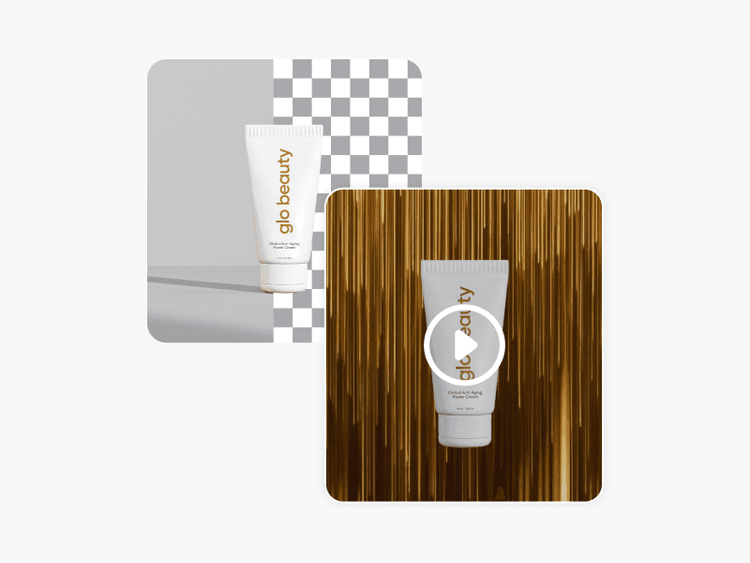
AI Gambar-ke-Video

Ubah gambar apa pun menjadi adegan video animasi dengan AI.

pembuat gambar ai

Pembuat Gambar AI

Ketik visi Anda dan biarkan AI mengubah kata-kata Anda menjadi visual yang menakjubkan.

pengubah gaya video AI Picsart

Filter Video AI

Ciptakan kembali tampilan video Anda dengan filter video bertenaga AI.

pembuat iklan video

Pembuat Iklan Video

Buat iklan video yang menarik dalam hitungan detik menggunakan AI.

alat penghapus latar belakang di editor foto Picsart

Penghapus Latar Belakang

Dengan ahli, hapus latar belakang dengan AI atau buatnya transparan.

penyempurna gambar ai

Penyempurna Foto AI

Perbesar resolusi gambar multiple dengan AI sekaligus.

Hasilkan video untuk setiap ide konten
Penyuntingan video yang mudah.
Buat teks videoHapus latar belakangHapus objek videoJadikan gambar ke videoEdit videoBuat video AICoba filter video AIJelajahi video stokUbah video dengan AITemukan alat video

Use Picsart anywhere

Install the app, or bring Picsart into the AI workspaces your team already uses.

Use Picsart with

  • ChatGPT / Codex
  • Claude
  • Terminal
  • Cursor
  • OpenClaw
  • Hermes

Download the app

Download on the App StoreGET IT ON Google PlayGet it from Microsoft

Follow Picsart

Pinterest
AICPA SOC

Create

  • AI Image Generator
  • AI Video Generator
  • AI Playground
  • Flow
  • AI Photo Editor
  • AI Video Editor
  • AI Agents
  • Content Library
  • AI Models

Creators

  • Earn with Picsart
  • Earn campaigns
  • Clipping
  • For Brands
  • Video Studio
  • Tutorials
  • Challenges

Connect

  • ChatGPT / Codex
  • MCP setup
  • Command line
  • Developers
  • Google Drive

Business

  • Pricing
  • Enterprise
  • Industries
  • Quicktools

Company

  • Support
  • Careers
  • About us
  • Blog
  • Press Center
Terms of UsePrivacy PolicyDo Not SellInternet-Based AdvertisingCommunity GuidelinesDMCASecurity PolicyAccessibility
© 2026 PicsArt, Inc.

Buat video AI dengan model video AI

Gunakan model video untuk mengubah klip, footage, dan prompt menjadi video AI untuk media sosial, iklan, dan alur kerja kreatif.

Seedance 2.0New
Next-gen cinematic video with optional audio and reference image. Up to 4K.Reference inputAudio4KCinematicSee model
Seedance 2.0 FastNew
Fast cinematic video with audio, reference images, and start/end frame control.Reference inputAudioFast generationCinematicSee model
Seedance 2.0 Video EditNew
Edit video — replace subjects, add or remove objects, restyle scenes with reference images.Video editingReference inputVideo generationSee model
Seedance 2.0 Fast Video EditNew
Fast video edit — modify scenes with reference images.Video editingReference inputFast generationSee model
Sora 2 Pro
Up to 1080p with strong physical realism and optional reference image.Reference input1080pPro qualityCinematicSee model
Sora 2
Naturalistic 720p video with lifelike motion and character detail.CinematicVideo generationSee model
Wan 2.7
Wan 2.7 T2V — up to 15s at 1080p with audio input and prompt enhancement.Text to videoAudio1080pCinematicSee model
Kling V3
Long-form video up to 15s with native audio and start/end frame control.AudioCinematicVideo generationSee model
Kling V3 Turbo
Faster V3 variant — long-form video up to 15s with native audio, start/end frame control, and 720p/1080p output.Audio1080pFast generationCinematicSee model
Kling V2.6
Mature pipeline with audio, adjustable cfg, and standard/pro rendering.AudioPro qualityCinematicSee model
Kling V3 Omni
Flexible generation across creative styles using V3 Omni architecture, with optional 4K output.4KCinematicVideo generationSee model
Kling Video O1
O1-architecture video generation with 5 or 10 second output.CinematicVideo generationSee model
Seedance 2.0New
Next-gen cinematic video with optional audio and reference image. Up to 4K.Reference inputAudio4KCinematicSee model
Seedance 2.0 FastNew
Fast cinematic video with audio, reference images, and start/end frame control.Reference inputAudioFast generationCinematicSee model
Seedance 2.0 Video EditNew
Edit video — replace subjects, add or remove objects, restyle scenes with reference images.Video editingReference inputVideo generationSee model
Seedance 2.0 Fast Video EditNew
Fast video edit — modify scenes with reference images.Video editingReference inputFast generationSee model
Sora 2 Pro
Up to 1080p with strong physical realism and optional reference image.Reference input1080pPro qualityCinematicSee model
Sora 2
Naturalistic 720p video with lifelike motion and character detail.CinematicVideo generationSee model
Wan 2.7
Wan 2.7 T2V — up to 15s at 1080p with audio input and prompt enhancement.Text to videoAudio1080pCinematicSee model
Kling V3
Long-form video up to 15s with native audio and start/end frame control.AudioCinematicVideo generationSee model
Kling V3 Turbo
Faster V3 variant — long-form video up to 15s with native audio, start/end frame control, and 720p/1080p output.Audio1080pFast generationCinematicSee model
Kling V2.6
Mature pipeline with audio, adjustable cfg, and standard/pro rendering.AudioPro qualityCinematicSee model
Kling V3 Omni
Flexible generation across creative styles using V3 Omni architecture, with optional 4K output.4KCinematicVideo generationSee model
Kling Video O1
O1-architecture video generation with 5 or 10 second output.CinematicVideo generationSee model
Seedance 2.0New
Next-gen cinematic video with optional audio and reference image. Up to 4K.Reference inputAudio4KCinematicSee model
Seedance 2.0 FastNew
Fast cinematic video with audio, reference images, and start/end frame control.Reference inputAudioFast generationCinematicSee model
Seedance 2.0 Video EditNew
Edit video — replace subjects, add or remove objects, restyle scenes with reference images.Video editingReference inputVideo generationSee model
Seedance 2.0 Fast Video EditNew
Fast video edit — modify scenes with reference images.Video editingReference inputFast generationSee model
Sora 2 Pro
Up to 1080p with strong physical realism and optional reference image.Reference input1080pPro qualityCinematicSee model
Sora 2
Naturalistic 720p video with lifelike motion and character detail.CinematicVideo generationSee model
Wan 2.7
Wan 2.7 T2V — up to 15s at 1080p with audio input and prompt enhancement.Text to videoAudio1080pCinematicSee model
Kling V3
Long-form video up to 15s with native audio and start/end frame control.AudioCinematicVideo generationSee model
Kling V3 Turbo
Faster V3 variant — long-form video up to 15s with native audio, start/end frame control, and 720p/1080p output.Audio1080pFast generationCinematicSee model
Kling V2.6
Mature pipeline with audio, adjustable cfg, and standard/pro rendering.AudioPro qualityCinematicSee model
Kling V3 Omni
Flexible generation across creative styles using V3 Omni architecture, with optional 4K output.4KCinematicVideo generationSee model
Kling Video O1
O1-architecture video generation with 5 or 10 second output.CinematicVideo generationSee model
Seedance 2.0New
Next-gen cinematic video with optional audio and reference image. Up to 4K.Reference inputAudio4KCinematicSee model
Seedance 2.0 FastNew
Fast cinematic video with audio, reference images, and start/end frame control.Reference inputAudioFast generationCinematicSee model
Seedance 2.0 Video EditNew
Edit video — replace subjects, add or remove objects, restyle scenes with reference images.Video editingReference inputVideo generationSee model
Seedance 2.0 Fast Video EditNew
Fast video edit — modify scenes with reference images.Video editingReference inputFast generationSee model
Sora 2 Pro
Up to 1080p with strong physical realism and optional reference image.Reference input1080pPro qualityCinematicSee model
Sora 2
Naturalistic 720p video with lifelike motion and character detail.CinematicVideo generationSee model
Wan 2.7
Wan 2.7 T2V — up to 15s at 1080p with audio input and prompt enhancement.Text to videoAudio1080pCinematicSee model
Kling V3
Long-form video up to 15s with native audio and start/end frame control.AudioCinematicVideo generationSee model
Kling V3 Turbo
Faster V3 variant — long-form video up to 15s with native audio, start/end frame control, and 720p/1080p output.Audio1080pFast generationCinematicSee model
Kling V2.6
Mature pipeline with audio, adjustable cfg, and standard/pro rendering.AudioPro qualityCinematicSee model
Kling V3 Omni
Flexible generation across creative styles using V3 Omni architecture, with optional 4K output.4KCinematicVideo generationSee model
Kling Video O1
O1-architecture video generation with 5 or 10 second output.CinematicVideo generationSee model
Seedance 2.0New
Next-gen cinematic video with optional audio and reference image. Up to 4K.Reference inputAudio4KCinematicSee model
Seedance 2.0 FastNew
Fast cinematic video with audio, reference images, and start/end frame control.Reference inputAudioFast generationCinematicSee model
Seedance 2.0 Video EditNew
Edit video — replace subjects, add or remove objects, restyle scenes with reference images.Video editingReference inputVideo generationSee model
Seedance 2.0 Fast Video EditNew
Fast video edit — modify scenes with reference images.Video editingReference inputFast generationSee model
Sora 2 Pro
Up to 1080p with strong physical realism and optional reference image.Reference input1080pPro qualityCinematicSee model
Sora 2
Naturalistic 720p video with lifelike motion and character detail.CinematicVideo generationSee model
Wan 2.7
Wan 2.7 T2V — up to 15s at 1080p with audio input and prompt enhancement.Text to videoAudio1080pCinematicSee model
Kling V3
Long-form video up to 15s with native audio and start/end frame control.AudioCinematicVideo generationSee model
Kling V3 Turbo
Faster V3 variant — long-form video up to 15s with native audio, start/end frame control, and 720p/1080p output.Audio1080pFast generationCinematicSee model
Kling V2.6
Mature pipeline with audio, adjustable cfg, and standard/pro rendering.AudioPro qualityCinematicSee model
Kling V3 Omni
Flexible generation across creative styles using V3 Omni architecture, with optional 4K output.4KCinematicVideo generationSee model
Kling Video O1
O1-architecture video generation with 5 or 10 second output.CinematicVideo generationSee model
Seedance 2.0New
Next-gen cinematic video with optional audio and reference image. Up to 4K.Reference inputAudio4KCinematicSee model
Seedance 2.0 FastNew
Fast cinematic video with audio, reference images, and start/end frame control.Reference inputAudioFast generationCinematicSee model
Seedance 2.0 Video EditNew
Edit video — replace subjects, add or remove objects, restyle scenes with reference images.Video editingReference inputVideo generationSee model
Seedance 2.0 Fast Video EditNew
Fast video edit — modify scenes with reference images.Video editingReference inputFast generationSee model
Sora 2 Pro
Up to 1080p with strong physical realism and optional reference image.Reference input1080pPro qualityCinematicSee model
Sora 2
Naturalistic 720p video with lifelike motion and character detail.CinematicVideo generationSee model
Wan 2.7
Wan 2.7 T2V — up to 15s at 1080p with audio input and prompt enhancement.Text to videoAudio1080pCinematicSee model
Kling V3
Long-form video up to 15s with native audio and start/end frame control.AudioCinematicVideo generationSee model
Kling V3 Turbo
Faster V3 variant — long-form video up to 15s with native audio, start/end frame control, and 720p/1080p output.Audio1080pFast generationCinematicSee model
Kling V2.6
Mature pipeline with audio, adjustable cfg, and standard/pro rendering.AudioPro qualityCinematicSee model
Kling V3 Omni
Flexible generation across creative styles using V3 Omni architecture, with optional 4K output.4KCinematicVideo generationSee model
Kling Video O1
O1-architecture video generation with 5 or 10 second output.CinematicVideo generationSee model

Pahami pembuatan video AI

Pelajari bagaimana prompt, klip, dan pilihan model membentuk video.

How to generate AI videos from text prompts with Picsart preview
Video generation

How to generate AI videos from text prompts with Picsart

4 minIntermediate
How to turn photos into AI-animated videos with Picsart preview
Video generation

How to turn photos into AI-animated videos with Picsart

4 minIntermediate
How to create vertical AI videos for TikTok and Reels preview
Video generation

How to create vertical AI videos for TikTok and Reels

4 minBeginner
How to add cinematic camera motion to images with AI preview
Video generation

How to add cinematic camera motion to images with AI

4 minIntermediate
How to extend video clips with AI continuation preview
Video generation

How to extend video clips with AI continuation

4 minAdvanced
Video generation

How to make a short film with AI using Picsart Storyline

4 minIntermediate
Lihat semua tutorial