Designing logos is free and easy with the Picsart logo maker

Effortlessly create a recognizable identity for your brand or shop with the Picsart logo maker. With an intuitive and easy-to-use interface and an all-inclusive toolset, everybody can create logos without having to be a graphic designer. Check off your brand identity task in no time with the logo creator.
create a logo with picsart
free icon

Free-to-use logo maker

Get access to a large selection of logo maker’s powerful editing tools free of charge.
logo template library icon

Logo template library

Find inspiration and jumpstart your logo design with a vast library of logo templates. 

cuztomization icon

Customization

Fine-tune and personalize your logo design with a built-in, all-inclusive design toolset.
How to design a logo with Picsart’s logo maker

1

Choose a template

For a quick logo design, use the Start creating button to start browsing the logo template library.

2

Add the name

3

Customize the text

4

Add new visuals

5

Save

how to create logos

Become an expert at logo design in no time

The main principle behind Picsart’s interface design, including the logo creator, is to empower everyone to visualize their creativity without needing expert skills and expensive software. Enjoy a simplified approach to logo design as well as state-of-the-art AI integration to help you materialize your logo vision in no time and with minimal effort.

Easy logo design

Take advantage of expertly crafted logo templates

Get your logo inspiration from a vast library of logo templates crafted by a team of expert designers. Jumpstart your logo creation with logo templates for various industries and styles. And with full customizability, you can fully personalize your logo to truly make it your own.

various logo templates

Have a specific vision? Design a logo from scratch

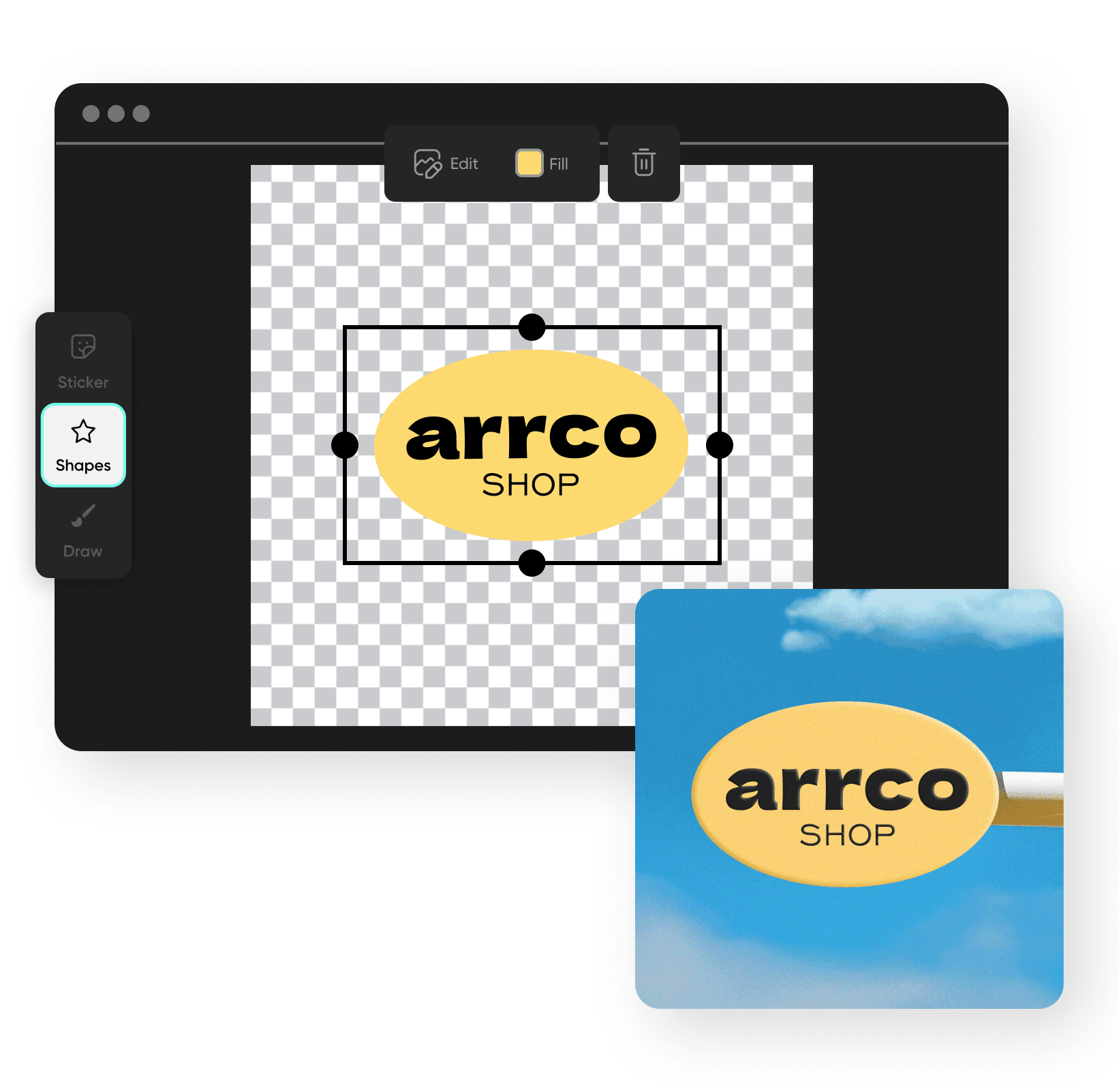
Create logos from scratch using the online logo maker’s tools. Explore the stickers and shapes library to get access to pre-made graphic elements, or use the Draw tool to get hands-on and draw visuals yourself. Take advantage of the layer functionality to effortlessly tweak the composition of your logo design elements.

create a logo from scratch

Tap into fonts galore

Write your business name in unique lettering thanks to the fonts library, and effortlessly adjust the layout for a perfect match with your logo design. Find typography inspiration with the text presets for harmonious business name and slogan font combination ideas.

add font to your logo

Design all kinds of logos

Use the Picsart free logo maker to design logos for any purpose. Need a logo for your Etsy shop? Check. Twitch account? Check. For a small business, a startup, or your personal brand? Check, check, and check! You’ll find plenty of design resources and templates to support you through all sorts of logo design journeys.

design all kinds of logos

Generate a logo in an instant with AI

Need a logo in a hurry? Tap into the built-in AI logo maker to create logos with lightning speed and minimal effort. Just input your business name, select an industry and a color story, and let the state-of-the-art AI do the work for you.

Generate AI logos

Customize logos like a pro with easy-to-use design tools

Tap into Picsart’s suite of editing tools to design logos that capture your brand’s identity effectively. Add text in a variety of fonts and layouts, or use the AI image generator to create graphics from scratch without drawing. Tweak the colors in an instant with a variety of photo effectsAI filters, and so much more! All this in one easy-to-use platform.

customize logos

Logo maker FAQ

Choose a blank canvas and add every detail of your logo using a range of creative tools.

Yes. Once you choose a template or create one from scratch, select Upload Image in the left navigation to add your own images to your logo design.

As Seen in

  • boredpanda
  • COSMOPOLITAN
  • UPROXX
  • yahoo! news