How to build multi-step workflows with the gen-ai-workflows skill

What you'll learn
What is the gen-ai-workflows skill?
Common use cases
Build your workflow step by step
STEP 1: Download and import the skill
- On web: Go to picsart.com/cli/#skills-starter → Download gen-ai-workflows → Extract to your agent's skills directory
- On mobile: Use desktop — workflow automation requires a development environment with sufficient compute and storage
STEP 2: Define your workflow steps
Describe the complete pipeline you want to automate:
- Campaign kits: Hero image → social variants → video reel → soundtrack
- Blog-to-visual: Extract text → generate featured image → create video summary
- Product launch: Product brief → hero shot → demo video → voiceover → OG images
- Catalog re-shoot: Upload images → remove backgrounds → resize to formats → upscale
- Dependencies: Steps can use outputs from previous steps as inputs
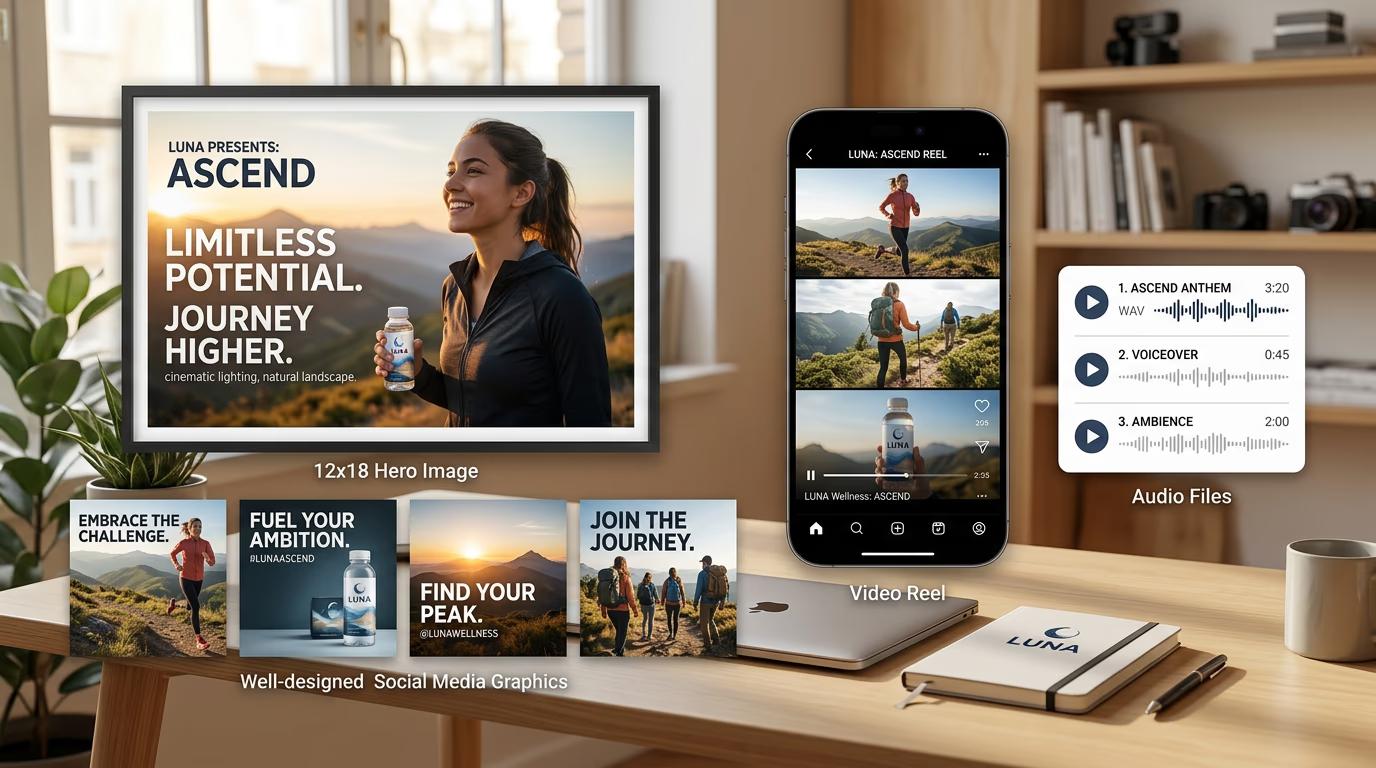
STEP 3: Execute and monitor the pipeline
Your agent runs each step in sequence, passing outputs forward automatically. Progress updates show which step is running, completed steps, and estimated time for the full workflow. If a step fails, the skill can retry, skip, or halt based on your configuration. All outputs save to organized directories.
STEP 4: Review and export your campaign
Check your output directory for the complete asset set: Need changes? Adjust specific steps in the workflow definition and re-run just those steps, or regenerate the entire pipeline with updated parameters.
- Verify all expected assets generated successfully
- Check that dependencies passed correctly (e.g., video used the right image)
- Review the workflow log for timing, costs, and any warnings
Tips for best results
💡 Design workflows backward from the final deliverable
Start by listing what you need at the end ("16:9 video with soundtrack"), then work backward to identify required steps. This ensures each step produces an output the next step needs, avoiding dead-end branches.
💡 Use intermediate checkpoints for quality control
Instead of running a 10-step workflow end-to-end, break it into phases with manual review points. Generate the hero image first, verify it matches your brief, then continue with dependent steps. This prevents cascading errors.
💡 Cache expensive steps to speed up iterations
If you regenerate a workflow multiple times (testing different video styles), cache the hero image step so you don't pay to regenerate it each time. The skill can reuse outputs from previous runs.
💡 Build reusable workflow templates
Create standard workflows for common scenarios (product launch kit, blog post visuals, campaign package) and save them as named templates. Ask your agent to "run the product launch workflow with [new brief]" to execute instantly.
Pre-built workflow templates
Frequently asked questions

Ready to automate your creative production?
Import the gen-ai-workflows skill and build complete campaign pipelines in one command.
Download skill