How to create 50 ad variations with AI workflows
What you'll learn
What are AI workflows?
Common use cases
Create your ad variations step by step
STEP 1: Open workflow builder
- On web: Go to picsart.com/workflows → Click "Create new workflow"
- On mobile: Open Picsart → Menu → Workflows → "+" icon
STEP 2: Configure variation settings
Set up your automation parameters:
- Upload base image: Your main product photo or design template
- Background variations: Choose 5-10 background styles (solid colors, gradients, AI-generated scenes)
- Text variations: Add different headlines, CTAs, or product descriptions to test
- Color schemes: Select multiple color palettes to apply across variations
- Format sizes: Include all platform specs (1080x1080, 1200x628, 1080x1920, etc.)
- AI enhancements: Enable auto-retouch, background removal, or smart crop for each output
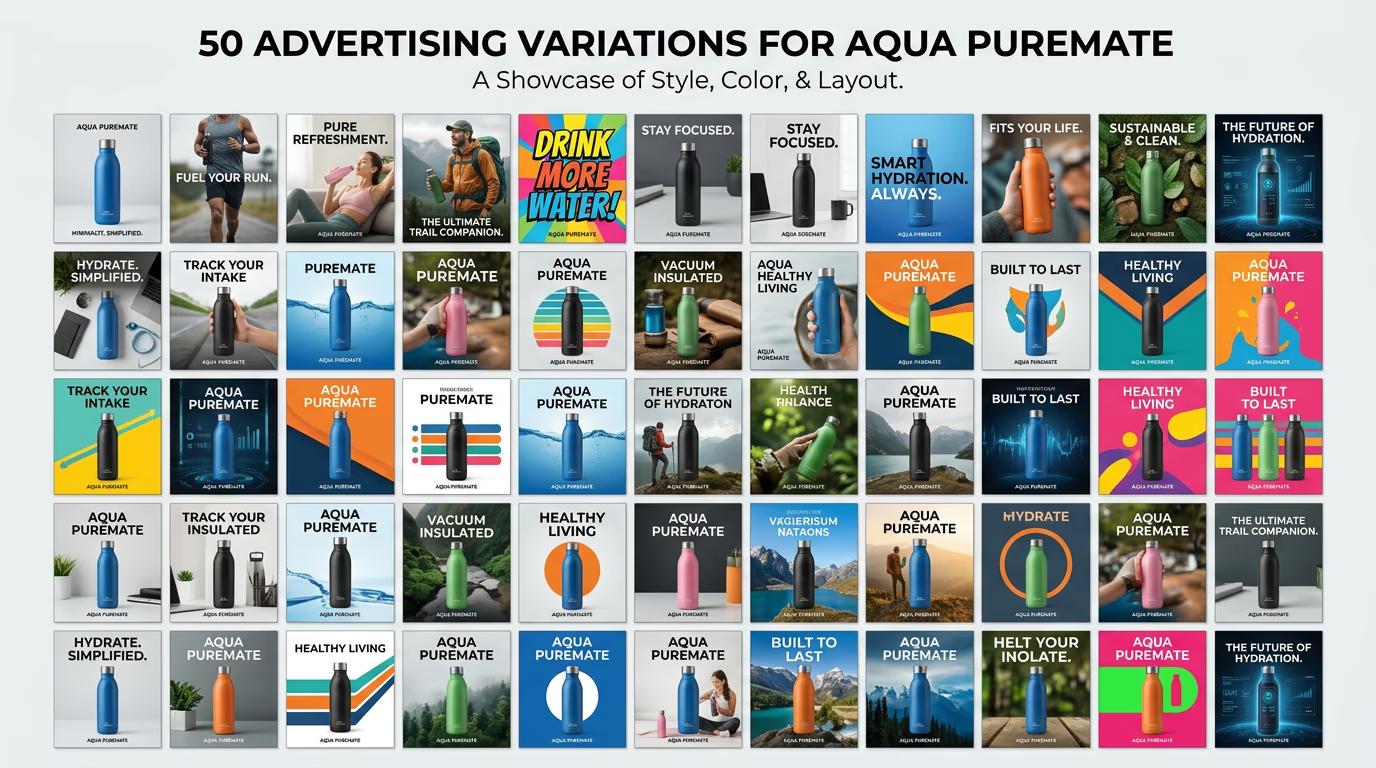
STEP 3: Generate all variations
Click "Run workflow" and the AI will process every combination you specified. With 5 backgrounds, 2 text versions, and 5 formats, you'll get 50 unique ads in a few minutes. The system applies each variation automatically and renders all outputs simultaneously.
STEP 4: Review and export
Check your generated variations for quality: Not perfect? Adjust your workflow settings and regenerate specific batches, or manually edit individual variations that need tweaks.
- Verify text is readable across all background combinations
- Check that product images are properly centered and cropped for each format
- Confirm color schemes maintain brand consistency and visual appeal
Tips for best results
💡 Start with fewer variables
Test a small batch first (10-15 variations) to confirm your settings work before running the full 50. This helps you catch issues like text readability or color clashes early without wasting time on a large failed batch.
💡 Use high-quality base images
Your variations are only as good as your source material. Start with sharp, well-lit product photos at least 2000px wide. The workflow will resize and adapt them, but it can't fix blurry or poorly composed originals.
💡 Name variations systematically
Set up automatic naming with tags like "[Product]_[Background]_[Size]" so you can easily identify which ad is which when reviewing performance data. Good naming saves hours when you're managing dozens of files.
💡 Save successful workflows as templates
Once you find a workflow configuration that performs well, save it as a reusable template. You can then generate new ad sets for different products using the same proven formula without rebuilding from scratch.
Platform specifications
Frequently asked questions

Ready to automate your ads?
Create 50 variations in minutes and spend your time on strategy, not repetitive design work.
Start workflow now