How to create coordinated projects with Picsart Aura AI agent

WORKFLOWS5 minIntermediate

Turn a plain-language creative brief into a complete, editable project with coordinated assets across formats.

Loading tutorial video

What you'll learn

  • Write effective creative briefs that Aura can execute
  • Review and approve Aura's project plan before creation
  • Refine generated assets to match your vision
  • Export coordinated projects ready for publishing

What is Picsart Aura?

Picsart Aura is a creative AI agent that acts as your personal creative director. Instead of juggling multiple tools and templates, you describe what you need in plain language, and Aura plans and creates the entire project—complete with coordinated visuals, videos, and copy across formats. Think of it like having a creative team that speaks your language and delivers finished work, not just starting points.

Common use cases

  • Social media campaigns: Create coordinated posts for Instagram, TikTok, and Facebook from one brief
  • Product launches: Generate announcement graphics, promo videos, and story templates in matching styles
  • Brand content: Build complete visual identities with logos, color palettes, and branded templates
  • Event marketing: Design event graphics, video invites, and promotional materials as a unified set
  • Seasonal campaigns: Produce holiday or seasonal content packages with consistent themes
  • Content series: Create multi-part visual stories with coordinated designs across episodes

Create your project with Aura step by step

STEP 1: Open Aura and describe your project

  • On web: Go to picsart.com/ai-agents → Select Aura Creative Director → Type or speak your creative brief
  • On mobile: Open Picsart → AI Agents → Aura → Record or type your brief
Start with Aura

STEP 2: Review and approve Aura's plan

Aura will present a project plan showing:

  • Asset types: Which formats Aura will create (videos, images, stories, etc.)
  • Style direction: Visual aesthetic, colors, and tone Aura understood from your brief
  • Content structure: How many pieces and what each will contain
  • Timeline estimate: How long creation will take
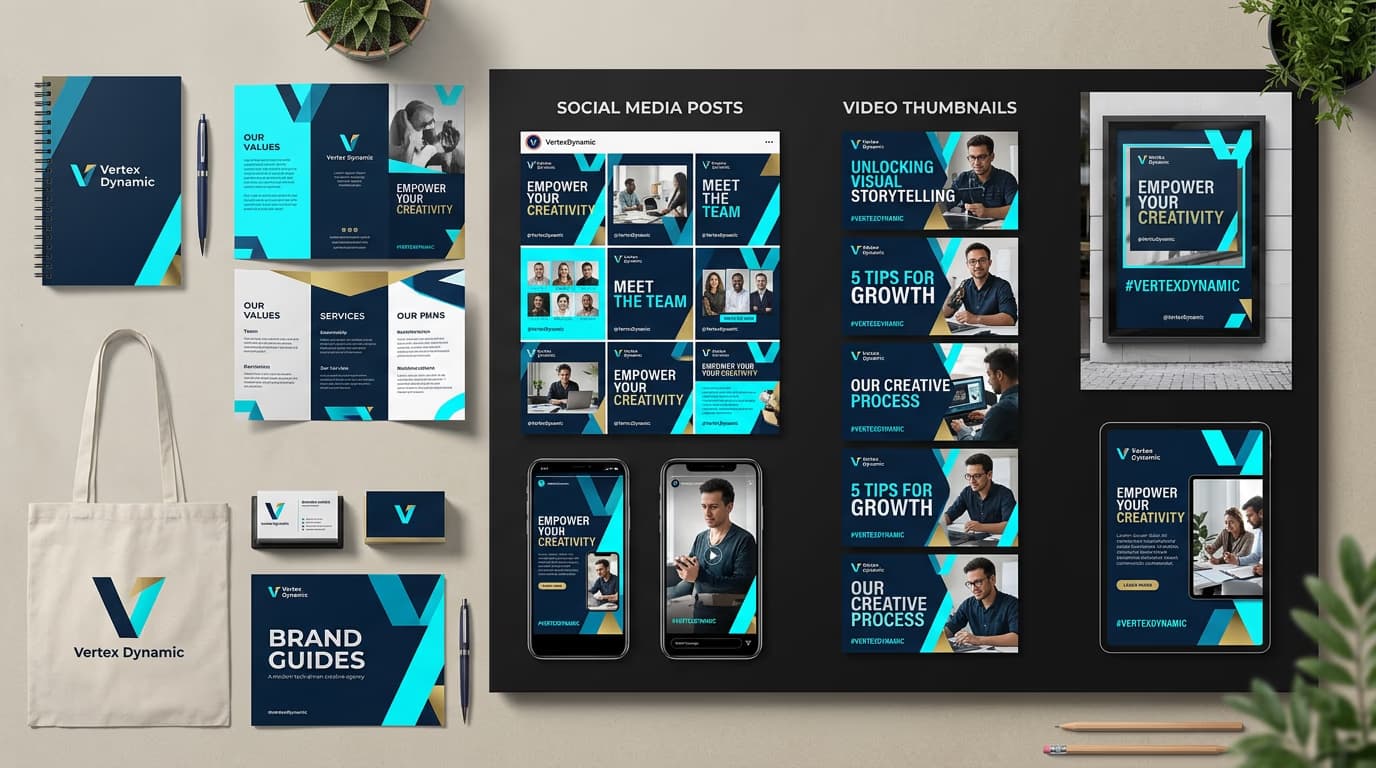
STEP 3: Let Aura create your project

Click "Create project" and Aura will generate all assets. This usually takes 2-5 minutes depending on project complexity. You'll see progress updates as each asset completes. All pieces will share coordinated colors, styles, and messaging based on your original brief.

STEP 4: Refine and export your assets

Check that your project matches your vision: Not perfect? Click any asset to edit it manually, or ask Aura to regenerate specific pieces with updated instructions.

  • Verify all assets share consistent branding and visual style
  • Check that copy and messaging align across formats
  • Test that aspect ratios match your target platforms
Create with Aura

Tips for best results

💡 Be specific about platforms and formats

Instead of "make social media posts," say "create an Instagram carousel, TikTok video, and Facebook cover image." Aura will optimize each format correctly when you name them.

💡 Include style references in your brief

Mention colors, moods, or visual styles you want: "bright and playful with yellow accents" or "minimal dark mode aesthetic." The more context you give, the closer Aura gets to your vision on the first try.

💡 Start conversations, not just commands

Aura works better when you talk naturally. Say "I need a launch campaign for our new app" rather than writing keyword lists. You can refine and adjust as Aura asks clarifying questions.

💡 Review the plan before creating

Take 30 seconds to check Aura's plan. If something looks off—like wrong dimensions or missing a key platform—adjust it before creation starts. This saves you from regenerating later.

Frequently asked questions

Picsart Aura is an AI creative agent that takes natural language briefs and creates complete, coordinated projects with multiple assets. You describe what you need in plain English, Aura builds a project plan, then generates all the visuals, videos, and copy as a unified package. It acts like a creative director who understands your vision and delivers finished work, not just templates.

You can use Aura on both mobile and web. On mobile, open the Picsart app and tap AI Agents to find Aura. The mobile version supports voice input, so you can speak your brief instead of typing. Both versions give you the same project creation and editing capabilities.

Write your brief like you're talking to a creative team member. Include what you're creating, who it's for, what platforms you need, and any style preferences. For example: "I need a product launch campaign for Instagram and TikTok. Modern, clean aesthetic with blue and white colors. Show our new headphones in lifestyle settings." Be specific about formats and give visual direction.

Yes. Every asset Aura generates opens in the full Picsart editor. Click any piece to adjust colors, swap images, change text, or redesign elements. You can also ask Aura to regenerate specific assets with new instructions while keeping the rest of your project unchanged.

Ready to create complete projects?

Let Aura turn your creative briefs into finished, coordinated work across every format.

Start creating with Aura