How to create professional presentations with Slide Studio AI
Turn rough notes into a lecture deck, build an investor pitch, chart your research, or redesign slides you already have with Picsart Slide Studio.
- Category: AI AGENTS
- Reading time: 4 min
- Watching time: 7 min
- Difficulty: Intermediate
What you'll learn
- Turn your rough lecture notes into a PDF presentation and review the proposal before you approve it.
- Build your investor pitch around product images, a logo, and a clear visual direction.
- Turn your research into a chart for a strategy deck.
- Use Slide Studio's feedback to guide a redesign of your existing deck.
Create your presentations step by step
Step 1: Open Slide Studio
- On web: Open the Picsart homepage, select AI agents on the left, then open Slide Studio.
Open Slide Studio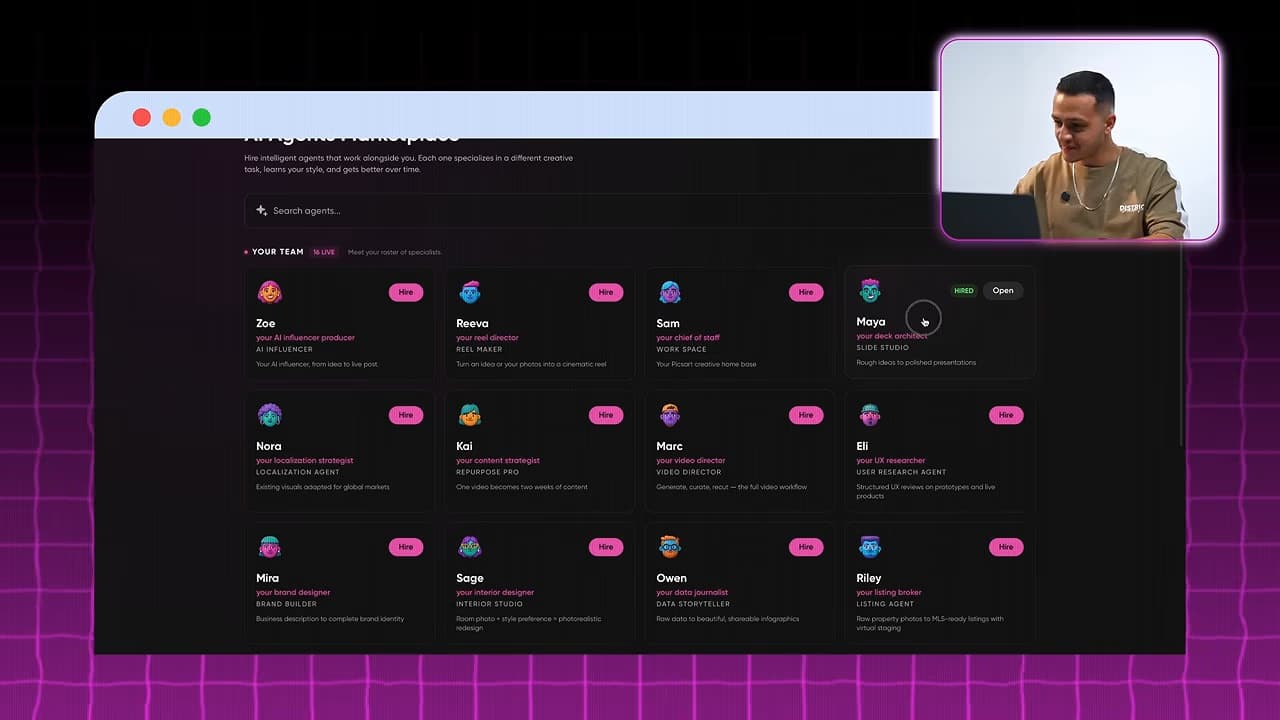
Step 2: Set your lecture deck brief
Ask Slide Studio to turn your rough notes into a presentation. Paste your notes beneath your request, send it, then answer the agent's questions.
- Audience: general public
- Tone: cinematic and dramatic
- File format: PDF
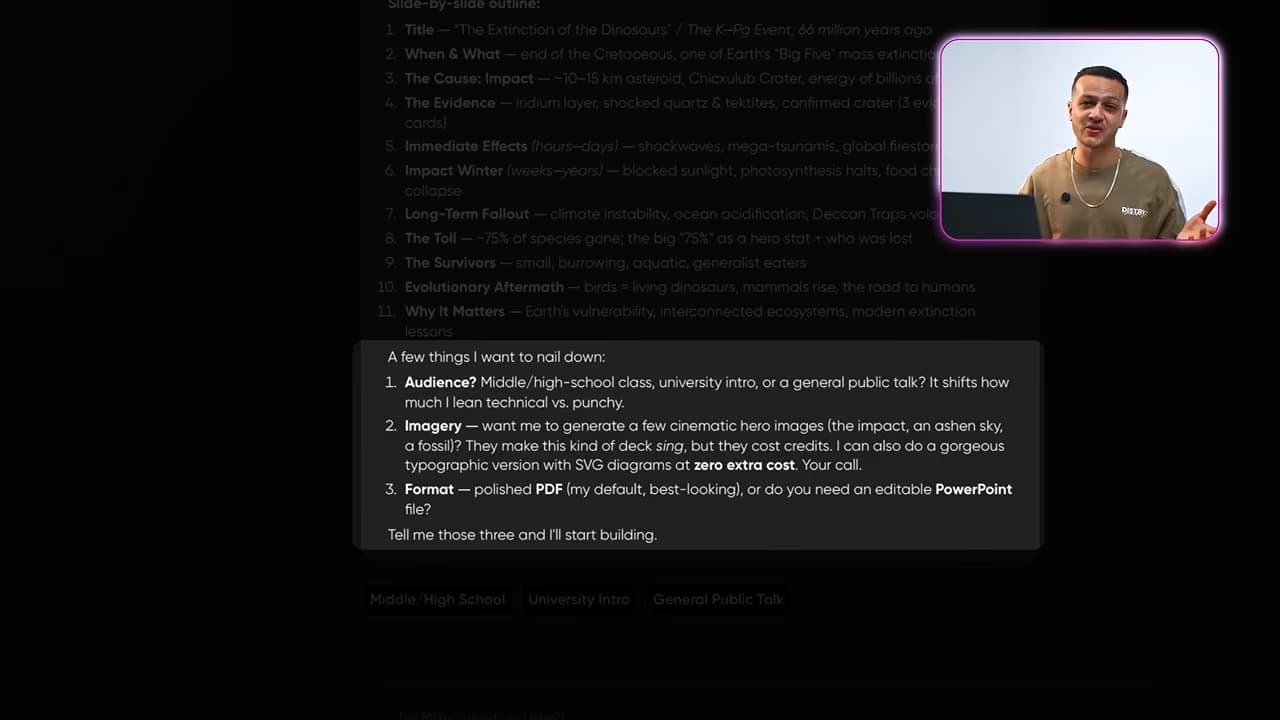
Step 3: Approve your lecture deck proposal
Send your answers and let Slide Studio build a proposal. Check the total cost before you approve the plan, then follow the link to Picsart Drive to view your finished deck.

Step 4: Build your investor pitch
Upload your product images and brand logo, then send a prompt that explains who you're pitching, what makes your product different, and what colors you want. Answer the follow-up questions and review the proposed colors, fonts, and overall style. Open the deck when Slide Studio finishes it.
Help me build a pitch deck for potential investors for my luxury fragrance brand nost. The key differentiator for my product is its low manufactured quality, ethically sourced ingredients from local producers. Have the presentation have summary Mediterranean colors like warm beiges and whites and shades of blue.

Step 5: Turn your research into a chart
Ask Slide Studio to turn your research into charts for a strategy deck, then paste the information you've collected. In the video, you see music streaming research prepared for senior leaders. Open the result in Picsart Drive to review the chart.
Step 6: Redesign and review your existing deck
Check that your redesigned deck tells a clear story about your agency. Start by uploading your slides and sending the redesign prompt. Read the agent's summary, feedback, and suggested direction, then answer its questions as precisely as you can. If the suggested direction misses the point, use your answers to clarify what you want the deck to communicate.
- Check that your slides explain what your agency does.
- Check that your slides show how your agency can help a potential client.
- Compare your new slides with the original deck to see whether the redesign addresses the visual issues you wanted to fix.
analyze and redesign this deck
Open Slide Studio
Slide Studio chart example

Get better results
Give Slide Studio a clear brief and check the proposed direction before you proceed.
Name your audience
Say who'll see your slides. A museum lecture for the general public has a different audience from a strategy deck for senior leaders.
Describe your palette
Name the colors you want instead of relying on a mood alone. In the fragrance pitch, you see warm beiges, whites, and shades of blue listed in the brief.
Add your source material
Paste your notes or research alongside your request. For a brand pitch, upload your product images and logo so the agent can review them.
Review the plan
Check the proposed direction before you approve it. If it doesn't match your brief, ask for changes to the plan.
Try these prompts
Use the video's prompts to start your investor pitch or ask for an existing deck redesign.
Fragrance investor pitch
Use this example when you want your pitch to spell out a product differentiator and a color palette.
Help me build a pitch deck for potential investors for my luxury fragrance brand nost. The key differentiator for my product is its low manufactured quality, ethically sourced ingredients from local producers. Have the presentation have summary Mediterranean colors like warm beiges and whites and shades of blue.
Existing deck redesign
Use this prompt after you upload a deck you want Slide Studio to critique and redesign.
analyze and redesign this deck
Find your use case
Use Slide Studio when you have notes, research, brand assets, or slides to work from.
- Lecture decks
- Investor pitches
- Strategy decks
- Client pitches
- School presentations
Frequently asked questions
See how you can brief Slide Studio, choose a starting point, and respond to feedback.
- Picsart Slide Studio is an AI agent that helps you create presentations, make charts, and get feedback on existing slides. You can give it a brief and source material, then answer questions that shape the output. For example, your audience and tone can help define the direction of a lecture deck.
