How to create viral YouTube thumbnails with AI in minutes
What you'll learn
What are YouTube thumbnails?
Common use cases
Create your thumbnail step by step
STEP 1: Open the workflow
- On web: Go to the workflow URL → Click "Use this workflow"
- On mobile: Open the workflow link → Tap "Use this workflow" → Follow prompts
STEP 2: Choose your visual style
Select the type of thumbnail that matches your video content:
- AI-generated background: Create custom scenes using text prompts
- Photo upload: Use your own images from the video or related content
- Template start: Begin with pre-designed layouts for common video types
- Text-first design: Focus on bold typography with minimal background
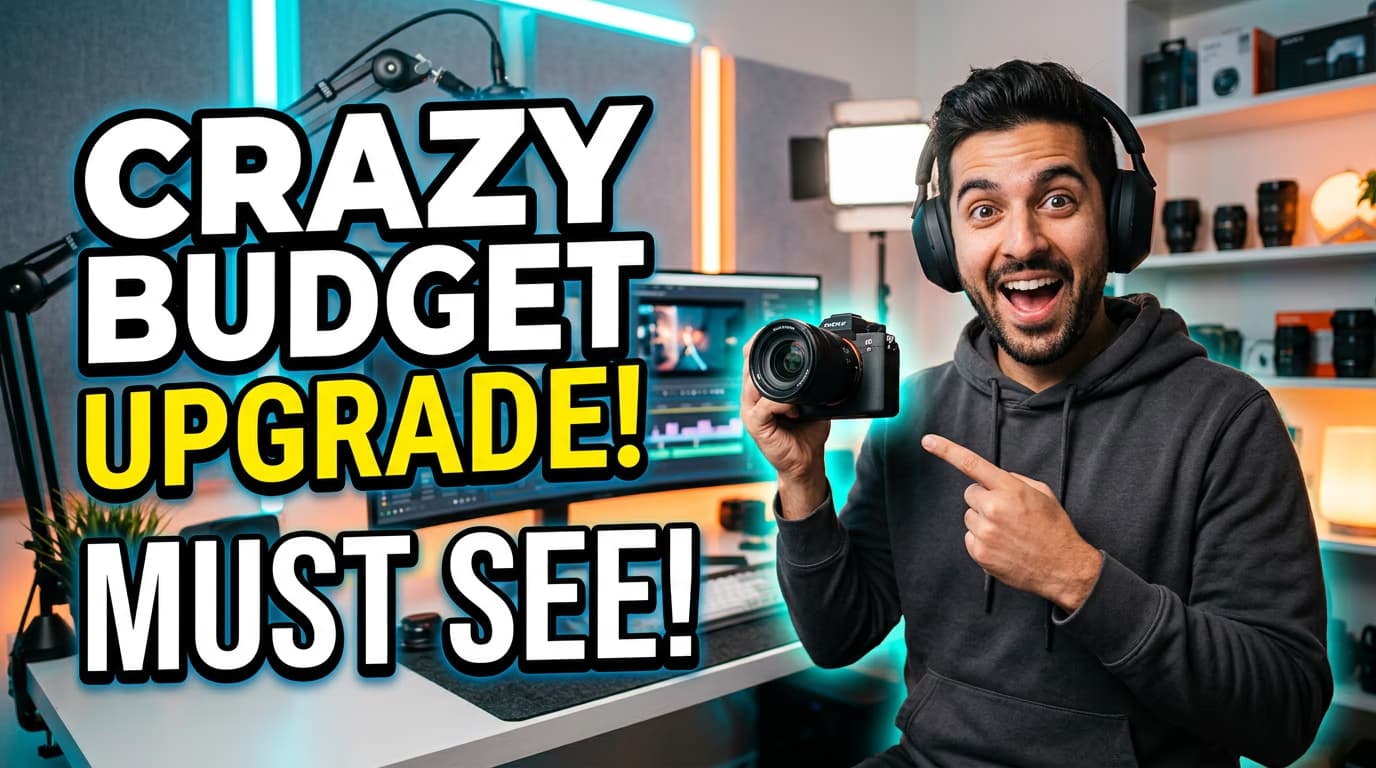
STEP 3: Add title text
Type your video title or hook text. The workflow automatically applies bold, high-contrast formatting optimized for small screens. Adjust size, color, and position to ensure the text stands out clearly against your background.
STEP 4: Review and export
Check that your thumbnail follows YouTube best practices: Not perfect? Go back and adjust text size, try different background colors, or regenerate AI elements for a fresh look.
- Text is readable at thumbnail size (zoom out to check)
- Important elements avoid the timestamp area (bottom right)
- High contrast between text and background for visibility
Tips for best results
💡 Use faces when possible
Thumbnails with human faces showing clear emotions get 30% more clicks. Position faces in the left or center area where viewers' eyes naturally look first.
💡 Limit text to 6 words maximum
Shorter text is more readable on mobile devices and TV screens. Focus on one key question, benefit, or curiosity hook rather than explaining everything.
💡 Test contrast on mobile
View your thumbnail at actual size on a phone before publishing. What looks bold on desktop can disappear on smaller screens, especially in dark mode.
💡 Keep brand colors consistent
Use the same color palette and text style across your thumbnails. This builds visual recognition so viewers instantly know your videos when scrolling their feed.
YouTube thumbnail specifications
Frequently asked questions

Ready to boost your clicks?
Start creating thumbnails that stop the scroll and get views.
Create thumbnail now