How to design email campaigns with Picsart Flow
What you'll learn
What is email campaign design in Flow?
Common use cases
Design your email campaign step by step
STEP 1: Open Flow and set up campaign structure
- On web: Go to picsart.com/flow → Create workflow → Choose email campaign template → Name your sequence
- On mobile: Open Picsart → Flow tab → "+" → Email marketing → Select campaign type
STEP 2: Configure email components and branding
Choose what each email in your sequence will include:
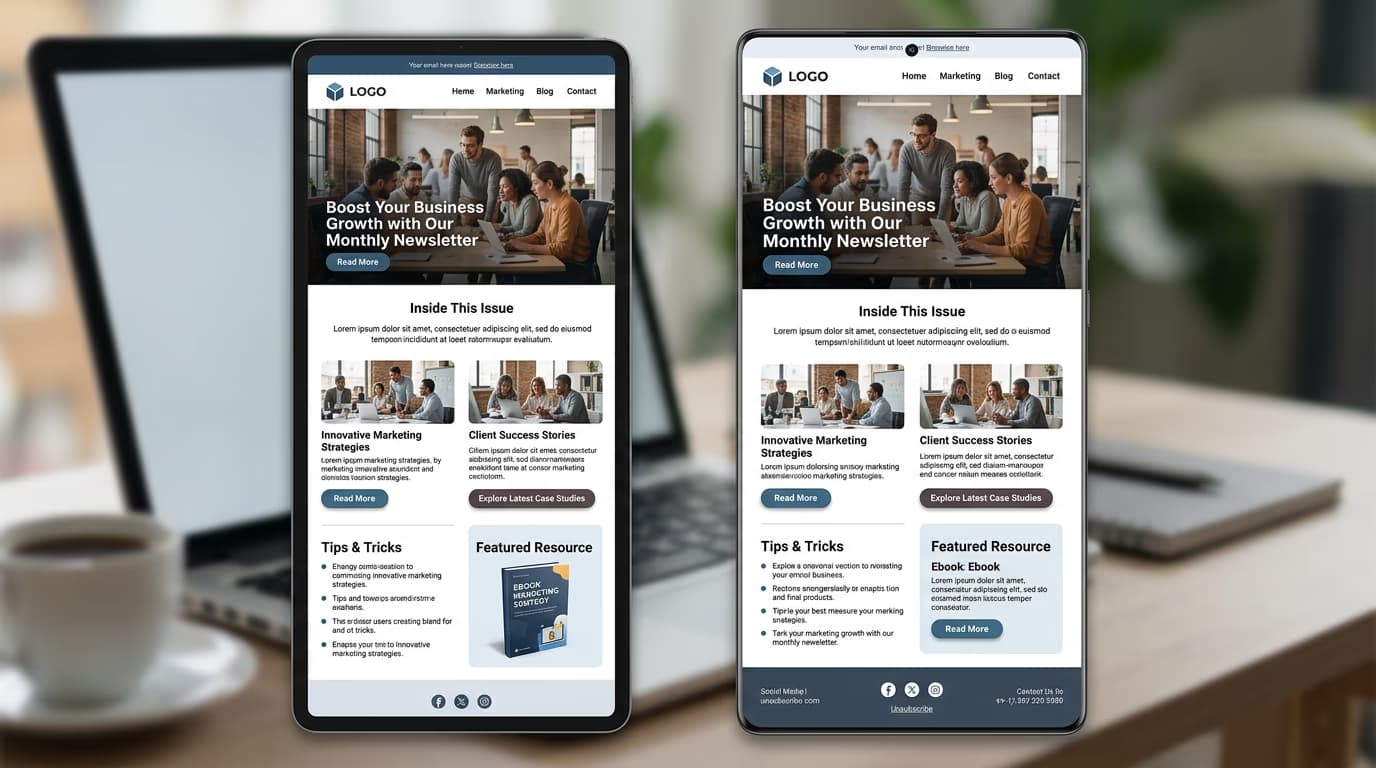
- Header image: Branded banner with logo and tagline (600px wide recommended)
- Hero section: Main visual with headline and primary message
- Content blocks: Text sections, product grids, or feature callouts
- Call to action: Button style, text, and link destination
- Footer: Contact info, social links, and unsubscribe compliance
STEP 3: Generate email assets
Flow creates all graphics, applies your brand colors, and formats text for email clients. Each email in your sequence is generated with consistent styling. Review headlines for clarity, verify all links work, and check that offers are truthful and clearly stated.
STEP 4: Review and export
Check that your email campaign is ready to send: Not perfect? Edit text, swap images, or adjust button colors in the workflow, then regenerate the entire sequence with updated styling.
- Test that all buttons and links point to the correct destinations
- Verify copy is clear, scannable, and avoids jargon or vague promises
- Check that images load quickly and look good on mobile screens
Tips for best results
💡 Use fictional brands for practice
If you're building a portfolio or testing workflows, create sample campaigns for made-up companies. Never use real brand names, logos, or product details unless you have permission.
💡 Write accessible, scannable copy
Break text into short paragraphs. Use headings, bullet points, and bold text to help readers find key information quickly. Avoid all-caps text and low-contrast color combinations.
💡 Make every CTA specific and honest
Replace vague buttons like "Learn More" with clear actions: "Download Free Guide" or "Get 20% Off Today." State exactly what happens when someone clicks, and never promise something you can't deliver.
💡 Test on multiple email clients
Export your designs and send test emails to Gmail, Outlook, and Apple Mail. Check how images, buttons, and layout render on desktop and mobile before launching your campaign.
Frequently asked questions

Ready to launch?
Build your email campaign with Flow's automated design templates.
Create campaign now