How to keep AI characters consistent across images with Picsart Flow
What you'll learn
What is character consistency in AI generation?
Common use cases
Create consistent AI characters step by step
STEP 1: Open Picsart Flow
- On web: Go to picsart.com/flow → Sign in to access generation tools
- On mobile: Open Picsart → Flow tab → Select image or video generation
STEP 2: Upload character reference and describe features
Add your reference image and write a detailed prompt:
- Character reference: Upload an image of the character you want to repeat
- Physical details: Describe hair color, eye color, face shape, and distinctive features
- Identity keywords: Include terms like "same person", "same character", "consistent identity"
- Scene context: Add what's different (pose, clothing, background, lighting)
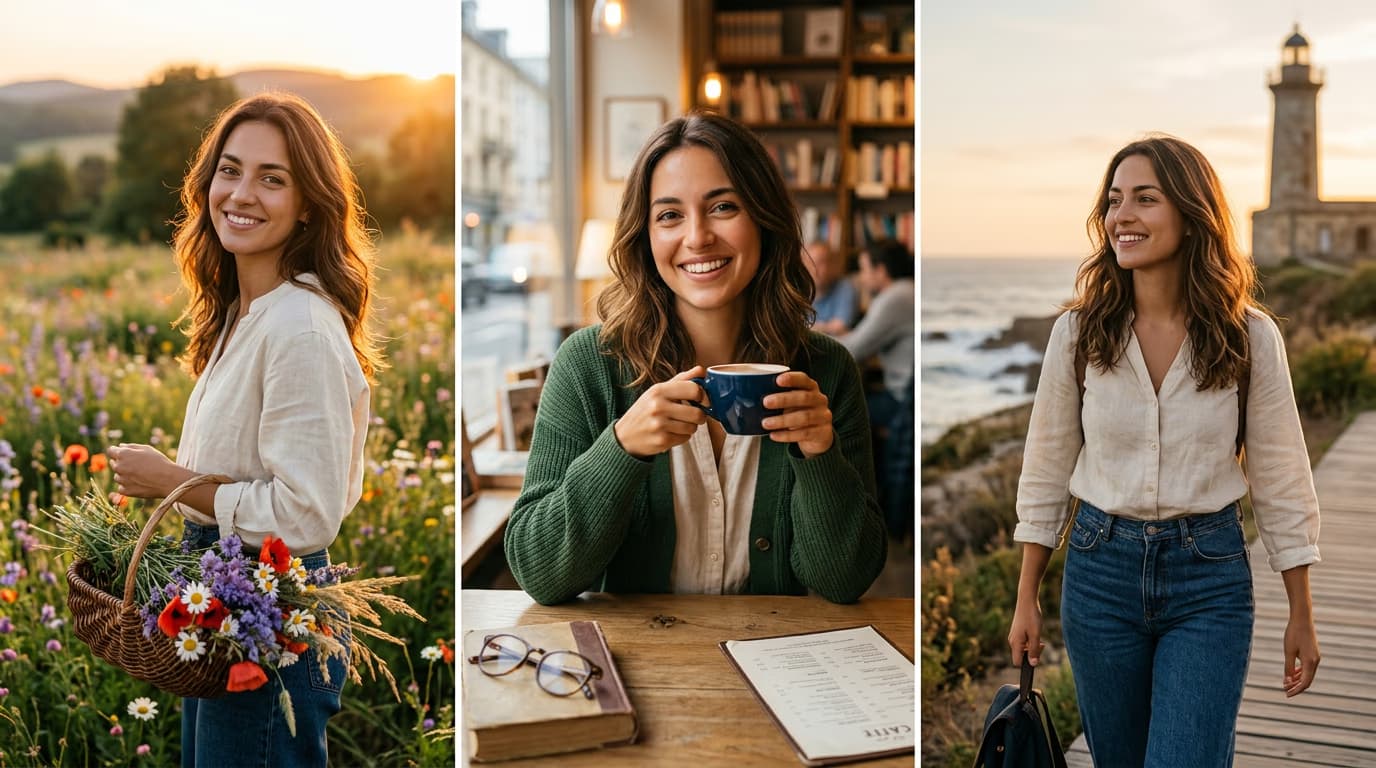
STEP 3: Generate with character lock enabled
Click "Generate" and wait for the AI to create your image. Picsart Flow analyzes your reference image and matches facial features, body proportions, and appearance details in the new composition while applying your scene changes.
STEP 4: Review consistency and iterate
Check that character identity matches across images: Not matching? Regenerate with more specific feature descriptions, or adjust the reference image for clearer facial details.
- Compare facial features side by side with the reference image
- Check that hair, eyes, and face shape remain the same
- Verify the character looks like the same person, not a similar style
Tips for best results
💡 Use high-quality reference images
Choose clear, well-lit reference photos with visible facial features. Blurry or low-resolution images make it harder for the AI to identify and match character details.
💡 Repeat specific descriptors in every prompt
Copy the exact same physical descriptions across all generations. If you called them "woman with long red hair and green eyes" in the first prompt, use those exact words every time.
💡 Keep the reference visible while prompting
Open your reference image in a second window so you can describe features accurately. Include details you might forget, like freckles, scars, or unique facial structure.
💡 Generate multiple variations and compare
Create 3-4 images at once, then pick the one that matches best. Small inconsistencies happen with AI, so having options helps you find the closest match.
Frequently asked questions

Ready to create consistent characters?
Start generating AI images with character consistency in Picsart Flow.
Open Picsart Flow