How to turn one product photo into a full asset pack with AI
Create studio photos, lifestyle shots, and 360° product videos from a single image—no photoshoot needed.
- Category: WORKFLOWS
- Reading time: 4 min
- Difficulty: Intermediate
What you'll learn
- Generate multiple product backgrounds from one photo
- Create lifestyle scenes without additional photography
- Build 360° product videos from a single angle
- Export assets ready for listings and social posts
Build your product asset pack step by step
STEP 1: Upload your product photo
- On web: Go to picsart.com/flow/templates → Find the product asset pack template → Upload your image
- On mobile: Open Picsart → Flow → Templates → Product asset pack → Select photo
STEP 2: Choose your asset types
Select which formats to generate:
- Studio clean: White or neutral background for marketplace listings
- Lifestyle scene: Product in context (kitchen, office, outdoor, etc.)
- 360° video: Rotating product view from all angles
- Custom backgrounds: Specify colors, textures, or environments
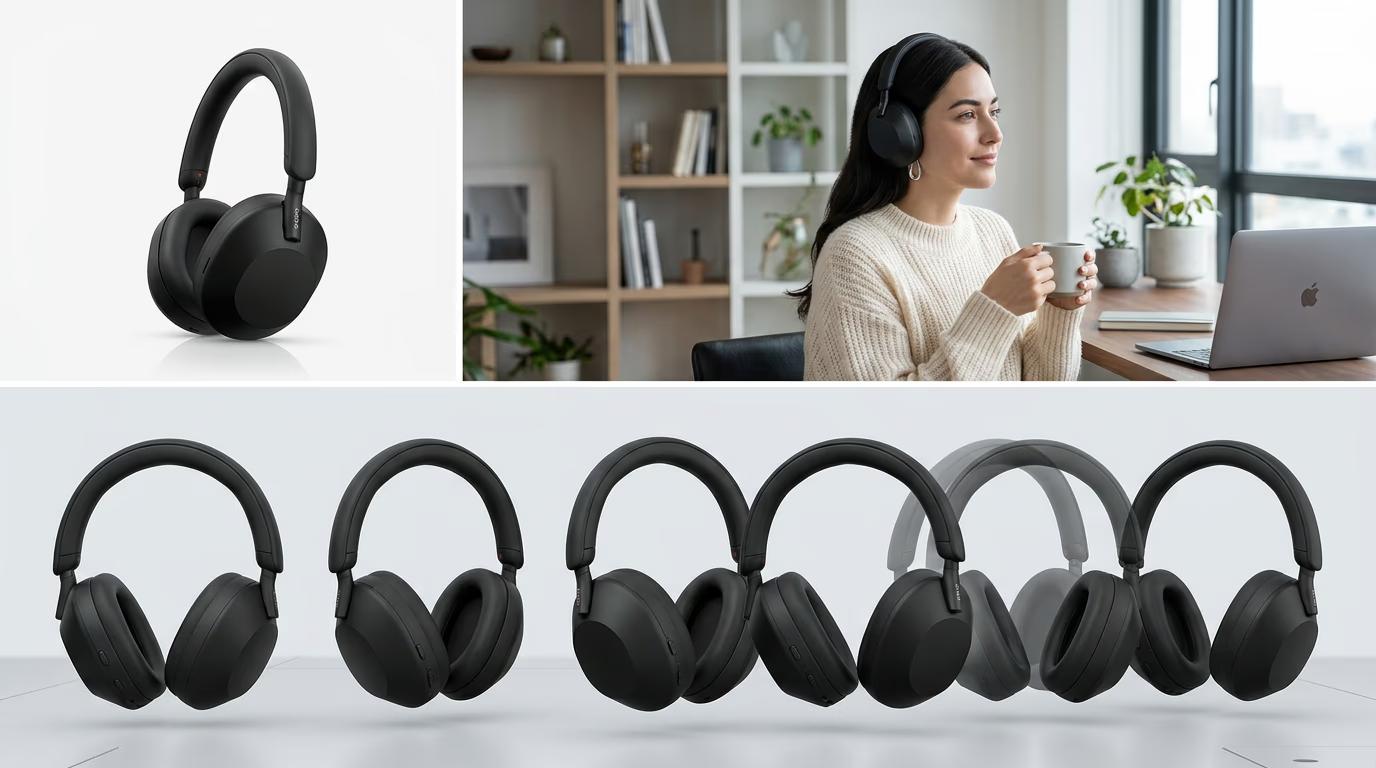
STEP 3: Generate your asset pack
Click "Generate" and wait 30-60 seconds. The AI will create multiple versions of your product: clean studio shots, lifestyle placements, and a rotating video—all from your single upload.
STEP 4: Review and export
Check that all generated assets match your brand: Not satisfied? Regenerate individual assets or adjust background prompts for better results.
- Verify product details remain accurate across all versions
- Check lighting consistency between studio and lifestyle shots
- Preview 360° video smoothness and rotation quality
Tips for best results
Start with a clean original
Use a well-lit photo with the product clearly visible against a plain background. The AI works best when it can easily identify product edges and details.
Shoot straight-on angles
Front-facing or slight three-quarter views work better than extreme angles. This gives the AI enough information to generate accurate 360° rotations.
Batch similar products together
Processing multiple similar items in one session saves time. Upload photos of different colors or sizes of the same product and generate matching asset packs.
Match backgrounds to platform needs
Use white backgrounds for Amazon and eBay, lifestyle scenes for Instagram and Pinterest, and 360° videos for product detail pages and Facebook ads.
Platform export guide
- Amazon listings1000x1000px minimum, pure white background (RGB 255, 255, 255)
- Instagram feed1080x1080px square or 1080x1350px portrait, lifestyle backgrounds perform best
- Facebook ads1200x628px for feed, 1080x1080px for stories, multiple variants for testing
- Product detail pages2000x2000px high-res for zoom, 360° video at 1080p MP4
- Pinterest pins1000x1500px vertical, lifestyle or styled backgrounds get more saves
- TikTok Shop1080x1080px or 1080x1920px vertical, short 360° videos under 15 seconds
Frequently asked questions
- The AI analyzes your product's shape, lighting, and details to generate how it would look from multiple angles. It builds a 3D understanding of the object and renders a smooth rotation, creating frames that show the product turning. The result is a video loop that simulates a full turntable shot, though complex products may need minor manual review.
