How to turn outfit photos into style breakdown collages with AI
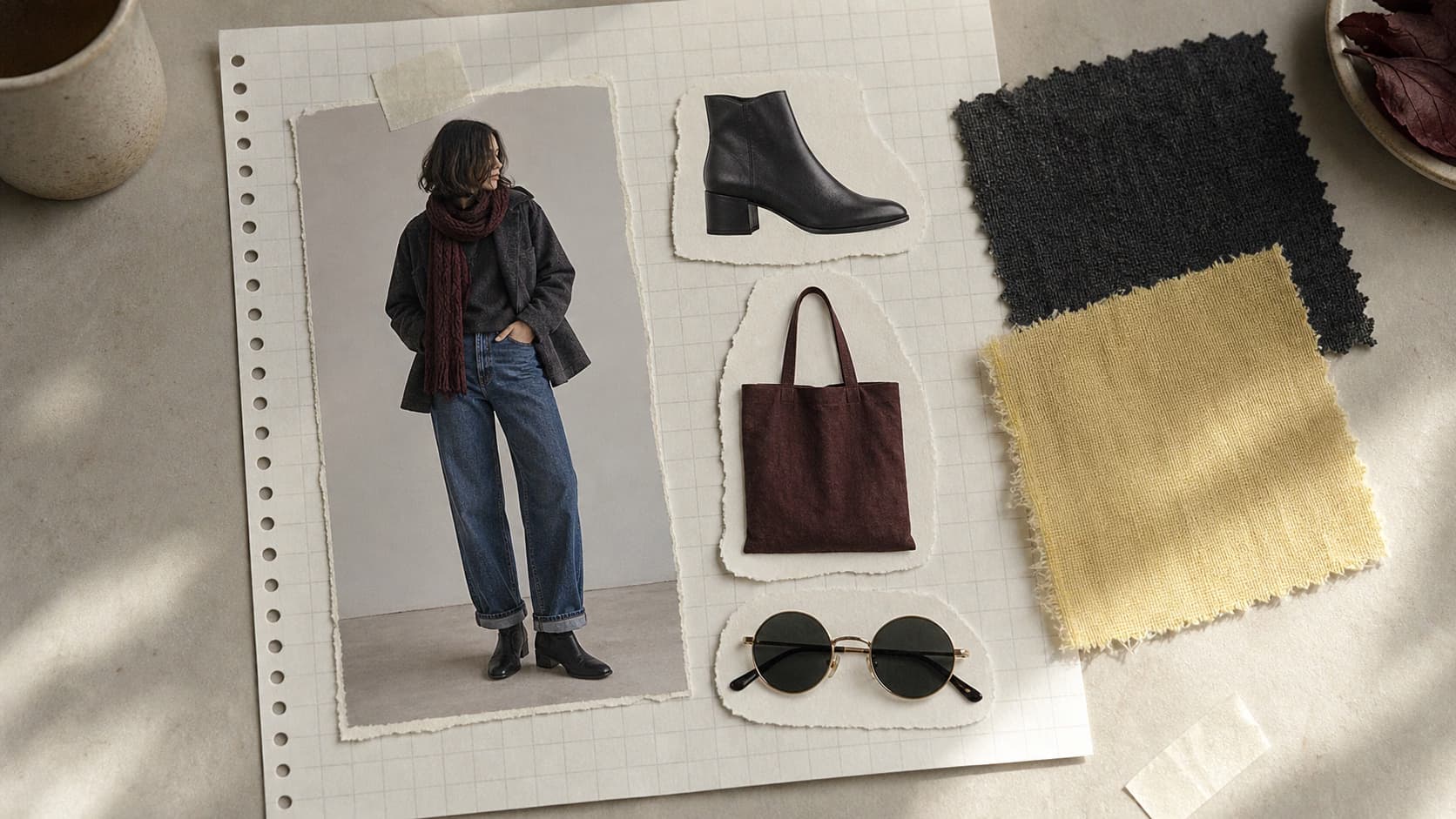
Turn one outfit photo into a style breakdown collage for creator posts, lookbooks, or styling content.
- Category: WORKFLOWS
- Reading time: 4 min
- Difficulty: Intermediate
What you'll learn
- Generate scrapbook-style outfit breakdown collages on grid notebook paper
- Extract key outfit elements as sticker callouts with labels
- Create Instagram-ready fashion breakdowns for OOTD and affiliate content
- Build shoppable-style layouts without manual design work
Create your outfit breakdown step by step
STEP 1: Upload your outfit photo
- On web: Go to the template page → Click "Use this template" → Upload head-to-toe outfit image
- On mobile: Open Picsart Flow → Find Outfit Breakdown Collage → Upload photo
STEP 2: Generate collage layout
Click "Run" and the workflow will create:
- Scrapbook layout: Beige grid notebook paper background
- Full-body cutout: Subject isolated and centered
- Sticker callouts: 3-5 outfit elements pulled out as separate items with handwritten labels, arrows, and soft shadows

STEP 3: Review breakdown collage
Wait about 30 seconds. The workflow outputs a vertical 9:16 PNG with a balanced notebook layout ready to share on Instagram Stories or Pinterest.
STEP 4: Save and post
Check the collage for accuracy: Not capturing the right pieces? Try a photo where the full body is in frame and outfit details are easier to see, then run again.
- Verify all key outfit elements (shoes, bag, accessories) are included
- Check that labels and arrows point to the correct items
- Make sure the layout feels balanced and not too crowded
Tips for best results
Use a sharp, full-body photo
Make sure the entire body is in frame and outfit details like shoes, bag, and accessories are clearly visible. Cropped or blurry photos may miss key elements.
Choose outfits with distinct pieces
Photos with clear, standout items (bold shoes, statement bag, sunglasses) produce cleaner callouts. Minimal outfits with fewer accessories may result in fewer stickers.
Test different outfit angles
Front-facing full-body shots work best. Side or angled poses may make it harder for the AI to isolate individual pieces.
Keep backgrounds simple
Plain backgrounds help the AI focus on the outfit. Busy or patterned backgrounds can create extraction errors or missed details.
Frequently asked questions
- AI outfit breakdown collage generation takes a full-body outfit photo and creates a scrapbook-style layout on beige grid notebook paper. The AI isolates the subject, extracts key outfit elements (shoes, bag, accessories) as sticker callouts with handwritten labels and arrows, and arranges them in a balanced collage. It's designed for OOTD posts and shoppable fashion content.
