Create 50 ad variants with Ad Variant Factory skill

What you'll learn
What is the Ad Variant Factory skill?
Common use cases
Generate your ad variants step by step
STEP 1: Download and import the skill
- On web: Go to picsart.com/cli/#skills-marketer-ad-variant-factory → Download skill → Unzip to your skills folder
- On AI agent: Point your Claude Code, Codex, or Cursor MCP server to the downloaded skill directory
STEP 2: Configure variant parameters
Define your testing matrix and variant settings:
- Hero asset: Upload your base creative (works best with simple, centered compositions)
- Aspect ratios: Select which formats to generate — 1:1 (Feed), 9:16 (Stories), 4:5 (Feed vertical), 16:9 (landscape)
- Copy variations: Provide 3-5 headline options and 2-3 body copy variations to test
- CTA positions: Choose where to test CTA buttons — bottom center, bottom right, top right, overlay on image
- Platform specs: Set safe zones and text size requirements for each platform (Facebook, Instagram, TikTok)
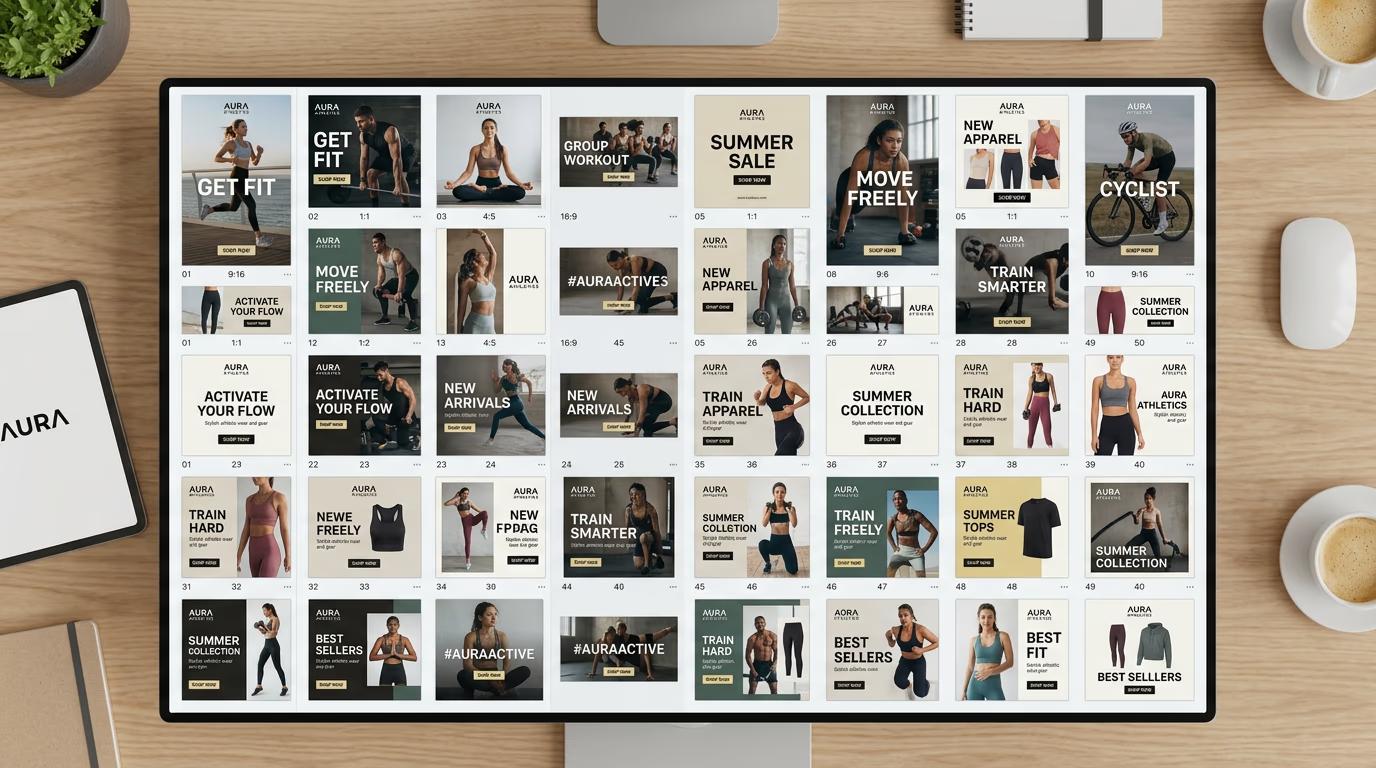
STEP 3: Generate all variants
Run the skill and let it create your complete variant set. The AI will resize your hero asset to each aspect ratio, place copy in different positions, test CTA button locations, apply platform-specific safe zones, and organize variants into folders by platform and type. This takes 60-120 seconds depending on variant count.
STEP 4: Review and export
Check that your variants meet platform requirements: Not perfect? Adjust copy placement rules or CTA positions and regenerate specific variant groups rather than the full set.
- Verify text is readable at small sizes on mobile previews
- Check that CTAs don't overlap important product visuals
- Confirm safe zones are respected on Stories and Reels formats
Tips for best results
💡 Start with simple hero compositions
Hero assets with centered subjects and minimal text work best. Complex layouts with edge-to-edge elements break when resized to different aspect ratios. Simple compositions adapt cleanly.
💡 Limit copy variations to test one thing at a time
Testing 5 headlines × 3 body copy options × 4 CTA positions creates 60 variants. Start with 2-3 headline options to keep your testing matrix manageable and isolate what drives performance.
💡 Use platform-specific safe zones
Instagram Stories crop differs from TikTok. Specify safe zones for each platform to prevent profile icons, UI elements, or text overlays from covering your copy or CTA buttons.
💡 Name variants systematically
Use a naming convention like 'hero-1x1-headline-a-cta-bottom.jpg' so you can track which variant is which when analyzing performance data. The skill can auto-generate systematic names if you configure it.
Platform aspect ratio guide
Frequently asked questions

Ready to test at scale?
Download the Ad Variant Factory skill and generate 50 ad variants from your hero asset.
Get the skill