How to create product mockups for Etsy and Shopify with AI
What you'll learn
What is the product mockup skill?
Common use cases
Create your product mockups step by step
STEP 1: Download the skill
- On web: Go to picsart.com/cli/#skills-prosumer-product-mockups → Click "Download"
- On mobile: Not available—use desktop terminal or AI agent (Claude Code, Cursor, Windsurf)
STEP 2: Choose your products and style
Select which products you want mockups for and the photography style:
- Product types: All six (default), or pick specific items like just apparel or just home goods
- Mockup style: Lifestyle photography (product in use), flat lay (overhead shot), or clean studio (white background)
- Background: White, neutral, or contextual (coffee shop for mugs, bedroom for posters)
- Angle: Front-facing, three-quarter view, or angled for depth
STEP 3: Upload your artwork
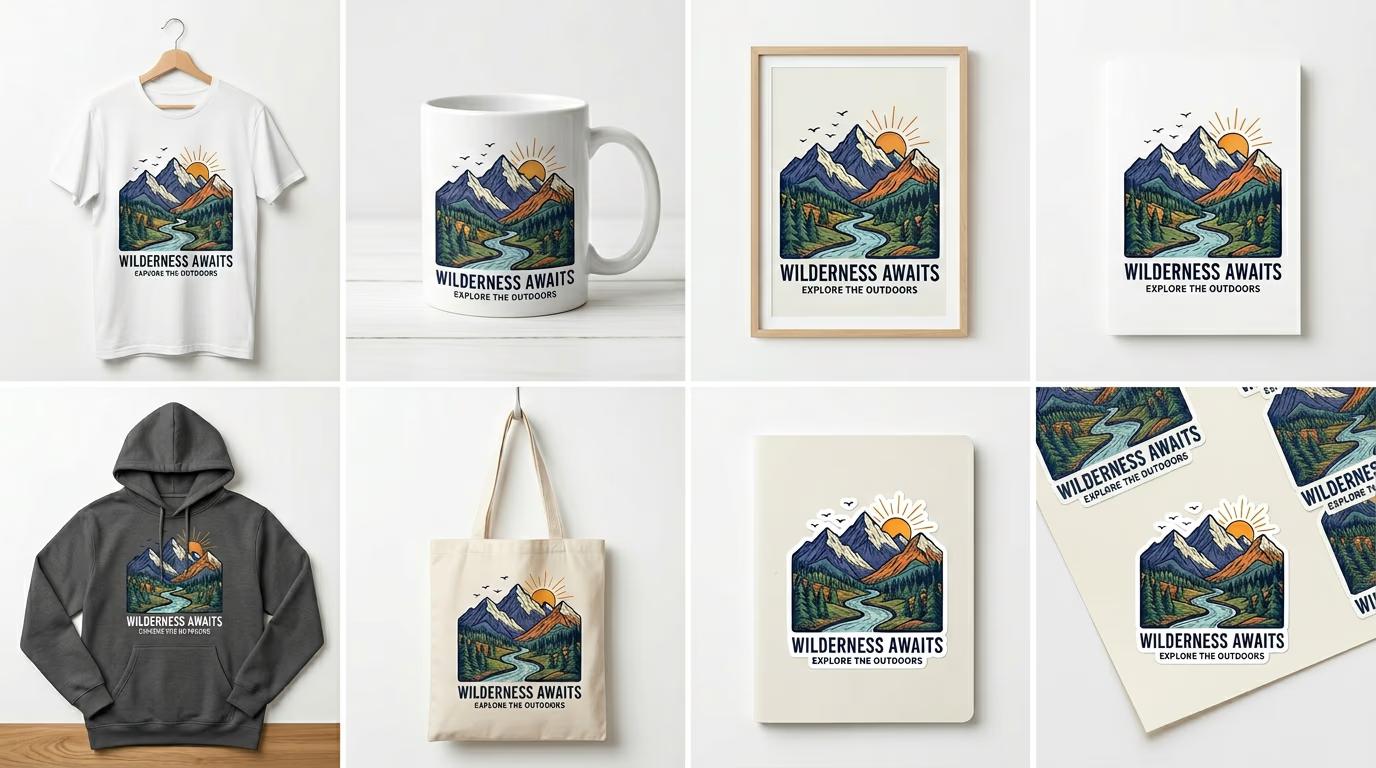
Point the skill to your design file. It works with PNG, JPG, SVG, or AI files. The skill automatically positions your artwork on each product, adjusts for perspective, and adds realistic lighting and shadows. Generation takes 20-40 seconds for all six mockups.
STEP 4: Review and export
Check that your artwork looks natural on each product: Not perfect? Regenerate specific mockups, adjust artwork placement, or try a different photography style.
- Verify artwork is centered and properly scaled on each product
- Check that shadows and lighting look realistic
- Confirm resolution is high enough for platform requirements (Etsy needs 2000px minimum)
Tips for best results
💡 Use high-resolution artwork
Upload designs at least 3000px on the longest side. Mockups scale your artwork to fit each product, and low-resolution files get pixelated when blown up on large items like posters or hoodies.
💡 Remove backgrounds before uploading
If your design has a background color or texture, remove it first. Mockups work best with transparent PNGs or vector files. Opaque backgrounds make your design look pasted-on instead of printed.
💡 Match mockup style to your brand
Lifestyle mockups (product in use) work better for social media and storytelling. Clean studio shots (white background) convert better on Etsy and Shopify where buyers want to see the product clearly. Pick based on where you're listing.
💡 Test one product type first
Generate a single mockup to check artwork placement and style. If it looks good, run the full set. This saves credits and lets you adjust settings before committing to all six products.
Platform specifications
Frequently asked questions

Ready to list faster?
Turn your designs into product photos without ordering samples or hiring photographers.
Create mockups