logo

How to generate your first AI image with gen-ai generate
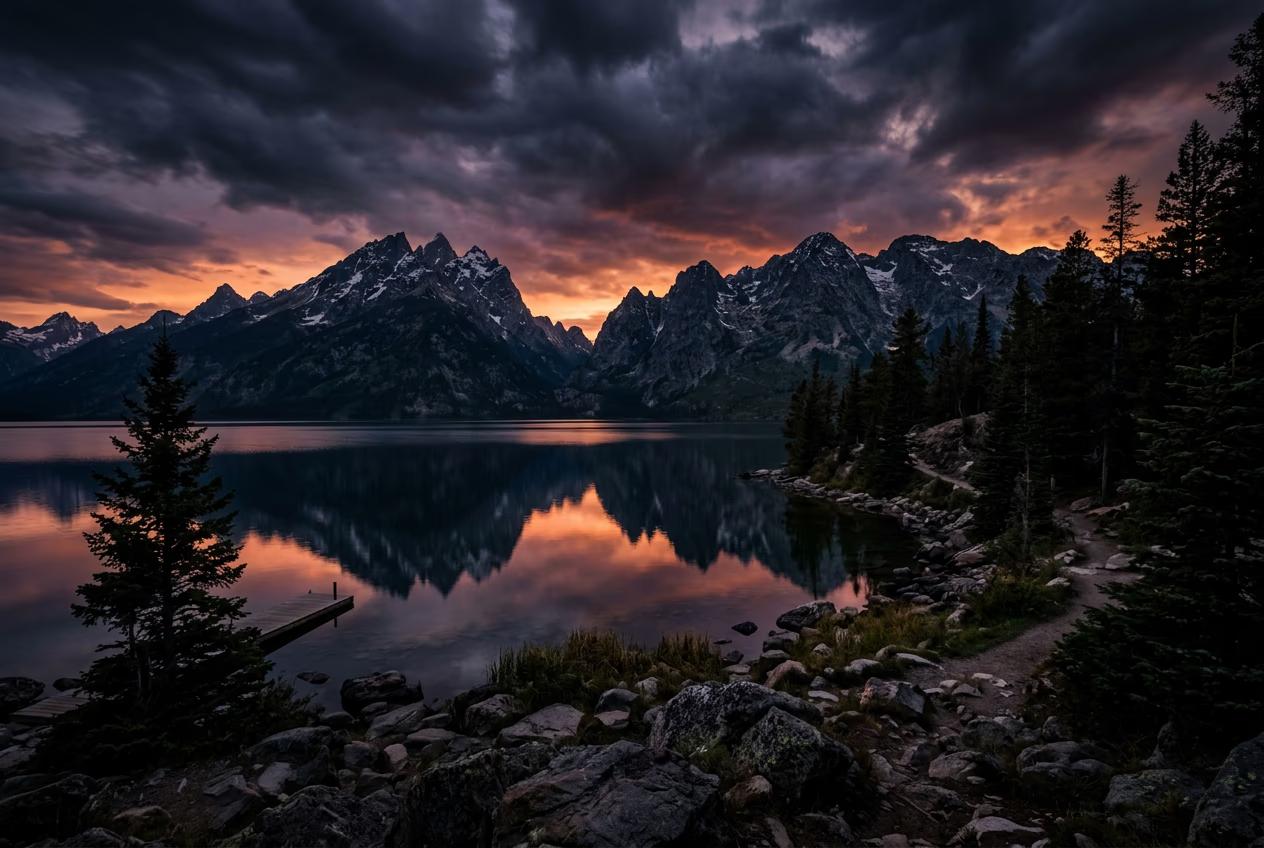
CLI4 minBeginner

Pick a model, write a prompt, set aspect ratio, and save output in one command — your complete hello-world tutorial.

How to generate your first AI image with gen-ai generate

What you'll learn

  • Run your first generation command with gen-ai generate
  • Choose between Flux, Recraft, Nano Banana, and 130+ other models
  • Control aspect ratio, output location, and file names
  • Understand what each flag does and when to use it

What is gen-ai generate?

gen-ai generate is the core command that creates images, video, or audio from text descriptions. You specify a model with -m, describe what you want with -p, set options like aspect ratio, and the CLI sends your request to the AI model. A few seconds later, your file appears in your current directory. It's like typing a text message to an artist who instantly sends back a finished piece.

Common use cases

  • Designers: Generate concept art and mood boards from terminal
  • Marketers: Create ad visuals without leaving your workflow
  • Developers: Automate asset creation in build scripts
  • Content creators: Batch-generate social media images
  • AI agents: Give Claude Code, Cursor, or Windsurf the ability to create images on demand
  • Prototypers: Quickly test visual ideas without opening design tools

Generate your first image step by step

STEP 1: Open your terminal

  • On Mac: Open Terminal app from Applications > Utilities
  • On Windows: Open PowerShell or Command Prompt
Open CLI docs

STEP 2: Choose your model and options

Decide what you want to generate and pick settings:

  • -m flag: Chooses the AI model (flux-2-pro, recraft-v4, nano-banana-v2, or 130+ others)
  • -p flag: Your text prompt describing what to create
  • --ar flag: Aspect ratio like 16:9, 1:1, 9:16, or 4:3
  • --out flag: Where to save the file (defaults to current directory)
  • Example: gen-ai generate -m flux-2-pro -p "mountain lake at sunset" --ar 16:9
STEP 3: Run the command

Paste your command and press Enter. The CLI shows a progress indicator while the model generates your image. Most image generations take 10-30 seconds depending on the model. When done, you'll see the file path where your image was saved.

STEP 4: Check your output

Verify the image matches your expectations: Not what you wanted? Adjust your prompt and generate again — each generation costs credits, so refine your prompt based on what you learn.

  • Open the saved file and check if the style matches your prompt
  • Verify the aspect ratio and resolution meet your needs
  • If the result is close but not perfect, tweak your prompt and regenerate
Generate more images

Tips for best results

💡 Start with Flux or Recraft for general images

flux-2-pro handles most prompts well and generates fast. recraft-v4 excels at vector-style art and illustrations. nano-banana-v2 is faster and cheaper for simple concepts. Try a few models to see which aesthetic you prefer.

💡 Be specific in your prompts

Instead of "a dog", try "golden retriever puppy playing in grass, sunny day, shallow depth of field". More detail gives the model clearer instructions. Mention style, lighting, composition, and mood for better control.

💡 Use --out to organize your files

Add --out ./images/project-name.png to save outputs in specific folders with custom names. This keeps your workspace organized when generating multiple images. The CLI creates directories automatically if they don't exist.

💡 Check pricing before bulk generations

Run gen-ai pricing to see credit costs per model. Flux costs more than Nano Banana but produces higher quality. If you're generating 50 variations, pick a model that balances quality and budget.

Common aspect ratios

  • 16:9: Widescreen format for YouTube thumbnails, presentation slides, and desktop wallpapers
  • 1:1: Square format for Instagram posts, profile pictures, and icons
  • 9:16: Vertical format for TikTok, Instagram Stories, and mobile-first content
  • 4:3: Standard photo ratio for prints and traditional displays
  • 4:5: Portrait format for Instagram feed posts and Pinterest pins
  • 2:3: Tall portrait for posters, book covers, and vertical prints

Frequently asked questions

Start with flux-2-pro — it handles most prompts well and generates photorealistic images fast. Use recraft-v4 for vector art, logos, or illustration styles. Use nano-banana-v2 when you need speed and lower costs for simple concepts. Each model has different strengths, so experiment with a few to find your preferred aesthetic.

Yes. Add --count 10 to generate 10 variations from the same prompt. The CLI runs them in parallel and saves each with a numbered filename. This is faster and easier than running the command 10 times manually. You can also use batch mode with a JSON manifest for more control.

The CLI shows an error message and exits without charging credits. Common failures include invalid prompts, unsupported aspect ratios, or network issues. Check the error message, fix the problem, and run the command again. Partial generations don't happen — you either get a complete image or nothing.

Costs vary by model. Flux and Recraft typically cost 2-4 credits per image. Nano Banana costs 1-2 credits. Video models like Sora cost more — usually 10-50 credits depending on length. Run gen-ai pricing to see exact costs for each model before generating.

Ready to create more?

You've generated your first image. Now explore video, audio, and batch workflows.

Try advanced features